Apusic文档中心
首页
  • 应用服务器 AAS
  • 负载均衡器 ALB
  • 分布式消息队列 ADMQ
  • 分布式缓存 AMDC
  • 分布式配置中心 ADCC
  • Java开发工具包软件 AJDK
  • 搜索引擎 ASE
  • 中间件云平台 ACP
  • 统一管理平台 AUMP
  • 云原生中间件管理 ACMP
  • DevOps平台 ADOP
  • 许可授权中心 ACLS
  • Copilot智能问答系统 ACS
  • 监控平台 AMP
  • 智能日志 AILP
  • 应用性能管理 AAPM
  • 智能告警 AAlarm
  • 主数据管理 AMDM
  • 数据交换平台 ADXP
  • 企业服务总线 AESB
  • 数据智脑 ADPR
  • 服务治理 ASGP
  • 统一身份管理 AIDM
  • 标准模板
  • Markdown教程 (opens new window)
  • VuePress官方社区 (opens new window)
  • 帮助
贡献文档 (opens new window)
首页
  • 应用服务器 AAS
  • 负载均衡器 ALB
  • 分布式消息队列 ADMQ
  • 分布式缓存 AMDC
  • 分布式配置中心 ADCC
  • Java开发工具包软件 AJDK
  • 搜索引擎 ASE
  • 中间件云平台 ACP
  • 统一管理平台 AUMP
  • 云原生中间件管理 ACMP
  • DevOps平台 ADOP
  • 许可授权中心 ACLS
  • Copilot智能问答系统 ACS
  • 监控平台 AMP
  • 智能日志 AILP
  • 应用性能管理 AAPM
  • 智能告警 AAlarm
  • 主数据管理 AMDM
  • 数据交换平台 ADXP
  • 企业服务总线 AESB
  • 数据智脑 ADPR
  • 服务治理 ASGP
  • 统一身份管理 AIDM
  • 标准模板
  • Markdown教程 (opens new window)
  • VuePress官方社区 (opens new window)
  • 帮助
贡献文档 (opens new window)
文档中心
  • 金蝶Apusic应用服务器

  • 金蝶Apusic负载均衡器

  • 金蝶Apusic分布式消息队列

  • 金蝶Apusic分布式缓存

    • 产品技术白皮书
    • 产品发布历史
    • V2.0.4

    • v2.0.3C

    • v2.0.2

    • v2.0.1_EN

      • Release Notes
      • Product Introduction
      • Product Whitepaper
      • Feature List
      • Quick Start
      • Installation Manual
      • User Manual
      • Development Manual
      • Data Migration Guide
      • FAQ)
      • Version Release History
    • V2.0.1

    • v2.0

  • 金蝶Apusic分布式配置中心

  • 金蝶Apusic Java开发工具包软件

  • 金蝶Apusic全文检索

Data Migration Guide

# Overview

AMDC offers the RDB Cluster Data Migration Tool to facilitate the swift transfer of data from Redis clusters to AMDC clusters, enabling users to migrate their data efficiently. This document will outline how to utilize the data migration tool.

# Using the Data Migration Too

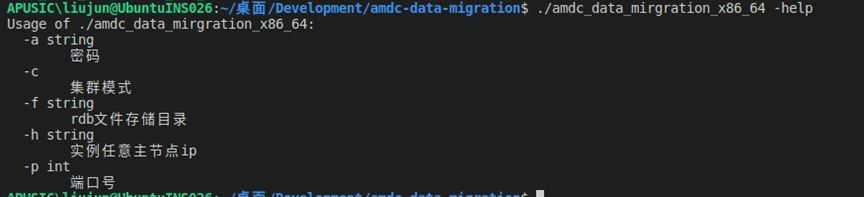
  1. The binary file is named amdc-data-mirgration: Running ./amdc-data-mirgration -help displays the available parameters.
  2. Among these, -f, -h, and -p are mandatory parameters. -f is followed by the directory path, and the program will automatically retrieve the rdb files within this directory. If the cluster has a password, the -a parameter followed by the password needs to be added; if AMDC is in cluster mode, the -c flag should also be included.
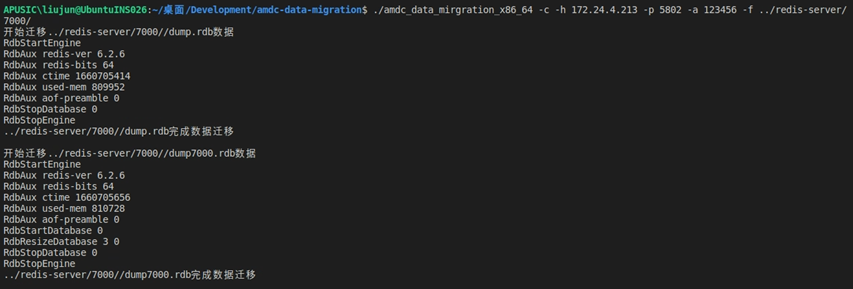
  • For AMDC in cluster mode

  Example: ./amdc-data-mirgration -c -h 127.0.0.1 -p 6359 -f /root/server

  • For AMDC in standalone or master-slave mode

  Example: ./amdc-data-mirgration -h 127.0.0.1 -p 6359 -f /root/server

# Migrating with amdc-cli

The amdc-cli --cluster command can be used to import data exported from one Redis cluster into another AMDC cluster.

Below is the syntax for the amdc-cli command:

amdc-cli --cluster import target(host:port) --cluster-from host:port

Where:

  • from is the address of the AMDC cluster node from which data is being exported.

# Data Migration via the Management Console

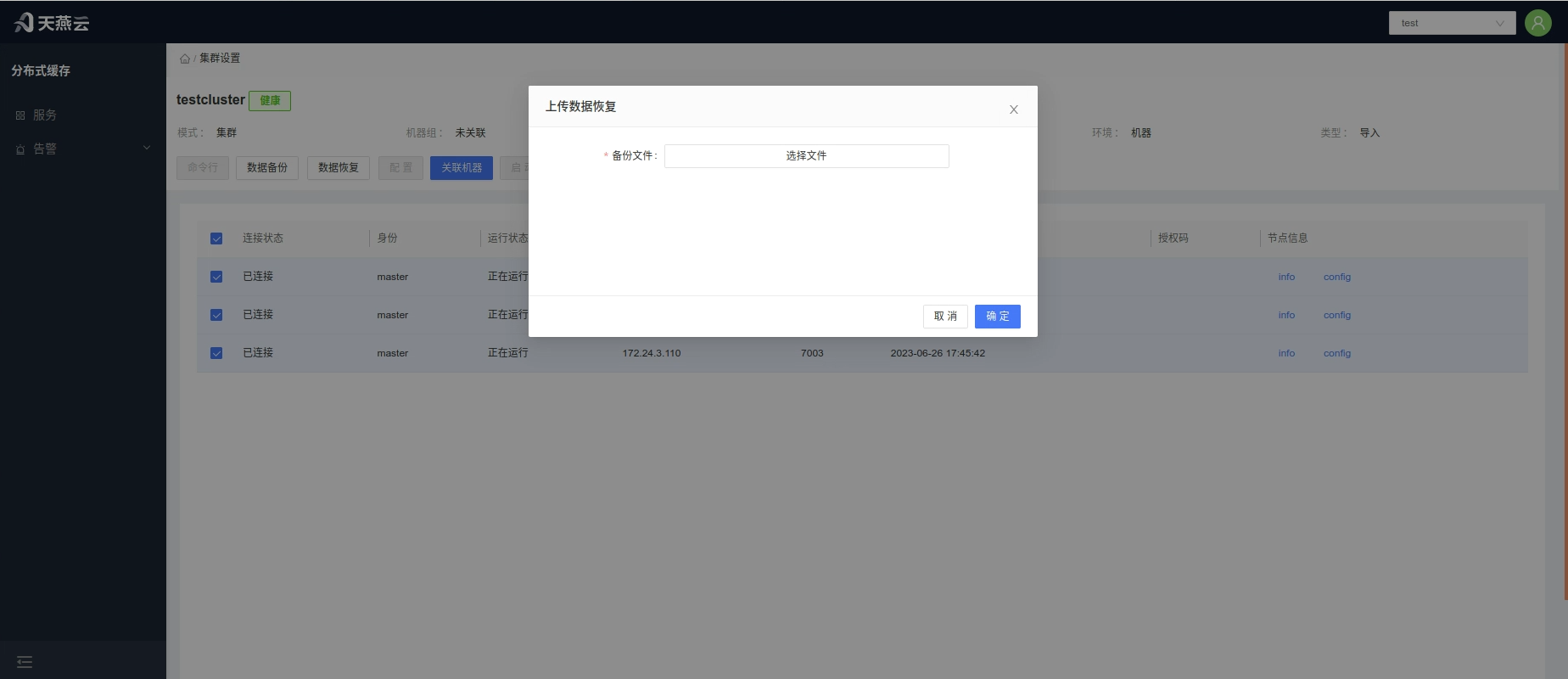
The AMDC Management Console provides a data migration option. Under the Tenant role, select 'Service List' -> 'Settings', then click the 'Restore Data' button, and upload the rdb file to proceed with the migration.
编辑页面 (opens new window)
#Data Migration Guide#AMDC

← Development Manual FAQ)→

  • 浅色模式