
User Manual

# Copyright Notice
The content of this User Manual is copyrighted by Kingdee Apusic Cloud Computing Co., Ltd. Reproduction, excerpting, or use of the text or viewpoints in any other manner should be credited with the source as "Kingdee Apusic Cloud Computing Co., Ltd.".
# Introduction
Apusic In-Memory Data Cache(AMDC)is a comprehensive, high-throughput, and data-secure distributed cache software designed to provide safe and reliable caching capabilities for large-scale, high-concurrency, and highly available critical applications. It is compatible with the Redis protocol and persistent data files, enabling straightforward and seamless replacement of Redis.
This document will provide users with a detailed introduction to using Kingdee Apusic Distributed Cache, divided into five major sections: Console, Cache Core, Shell Client, RDB Cluster Data Migration Tool, and Performance Testing Tool.
# Deployment Assistance
For detailed information on installation and deployment, please refer to theInstallation Manual。
# Console
The AMDC Console is a web-based management and monitoring tool supporting cache monitoring, auto-deployment, cluster/node management, scaling, ACL management, automatic alerts, real-time configuration, web shell, access control, and more.
# Console Configuration File
# General Configuration Items
The AMDC Console configuration file is stored at: /Console Installation Directory/amdc-console/config.yaml
After modifying the configuration file, you must restart the console service for the new settings to take effect. Commonly used configuration items are as follows:
| First-Level Parameter | Second-Level Parameter | Default Value | Notes |
|---|---|---|---|
| system | addr | 9001 | Listening port for the console |
| sqlite | path | ../console.db | Storage file for the console |
| zap | director | log | Log file for the console |
| tls | isEnable | false | Enable HTTPS access |
# Keycloak Single Sign-On Integration Configuration
The AMDC Console configuration file is stored at: /Console Installation Directory/amdc-console/config.yaml
| First-Level Parameter | Second-Level Parameter | Default Value | Notes |
|---|---|---|---|
| keycloak | isEnable | false | Enable Keycloak single sign-on mode |
| configURL | "" | Authentication URL | |
| clientID | "" | Client ID | |
| clientSecret | "" | Client credential | |
| redirectURL | "" | Redirect URL | |
| state | "somestate" | Custom state request parameter used for requesting authorization token (OAuth2 protocol standard) | |
| accestoken_publickey | "" | Public key for parsing RS256 algorithm accesstoken |
# Quick Start
# Role Explanation
The Console employs a three-role management approach:
The three roles are:
- System Administrator(Account:SystemAdministrator)
- Security Keeper(Account:KeysKeeper)
- Safety Auditor(Account:SafetyAuditor)
The initial password for all three roles is 【admin!123】,and it is recommended to change the password after logging in.
For actual users, there are two types of roles:
- Administrator:Responsible for implementing and maintaining AMDC services but not a direct user, and does not require allocation to a tenant.
- Tenant Account:A role that uses caching services, only responsible for using caching services, not involved in implementation and maintenance processes. Tenants are grouped to achieve data isolation. Multiple tenant accounts can exist under a single tenant.
# Creating Accounts
For a new user, the three-role management can be a bit complex. Here's how to quickly create an account:
- Log in as the System Administrator(SystemAdministrator)and create tenants and accounts (multiple accounts can be created, accounts do not necessarily belong to tenant accounts, they can also serve as administrator accounts);
- Log in as the Security Keeper (KeysKeeper) and click on the "Unauthorized" group, select an account, and click the "Authorize" button.
- If authorized as an Administrator, it defaults to the administrator group and cannot be changed;if authorized as a Tenant Account, then you need to choose which tenant to authorize (the relationship between tenant accounts and tenants is many-to-one);
- Select the account and click to modify the password, adding a password for it (this can also be used to modify the password for old users);
- Select the account and click to activate, enabling the account;
- Log in with the new account.
# Common Features
These are functions and pages accessible by all roles.
# Login
After deployment, open a browser(recommended: Chrome、firefox) and enter the address to access the Console login page: http://serverIP:serverPort。
For Example:
Deploying the AMDC Console on the server 192.168.0.1, with the default port 9001, the Console login address would be: http://192.168.0.1:9001

Refer to Chapter 8, "Passwords and Security," for initial username and password.
# Personal Information
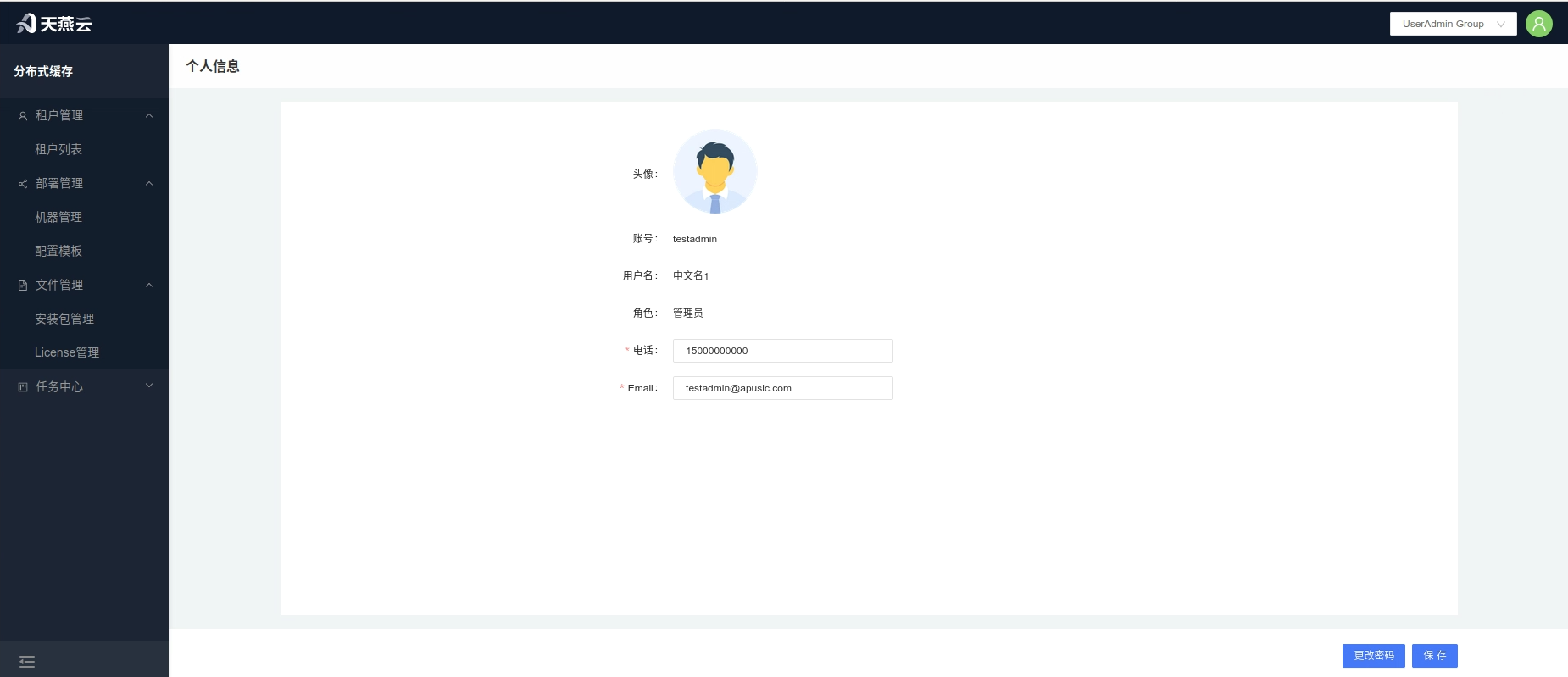
Click on the avatar in the top right corner of the home page to enter the personal information page, where you can view user information or modify the current user's password, email, and phone number. The avatar is temporarily not modifiable.
# Service Monitoring
Tenant Path: 【Service Management】>【Service List】
Administrator Path:【Tenant Management】>【Tenant Details】>【Monitoring】
Click the【Monitoring】button under the cluster section to enter the cluster monitoring page, where detailed information about the current cluster and key metric items will be displayed.

# Analysis
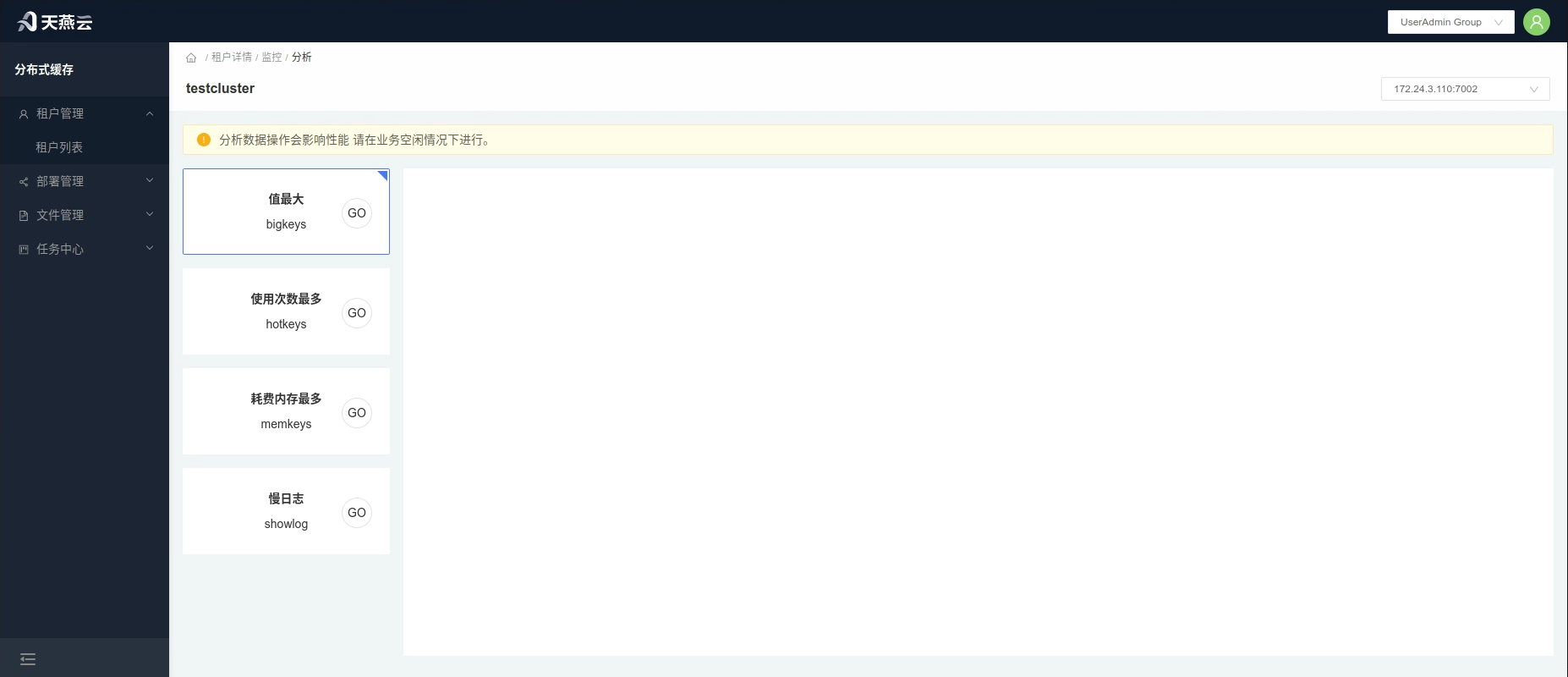
Click the【Analysis】button above【Monitoring】 to enter the【Analysis】 page. Here, you can conduct data analysis and queries for the cache service's bigkeys, hotkeys, memkeys, monitor, and slowlog.
# Administrator Features
# Quick Start
Import Instance: Tenant List->Tenant Details->Import
Automatic Deployment: Upload License->Upload Installation Package->Add Machine (Server)->Edit Configuration->Automatic Deployment->Deployment Task
# Tenant List
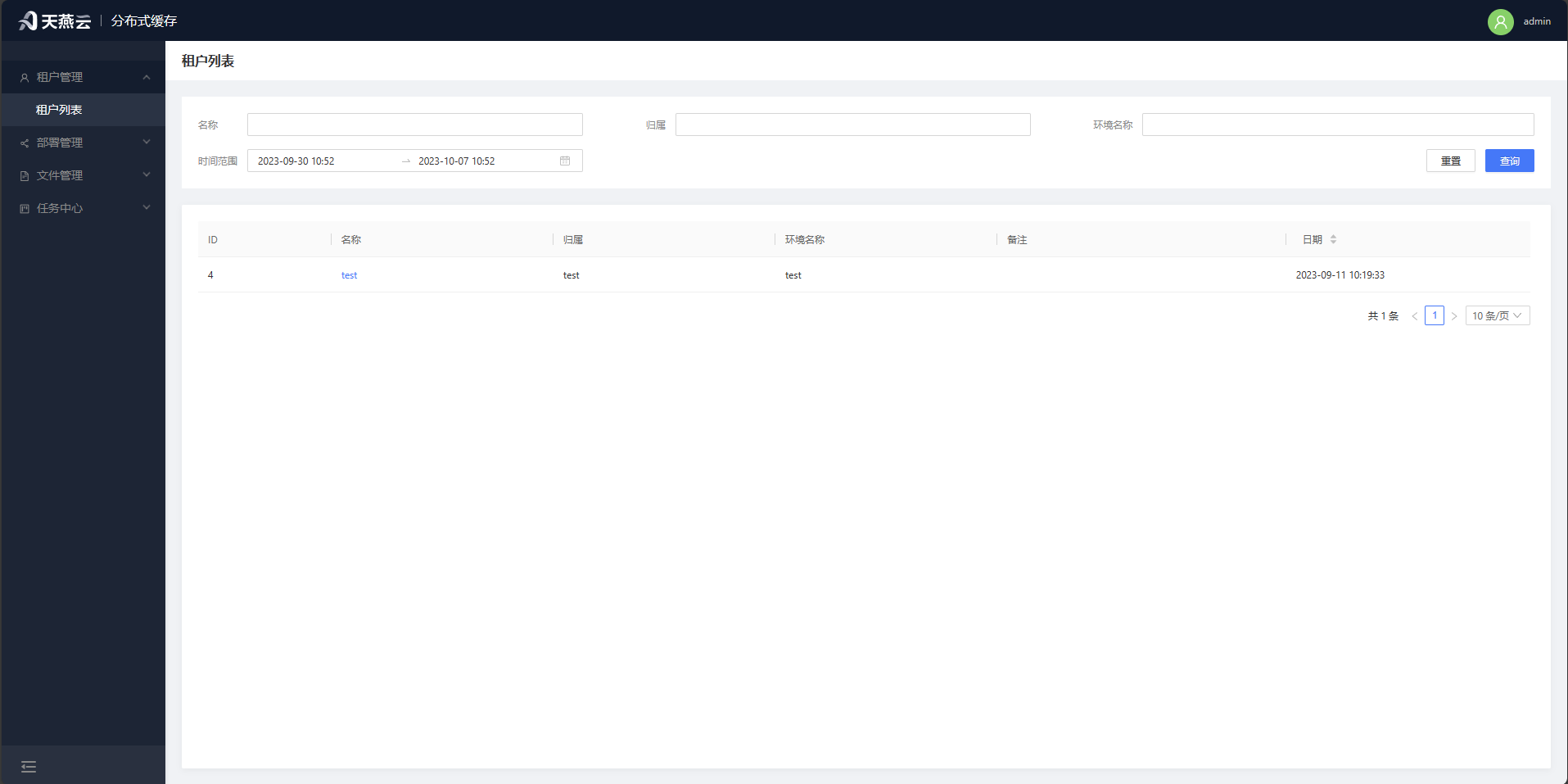
Page Path: Tenant Management - Tenant List
Displays information about all tenants.
# Tenant Details
Page Path: Tenant Management - Tenant List - Tenant Details
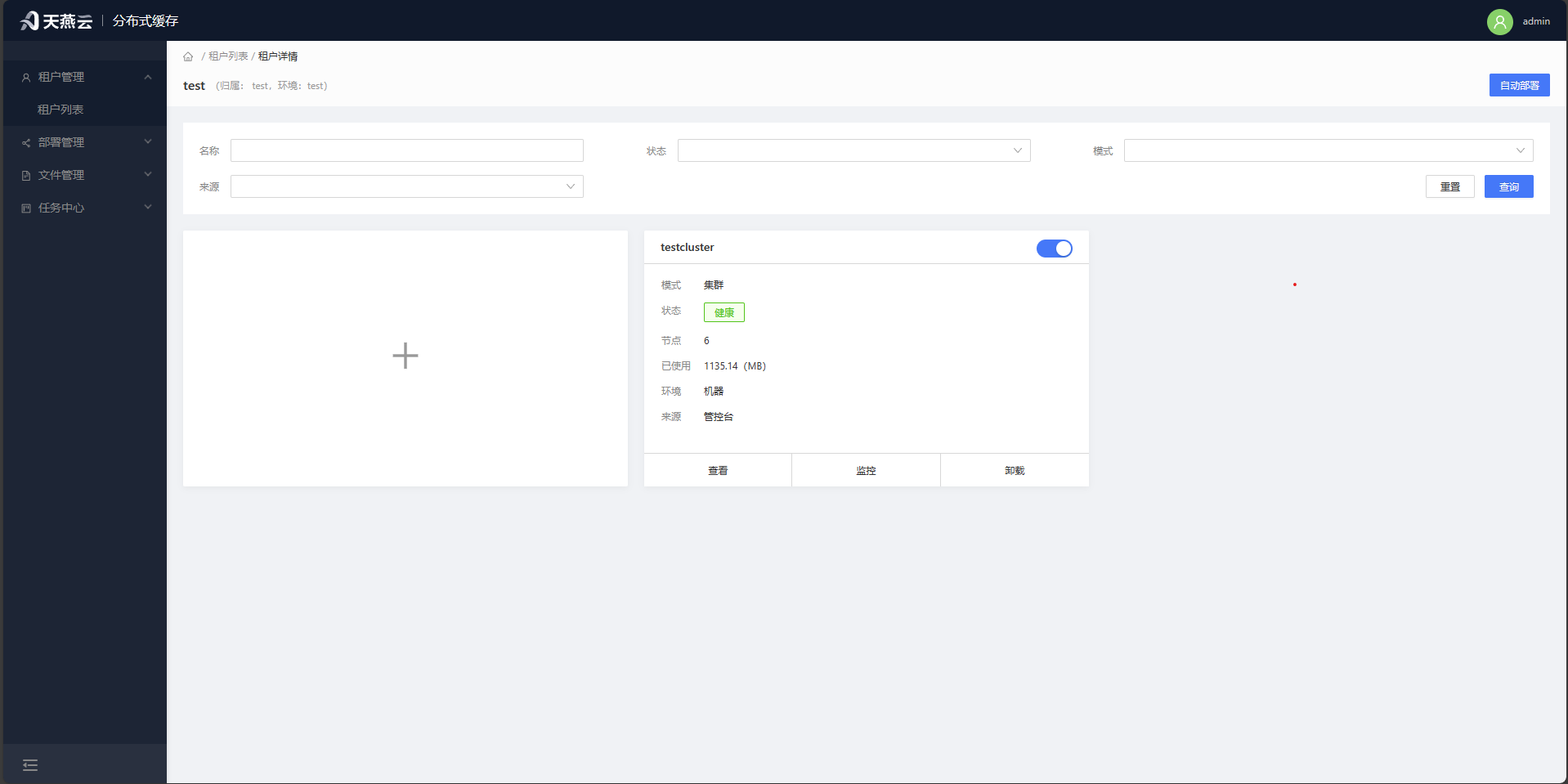
Displays the list of caching services owned by this tenant. Provides the capability to automatically deploy services for the tenant, import existing clusters, enable/disable, configure, monitor, and delete caching services.
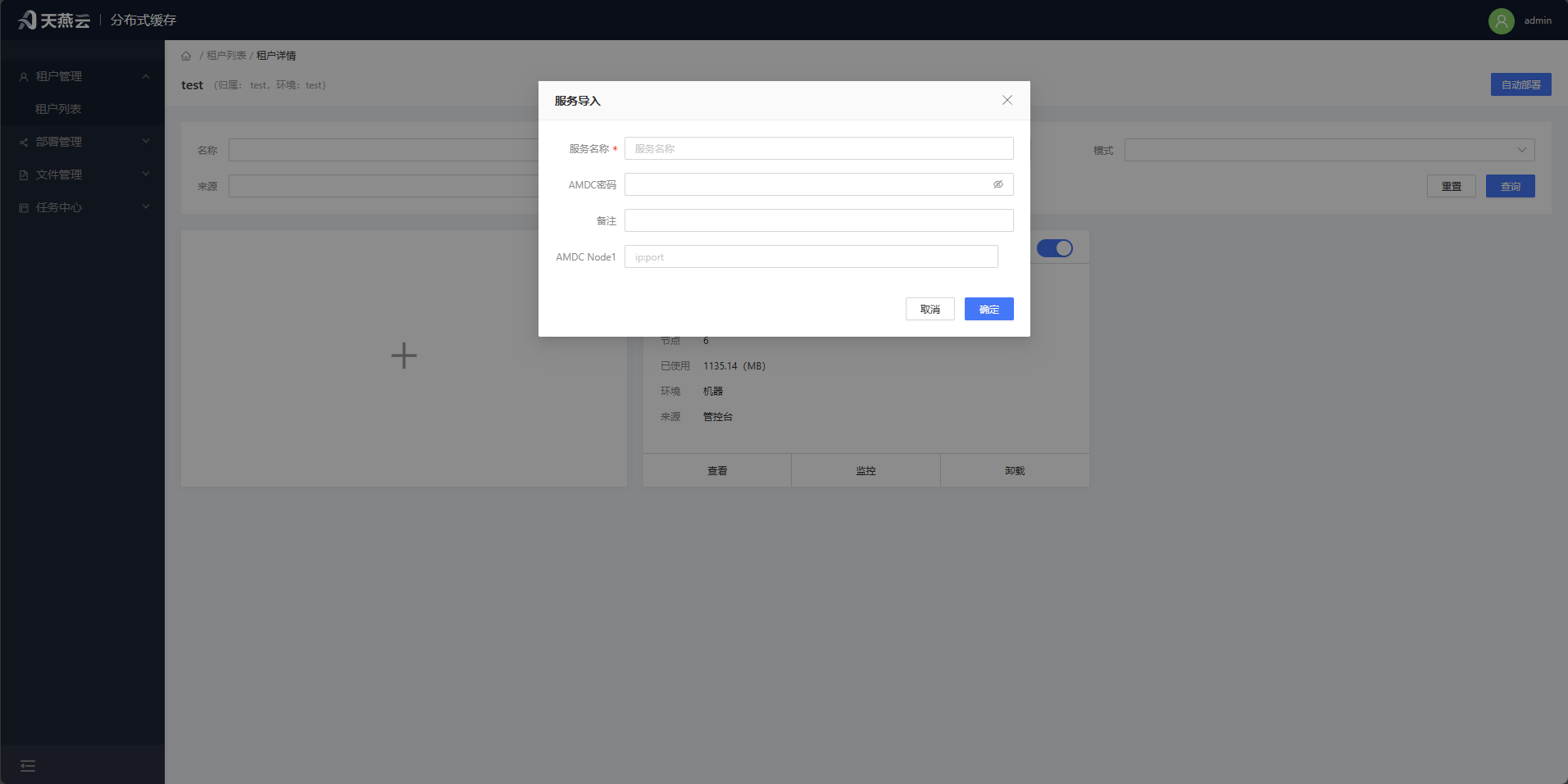
# Import into an AMDC cluster or standalone machine
For AMDC caching services not managed from the console, you can import them into the console to enable monitoring, modification, command execution, and other operations. From the cluster home page, click the [+] Import button and follow the on-screen prompts to add information for the cluster or standalone instance to be monitored.
| Parameter Name | Meaning |
|---|---|
| Cluster Name | Custom name for the cluster |
| AMDC Password | Password for the AMDC caching service |
| AMDC Node | IP:Port of the AMDC caching service node |
# Machine Management
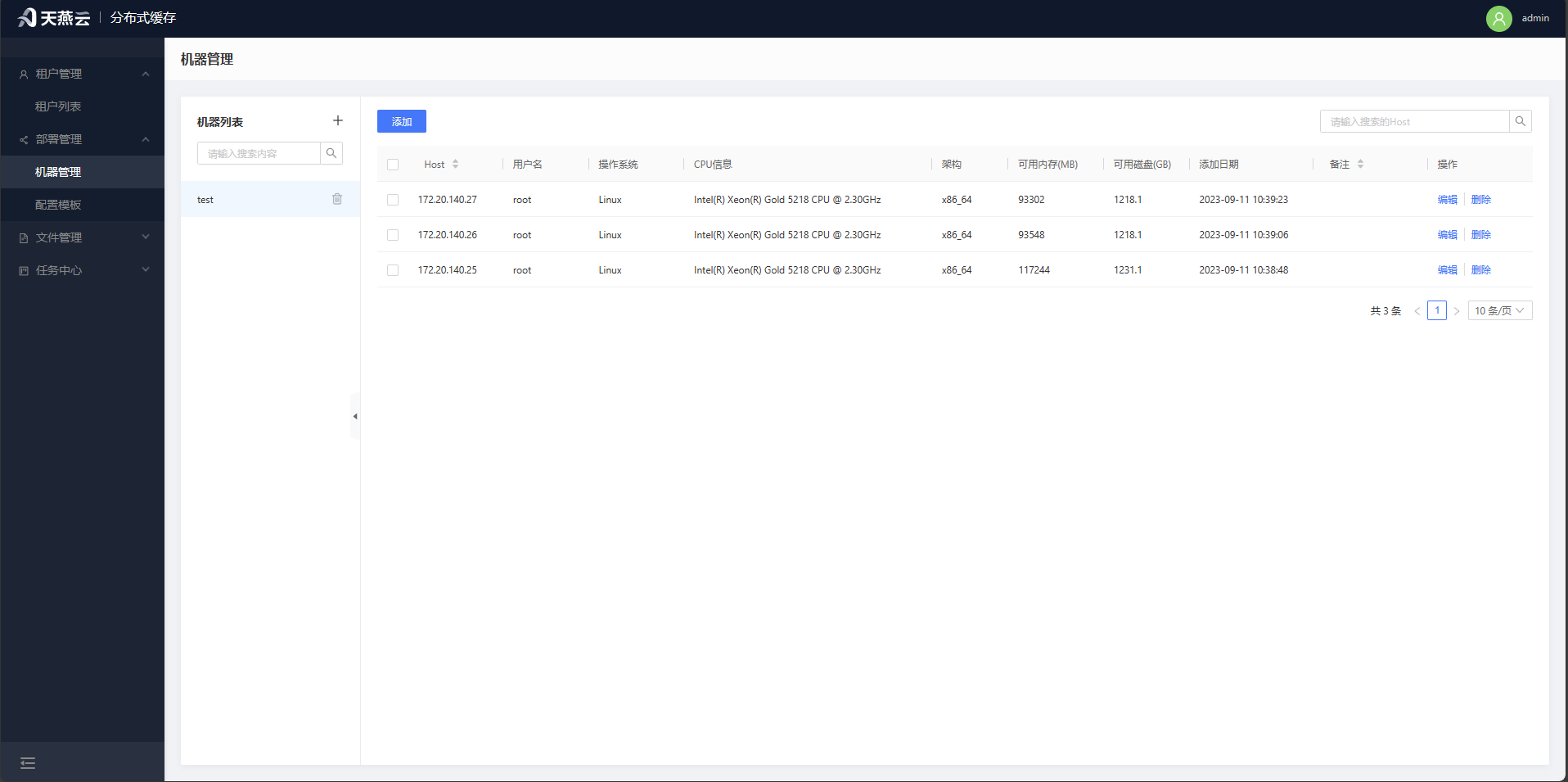
Access【Deployment Management】>【Machine Management】, where the machine management page offers entry points for adding and deleting machines. The machine information required for automatic deployment will be created here.
# Add Machine
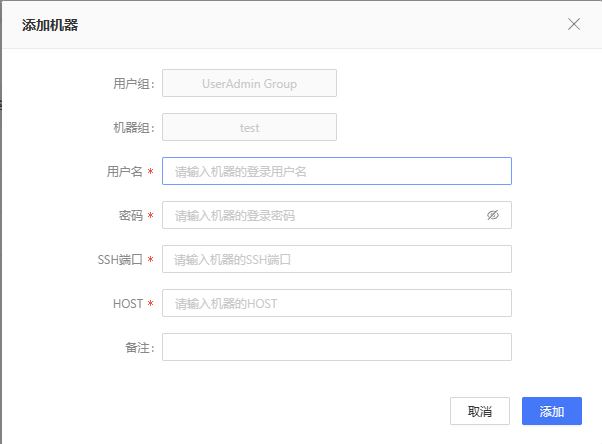
Click home page【Deployment Management】>【Machine Management】o enter the machine management page.You need to have a machine group before you can add a machine; only machines with the same architecture chip can be added to the same machine group. Click the [+] button next to the machine group on the left to add a new machine group; Select the machine group, then click the [Add] button at the upper left, and input the corresponding information in the input fields to add a machine. Note: Machines can only be added if the connection is normal, so please verify the connection status of the target machine.
| Parameter Name名 | Meaning |
|---|---|
| Username | Username for logging into the remote machine, e.g., root |
| Password | Password for logging into the remote machine |
| SSH Port | Port for logging into the remote machine, e.g., 22 |
| Host | Address of the remote machine, e.g., 192.168.0.213 |
| Remarks | Can be left empty |

# Remove Machine
Click【Deployment - Machine Management】 to enter the machine management page. Select the machine(s) you wish to delete, then click the【Delete】button to the right of the machine list to remove the selected machine(s). Batch deletion is supported.
# Edit Machine
Click【Deployment Management】>【Machine Management】 to enter the machine management page. Select the machine you wish to edit, then click the 【Edit】button to the right of the machine list to edit the information for the selected machine.
# Configuration Templates
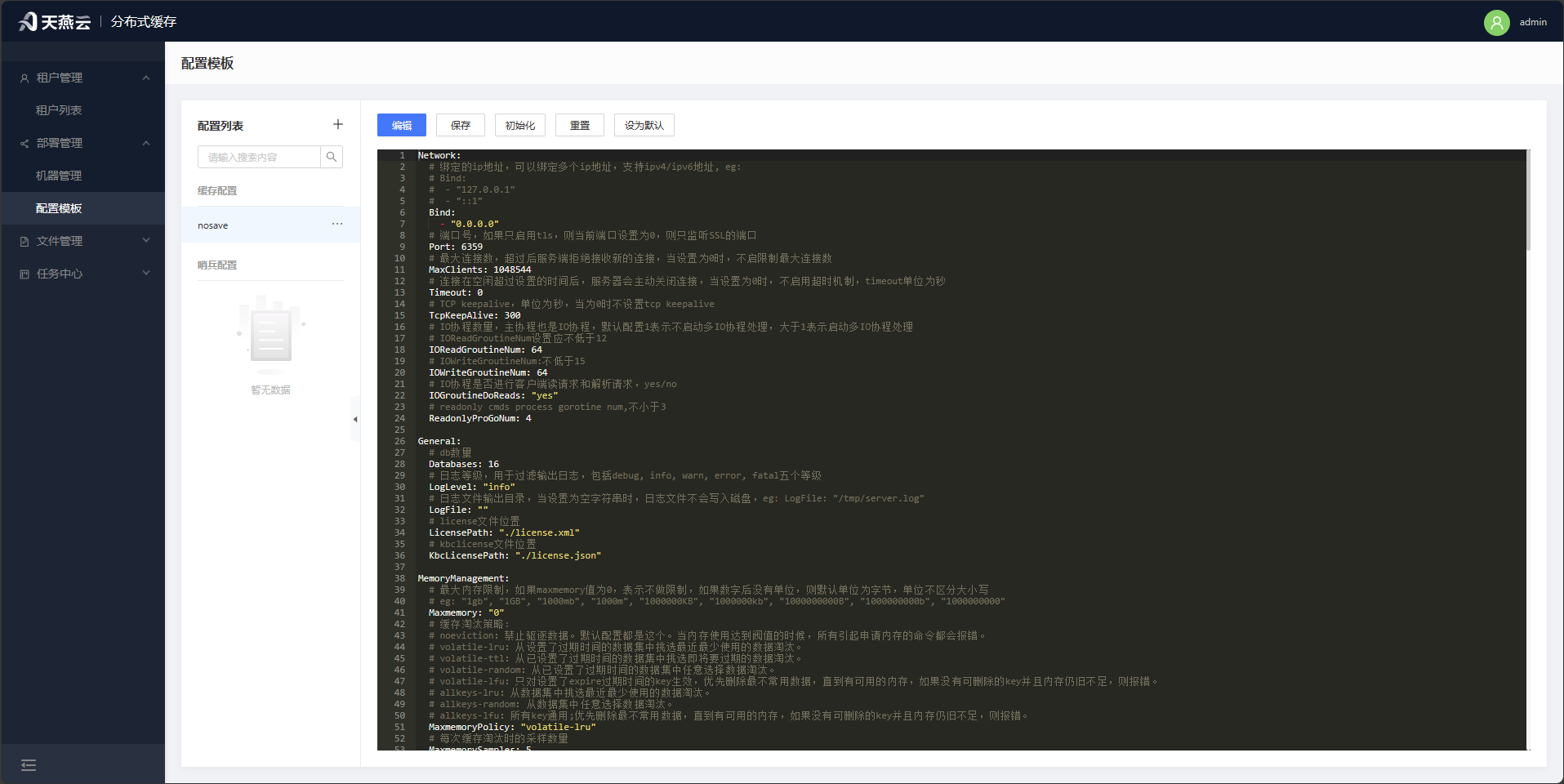
Click【Deployment Management】>【Configuration Templates】 to enter the configuration templates page. On this page, you can define configuration templates for the cache core and sentinels, which can be used during【Automatic Deployment】
Note: Non-universal parameters such as IP addresses and ports will not take effect in the configuration templates to ensure the proper operation of the automatic deployment process.
# Files
File management is used to store AMDC installation packages and License files. Uploaded files will undergo preliminary validation by the control panel to determine their usability and can be selected for use in automatic deployment.
# Package Management
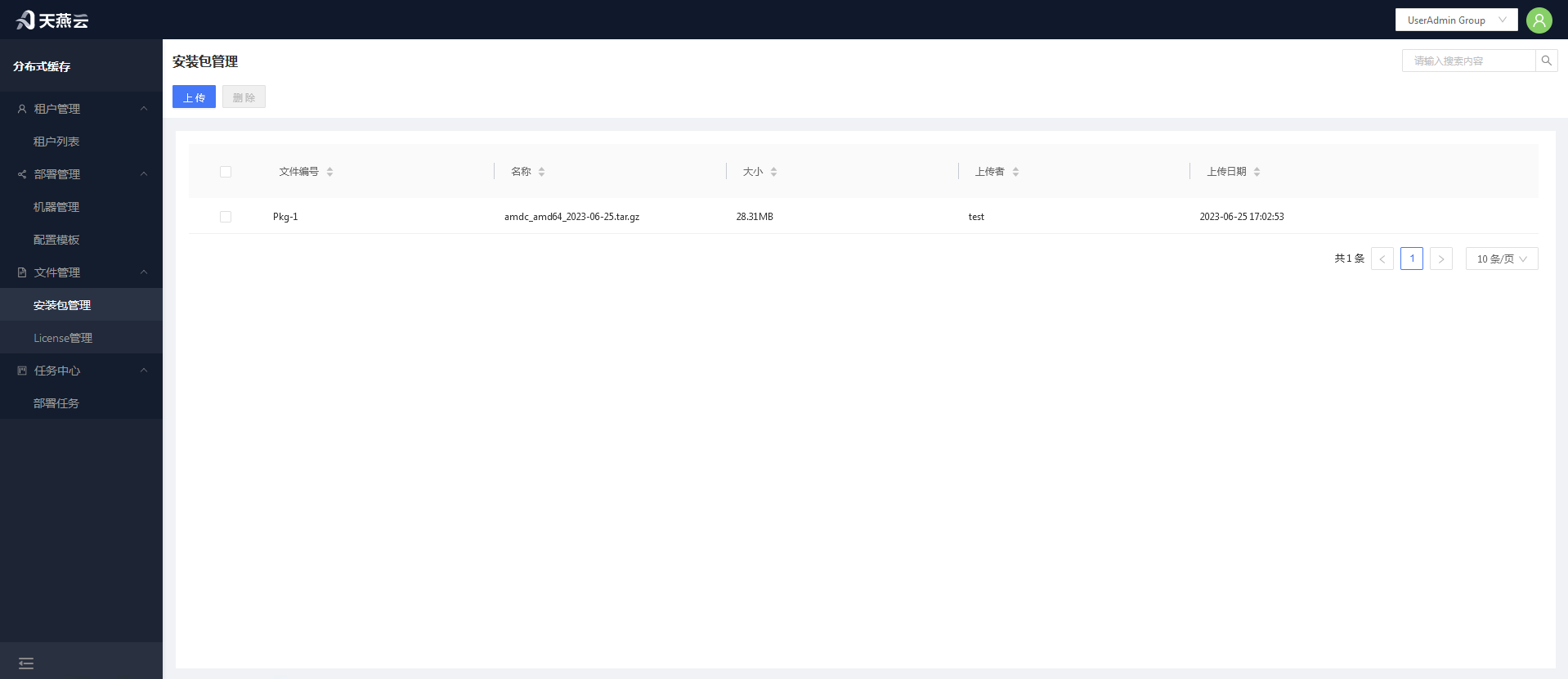
Package management is used to upload installation packages for automatic deployment.
# Uploading Installation Packages
Click the【Upload】button to open the installation package upload dialog.Click【Select File】to choose the installation package you wish to upload, then confirm. Multiple files can be uploaded simultaneously.
# Deleting Installation Packages
Select the installation package(s) you wish to delete, then click the【Delete】button at the top left corner. Supports deleting multiple files at once.
# License Management
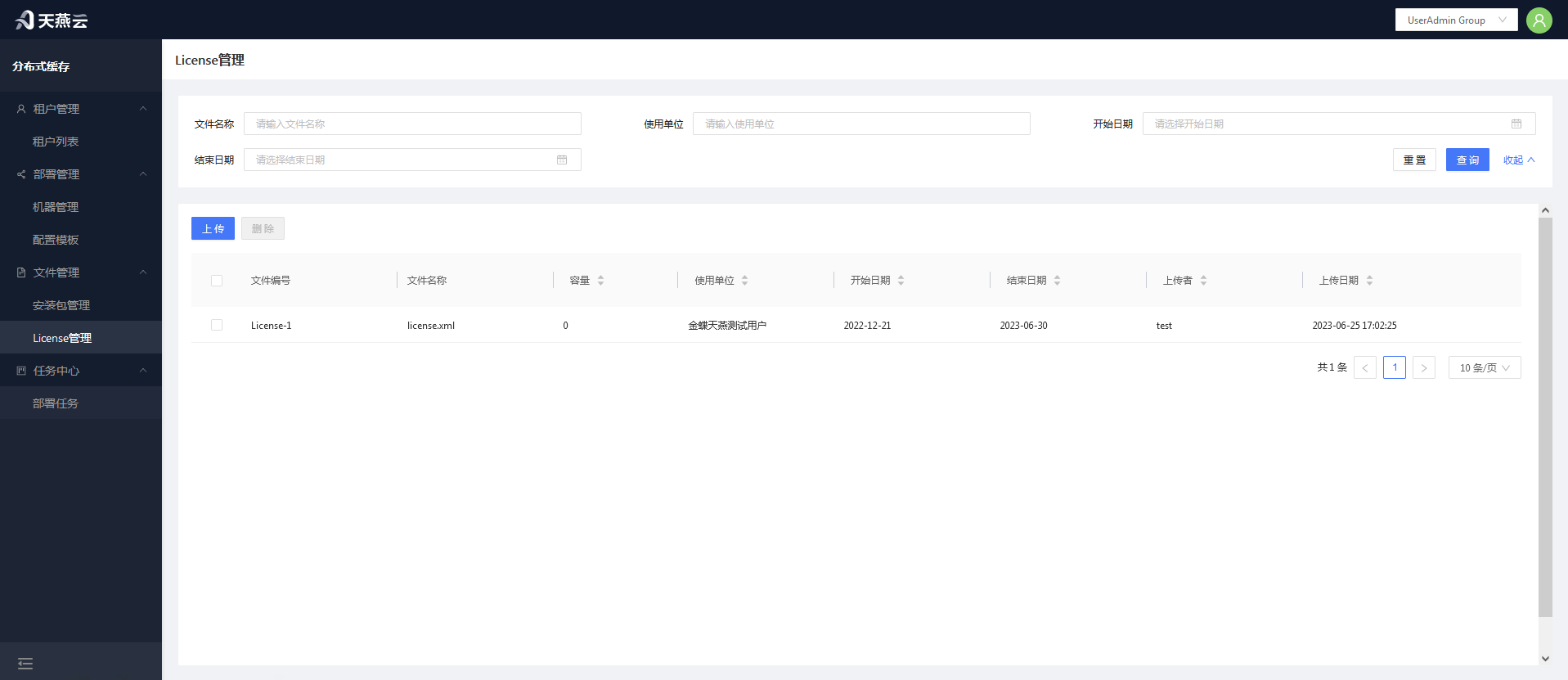
Managing Licence for uploading for use in automated deployments. After uploading, Licenses will be parsed, and invalid Licenses will not be saved in the console.
# Uploading Licenses
Click the 【Upload】button to open the License upload dialog. Click【Select File】 to choose the License file you wish to upload, then confirm. Multiple files can be uploaded simultaneously.
# Removing Licenses
Select the license(s) you wish to delete, then click the 【Delete】button at the top left corner. Multiple licenses can be deleted simultaneously.
# Automatic Deployment
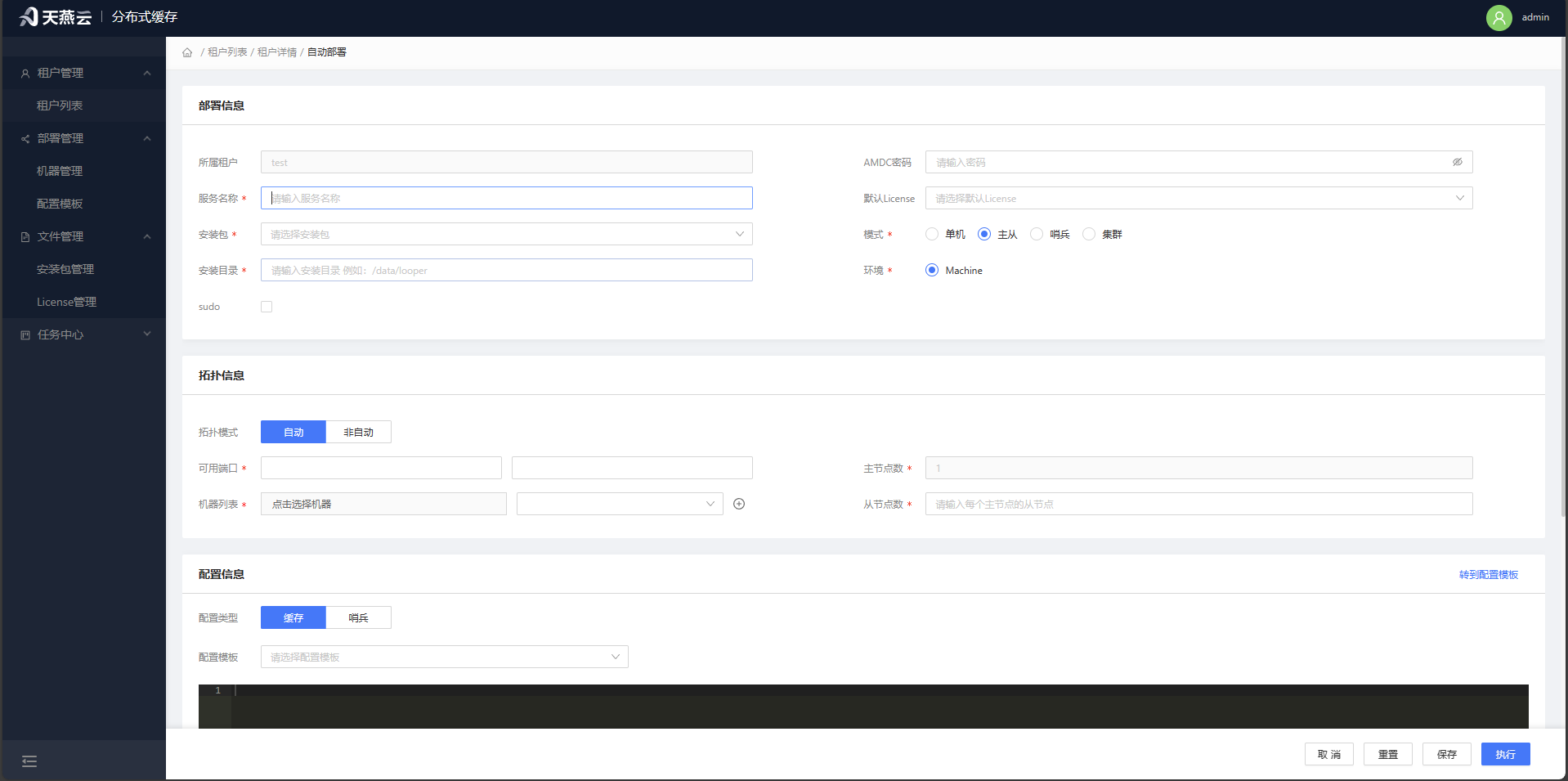
Navigate to【Tenant List】>【Tenant Management】>【Tenant Details】, then click【Automatic Deployment】to enter the automatic deployment form page.
Fill in the relevant deployment information completely, then click 【Save Task】.This will save the deployment information to【Task Center】>【Deployment Tasks】; at this point, the deployment task has not started. Click【Execute Task】 to both save the deployment information to【Task Center】>【Deployment Tasks】 and begin the deployment process immediately. The progress and status of the deployment can be viewed in【Deployment Tasks】。
Prerequisites: Completion of the three actions: adding new machines, uploading licenses, and uploading installation packages.
Page Parameters:
| Parameter Name | Meaning |
|---|---|
| Cluster Name | Custom name for the cluster |
| AMDC Password | Password for the AMDC caching service client connection, optional |
| Mode | Standalone mode, master-slave mode; when deploying in cluster mode, select standalone |
| Environment | Default Machine |
| Installation Package | Select the already added installation package (see Package Management for details) |
| License | Select the already added License (see License Management for details) |
| Machine List | Select the already added machines (see Machine Management for details) |
| Start Port | The port on which the AMDC cache service starts, multiple instances will be laid out on the current port + 1 |
| Installation Directory | Installation path for the AMDC caching service; when installing with sudo, it must be installed under the home/ directory |
| sudo | Whether to install using sudo |
| Auto Topology | Auto-topology represents the automatic planning of the distribution of masters and slaves on the machine, and conversely requires manual specification will be arranged according to the current port + 1 |
Note: Using the automatic deployment function requires that the target server has tar and ss commands available.
# Automatic Single-Machine Deployment via the Console
Before automatic deployment via the console, ensure that the link to the target server is normal, the target server has been added to the machine list (refer to Machine Management), and the target server has the tar and ss commands available.
Procedure:
- Select the mode as【Single-Machine】.In single-machine mode, the primary node defaults to 1 and the replica node defaults to 0. Enter the corresponding information as prompted on the automatic deployment interface, then click the【Install】 button to perform a one-click deployment.
Verify the results of automatic deployment: Click on the【Service List】menu to check whether the cluster has been generated and its status is healthy. You can use the【Command Line】for further verification.
# Automatic Master-Slave Deployment via the Console
Before automatic master-slave deployment via the console, ensure that the link to the target server is normal and that the target server has been added to the machine list (refer to Machine Management).
Procedure:
- Select the AMDC core installation package and license according to the page content, choose the machine based on the target server,and in the【Mode】select Master-Slave.The primary node defaults to 1, and installation can be initiated to automatically achieve master-slave deployment.
# Automatic Sentinel Deployment via the Console
Before automatic sentinel deployment via the console, ensure that the link to the target server is normal and that the target server has been added to the machine list (refer to Machine Management).
Procedure:
- Select the AMDC core installation package and license according to the page content, choose the machine based on the target server, and in the【Mode】select Master-Slave. The primary node defaults to 1, and installation can be initiated to automatically achieve master-slave deployment.
# Automatic Cluster Deployment via the Console
Before automatic cluster deployment via the console, ensure that the link to the target server is normal and that the target server has been added to the machine list (refer to Machine Management).
Procedure:
- Select the AMDC core installation package and license according to the page content, choose the machine based on the target server, and in the【Mode】 select Cluster.Installation can be initiated to automatically achieve cluster deployment.
# Deployment Tasks
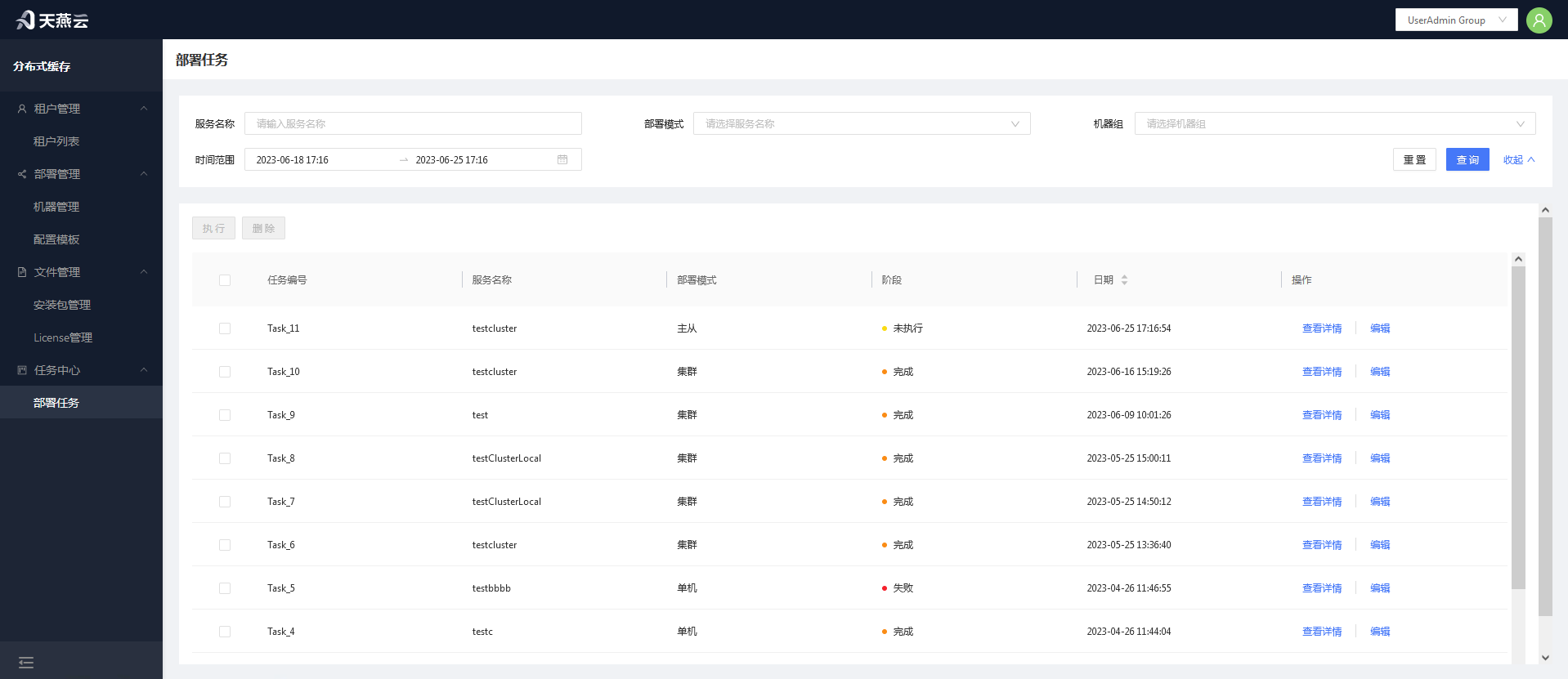
Go to 【Task Center】-【Deployment Tasks】,where all task lists are displayed. You can view the deployment status through the field information in the task list; if a task is in a not executedstate, you can modify the deployment information through【Edit】;if the deployment fails, you can click the【Tasks Details】button in the list operation to view the specific reasons.
# Settings
Provides the AMDC service command line, configuration modifications, stop, start, and restart of cluster nodes, viewing of info and config information, association with machines, data backup, and data recovery operations.
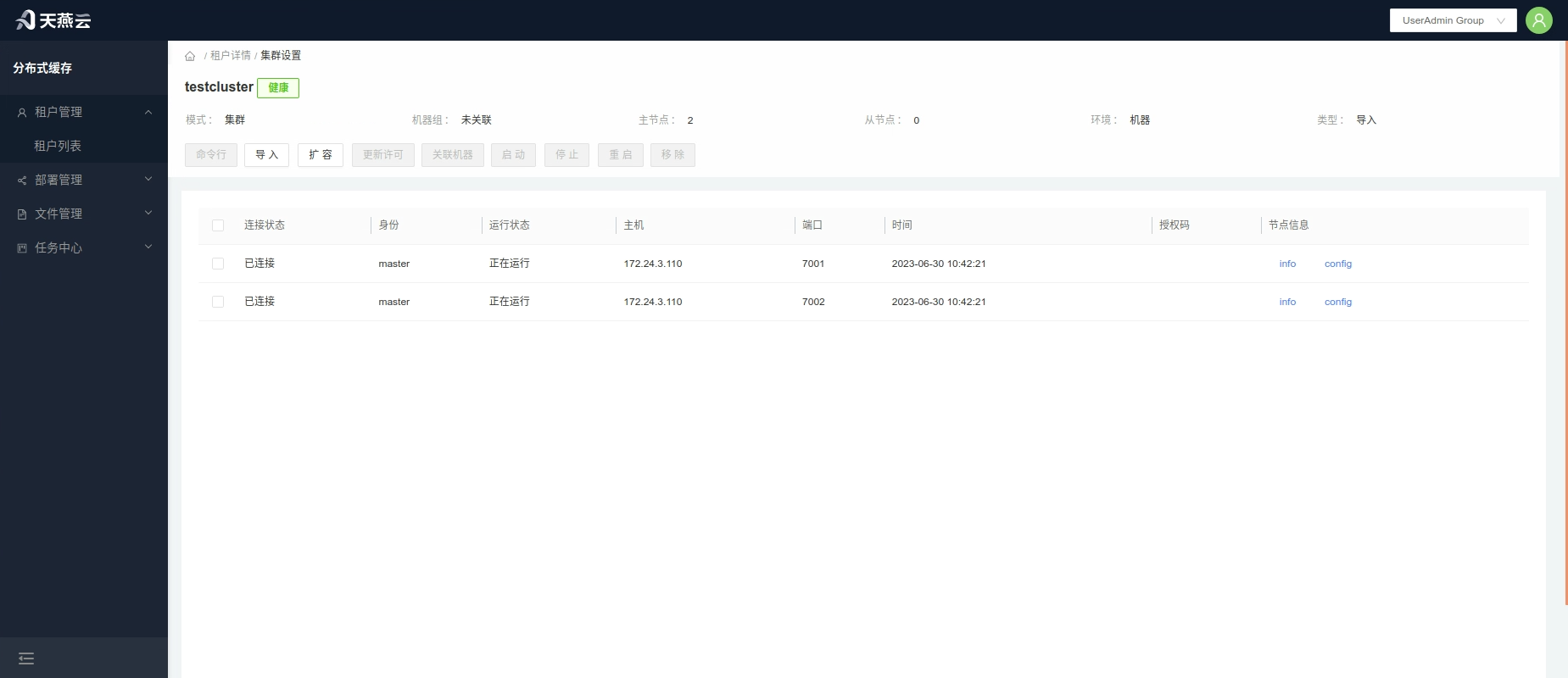
# Command Line
Enter the【Service List】,click the【Command Line】button within the service ,or click【Settings】to enter the service settings interface,then click the【Command Line】button.
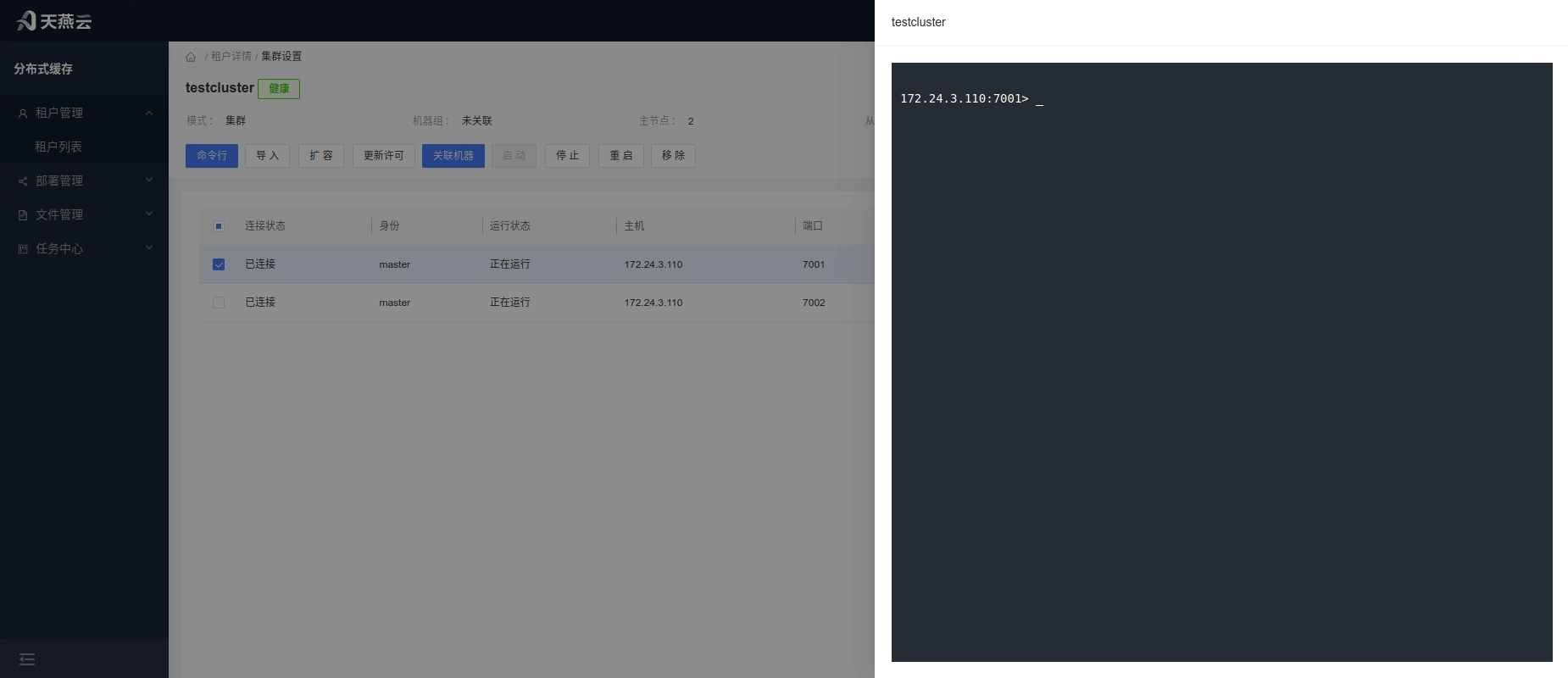
# Import
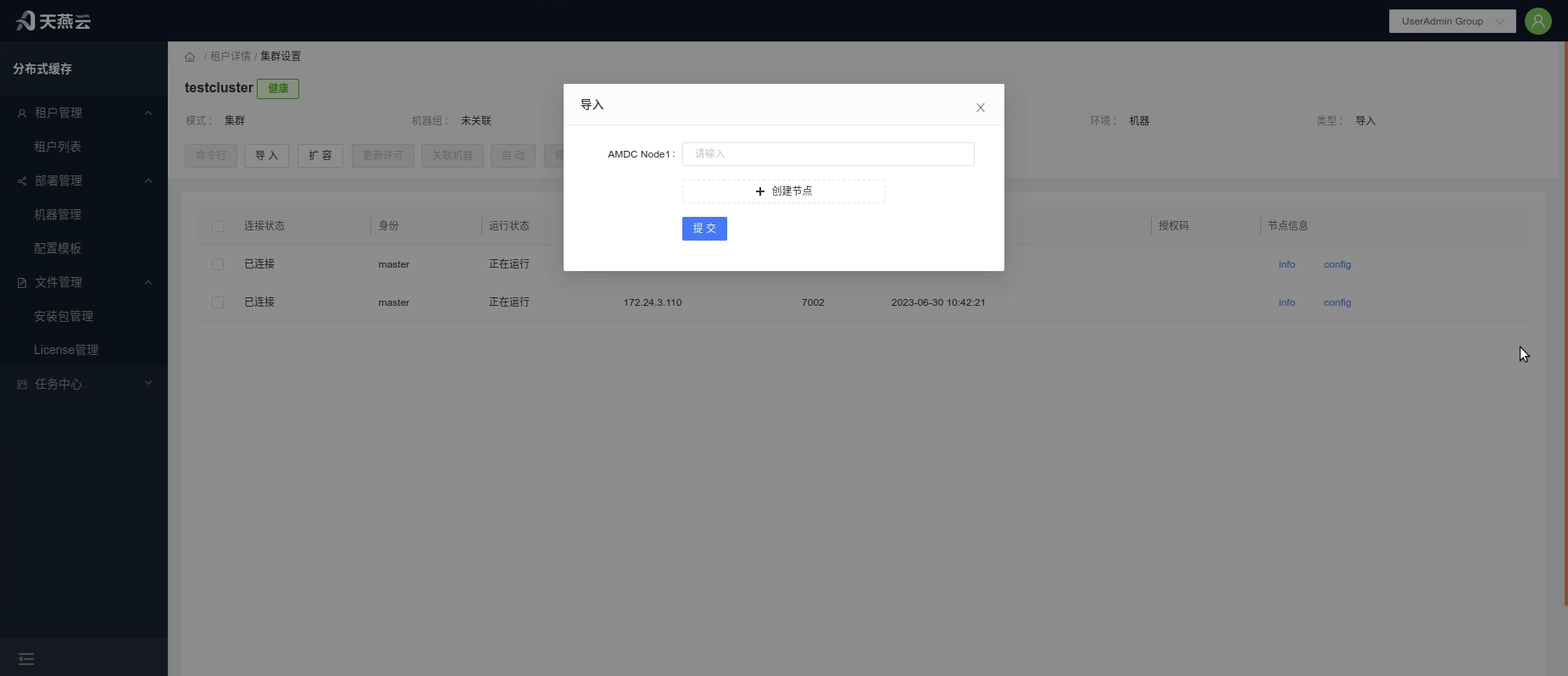
To add nodes to the cluster, you can import AMDC cache services created through other channels via the console.
Procedure: Click the【Import】button to enter the cluster node import page and import AMDC services that have not been expanded through the console.
Note: Only services that are inherently part of the current cluster's nodes can be imported.
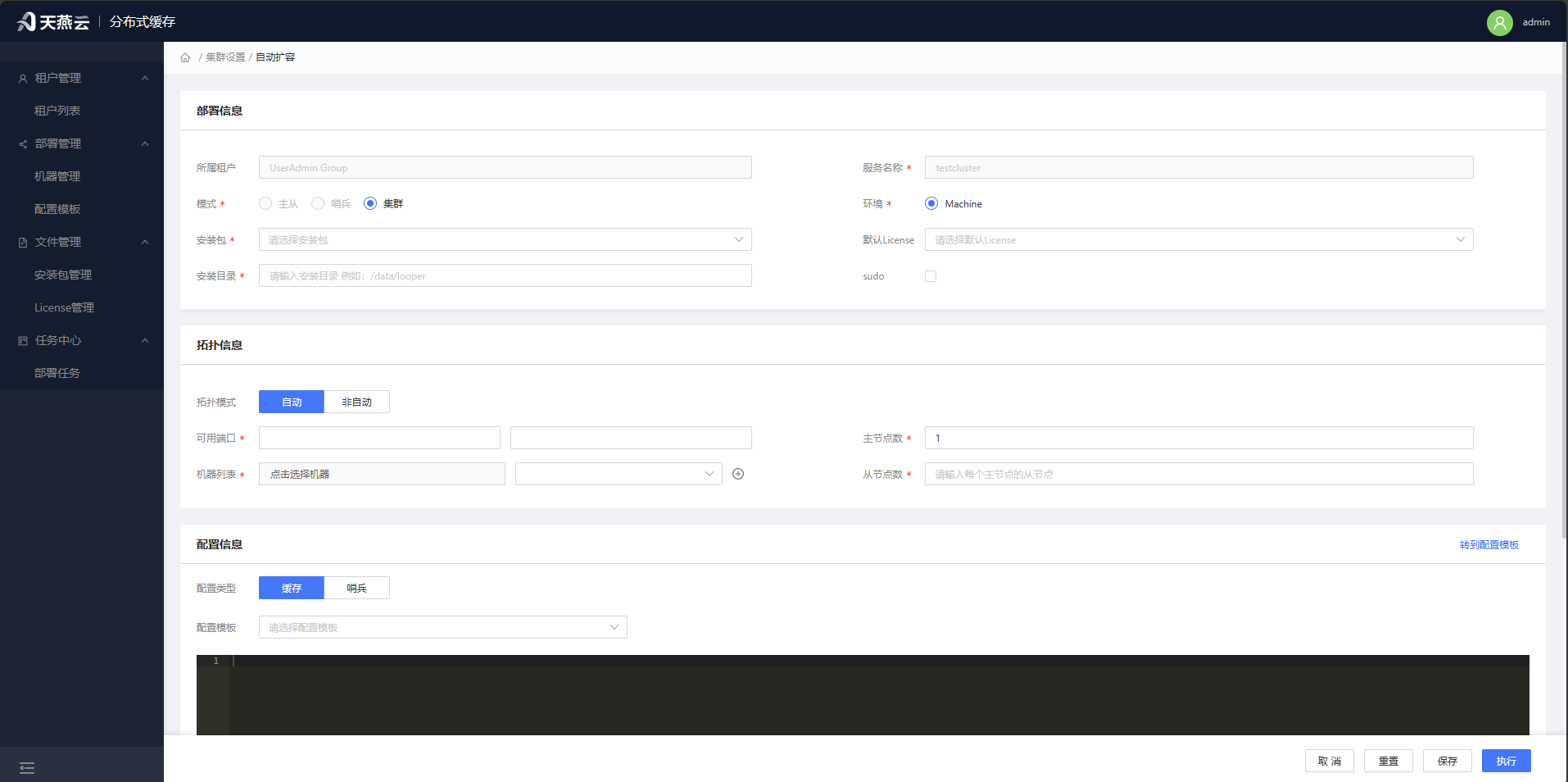
# Cluster Expansion
Click the【Expand】button to navigate to the cluster expansion page, allowing you to expand the slave nodes in master-slave mode or extend the nodes in cluster mode.
# Update License
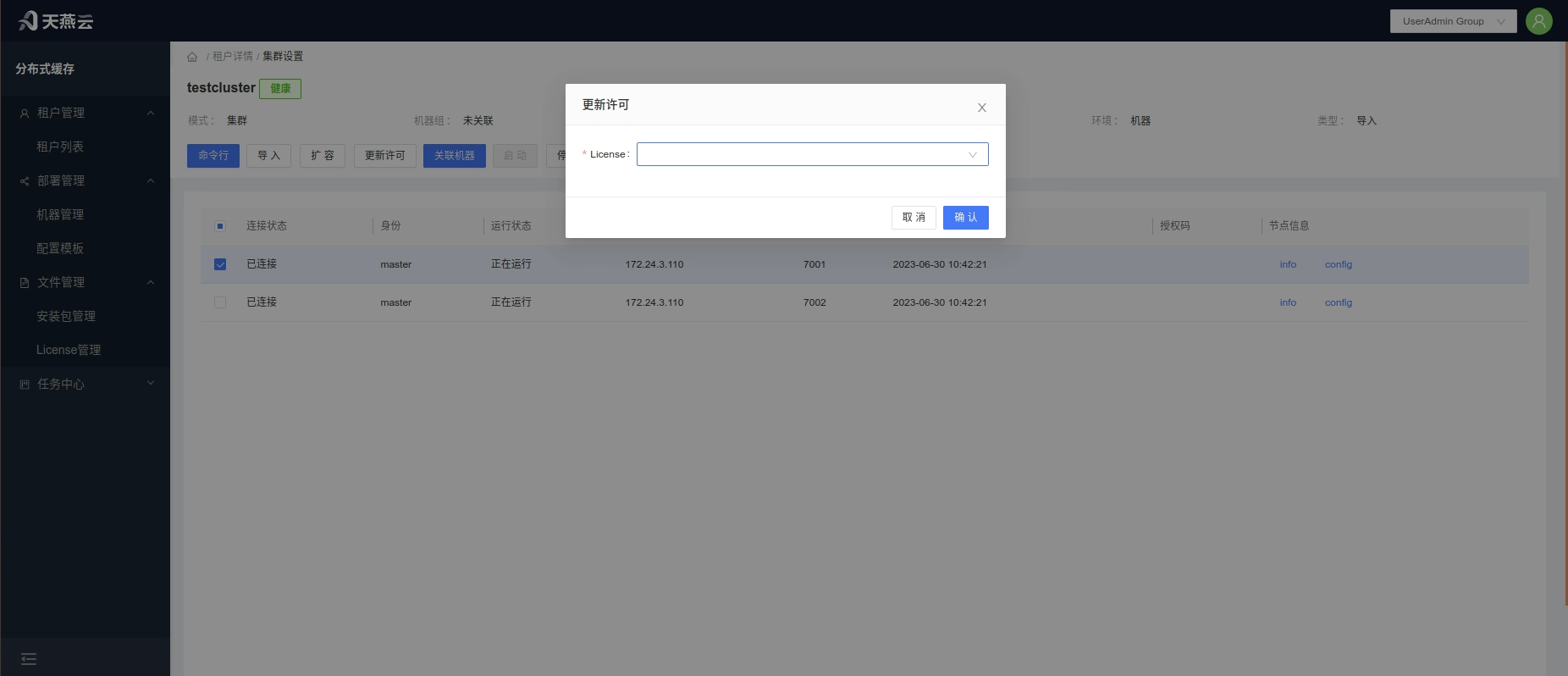
Click the【Update License】 button to open the license update pop-up window. Select the license that has already been uploaded and click【Confirm】 to proceed with the update.When the license is due to expire within 1 month, it will be reminded in the【Service List】.
# Associate Machines
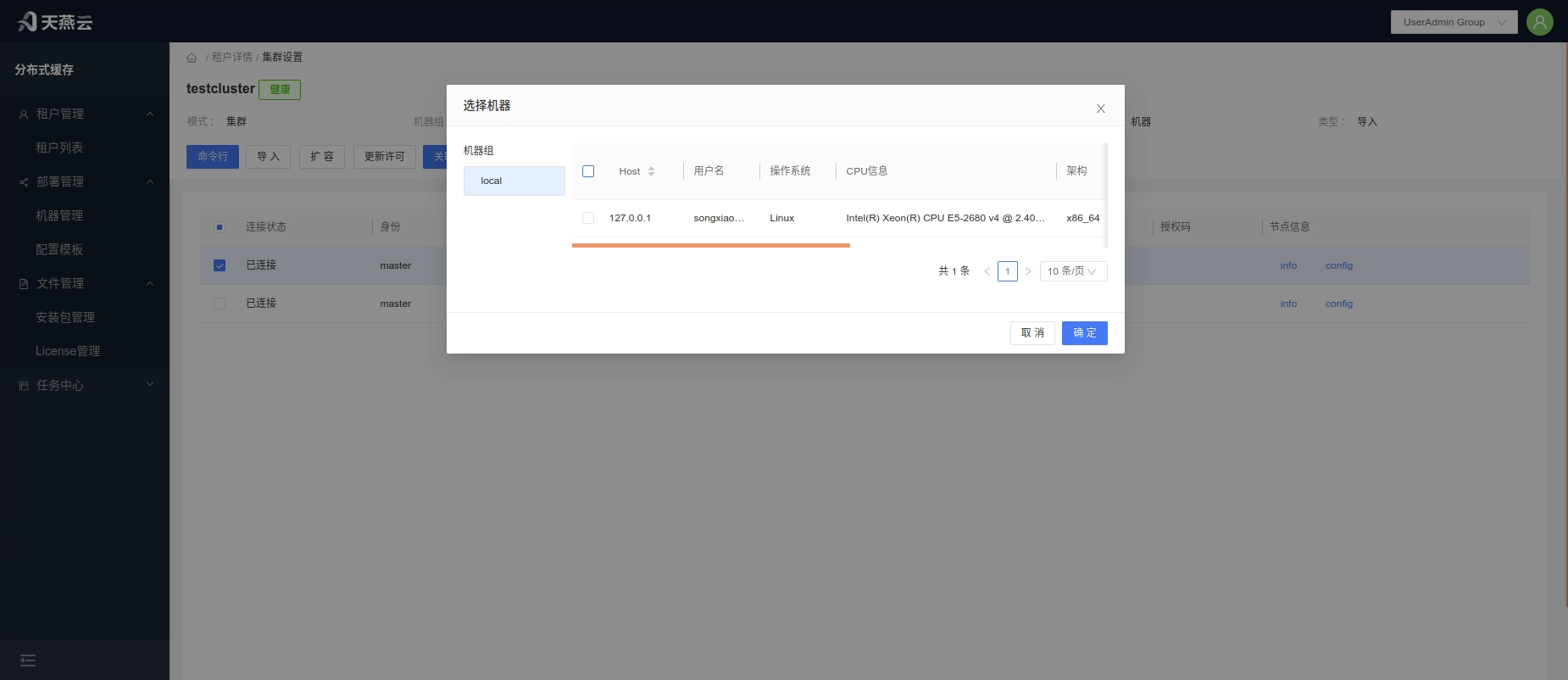
Click the【Settings】button in the cluster information bar on the home page to enter the cluster settings page. Select the corresponding node and click the【Associate Machines】button to associate the imported nodes with machine information.This provides comprehensive management functionality for the nodes.
# Start, Stop, Restart, Delete Nodes
Select the corresponding node and click the【Stop】、【Restart】、【Start】、【Delete】button to perform the operations of stopping, starting, restarting, or deleting nodes, which can be done in batches.
# Tenant Features
# Service Management
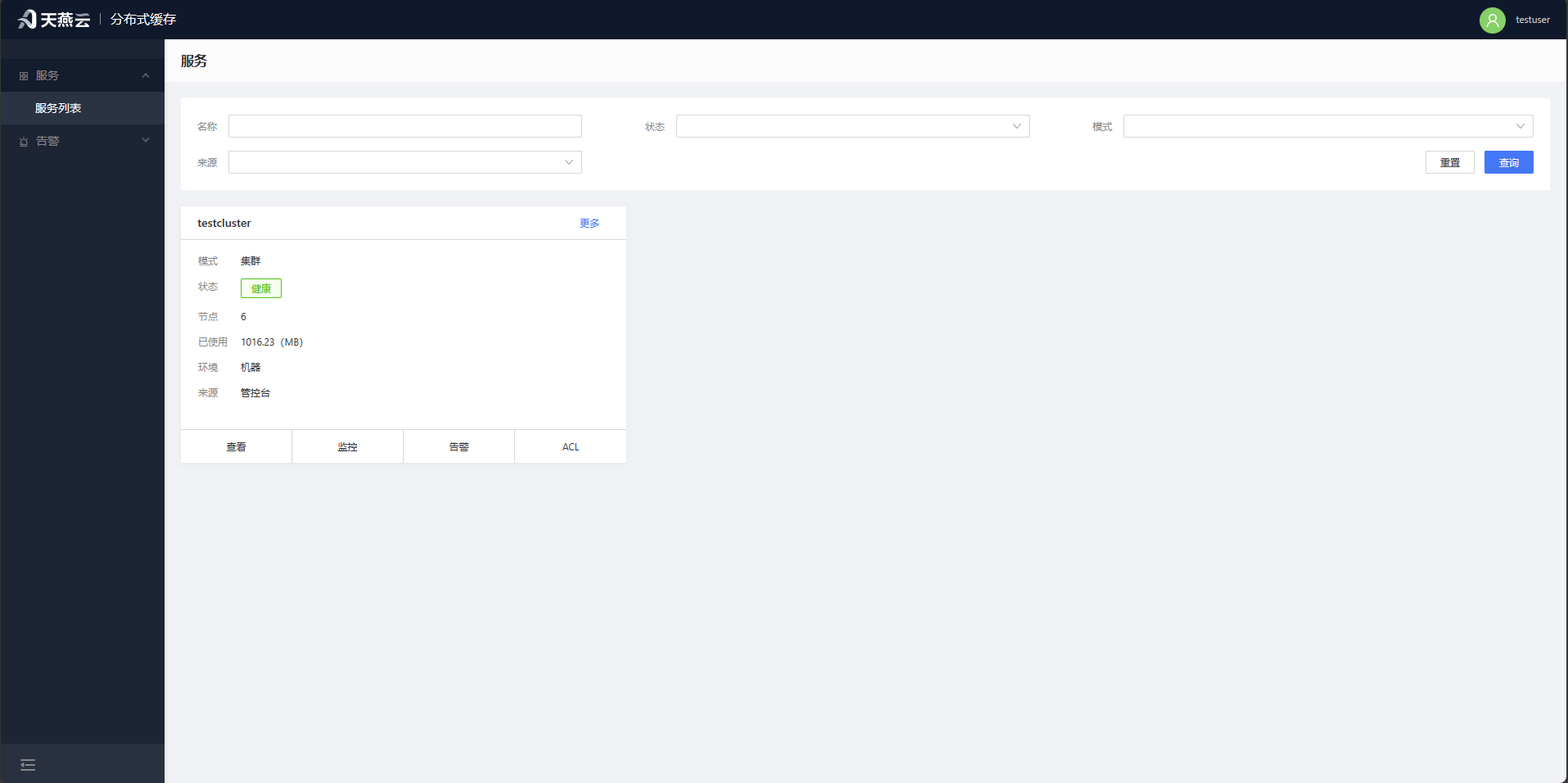
The【Service List】provides entry points for operations such as cluster browsing, cluster monitoring, cluster alerts, cluster settings, cluster editing, and deleting clusters.
# Command Line
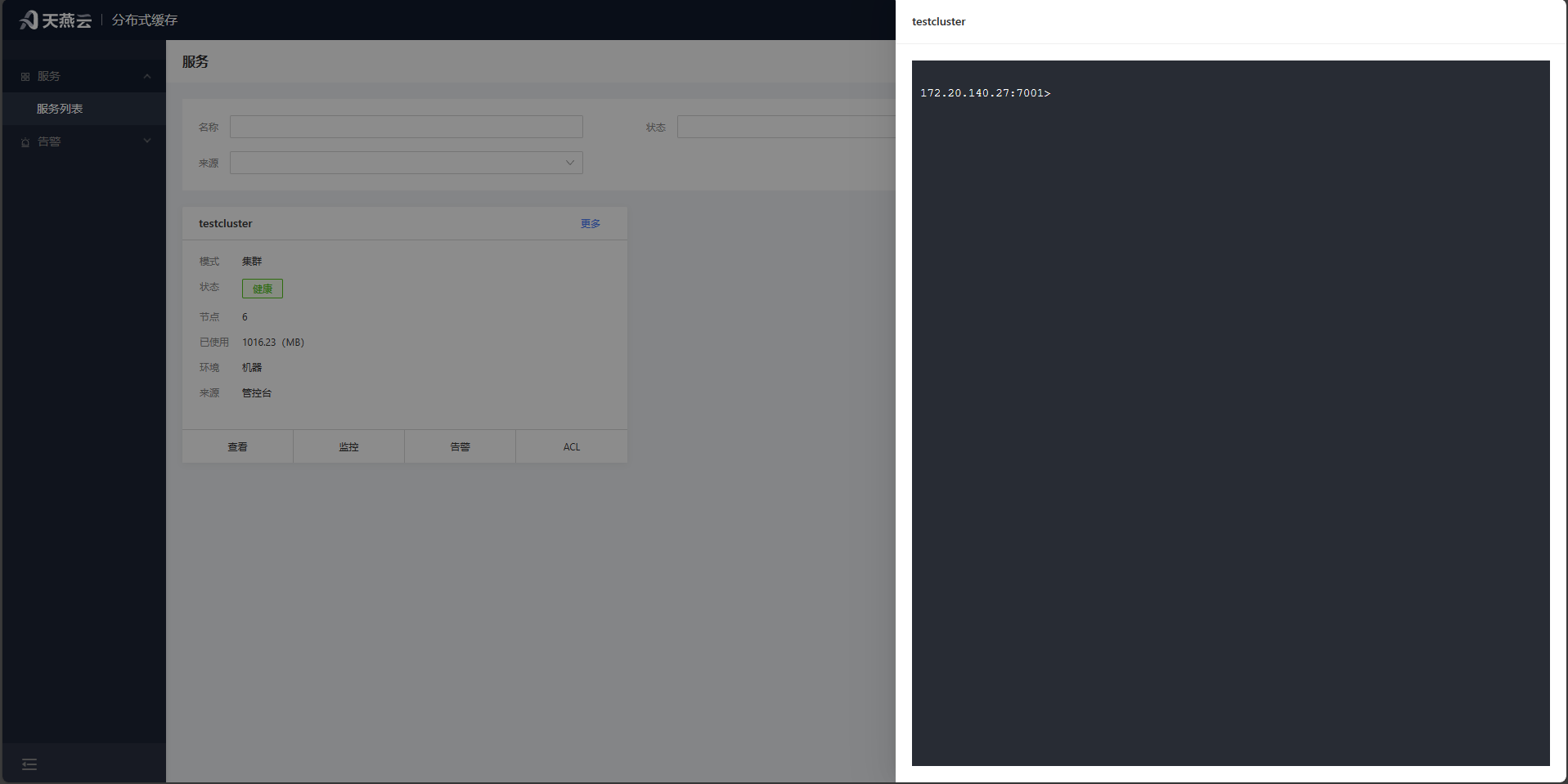
Click on the 【Service List】,select the【More-Command Line】button for a cluster toenter the cluster command line interface, where you can simulate interaction as a cluster client.
# ACL Management
Click on the【Service List】, select the 【ACL】button for a cluster to enter the ACL management interface, where you can manage access control lists for the cluster.
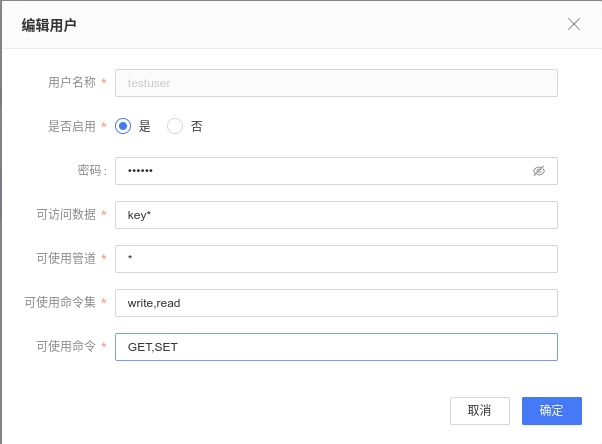
Corresponding to acl setuser username >password on ~* &* +@all(+command) to explain.
| Parameter Name | Meaning |
|---|---|
| Username (username) | The name of the new user |
| Enabled (on/off) | Whether to enable or disable the user |
| Password (>password) | The password for the user |
| Accessible Data (~*) | A regular expression matching accessible data |
| Command Set (+@all) | The name of the command set in the acl cat list. |
| Accessible Channels (&*)) | A regular expression matching accessible publish/subscribe channels. |
| Commands (+command) | Specific commands from the acl cat |
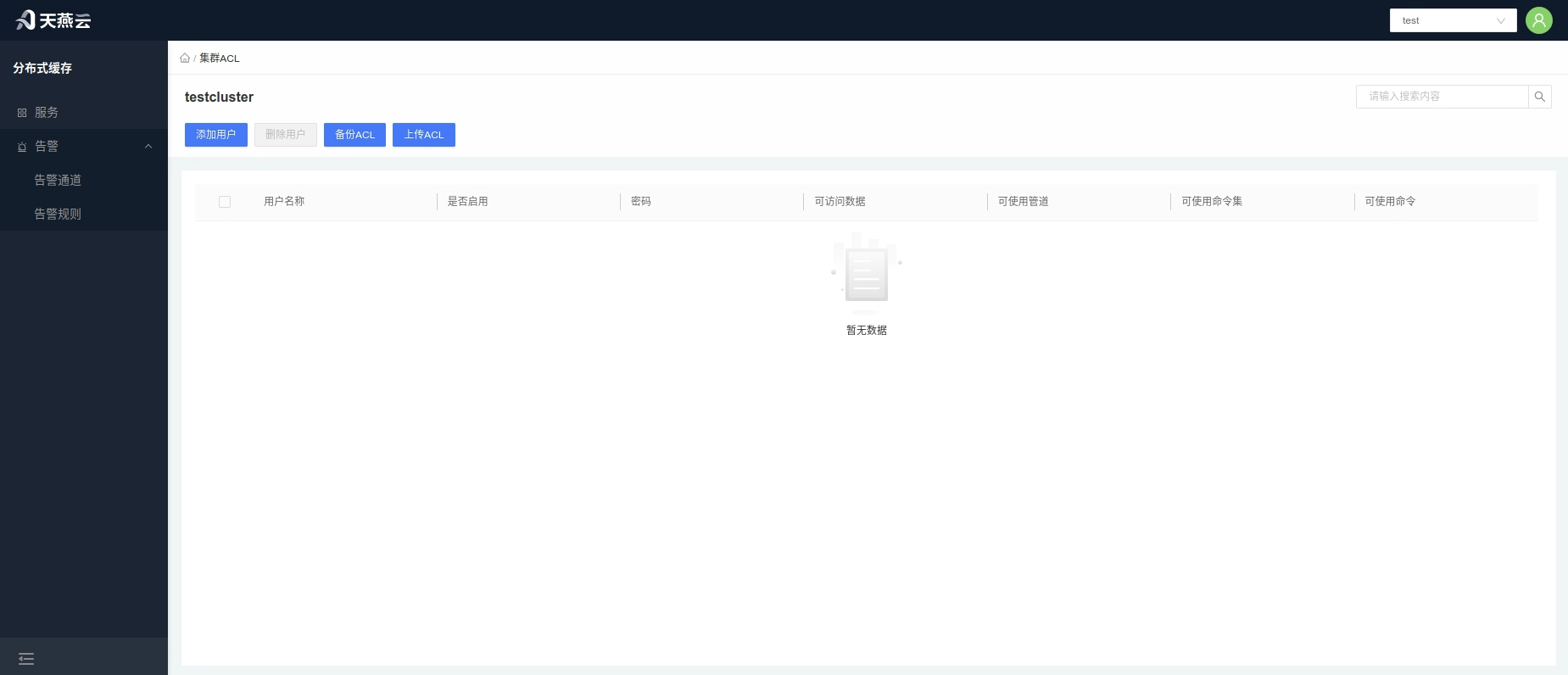
All parametersdo not require prefix symbols (such as: >, ~, &, +@, -, +, etc.) to be added, as shown in the following image.
# Settings
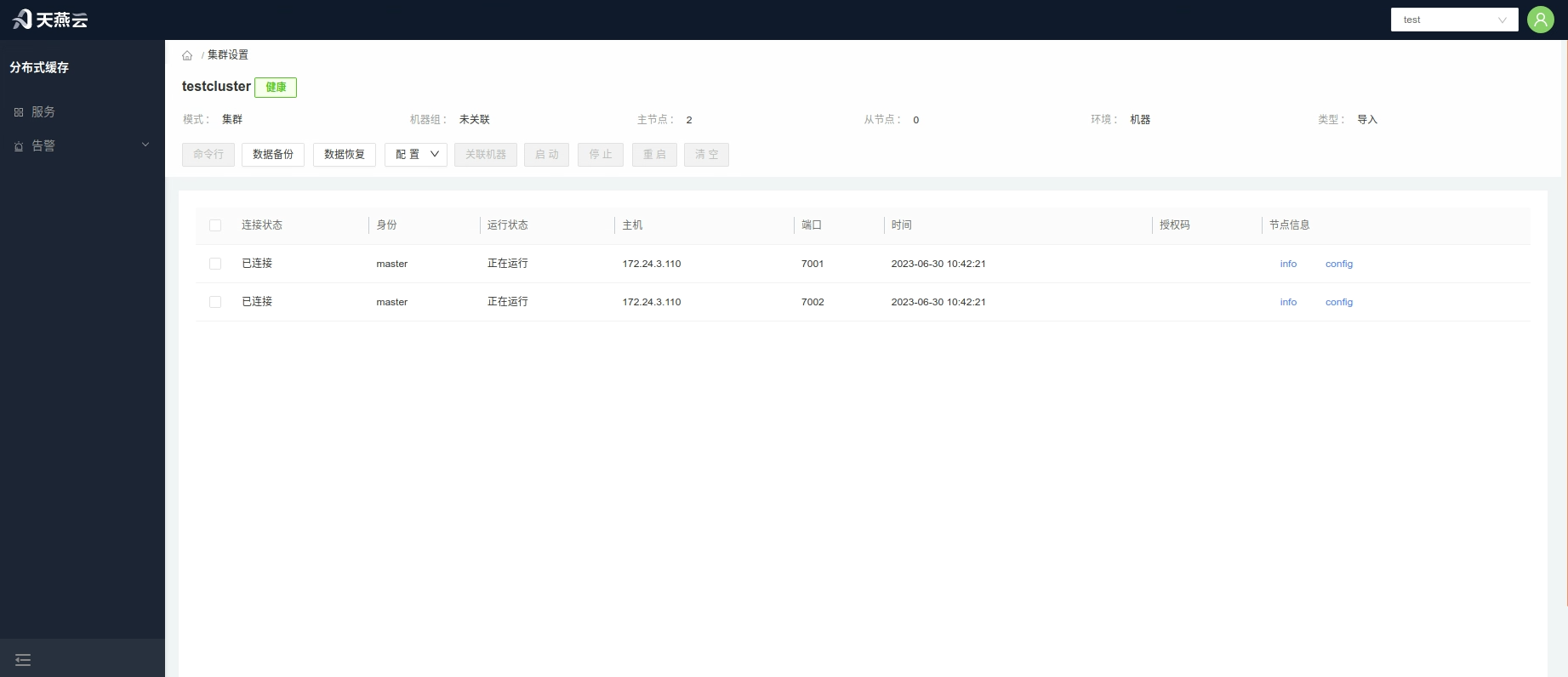
Cluster settings provide the ability to modify configurations of the AMDC service, add, delete, and update nodes, clear memory, remove the cluster, stop, start, restart, and delete cluster nodes, view cluster info and config details, associate machines, backup data, expand the cluster, and import operations.。
# Clear Cluster Memory
Select the corresponding node and click【Clear】to clear the distributed data on the current node.
# Start, Stop, Restart Nodes
Select the corresponding node and click the【Stop】、【Restart】、【Start】 button to perform the respective operations on the node.
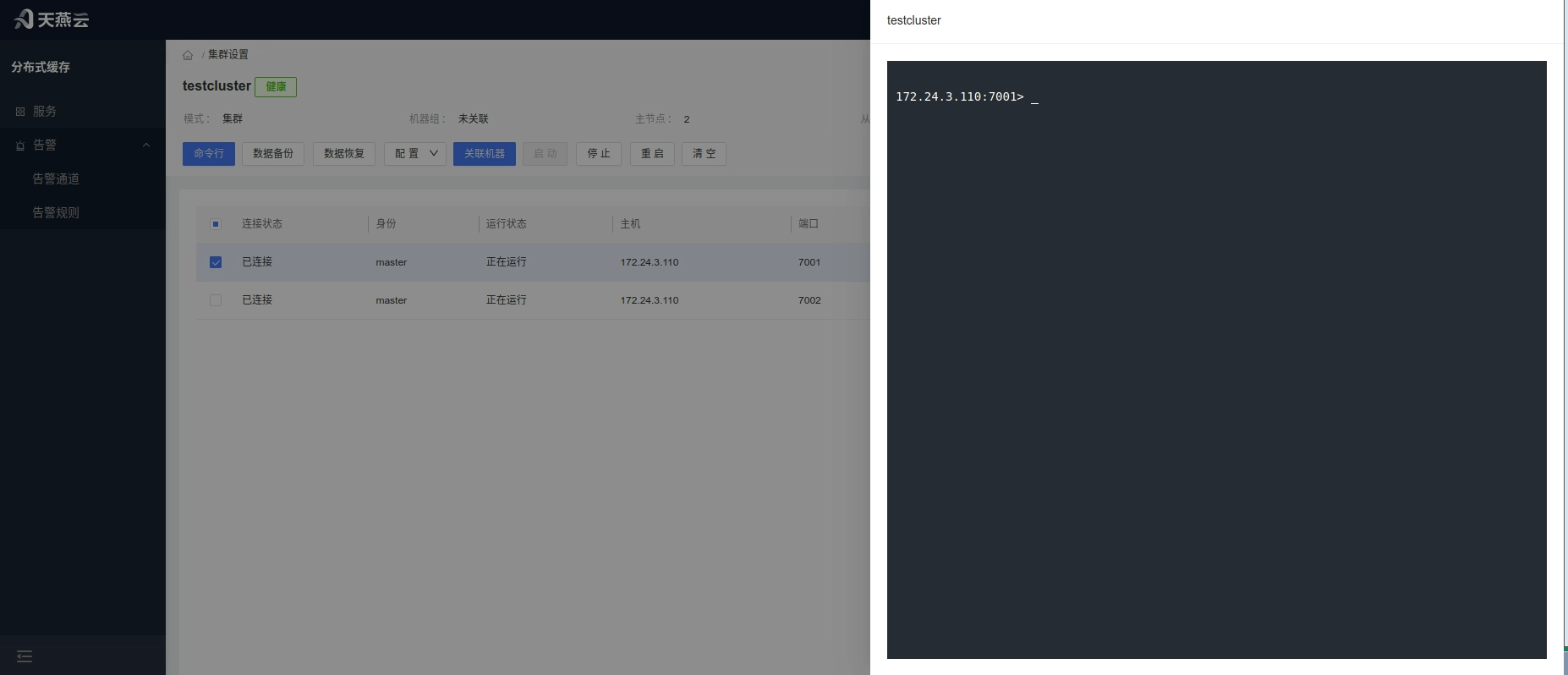
# Command Line
Enter the【Service List】and click the【Command Line】button under the service or click【Settings】to enter the service settings interface, then click the【Command Line】button.
# Data Backup
Click the 【Data Backup】 button; after clicking, it will prompt download information, backing up all data from all nodes in the service to your local machine.
# Restore Data
Click the 【Restore Data】 button, upload the tar.gz/.rdb file, and restore the data into the service.
# Configuration
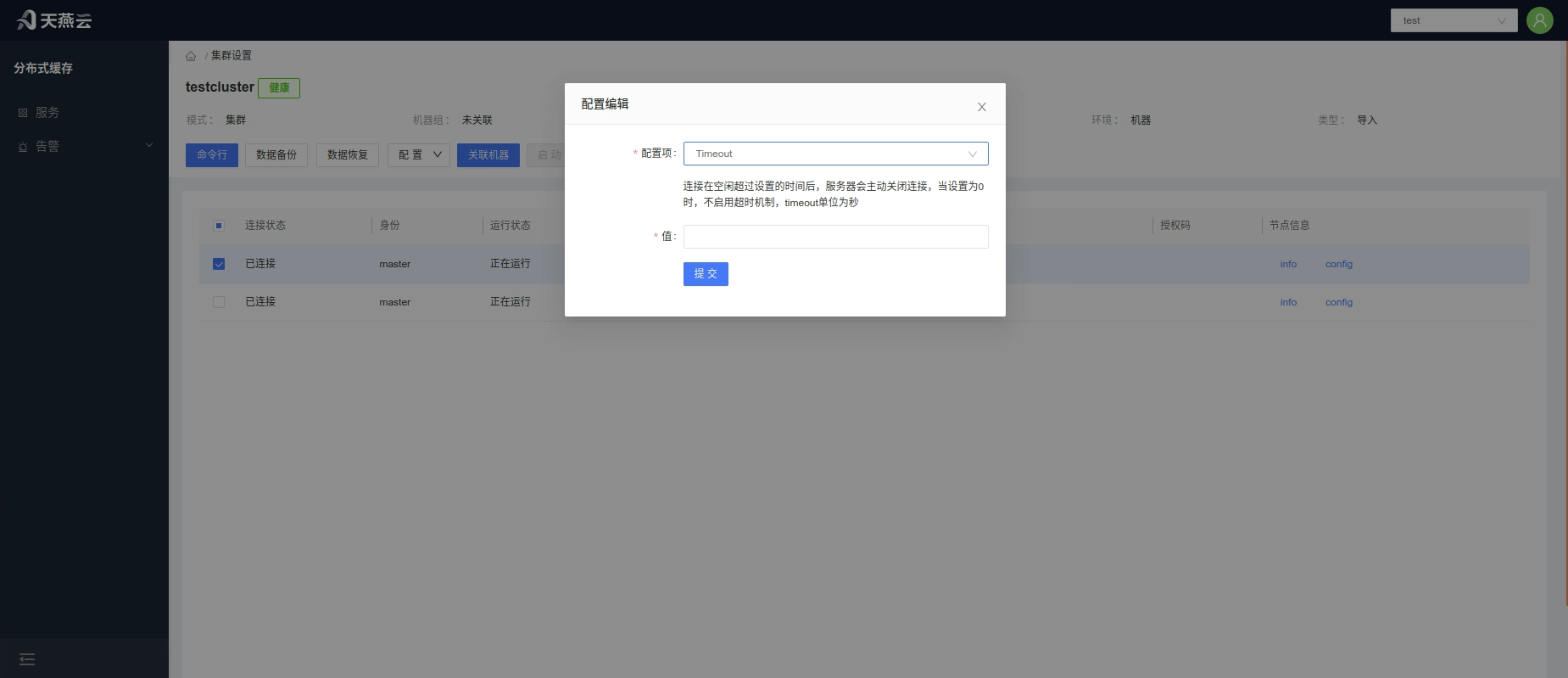
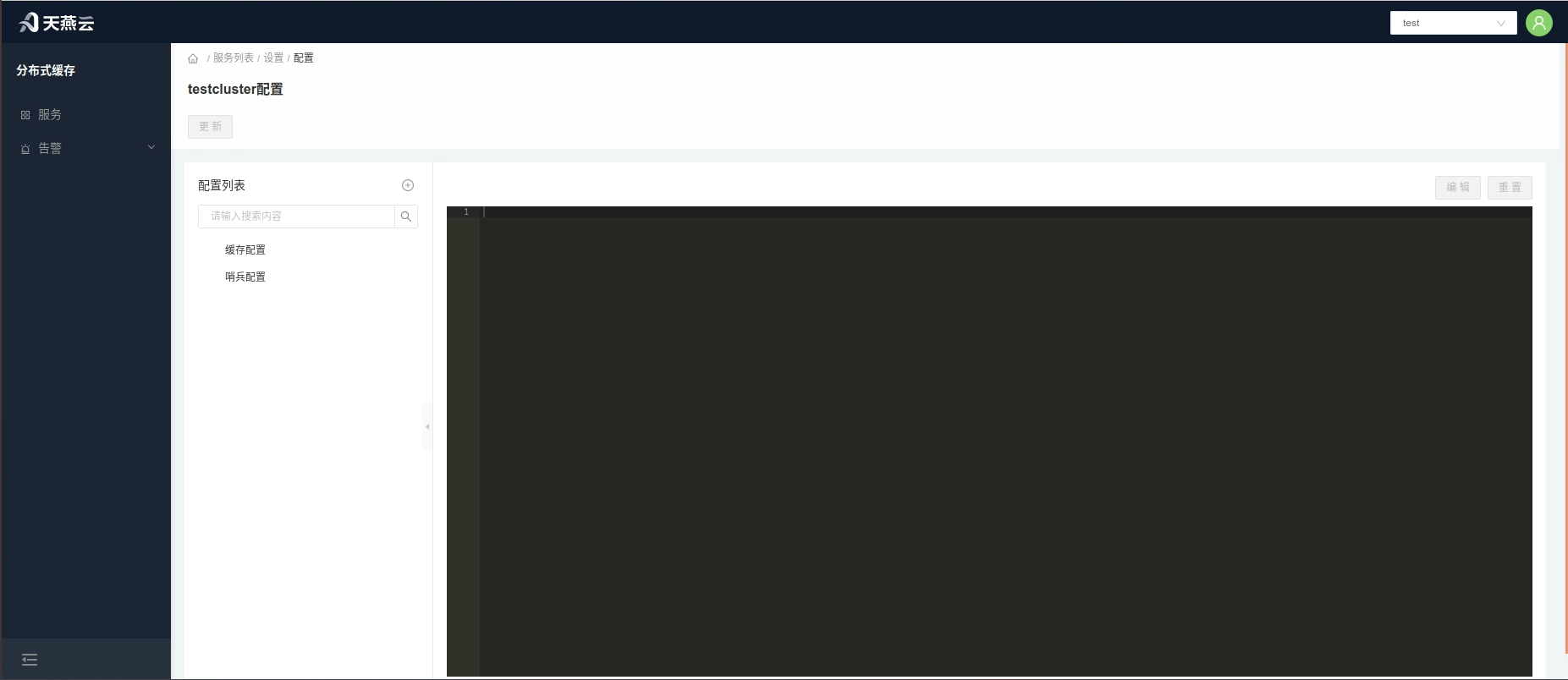
Click the Configuration】 button to open a dropdown list with two options: 1.Dynamic Update — real-time effective configuration;2.Static Update — updates all configurations, changes take effect after node restart.
Dynamic Update:
In the pop-up window, select the configuration item to update, enter the new configuration parameters, and click 【Confirm】.
Static Update:
Navigate to the 【Configuration Template】Page, make modifications, and click 【Confirm】when done.
# Alerts
Alerts are an additional feature of cache monitoring, automatically issuing alerts when cache triggers alert rules, notifying recipients.
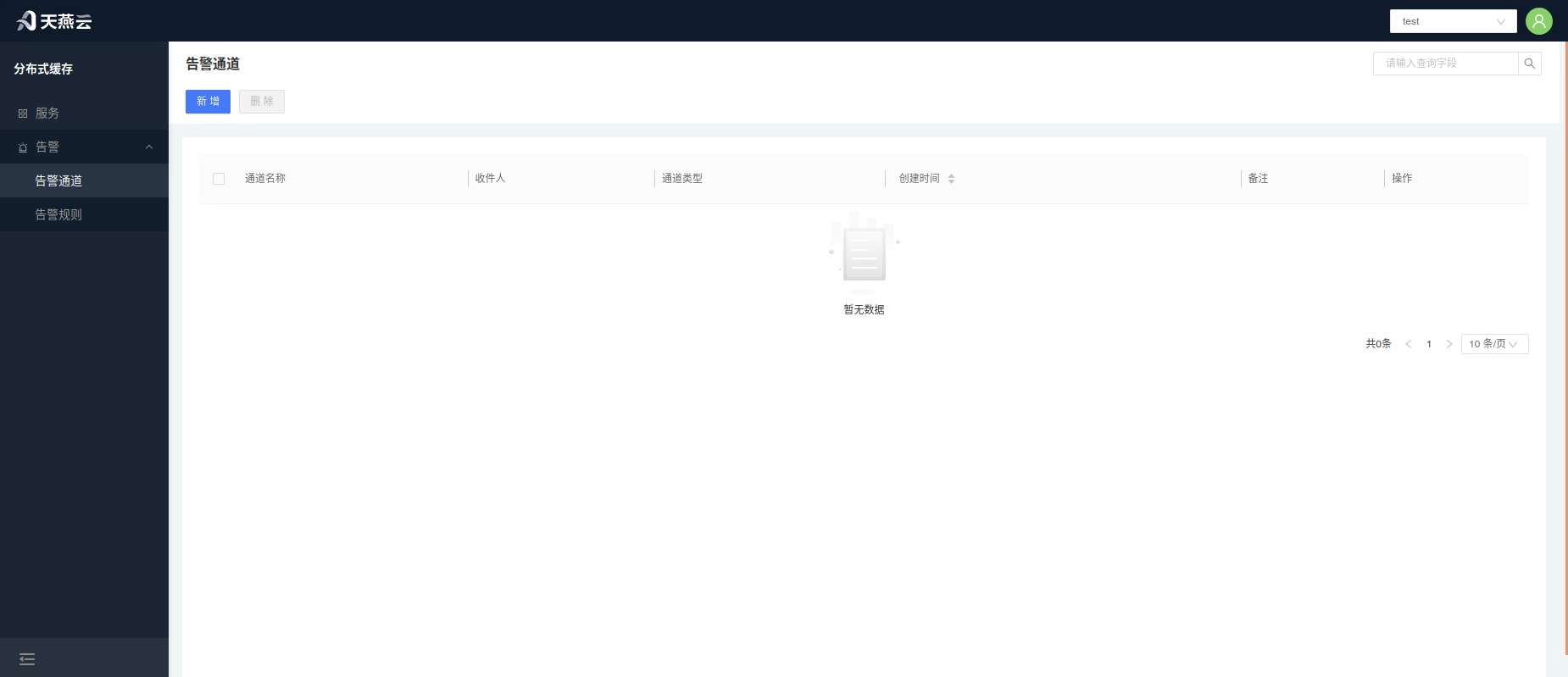
# Alert Channel
An alert channel refers to the notification method used to notify recipients. The AMDC console provides an Email alert channel.
# Add Alert Channel
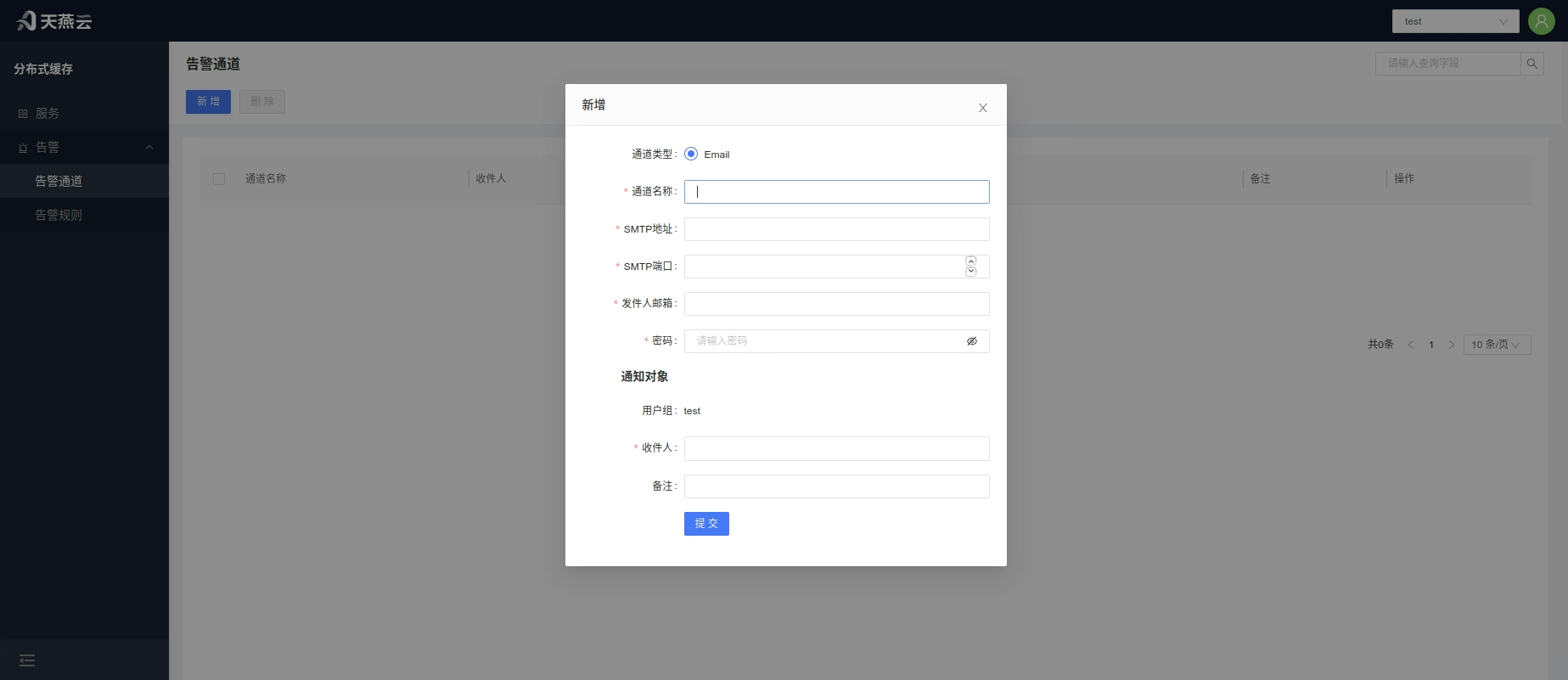
Click Alerts - 【Alert Channel】on the homepage to enter the alert channel page, click the 【Add】 button to create a new alert channel.
| Parameter Name | Meaning |
|---|---|
| Channel Name | Customizable |
| Channel Type | |
| SMTP Address | Mail Transfer Protocol server |
| SMTP Port | Port used by the mail server |
| Sender Email | Username for sending emails |
| Password | Password for the sender's email |
| Recipients | Users under the current tenant, multiple selections allowed, notifying multiple people simultaneously |
| Remarks | Remark information |
# Edit Alert Channel
Click 【Alerts - Alert Channel】 on the homepage to enter the alert channel page, select the alert channel that needs editing and click the 【Edit】 button on the right side of the alert channel list to edit the alert channel.
# Delete Alert Channel
Click 【Alerts - Alert Channel】 on the homepage to enter the alert channel page, check the alert channel(s) to be deleted, click the 【Delete】 button on the right side of the alert channel list, and confirm deletion in the confirmation box.
# Alert Rules
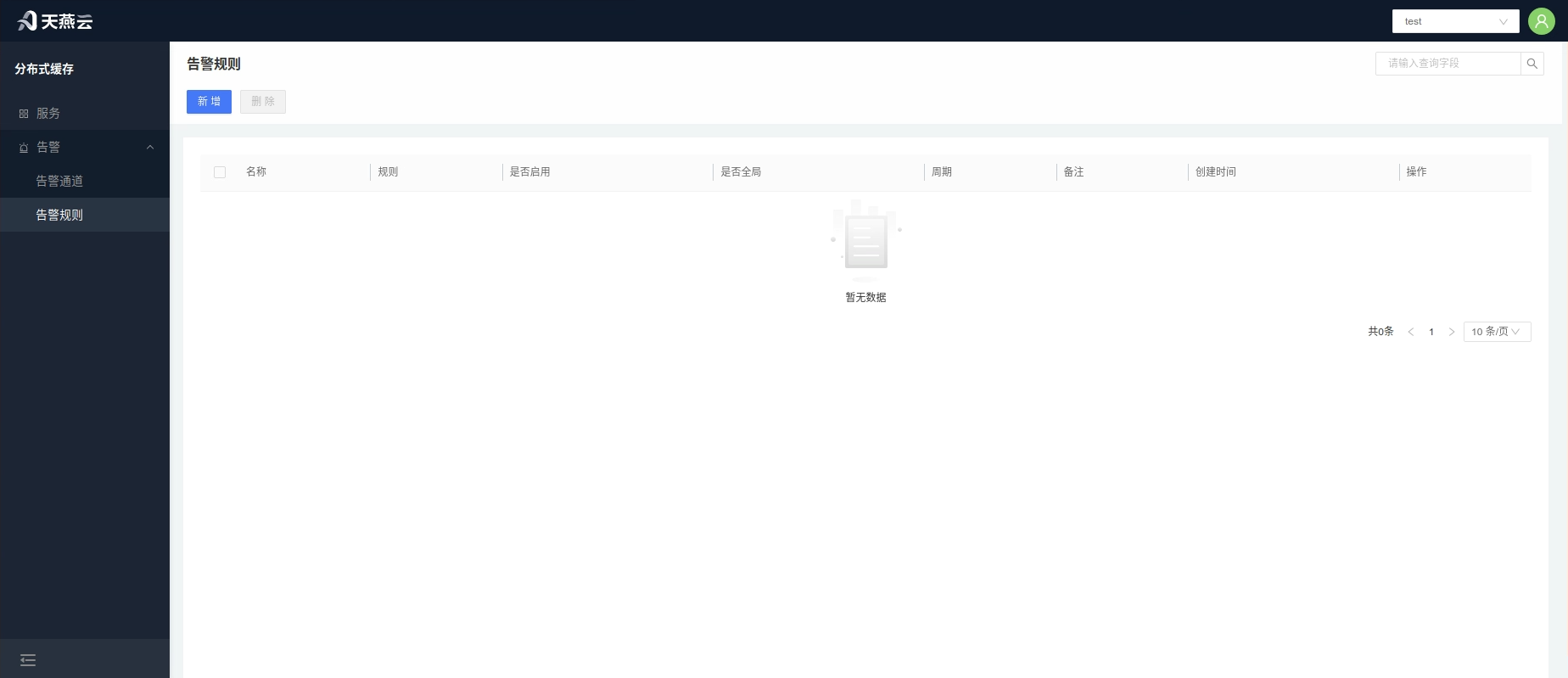
Set alert rules in the console, which will trigger alerts within the set time frame once the set conditions are met! Alerts will be sent according to the frequency set!
# Create Alert Rule
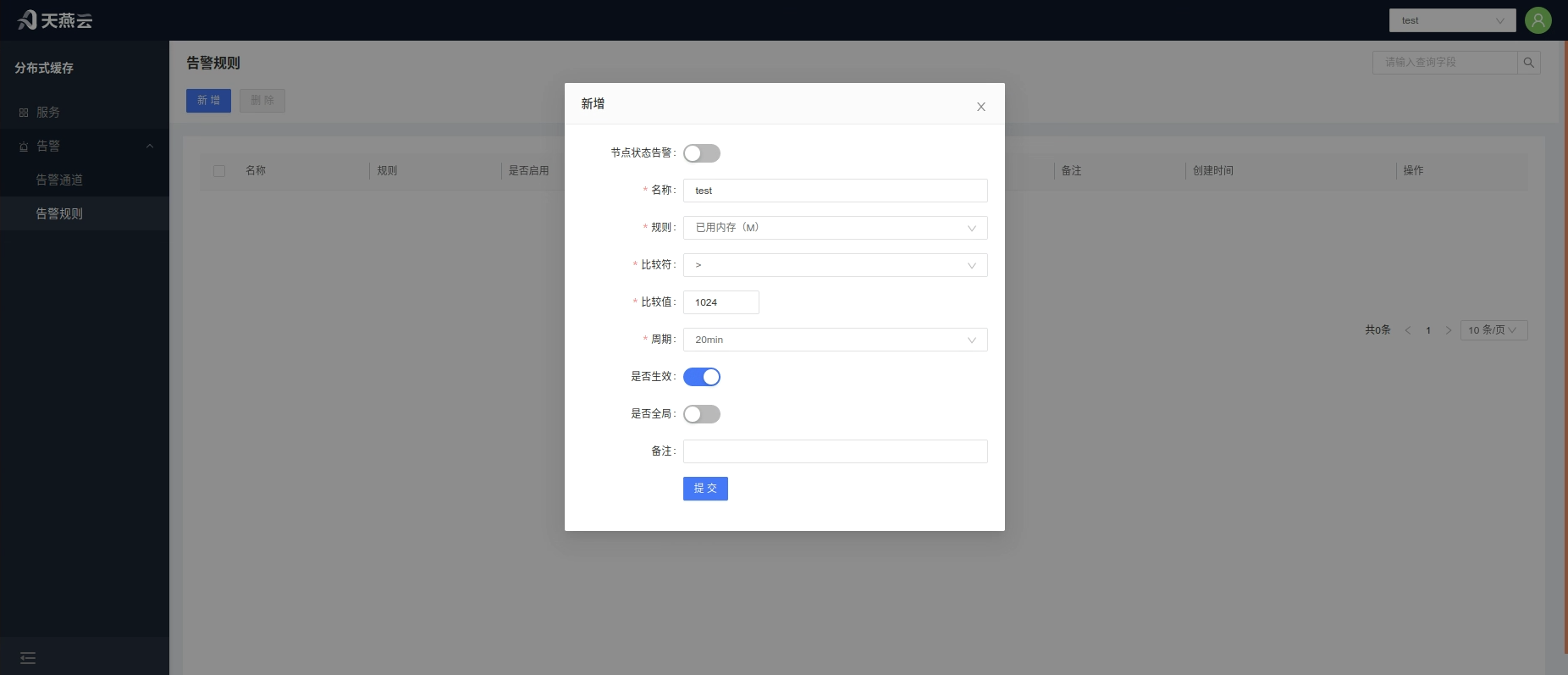
Alert rules are divided into global alert rules that are effective for all clusters and local alert rules that apply to individual clusters. Local cluster alert rules need to be added within the cluster (refer to ##### Add Cluster Alert Rules). When the global switch is turned on, it applies to all clusters. Click 【Alerts - Alert Rules】 on the homepage to enter the alert rules page, click the Create button at the top right corner of the page to create an alert rule.
- Node Status Alert: Node alert switch, turn on to activate node alerts
- Rule Name: Custom alert rule name
- Rule: Set the condition for triggering the alert
- Comparator: Select the comparison operator
- Comparison Value: Input the numerical value for the alert comparison. An alert will be triggered upon meeting this value.
- Interval: The period (in minutes) for checking the rule: 5, 10, 15, 20, 30, 45, 60, 120 (min)
- Active: Switch to activate the alert rule
- Global: Default is No. When Global is selected, this rule will apply to all clusters under the current tenant.
# Edit Alert Rule
Click 【Alerts - Alert Rules】 on the homepage to enter the alert rules page, select the relevant alert rule, click the 【Edit】 button on the right side of the list to edit the alert rule.
# Delete Alert Rule
Click 【Alerts - Alert Rules】 on the homepage to enter the alert rules page, check the alert rule(s) to be deleted, click the 【Delete】 button on the right side of the list to delete the alert rule. Multiple alert rules can also be selected and the 【Delete】 button at the top left corner clicked to delete them in batch.
# Service Alerts
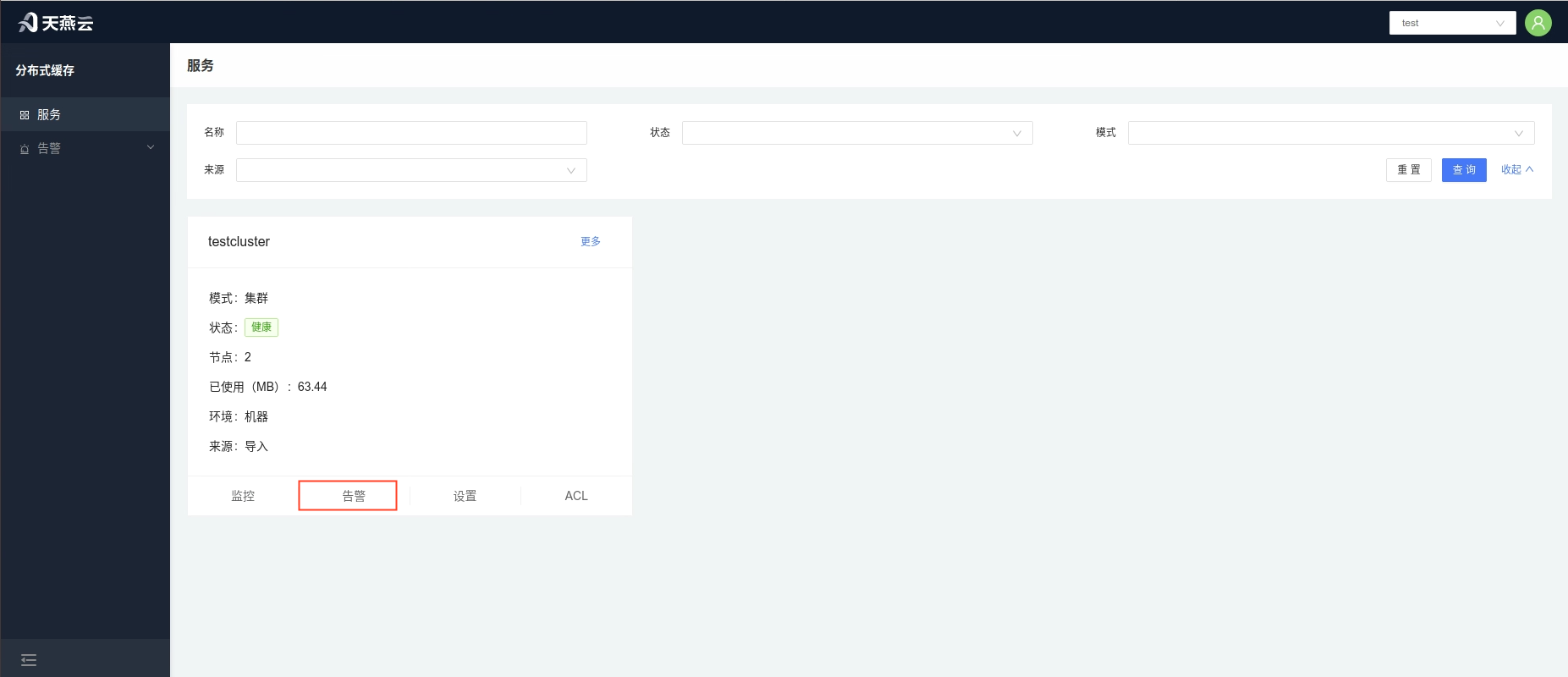
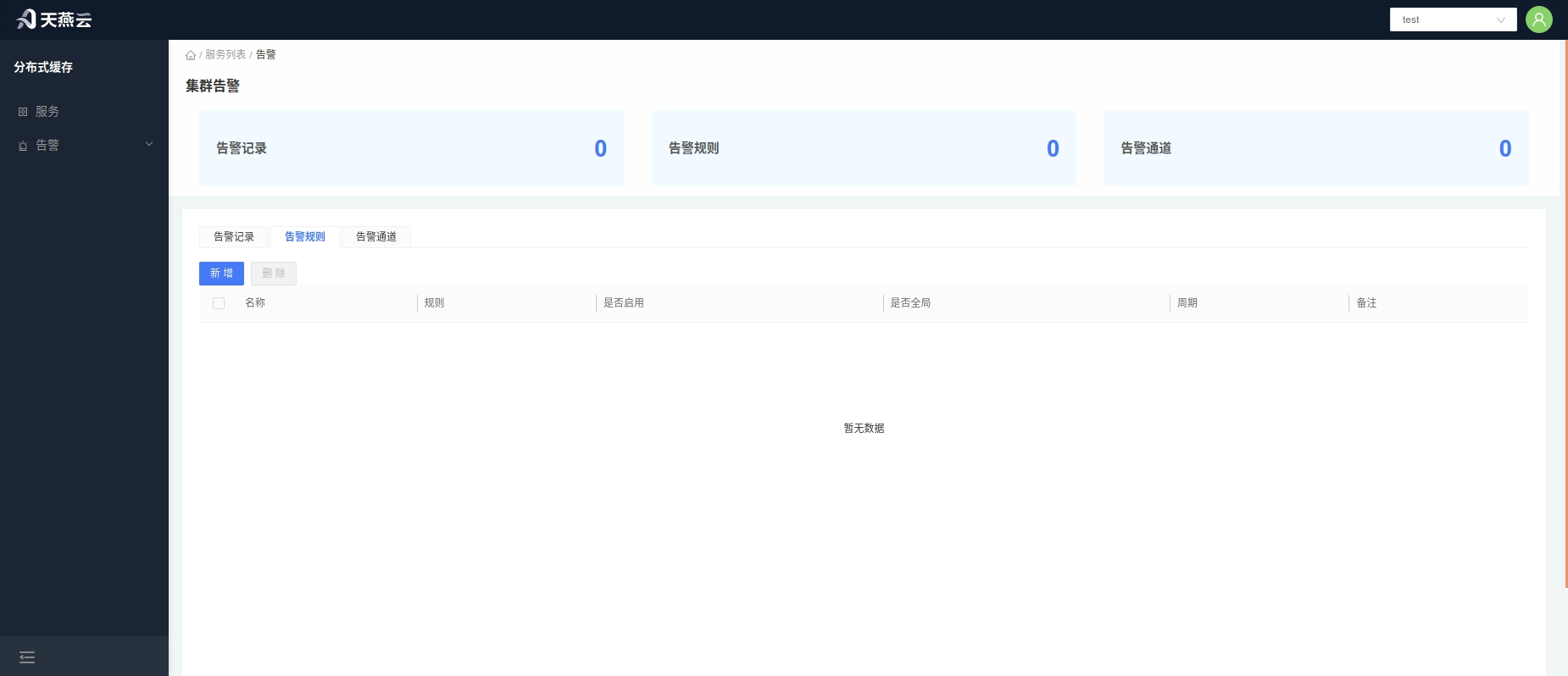
Click 【Services】 on the homepage to enter the cluster management page, click the 【Alerts】 button under the cluster section to enter the cluster alerts page. This page displays alert information for the current cluster, including the alert records of the current cluster, alert rules for the current cluster, and alert channels for the current cluster.
# Add Service Alert Channels
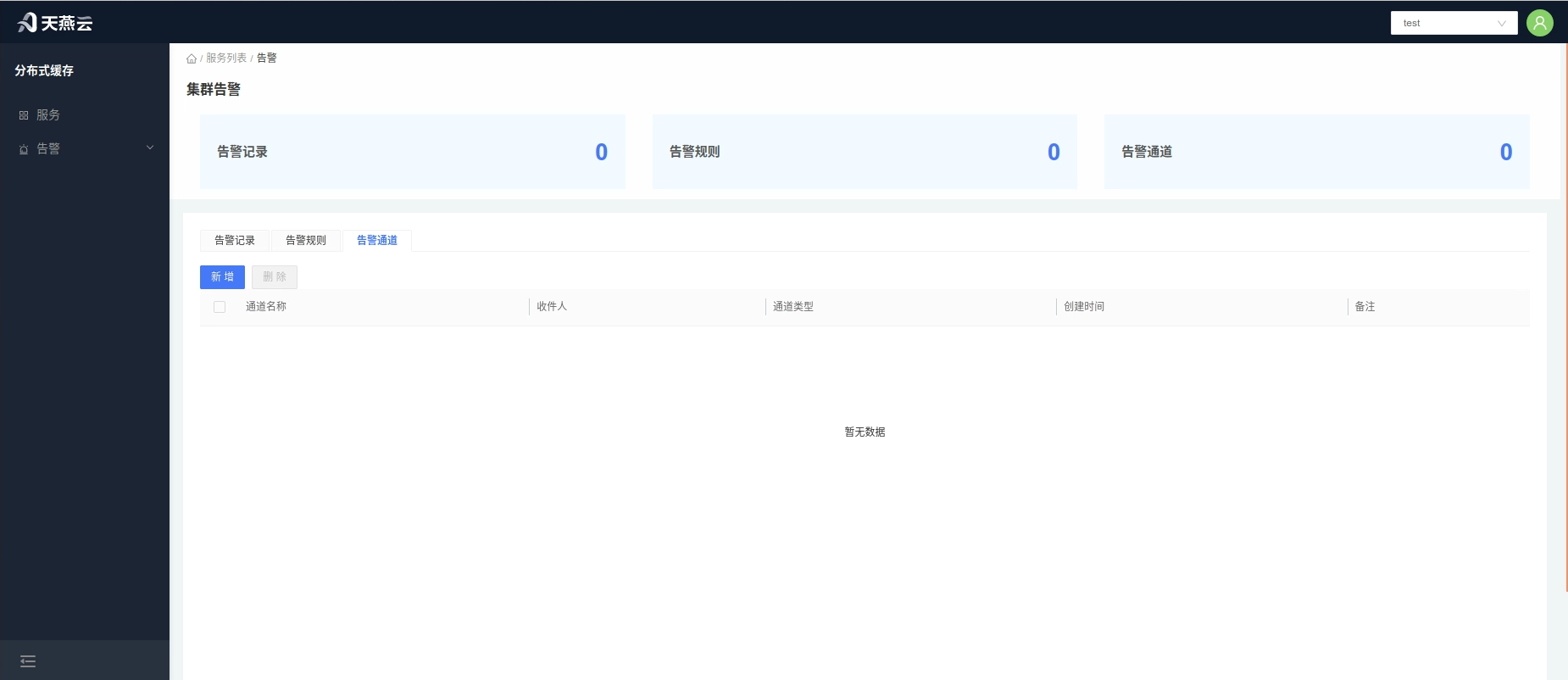
The steps to add an alert channel for a cluster are as follows:
Add a new alert channel in 【Alerts > Alert Channels】 (refer to creating an 【Alert Channel】).
Go to 【Settings】 > 【Alerts】, switch to the Alerts tab, click the 【Add】 button, and select the relevant alert channel to add.
# Add Service Alert Rules
Alert rules are divided into global alert rules and local alert rules. Global alert rules apply to all services without needing to be added; alert rules added for a single cluster can only be local alert rules. To add a global alert rule (refer to adding an alert rule), follow these steps to add cluster alert rules:
In 【Alerts】 > 【Alert Rules】, add a new alert rule and turn off the global switch (refer to adding an alert rule).
Go to 【Service List】 > 【Alerts】, switch to the Alert Rules tab, click the Add button, and select the relevant alert rule to add.
# Three-Role Management
There are three special roles: System Administrator, Security Confidentiality Officer, and Security Auditor. There is one and only one account per special role, generated when the system starts up, with passwords that cannot be changed (encrypted configuration in the configuration file).
- The System Administrator is responsible for setting up tenants and accounts, has the Tenants Management and User Management menus;
- The Security Confidentiality Officer is responsible for assigning tenants and roles (access permissions) to accounts, has the Authorization Management menu;
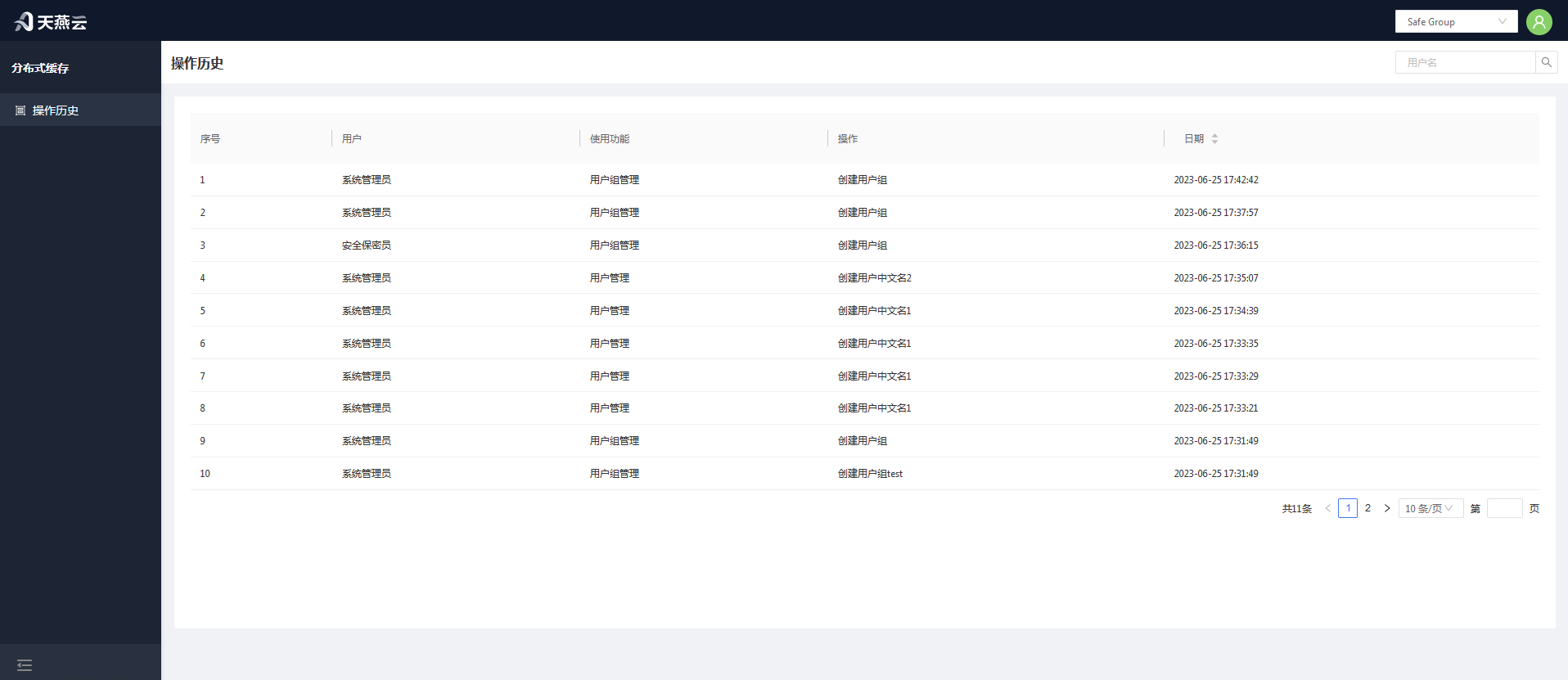
- The Security Auditor is responsible for reviewing the control panel operation logs, has the Operation Logs menu.
The actual users of the control panel functions fall into two categories:
- Administrator Accounts: Administrators are responsible for creating and maintaining services for tenants;
- Tenant Accounts: Corresponding to services assigned to tenants, they can use these services and have access to some service management functions. A tenant represents an independent environment, with data isolated between different tenants. Tenants can manage their own services on the control panel (by logging in with a tenant account), but they only have usage rights, not ownership (they cannot independently decide on the modification or deletion of cache services).
# Tenant Management
Tenant management is used to create, edit, and delete the tenants associated with users. It is primarily used to distinguish between AMDC clusters that users can manage.
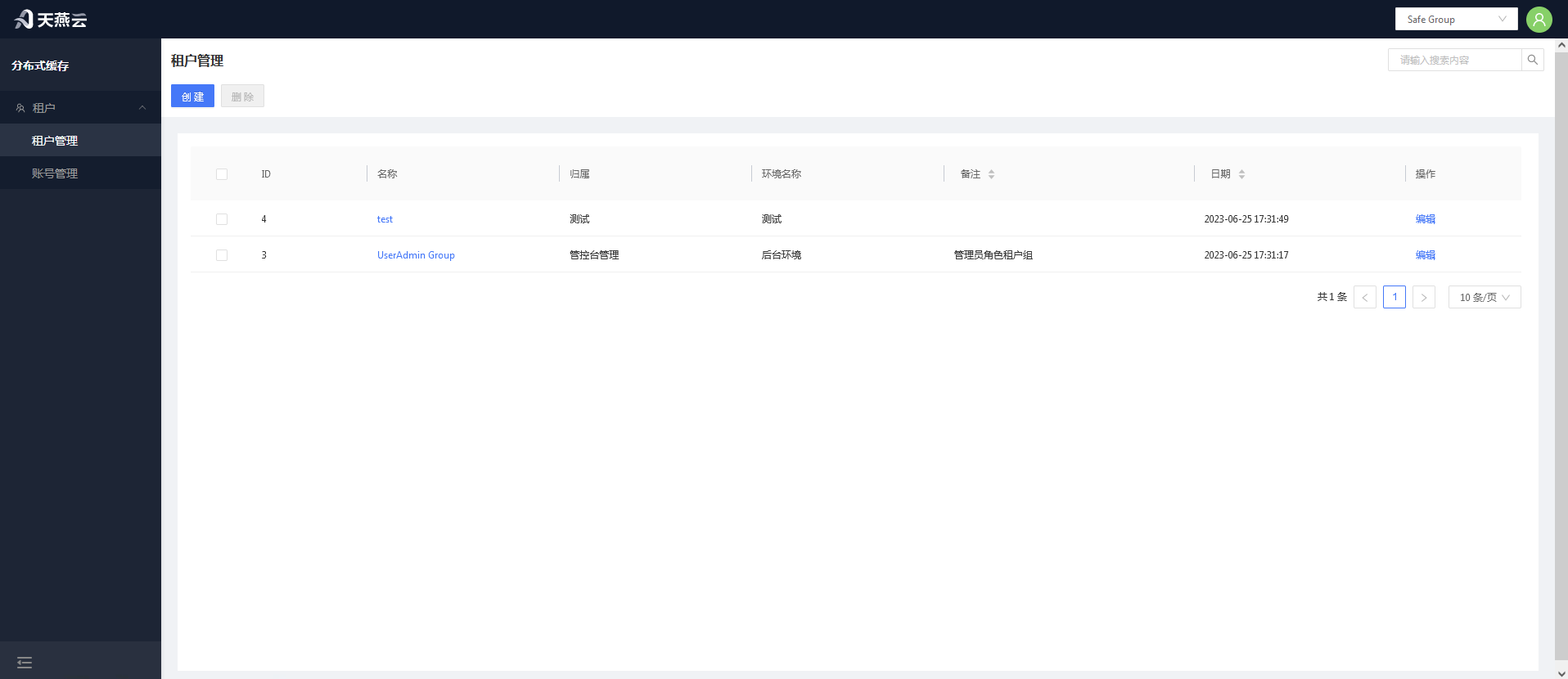
# Create Tenant
Click the 【Add】 button in the top right corner to create a new tenant.
# Edit Tenant
Select the tenant you need to edit and click on the "Tenant Name" column to edit the tenant.
# Delete Tenant
Select the tenant you want to delete and click the Delete button to remove the tenant.
# Authorization Management
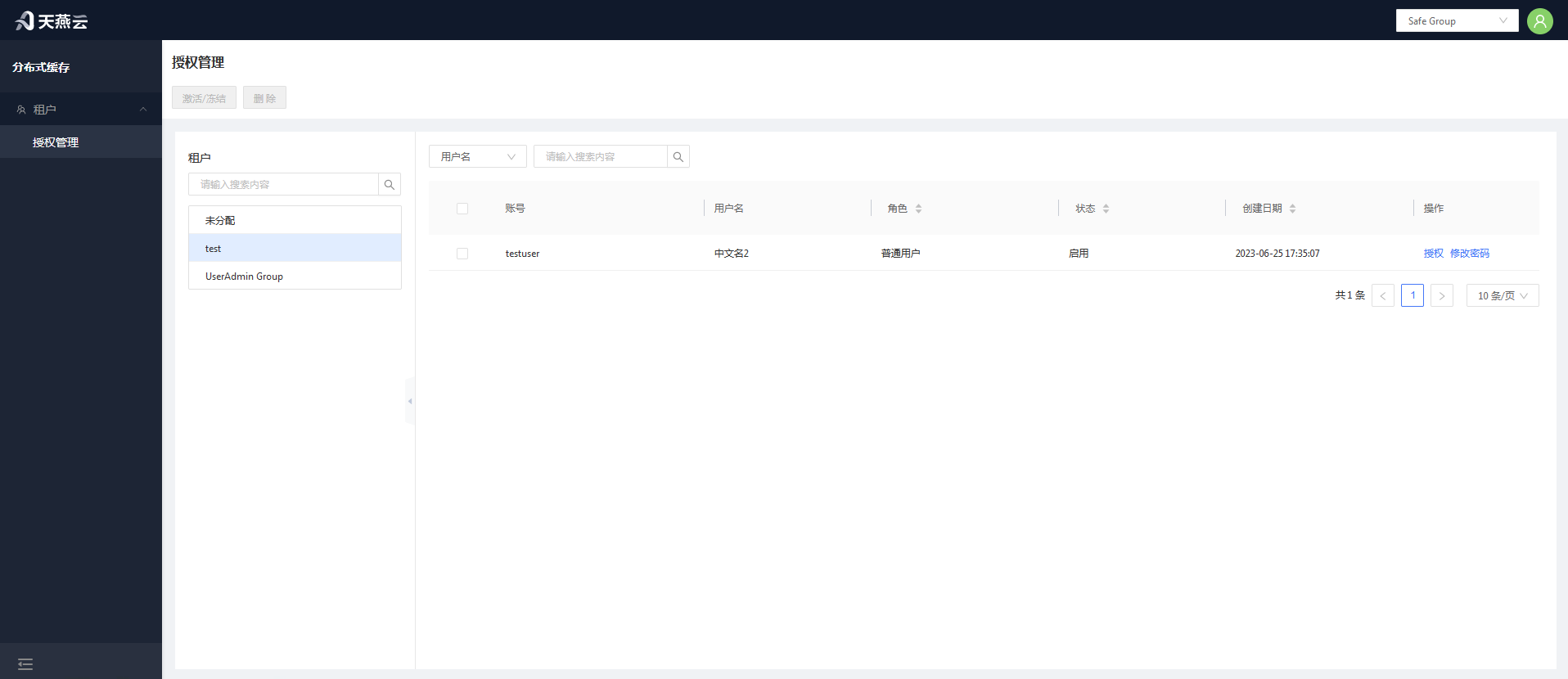
Enter 【Users】 > 【Authorization Management】 to access the authorization management page.
# Authorize Roles
In the tenant, unassigned users who have not been allocated to any tenant require tenant authorization first.
# Change Password
New accounts do not have an initial password and cannot log in until the password has been changed once through the authorization management interface.
# Activate or Freeze
Click 【Activate/Freeze】 to activate or freeze a user's account; after freezing, the account cannot be logged into.
# Operation History
Operation history records the history of all user actions on the console.
# Password and Security
Password Modification Guidelines: To ensure system security, the password length must be at least six characters long and include special characters. Passwords can be modified through the control platform or by editing the configuration file.
# Initial Passwords in Three-Role Management
The three roles refer to: System Administrator (Account: SystemAdministrator), Security Confidentiality Officer (Account: KeysKeeper), and Safety Auditor (Account: SafetyAuditor). The initial password for each is 【admin!123】. Note that these three accounts cannot be deleted.
# Changing the Current User's Password
Log in to the console, click on 【User Information】 in the top right corner of the homepage, then on the user information page click the 【Change Password】 button. Modify the login password for the current user in the pop-up window.
# Password Modification by the Security Confidentiality Officer
The System Administrator can modify the information for "Administrators" and "Regular Users," while Administrators can modify the information for "Regular Users." After logging in, navigate to 【Users】 > 【Authorization Management】, click on the tenant where the user resides, select the user, then click the 【Change Password】 button to modify the user's password.
# Cache Core
Distributed caching is the most essential capability of AMDC, serving as the core of the entire product, with all other features built upon data caching operations. AMDC stores data directly in memory and leverages multi-threaded read-write separation to achieve efficient storage, catering to various types of data storage, facilitating rapid development, and reducing type conversion. It supports multiple data eviction strategies to make rational use of memory space.
# Cache Service Configuration File
The AMDC cache service configuration file is located at: /installation root directory/amdc/conf.yaml. Some configurations can be modified via the console. Below are the detailed configurations for the AMDC cache service:
| Category | Parameter Name | Default Value | Notes |
|---|---|---|---|
| Network | Bind | 0.0.0.0 | IP address to listen on; 0.0.0.0 indicates accessibility via all local IPs. Multiple addresses can be bound. It is recommended to add local access IP and remote access IP, e.g., Bind: - "127.0.0.1" - "172.24.4.190" |
| Port | 6359 | Port number | |
| MaxClients | 10000 | Maximum number of connections; the server refuses new connections beyond this limit. Setting it to 0 disables the maximum connection limit | |
| Timeout | 0 | The server actively closes the connection if idle for longer than the set time. When set to 0, the timeout mechanism is not enabled. Timeout unit is seconds | |
| TcpKeepAlive | 300 | Unit is seconds; when set to 0, tcp keepalive is not configured | |
| IOReadGoroutineNum | 12 | Number of read goroutines | |
| IOWriteGoroutineNum | 15 | Number of write goroutines | |
| IOGoroutineDoReads | “yes” | Whether parsing should occur in the goroutine? yes/on. | |
| ReadonlyProGoNum | 6 | Number of read-only goroutines | |
| Security | RequirePass | "" | Authentication password; in the presence of users.acl, the password in users.acl takes precedence |
| ACLFile | "./users.acl" | Location of the ACL permission control file | |
| ACLPubsubDefault | "allchannels" | Default permissions for ACL channels; allchannels / resetchannels. | |
| ACLLogMaxLen | 128 | Maximum number of logs saved for ACL log | |
| General | Databases | 16 | Number of databases |
| LogLevel | "debug" | Log level for filtering output logs, including debug, info, warn, error, fatal | |
| LogPath | "" | Directory for log file output; when an empty string is set, the log file is not written to disk. Example: LogFile: "/tmp/server.log" | |
| LicensePath | "./license.xml" | Path to the license file | |
| KbcLicensePath | "./license.lic" | Path to the kbclicense file | |
| MemoryManagement | MaxMemory | "0" | Maximum memory limit; if maxmemory is 0, there is no restriction. If no unit follows the number, the default unit is bytes. Units are case-insensitive, e.g., "1gb", "1GB", "1000mb", "1000m", "1000000KB", "1000000kb", "1000000000B", "1000000000b" |
| MaxMemoryPolicy | "noeviction" | Cache eviction policy; supported: noeviction: Prohibits eviction of data. Default is this setting. When memory usage reaches the threshold, all commands that cause memory requests will return errors. volatile-lru: Selects the least recently used data from the dataset with expiration times. volatile-ttl: Selects data nearing expiration from the dataset with set expiration times. volatile-random: Arbitrarily selects data from the dataset with set expiration times to evict. volatile-lfu: Selects infrequently used data from the dataset with set expiration times to evict. allkeys-lru: Selects the least recently used data from the dataset to evict. allkeys-random: Arbitrarily selects data from the dataset to evict. allkeys-lfu: Selects infrequently used data from the dataset to evict | |
| MaxMemorySamples | 5 | Sample count during each cache eviction | |
| LFULogFactor | 10.000000 | The lfu-log-factor adjusts the probability of counter growth; the larger the lfu-log-factor, the smaller the probability of counter growth. The calculation formula is: 1 / (old_value * lfu_log_factor + 1) | |
| LFUDecayTime | 1.000000 | LFU decay time is a value in minutes that adjusts the speed of counter reduction | |
| ReplSlaveIgnoreMaxmemory | "yes" | Whether slave nodes ignore maxmemory checks | |
| Snapshotting | Save | - "3600 1" - "300 10" - "60 10000" | save Save: - "3600 1" - "300 10" - "60 10000" When Save: "" is empty, RDB auto-save is disabled |
| StopWritesOnBgsaveError | "yes" | Whether the server stops accepting writes after bgsave save fails | |
| RdbCompression | "yes" | Whether to enable LZF compression for string objects, yes/no | |
| RdbCheckSum | "yes" | Whether to enable CRC64 checksum, yes/no | |
| DbFileName | "dump.rdb" | RDB filename, excluding path | |
| Dir | "./" | Working directory; RDB and AOF files will be stored under the Dir path | |
| AppendOnlyMode | AppendOnly | "no" | Whether to enable AOF persistence, yes/no |
| AppendFileName | "appendonly.aof" | AOF file name, excluding path | |
| AppendFSync | everysec | AOF file buffer flush strategy; options are always / everysec / no | |
| AutoAofRewritePercentage | 100 | Growth percentage of the current AOF file compared to the last rewrite | |
| AutoAofRewriteMinSize | "4M" | Minimum size to trigger AOF file rewriting | |
| AofNoFsyncOnRewrite | "yes" | Whether to reject fsync flushing when executing bgsave or bgrewiteaof, yes / no | |
| AofLoadTruncated | "yes" | # Behavior when errors occur during AOF file loading process: # yes: When errors occur during AOF file loading, the AOF file will be partially loaded and log messages will notify the user. # no: When errors occur during AOF file loading, the server will report an error and refuse to start | |
| AofUseRdbPreamble | "yes" | Use RDB format as the base file for AOF (smaller file) | |
| SlowLog | SlowLogSlowerThan | 10000 | Specifies that commands that take more than a few microseconds to execute are logged to the logs |
| SlowLogMaxLen | 128 | Specifies that commands that take more than a few microseconds to execute are logged to the logs | |
| Script | LuaTimeLimit | 5000 | Maximum execution time for Lua scripts, measured in milliseconds. Set to 0 to impose no limit on maximum execution time |
| LuaMaxLocalVarNum | 600 | Maximum number of parameters for Lua scripts | |
| LazyFree | LazyEviction | "no" | Whether to adopt the lazy free mechanism when evicting keys, yes / no |
| LazyExpire | "no" | For keys with TTL, whether to adopt the lazy free mechanism when cleaning up after expiration, yes / no | |
| LazyServerDel | "no" | For some commands that implicitly perform a DEL key operation when processing existing keys, such as the rename command, whether to adopt the lazy free mechanism, yes / no | |
| ReplicaLazyFlush | "no" | For full data synchronization of slaves, before loading the master's RDB file, the slave executes flushall to clear its own data; parameter settings determine whether asynchronous flush mechanisms are adopted, yes / no | |
| Replication | Replicaof | "" | Sets the server to be a slave node of a specified server, e.g., Replicaof: "127.0.0.1 6359" |
| MasterAuth | "" | Password for authentication between master and slave nodes | |
| ReplTimeout | 60 | Timeout for master-slave node connection, measured in seconds | |
| ReplServeStaleData | "yes" | Whether slave nodes continue to handle read requests during master-slave disconnection or sync phase | |
| MinReplicasToWrite | 0 | If the number of normal slave nodes is less than this configuration, the master node rejects command execution | |
| MinReplicasMaxLag | 10 | If slave nodes do not return ACK information beyond this configured time, they are judged abnormal; units are seconds | |
| ReplicaReadOnly | "yes" | Whether slave nodes only handle read requests and cannot modify data | |
| ReplicaAnnounceIp | "" | If port forwarding or NAT is enabled, the value set by ReplicaAnnounceIp overrides the slave node's default IP value | |
| ReplicaAnnouncePort | 0 | If port forwarding or NAT is enabled, the value set by ReplicaAnnouncePort overrides the slave node's default Port value | |
| ReplDisableTcpNoDelay | "no" | Whether to disable TCP_NODELAY after SYNC | |
| ReplPingSlavePeriod | 10 | Time interval in seconds for the master node to send PING commands to slave nodes | |
| ReplBacklogSize | "1mb" | Size of the replication backlog buffer | |
| ReplBacklogTTL | 3600 | Time in seconds for the master node to remain in a slaveless state; beyond this configuration, the replication backlog area is released. | |
| ReplicaPriority | 100 | When the master node cannot work normally, Sentinel prioritizes promotion based on this value; the smaller the value, the higher the priority for promotion. A value of 0 indicates that the slave node can never be promoted to a master node | |
| EventNotification | NotifyKeyspaceEvents | None | Supported types for key notifications |
| Cluster | ClusterEnabled | "no" | Whether to enable cluster mode, yes / no |
| ClusterConfigFile | "./node.conf" | Name of the configuration file for each cluster node; names must be unique and automatically generated and updated by the node; manual editing is not allowed | |
| ClusterNodeTimeout | 15000 | Cluster node timeout, measured in ms | |
| ClusterReplicaValidityFactor | 10 | Slave nodes disconnected from the master (ReplPingSlavePeriod + ClusterReplicaValidityFactor * ClusterNodeTimeout) seconds do not participate in failover | |
| ClusterMigrationBarrier | 1 | Only when a master node has at least ClusterMigrationBarrier number of slave nodes in normal operation will slave nodes be allocated to isolated master nodes in the cluster | |
| ClusterRequireFullCoverage | "yes" | Whether all 16384 slots in the cluster need to be fully allocated; yes: If slots are not fully allocated, the entire cluster will be in an unavailable state until all slots are allocated, and the cluster will automatically become available; no: When slots are not fully allocated, parts of the cluster nodes are still available | |
| ClusterReplicaNoFailover | "no" | Whether this cluster node participates in automatic failover; yes: This cluster slave node will not participate in the automatic failover process but can be manually forced to execute failover; no: This cluster slave node participates in the automatic failover process. | |
| ClusterAnnounceIp | "" | To make the cluster work in environments with port forwarding or NAT, statically configure ClusterAnnounceIp so that each node in the cluster knows its public IP address | |
| ClusterAnnouncePort | 0 | To make the cluster work in environments with port forwarding or NAT, statically configure ClusterAnnouncePort so that each node in the cluster knows its public port number | |
| ClusterAnnounceBusPort | 0 | To make the cluster work in environments with port forwarding or NAT, statically configure ClusterAnnounceBusPort so that each node in the cluster knows its public cluster message broadcast port | |
| Advanced | ClientQueryBufferLimit | "1gb" | Maximum value of request input buffer; the server directly closes the connection when exceeding the maximum buffer value |
| ProtoMaxBulkLen | "512mb" | Maximum length of each line of strings for RESP protocol Bulk multi-line requests | |
| GroutineMaxCpuNum | 0 | CPU usage limit; 0 imposes no usage limit | |
| Proxy | Enabled | "no" | Whether to start the proxy |
| Bind | "127.0.0.1" | Proxy's own IP address | |
| Port | 8002 | Port number used by the proxy | |
| Proxy2IP | "127.0.0.1" | IP address of the cache service for the proxy | |
| Proxy2Port | 6359 | Port number of the cache service for the proxy | |
| CriptEnabled | "yes" | Whether encryption is enabled | |
| GMflag | 1 | Whether national cryptography is enabled | |
| CertPath | "./certs/gm_cert" | Path to encryption and decryption authentication files | |
| IpTable | Ip | "" | Adds an IP address to the whitelist; e.g., Ip: - "127.0.0.1" "192.168.116.1" |
| Segment | "" | Adds a network segment to the whitelist; e.g., Segment: - "127.0.0.1/24" | |
| Prometheus | Enabled | false | Whether or not to enable Prometheus to monitor metrics data |
| ClusterReplicaNoFailover | "no" | Whether this cluster node participates in automatic failover; yes: This cluster slave node will not participate in the automatic failover process but can be manually forced to execute failover; no: This cluster slave node participates in the automatic failover process | |
| Bind | "127.0.0.1" | Address bound to Prometheus HTTP service; by default, 127.0.0.1 for local access; if exposed to the LAN or specific IP, fill in the LAN IP segment address accessible to all traffic, which can be set to: 0.0.0.0 | |
| Port | 8004 | Access port for Prometheus HTTP metrics | |
| NameSapce | “amdc” | Prefix for each Prometheus metric, e.g., default is amdc: amdc_command_total | |
| MetricsPath | “/metrics” | HTTP access URL address for Prometheus metrics indicators, e.g., combined with the above bind + port: http://127.0.0.0:8004/metrics | |
| ConnectionTimeOut | 15s | Timeout for client connections to amdc | |
| Export-client-list | true | Whether to display information about clients connected to amdc | |
| EnableHTTPS | false | Use HTTPS access; default is false for http; change to true for HTTPS use | |
| CertPath | "./certs/tls_cert" | HTTPS access requires providing SSL certificates; ensure that the certificate is named server.pem and server.key in the folder | |
| ClusterReplicaNoFailover | "no" | Whether this cluster node participates in automatic failover; yes: This cluster slave node will not participate in the automatic failover process but can be manually forced to execute failover; no: This cluster slave node participates in the automatic failover process | |
| ApusicAcls | Enable | false | Whether to enable the apusic license authentication center; if enabled, use true; otherwise, use false |
| AuthUrls | "" | Authentication center address, must be in ip:port format; multiple addresses separated by commas | |
| Namespace | "" | Namespace | |
| Tenant | "" | Tenant name |
# Operation Commands
| Command | Description |
|---|---|
| ACL LOAD | Reload ACLs from the configured ACL file. |
| ACL SAVE | Save current ACL rules to the configured ACL file. |
| ACL LIST | List current ACL rules in ACL configuration file format. |
| ACL USERS | List usernames of all configured ACL rules. |
| ACL GETUSER username | Retrieve rules for a specific ACL user. |
| ACL SETUSER username [rule [rule ...]] | Modify or create rules for a specific ACL user. |
| ACL DELUSER username [username ...] | Delete specified ACL users and associated rules. |
| ACL CAT [categoryname] | List ACL categories or commands within a category. |
| ACL GENPASS [bits] | Generate pseudo-random secure passwords for ACL users. |
| ACL WHOAMI | Return the name of the user associated with the current connection. |
| ACL LOG [count or RESET] | List recent events denied due to ACL. |
| ACL HELP | Display useful text about different subcommands. |
| APPEND key value | Append a value to a key. |
| ASKING | Sent by cluster clients after -ask redirection. |
| AUTH [username] password | Authenticate with the server. |
| BGREWRITEAOF | Asynchronously rewrite the append-only file. |
| BGSAVE [SCHEDULE] | Asynchronously save the dataset to disk. |
| BITCOUNT key [start end [BYTE|BIT]] | Count set bits in a string. |
| BITFIELD key [GET encoding offset] [SET encoding offset value] [INCRBY encoding offset increment] [OVERFLOW WRAP|SAT|FAIL] | Perform arbitrary bit field integer operations on strings. |
| BITFIELD_RO key GET encoding offset | Read-only variant of BITFIELD for strings. |
| BITOP operation destkey key [key ...] | Perform bitwise operations between strings. |
| BITPOS key bit [start [end [BYTE|BIT]]] | Find first set or cleared bit in a string. |
| BLPOP key [key ...] timeout | Remove and get the first element of a list, or block until one is available. |
| BRPOP key [key ...] timeout | Remove and get the last element of a list, or block until one is available. |
| BRPOPLPUSH source destination timeout | Pop an element from a list, push it to another list and return it; or block until one is available. |
| BLMOVE source destination LEFT|RIGHT LEFT|RIGHT timeout | Pop an element from a list, push it to another list and return it; or block until one is available. |
| LMPOP numkeys key [key ...] LEFT|RIGHT [COUNT count] | Pop elements from lists. |
| BLMPOP timeout numkeys key [key ...] LEFT|RIGHT [COUNT count] | Pop elements from lists, or block until one is available. |
| BZPOPMIN key [key ...] timeout | Remove and return lowest scoring members from one or more sorted sets, or block until one is available. |
| BZPOPMAX key [key ...] timeout | Remove and return highest scoring members from one or more sorted sets, or block until one is available. |
| BZMPOP timeout numkeys key [key ...] MIN|MAX [COUNT count] | Remove and return members with scores from sorted sets or block until one is available. |
| CLIENT CACHING YES|NO | Indicate whether the server should track keys for the next request. |
| CLIENT ID | Return the client ID of the current connection. |
| CLIENT INFO | Return information about the current client connection. |
| CLIENT KILL [ip:port] [ID client-id] [TYPE normal|master|slave|pubsub] [USER username] [ADDR ip:port] [LADDR ip:port] [SKIPME yes/no] | Kill a client's connection. |
| CLIENT LIST [TYPE normal|master|replica|pubsub] [ID client-id [client-id ...]] | Get a list of client connections. |
| CLIENT GETNAME | Get the name of the current connection. |
| CLIENT GETREDIR | Get the client ID of the notification redirection (if any). |
| CLIENT UNPAUSE | Resume processing of paused clients. |
| CLIENT PAUSE timeout [WRITE|ALL] | Stop processing commands for clients for a given time. |
| CLIENT REPLY ON|OFF|SKIP | Indicate whether the server should reply to commands. |
| CLIENT SETNAME connection-name | Set the name of the current connection. |
| CLIENT TRACKING ON|OFF [REDIRECT client-id] [PREFIX prefix [PREFIX prefix ...]] [BCAST] [OPTIN] [OPTOUT] [NOLOOP] | Enable or disable server-assisted client-side caching support. |
| CLIENT TRACKINGINFO | Return information about server-assisted client-side caching for the current connection. |
| CLIENT UNBLOCK client-id [TIMEOUT|ERROR] | Unblock a client blocked by a different connection. |
| CLIENT NO-EVICT ON|OFF | Set the client eviction mode for the current connection. |
| COMMAND | Get an array of detailed information about Redis commands. |
| COMMAND COUNT | Get the total number of Redis commands. |
| COMMAND GETKEYS | Extract keys given a full Redis command. |
| COMMAND INFO command-name [command-name ...] | Get an array of detailed information about specific Redis commands. |
| CONFIG GET parameter [parameter ...] | Get values of configuration parameters. |
| CONFIG REWRITE | Rewrite the configuration file from memory configuration. |
| CONFIG SET parameter value [parameter value ...] | Set configuration parameters to given values. |
| CONFIG RESETSTAT | Reset statistics returned by INFO. |
| COPY source destination [DB destination-db] [REPLACE] | Copy a key. |
| DBSIZE | Return the number of keys in the selected database. |
| DEBUG OBJECT key | Get debugging information about a key. |
| DEBUG SEGFAULT | Crash the server. |
| DECR key | Decrement the integer value of a key by one. |
| DECRBY key decrement | Decrement the integer value of a key by the given number. |
| DEL key [key ...] | Delete one or more keys. |
| DISCARD | Discard all commands issued after MULTI. |
| DUMP key | Return a serialized version of the value stored at the specified key. |
| ECHO message | Echo the given string. |
| EVAL script numkeys [key [key ...]] [arg [arg ...]] | Execute a Lua script on the server side. |
| EVAL_RO script numkeys key [key ...] arg [arg ...] | Execute read-only Lua scripts on the server side. |
| EVALSHA sha1 numkeys [key [key ...]] [arg [arg ...]] | Execute a Lua script on the server side. |
| EVALSHA_RO sha1 numkeys key [key ...] arg [arg ...] | Execute read-only Lua scripts on the server side. |
| EXEC | Execute commands queued by MULTI. |
| EXISTS key [key ...] | Determine if a key exists. |
| EXPIRE key seconds [NX|XX|GT|LT] | Set a key's time to live in seconds. |
| EXPIREAT key timestamp [NX|XX|GT|LT] | Set the expiry of a key as a UNIX timestamp. |
| EXPIRETIME key | Get the expiry Unix timestamp of a key. |
| FAILOVER [TO host port [FORCE]] [ABORT] [TIMEOUT milliseconds] | Initiate coordinated failover between this server and one of its replicas. |
| FLUSHALL [ASYNC|SYNC] | Remove all keys from all databases. |
| FLUSHDB [ASYNC|SYNC] | Remove all keys from the current database. |
| GEOADD key [NX|XX] [CH] longitude latitude member [longitude latitude member ...] | Add one or more geospatial items in a sorted set representing a geospatial index. |
| GEOHASH key member [member ...] | Return members of a geospatial index as standard geohash strings. |
| GEOPOS key member [member ...] | Return the longitude and latitude of members of a geospatial index. |
| GEODIST key member1 member2 [m|km|ft|mi] | Return the distance between two members of a geospatial index. |
| GEORADIUS key longitude latitude radius m|km|ft|mi [WITHCOORD] [WITHDIST] [WITHHASH] [COUNT count [ANY]] [ASC|DESC] [STORE key] [STOREDIST key] | Query a sorted set representing a geospatial index for members matching a given maximum distance from a point. |
| GEORADIUSBYMEMBER key member radius m|km|ft|mi [WITHCOORD] [WITHDIST] [WITHHASH] [COUNT count [ANY]] [ASC|DESC] [STORE key] [STOREDIST key] | Query a sorted set representing a geospatial index for members matching a given maximum distance from a member. |
| GEOSEARCH key [FROMMEMBER member] [FROMLONLAT longitude latitude] [BYRADIUS radius m|km|ft|mi] [BYBOX width height m|km|ft|mi] [ASC|DESC] [COUNT count [ANY]] [WITHCOORD] [WITHDIST] [WITHHASH] | Query a sorted set representing a geospatial index for members within a box or circle area. |
| GEOSEARCHSTORE destination source [FROMMEMBER member] [FROMLONLAT longitude latitude] [BYRADIUS radius m|km|ft|mi] [BYBOX width height m|km|ft|mi] [ASC|DESC] [COUNT count [ANY]] [STOREDIST] | Query a sorted set representing a geospatial index for members within a box or circle area and store results in another key. |
| GET key | Get the value of a key. |
| GETBIT key offset | Return the bit value at offset in the string value stored at key. |
| GETDEL key | Get the value of a key and delete the key. |
| GETRANGE key start end | Get a substring of the string stored at a key. |
| GETSET key value | Set the string value of a key and return its old value. |
| HDEL key field [field ...] | Delete one or more hash fields. |
| HELLO [protover [AUTH username password] [SETNAME clientname]] | Handshake with Redis. |
| HEXISTS key field | Check if a hash field exists. |
| HGET key field | Get the value of a hash field. |
| HGETALL key | Get all fields and values in a hash. |
| HINCRBY key field increment | Increment the integer value of a hash field by the given amount. |
| HINCRBYFLOAT key field increment | Increment the float value of a hash field by the given amount. |
| HKEYS key | Get all the fields in a hash. |
| HLEN key | Get the number of fields in a hash. |
| HMGET key field [field ...] | Get the values of all the given hash fields. |
| HMSET key field value [field value ...] | Set multiple hash fields to multiple values. |
| HSET key field value [field value ...] | Set the string value of a hash field. |
| HSETNX key field value | Set the value of a hash field, only if the field does not exist. |
| HRANDFIELD key [count [WITHVALUES]] | Get one or more random fields from a hash. |
| HSTRLEN key field | Get the length of a hash field value. |
| HVALS key | Get all the values in a hash. |
| INCR key | Increment the integer value of a key by one. |
| INCRBY key increment | Increment the integer value of a key by the given amount. |
| INCRBYFLOAT key increment | Increment the float value of a key by the given amount. |
| INFO [section] | Get information about the server. |
| LOLWUT [VERSION version] | Display some computer art and Redis version. |
| KEYS pattern | Find all keys matching a given pattern. |
| LASTSAVE | Get the UNIX timestamp of the last successful save to disk. |
| LINDEX key index | Get an element from a list by index. |
| LINSERT key BEFORE|AFTER pivot element | Insert an element before or after another element in a list. |
| LLEN key | Get the length of a list. |
| LPOP key [count] | Remove and get the first element of a list. |
| LPOS key element [RANK rank] [COUNT num-matches] [MAXLEN len] | Return indices of matching elements in a list. |
| LPUSH key element [element ...] | Push one or more elements onto the head of a list. |
| LPUSHX key element [element ...] | Push elements onto the head of a list, only if the list exists. |
| LRANGE key start stop | Get a range of elements from a list. |
| LREM key count element | Remove elements from a list. |
| LSET key index element | Set the value of an element in a list by index. |
| LTRIM key start stop | Trim a list to the specified range. |
| MEMORY DOCTOR | Output a report on memory issues. |
| MEMORY HELP | Display useful text about different subcommands. |
| MEMORY MALLOC-STATS | Show internal allocator statistics. |
| MEMORY PURGE | Ask the allocator to release memory. |
| MEMORY STATS | Show details about memory usage. |
| MEMORY USAGE key [SAMPLES count] | Estimate the memory usage of a key. |
| MGET key [key ...] | Get the values of all the given keys. |
| MIGRATE host port key| destination-db timeout [COPY] [REPLACE] [AUTH password] [AUTH2 username password] [KEYS key [key ...]] | Atomically transfer keys from one Redis instance to another. |
| MONITOR | Monitor all requests received by the server in real time. |
| MOVE key db | Move a key to another database. |
| MSET key value [key value ...] | Set multiple keys to multiple values. |
| MSETNX key value [key value ...] | Set multiple keys to multiple values, only if none of the keys exist. |
| MULTI | Mark the beginning of a transaction block. |
| OBJECT ENCODING key | Check the internal encoding of a Redis object. |
| OBJECT FREQ key | Get the logarithmic access frequency counter of a Redis object. |
| OBJECT IDLETIME key | Get the time since last access of a Redis object. |
| OBJECT REFCOUNT key | Get the reference count of a key's value. |
| OBJECT HELP | Display useful text about different subcommands. |
| PERSIST key | Remove the expiry from a key. |
| PEXPIRE key milliseconds [NX|XX|GT|LT] | Set a key's time to live in milliseconds. |
| PEXPIREAT key milliseconds-timestamp [NX|XX|GT|LT] | Set the expiry of a key as a timestamp in milliseconds. |
| PEXPIRETIME key | Get the expiry Unix timestamp of a key in milliseconds. |
| PFADD key [element [element ...]] | Add specified elements to the specified HyperLogLog. |
| PFCOUNT key [key ...] | Return the approximate cardinality of the set observed in key(s). |
| PFMERGE destkey sourcekey [sourcekey ...] | Merge N distinct HyperLogLogs into one. |
| PING [message] | Ping the server. |
| PSETEX key milliseconds value | Set the value and expiry in milliseconds of a key. |
| PSUBSCRIBE pattern [pattern ...] | Listen for messages published to channels matching the given patterns. |
| PUBSUB CHANNELS [pattern] | List active channels. |
| PUBSUB NUMPAT | Get the count of unique pattern subscriptions. |
| PUBSUB NUMSUB [channel [channel ...]] | Get the number of subscribers for channels. |
| PUBSUB HELP | Display useful text about different subcommands. |
| PTTL key | Get the remaining time to live of a key in milliseconds. |
| PUBLISH channel message | Publish a message to a channel. |
| PUNSUBSCRIBE [pattern [pattern ...]] | Stop listening for messages published to channels matching the given patterns. |
| QUIT | Close the connection. |
| RANDOMKEY | Return a random key from the key space. |
| READONLY | Enable read queries for connections to cluster replica nodes. |
| READWRITE | Disable read queries for connections to cluster replica nodes. |
| RENAME key newkey | Rename a key. |
| RENAMENX key newkey | Rename a key, only if the new key does not exist. |
| RESET | Reset the connection. |
| RESTORE key ttl serialized-value [REPLACE] [ABSTTL] [IDLETIME seconds] [FREQ frequency] | Create a key using a provided serialized value, previously obtained with DUMP. |
| ROLE | Return the role of the instance in the replication context. |
| RPOP key [count] | Remove and get the last element of a list. |
| RPOPLPUSH source destination | Remove the last element of a list, add it to another list and return it. |
| LMOVE source destination LEFT|RIGHT LEFT|RIGHT | Pop an element from a list, push it to another list and return it. |
| RPUSH key element [element ...] | Append one or more elements to the tail of a list. |
| RPUSHX key element [element ...] | Append elements to the tail of a list, only if the list exists. |
| SADD key member [member ...] | Add one or more members to a set. |
| SAVE | Synchronously save the dataset to disk. |
| SCARD key | Get the number of members in a set. |
| SCRIPT DEBUG YES|SYNC|NO | Set the debug mode for executed scripts. |
| SCRIPT EXISTS sha1 [sha1 ...] | Check if scripts exist in the script cache. |
| SCRIPT FLUSH [ASYNC|SYNC] | Remove all scripts from the script cache. |
| SCRIPT KILL | Terminate the currently executing script. |
| SCRIPT LOAD script | Load a specified Lua script into the script cache. |
| SDIFF key [key ...] | Subtract multiple sets. |
| SDIFFSTORE destination key [key ...] | Subtract multiple sets and store the resulting set in a key. |
| SELECT index | Change the selected database for the current connection. |
| SET key value [EX seconds|PX milliseconds|EXAT timestamp|PXAT milliseconds-timestamp|KEEPTTL] [NX|XX] [GET] | Set the string value of a key. |
| SETBIT key offset value | Set or clear the bit at offset in the string value stored at key. |
| SETEX key seconds value | Set the value and expiry of a key. |
| SETNX key value | Set the value of a key, only if the key does not exist. |
| SETRANGE key offset value | Overwrite part of the string at key starting from the specified offset. |
| SHUTDOWN [NOSAVE|SAVE] | Synchronously save the dataset to disk then shut down the server. |
| SINTER key [key ...] | Intersect multiple sets. |
| SINTERCARD numkeys key [key ...] [LIMIT limit] | Intersect multiple sets and return the cardinality of the result. |
| SINTERSTORE destination key [key ...] | Intersect multiple sets and store the resulting set in a key. |
| SISMEMBER key member | Determine if a given value is a member of a set. |
| REPLICAOF host port | Make the server a replica of another instance, or promote it to master. |
| SLOWLOG GET [count] | Get entries from the slow log. |
| SLOWLOG LEN | Get the length of the slow log. |
| SLOWLOG RESET | Clear all entries in the slow log. |
| SLOWLOG HELP | Displays useful text about different subcommands |
| SMEMBERS key | Returns all the members of the set stored at key |
| SMOVE source destination member | Moves a member from one set to another |
| SORT key [BY pattern] [LIMIT offset count] [GET pattern [GET pattern ...]] [ASC | DESC] [ALPHA] [STORE destination] |
| SORT_RO key [BY pattern] [LIMIT offset count] [GET pattern [GET pattern ...]] [ASC | DESC] [ALPHA] |
| SPOP key [count] | Removes and returns one or more random members from a set |
| SRANDMEMBER key [count] | Returns one or more random members from a set |
| SREM key member [member ...] | Removes one or more members from a set |
| LCS key1 key2 [LEN] [IDX] [MINMATCHLEN len] [WITHMATCHLEN] | Finds the longest common substring |
| STRLEN key | Returns the length of the value stored at key |
| SUBSCRIBE channel [channel ...] | Subscribes to messages published to given channels |
| SUNION key [key ...] | Adds multiple sets |
| SUNIONSTORE destination key [key ...] | Adds multiple sets and stores the resulting set in a key |
| SWAPDB index1 index2 | Swaps two Redis databases |
| SYNC | Internal command used for replication |
| PSYNC replicationid offset | Internal command used for replication |
| TIME | Returns the current server time |
| TOUCH key [key ...] | Modifies the last access time of keys. Returns the number of existing keys specified |
| TTL key | Gets the time to live of a key in seconds |
| TYPE key | Determines the type stored at key |
| UNSUBSCRIBE [channel [channel ...]] | Stops listening for messages published to given channels |
| UNLINK key [key ...] | Deletes a key asynchronously in another thread. Otherwise behaves like DEL but non-blocking |
| UNWATCH | Forgets all watched keys |
| WAIT numreplicas timeout | Waits until the given number of replicas has synchronized all write commands sent in the current connection context |
| WATCH key [key ...] | Watches the given keys to determine the execution of a MULTI/EXEC block |
| ZADD key [NX | XX] [GT |
| ZCARD key | Returns the number of members in a sorted set |
| ZCOUNT key min max | Counts the number of members in a sorted set with scores within the given values |
| ZDIFF numkeys key [key ...] [WITHSCORES] | Subtracts multiple sorted sets |
| ZDIFFSTORE destination numkeys key [key ...] | Subtracts multiple sorted sets and stores the resulting sorted set in a new key |
| ZINCRBY key increment member | Increments the score of a member in a sorted set |
| ZINTERCARD numkeys key [key ...] [LIMIT limit] | Intersects multiple sorted sets and returns the cardinality of the result |
| ZINTERSTORE destination numkeys key [key ...] [WEIGHTS weight [weight ...]] [AGGREGATE SUM | MIN |
| ZLEXCOUNT key min max | Counts the number of members in a sorted set within the given lexicographical range |
| ZPOPMAX key [count] | Removes and returns the highest-scoring members from a sorted set |
| ZPOPMIN key [count] | Removes and returns the lowest-scoring members from a sorted set |
| ZMPOP numkeys key [key ...] MIN | MAX [COUNT count] |
| ZRANDMEMBER key [count [WITHSCORES]] | Returns one or more random elements from a sorted set |
| ZRANGESTORE dst src min max [BYSCORE | BYLEX] [REV] [LIMIT offset count] |
| ZRANGE key min max [BYSCORE | BYLEX] [REV] [LIMIT offset count] [WITHSCORES] |
| ZRANGEBYLEX key min max [LIMIT offset count] | Returns a range of members in a sorted set, by lexicographical range |
| ZREVRANGEBYLEX key max min [LIMIT offset count] | Returns a range of members in a sorted set, by lexicographical range from high to low string sorting |
| ZRANGEBYSCORE key min max [WITHSCORES] [LIMIT offset count] | Returns a range of members in a sorted set by score |
| ZRANK key member | Determines the index of a member in a sorted set |
| ZREM key member [member ...] | Removes one or more members from a sorted set |
| ZREMRANGEBYLEX key min max | Removes all members in a sorted set within the given lexicographical range |
| ZREMRANGEBYRANK key start stop | Removes all members in a sorted set within the given indexes |
| ZREMRANGEBYSCORE key min max | Removes all members in a sorted set within the given scores |
| ZREVRANGE key start stop [WITHSCORES] | Returns a range of members from a sorted set by index, ordered from high to low score |
| ZREVRANGEBYSCORE key max min [WITHSCORES] [LIMIT offset count] | Returns a range of members from a sorted set by score, ordered from high to low score |
| ZREVRANK key member | Determines the index of a member in a sorted set, ordered from high to low score |
| ZSCORE key member | Gets the score associated with the given member in a sorted set |
| ZMSCORE key member [member ...] | Gets the scores associated with the given members in a sorted set |
| ZUNIONSTORE destination numkeys key [key ...] [WEIGHTS weight [weight ...]] [AGGREGATE SUM | MIN |
| SCAN cursor [MATCH pattern] [COUNT count] [TYPE type] | Iterates the keyspace incrementally |
| SSCAN key cursor [MATCH pattern] [COUNT count] | Iterates Set elements incrementally |
| HSCAN key cursor [MATCH pattern] [COUNT count] | Iterates hash fields and associated values incrementally |
| ZSCAN key cursor [MATCH pattern] [COUNT count] | Iterates sorted set elements and related scores incrementally |
| XINFO CONSUMERS key groupname | Lists consumers in the consumer group |
| XINFO GROUPS key | Lists consumer groups of a stream |
| XINFO STREAM key [FULL [COUNT count]] | Retrieves information about a stream |
| XINFO HELP | Displays useful text about different subcommands |
| XADD key [NOMKSTREAM] [MAXLEN | MINID [= |
| XTRIM key MAXLEN | MINID [= |
| XDEL key ID [ID ...] | Deletes specified entries from a stream. Returns the actual number of items deleted which might differ from the number of IDs passed if some IDs do not exist. |
| XRANGE key start end [COUNT count] | Returns a range of elements from a stream whose IDs match the specified ID interval |
| XREVRANGE key end start [COUNT count] | Returns a range of elements from a stream in reverse order (from larger to smaller IDs) where IDs match the specified ID interval compared to XRANGE |
| XLEN key | Returns the number of entries in a stream |
| XREAD [COUNT count] [BLOCK milliseconds] STREAMS key [key ...] ID [ID ...] | Returns elements from multiple streams unseen since the caller reported IDs for each stream. Can be blocked. |
| XGROUP CREATE key groupname id|$ [MKSTREAM] | Creates a consumer group |
| XGROUP CREATECONSUMER key groupname consumername | Creates a consumer in a consumer group |
| XGROUP DELCONSUMER key groupname consumername | Deletes a consumer from a consumer group |
| XGROUP DESTROY key groupname | Destroys a consumer group |
| XGROUP SETID key groupname id|$ | Sets the consumer group to an arbitrary last delivered ID value |
| XGROUP HELP | Displays useful text about different subcommands |
| XREADGROUP GROUP group consumer [COUNT count] [BLOCK milliseconds] [NOACK] STREAMS key [key ...] ID [ID ...] | Returns new entries from streams using a consumer group, or accesses the history of pending entries for a given consumer. Can be blocked. |
| XACK key group ID [ID ...] | Marks pending messages as properly handled, effectively removing them from the pending entries list of the consumer group. The return value of this command is the number of messages successfully acknowledged, i.e., the IDs we were actually able to parse in the PEL. |
| XCLAIM key group consumer min-idle-time ID [ID ...] [IDLE ms] [TIME ms-unix-time] [RETRYCOUNT count] [FORCE] [JUSTID] | Changes (or gets) ownership of messages in a consumer group as if the messages were delivered to the specified consumer |
| XAUTOCLAIM key group consumer min-idle-time start [COUNT count] [JUSTID] | Changes (or gets) ownership of messages in a consumer group as if the messages were passed to the specified consumer |
| XPENDING key group [[IDLE min-idle-time] start end count [consumer]] | Returns information and entries from the pending entries list of a stream's consumer group, i.e., messages that have been fetched but never acknowledged. |
# AMDC Cluster
The AMDC cluster is a highly available and scalable cluster, and the clustering modes are Master-Slave mode, Sentinel mode, and Cluster mode.
# AMDC Master-Slave mode
AMDC Master-Slave mode, i.e. (Master-Slave Replication) Master-Slave Replication, uses one AMDC instance as the master and the rest as backup machines. The data of the master and the backup machine are identical, and the master supports various operations such as writing and reading of data, while the slave supports synchronisation and reading of data with the master. When one of the AMDCs fails, it is sufficient to access the AMDC cache service of the other node.
# Master-Slave Command
- Transform into a slave of a node: Replicaof
(Replicaof NO ONE will transform the slave into a master.)
# AMDC Sentinel Mode
Sentinel is an AMDC cache server-side application that automatically monitors and handles the work of transferring failed nodes between AMDC cache services. AMDC provides commands to Sentinel, and Sentinel monitors multiple AMDC instances running by sending commands and waiting for a response from the AMDC cache service.
# Sentinel Commands
- Command to check the status of Sentinel:
info - Command to obtain all monitored master nodes in Sentinel:
sentinel masters - Command to get the status information of the main node named:
sentinel master - Command to get the status information of all slaves under the master-name node:
sentinel slaves - Command to get the IP address via the node name in Sentinel:s
entinel get-master-addr-by-name - Command to add a node:
sentinel monitor - Command to reset the status matched by the amdc name:
sentinel reset - Command to delete a node:
sentinel remove - Command to force a node to go subjectively down:
sentinel failover
# AMDC Cluster Mode
The cluster mode is for the elastic scalability of the main node implemented by AMDC. Its main function is to increase or decrease the memory capacity that AMDC can use, and to meet the caching requirements of the business by expanding nodes instead of increasing the server memory. Moreover, the cluster mode has an automatic failover function similar to Sentinel, with high availability, and is a better choice. All nodes in the cluster mode can communicate with each other and perceive each other's status information. The cluster can automatically allocate master and slave nodes or manually specify these nodes.
# Cluster Commands
- Allocate new hash slots to the receiving node:
CLUSTER ADDSLOTS slot [slot ...] - Allocate new hash slots to the receiving node:
CLUSTER ADDSLOTSRANGE start-slot end-slot [start-slot end-slot ...] - The command triggers an increment in the cluster configuration age from the connected node. If the configuration age of the node is zero or less than the maximum age of the cluster, the age will be incremented:
CLUSTER BUMPEPOCH - Return the number of active failure reports for the given node:
CLUSTER COUNT-FAILURE-REPORTS node-id - Return the number of local keys in the specified hash slot:
CLUSTER COUNTKEYSINSLOT slot - Set the hash slot as unbound in the receiving node:
CLUSTER DELSLOTS slot [slot ...] - Set the hash slot as unbound in the receiving node:
CLUSTER DELSLOTSRANGE start-slot end-slot [start-slot end-slot ...] - Force the replica to perform a manual failover of its master:
CLUSTER FAILOVER [FORCE|TAKEOVER] - Delete the slot information of the node itself:
CLUSTER FLUSHSLOTS - Delete the node from the node table:
CLUSTER FORGET node-id - Return the local key names in the specified hash slot:
CLUSTER GETKEYSINSLOT slot count - Provide information on the status of AMDC Cluster nodes:
CLUSTER INFO - Return the hash slot of the specified key:
CLUSTER KEYSLOT key - Force one node cluster to handshake with another node:
CLUSTER MEET ip port - Return the node id:
CLUSTER MYID - Obtain the cluster configuration of the node:
CLUSTER NODES
# Prometheus API
AMDC has a built-in Prometh API. After enabling the Prometheus API, multiple standard monitoring metric contents can be output, allowing third-party monitoring devices to access and monitor.
# Prometheus Configuration Items
| Parameter Name | Resolution | Usage |
|---|---|---|
| Enabled | false | Whether to enable Prometheus monitoring metric data |
| Bind | "127.0.0.1" | The address bound by the Prometheus HTTP service. The default is 127.0.0.1 for local access. If it needs to be exposed to the local area network or a specified IP, please fill in the local area network IP segment of the current environment. All traffic can be accessed and can be set to: 0.0.0.0 |
| Port | 8004 | The access port of the Prometheus HTTP metrics |
| NameSapce | "amdc" | The prefix of each metric of the Prometheus metrics. For example, the default is amdc: amdc_command_total. If it is set to redis: redis_command_total |
| MetricsPath | "/metrics" | The HTTP access URL address of the Prometheus metrics. For example, combined with the above bind + port: http://127.0.0.0:8004/metrics |
| ConnectionTimeOut | 15s | The timeout period for the client to connect to amdc. |
| Export-client-list | true | Whether to display the client information connected to amdc. |
| EnableHTTPS | false | Use HTTPS access. The default is false for using http. If HTTPS needs to be used, it needs to be changed to true |
| CertPath | "./certs/tls_cert" | SSL certificates need to be provided for HTTPS access capabilities. Ensure that the names of the certificates in the folder are: server.pem and server.key |
# Prometheus Usage
The usage of Prometheus is very simple. The usage steps are as follows:
- Open the conf.yaml configuration file and change Enabled to true;
- Change the required configuration items. Important configuration items include Bing/Port;
- Start/restart the AMDC cache core;
- Use the monitoring system to access the Prometheus API of AMDC.
# Prometheus Metric Items
| Metric | English Description | Type (Type) | Chinese Description |
|---|---|---|---|
| amdc_aof_current_rewrite_duration_sec | aof current rewrite duration sec | gauge | Current aof rewrite duration |
| amdc_aof_last_bgrewrite_status | aof last bgrewrite status | gauge | The status of the last background rewrite of aof |
| amdc_aof_last_rewrite_duration_sec | aof last rewrite duration sec | gauge | The duration of the last write of aof |
| amdc_aof_last_write_status | aof last write status | gauge | The last write status of aof |
| amdc_aof_rewrite_in_progress | aof rewrite in progress | gauge | Aof is being rewritten |
| amdc_aof_rewrite_scheduled | aof rewrite scheduled | gauge | Aof rewrite is scheduled |
| amdc_blocked_clients | blocked clients | gauge | Blocked clients |
| amdc_cluster_enabled | cluster enabled | gauge | Whether it is in cluster mode |
| amdc_cluster_current_epoch | cluster current epoch | gauge | The value of the local Current Epoch variable of the cluster. This value is a unique auto-incremented version number created during the node failover period |
| amdc_cluster_healthy_status | cluster healthy status | gauge | Whether the cluster is healthy |
| amdc_cluster_known_nodes | cluster know nodes | gauge | The total number of known nodes in the cluster, including nodes that are in the handshake (HANDSHAKE) state and have not yet become formal members of the cluster |
| amdc_cluster_size | cluster size | gauge | The number of master nodes that contain at least one hash slot and can provide services |
| amdc_cluster_slots_assigned | cluster slots assigned | gauge | The number of slots that have been assigned |
| amdc_cluster_slots_fail | cluster slots fail | gauge | The number of hash slots with the status of FAIL. If this number is not zero, the node cannot provide queries unless cluster-require-full-coverage is set to no in the configuration |
| amdc_cluster_slots_ok | cluster slots ok | gauge | The number of hash slots whose status is not Fail and PFail |
| amdc_cluster_slots_pfail | cluster slots pfail | gauge | The number of hash slots with the status of PFAIL. PFAIL only means that we cannot currently communicate with the node, but it may just be a temporary error |
| amdc_cluster_my_epoch | cluster my epoch | gauge | The current configuration version assigned to this node |
| amdc_cluster_messages_received_total | cluster messages received total | gauge | The total number of messages received through the node-to-node binary bus |
| amdc_cluster_messages_sent_total | cluster messages sent total | gauge | The total number of messages sent through the node-to-node binary bus |
| amdc_cluster_stats_messages_meet_received | cluster stats messages meet received | gauge | The number of meet messages received through the node-to-node binary bus |
| amdc_cluster_stats_messages_ping_received | cluster stats messages ping received | gauge | The number of ping messages received through the node-to-node binary bus |
| amdc_cluster_stats_messages_ping_sent | cluster stats messages ping sent | gauge | The number of ping messages sent through the node-to-node binary bus |
| amdc_cluster_stats_messages_pong_received | cluster stats messages pong received | gauge | The number of pong messages received through the node-to-node binary bus |
| amdc_cluster_stats_messages_pong_sent | cluster stats messages pong sent | gauge | The number of pong messages sent through the node-to-node binary bus |
| amdc_commands_processed_total | commands processed total | counter | The total number of processed commands |
| amdc_config_maxclients | config maxclients | gauge | The set maximum number of clients |
| amdc_config_maxmemory | config maxmemory | gauge | The set maximum memory capacity |
| amdc_connected_clients | connected clients | gauge | The number of connected clients |
| amdc_connected_slaves | connected slaves | gauge | The number of connected slave nodes |
| amdc_connections_received_total | connections received total | counter | The total amount of data received by the connection |
| amdc_cpu_sys_children_seconds_total | cpu sys children seconds total | counter | The execution time of the child process in the kernel state |
| amdc_cpu_sys_seconds_total | cpu sys seconds total | counter | The execution time in the kernel state |
| amdc_cpu_user_children_seconds_total | cpu user children seconds total | counter | The execution time of the child process in the user state |
| amdc_cpu_user_seconds_total | cpu user seconds total | counter | The execution time in the user mode |
| amdc_db_keys | Total number of keys by DB | gauge | The number of keys in each db |
| amdc_db_keys_expiring | Total number of expiring keys by DB | gauge | The number of expiring keys in the DB |
| amdc_evicted_keys_total | evicted keys total | counter | The total number of evicted keys |
| amdc_expired_keys_total | expired keys total | counter | The total number of expired keys |
| amdc_expired_stale_percentage | expired stale percentage | gauge | The proportion of expired and stale |
| amdc_expired_time_cap_reached_total | expired time cap reached total | gauge | The total number of reaching the timeout |
| amdc_exporter_last_scrape_connect_time_seconds | exporter last scrape connect time seconds | gauge | The duration of the last connection establishment of the Prometheus service interface |
| amdc_exporter_last_scrape_duration_seconds | exporter last scrape duration seconds | gauge | The duration of the last processing request of the Prometheus service interface |
| amdc_exporter_last_scrape_error | The last scrape error status. | gauge | The last error of the Prometheus service interface |
| amdc_instance_info | Information about the Redis instance | gauge | Version and other information of AMDC |
| amdc_keyspace_hits_total | keyspace hits total | counter | The total number of hit keys |
| amdc_keyspace_misses_total | keyspace misses total | counter | The total number of missed keys |
| amdc_last_key_groups_scrape_duration_milliseconds | Duration of the last key group metrics scrape in milliseconds | gauge | The duration of obtaining key data information and processing |
| amdc_last_slow_execution_duration_seconds | The amount of time needed for last slow execution, in seconds | gauge | The required time for the last slow query log execution |
| amdc_lazyfree_pending_objects | lazyfree pending objects | gauge | The number of lazy deletion objects |
| amdc_master_repl_offset | master repl offset | gauge | The offset of the master node interaction processing |
| amdc_memory_max_bytes | memory max bytes | gauge | The maximum memory (bytes) |
| amdc_memory_used_bytes | memory used bytes | gauge | The used memory (bytes) |
| amdc_memory_used_peak_bytes | memory used peak bytes | gauge | The maximum used memory |
| amdc_memory_used_rss_bytes | memory used rss bytes | gauge | The total memory size occupied by the amdc process's exclusive memory and shared libraries |
| amdc_process_id | process id | gauge | The AMDC process ID |
| amdc_pubsub_channels | pubsub channels | gauge | The total number of publish-subscribe channels |
| amdc_pubsub_patterns | pubsub patterns | gauge | The total number of publish-subscribe patterns |
| amdc_rdb_bgsave_in_progress | rdb bgsave in progress | gauge | Whether RDB is in progress |
| amdc_rdb_changes_since_last_save | rdb changes since last save | gauge | How much dirty data there is since the last RDB |
| amdc_rdb_current_bgsave_duration_sec | rdb current bgsave duration sec | gauge | The current RDB duration |
| amdc_rdb_last_bgsave_duration_sec | rdb last bgsave duration sec | gauge | The duration of the last RDB |
| amdc_rdb_last_bgsave_status | rdb last bgsave status | gauge | The status of the last RDB |
| amdc_rdb_last_save_timestamp_seconds | rdb last save timestamp seconds | gauge | The timestamp of the last RDB |
| amdc_rejected_connections_total | rejected connections total | counter | The total number of rejected connections |
| amdc_repl_backlog_first_byte_offset | repl backlog first byte offset | gauge | The offset size of the accumulated interactive commands (bytes) |
| amdc_repl_backlog_history_bytes | repl backlog history bytes | gauge | The size of the interactive command history (bytes) |
| amdc_repl_backlog_is_active | repl backlog is active | gauge | Whether there is accumulation of interactive commands |
| amdc_replica_partial_resync_accepted | replica partial resync accepted | gauge | The number of accepted PSYNC commands |
| amdc_replica_partial_resync_denied | replica partial resync denied | gauge | The number of rejected PSYNC commands |
| amdc_replica_resyncs_full | replica resyncs full | gauge | The number of full synchronizations to slave nodes |
| amdc_replication_backlog_bytes | replication backlog bytes | gauge | The size of the commands accumulated for RDB synchronization |
| amdc_second_repl_offset | second repl offset | gauge | The offset time during the RDB synchronization process |
| amdc_slave_expires_tracked_keys | slave expires tracked keys | gauge | The total number of expirations on the slave node |
| amdc_slowlog_last_id | Last id of slowlog | gauge | The ID of the last slow query log |
| amdc_slowlog_length | Total slowlog | gauge | The total number of slow query logs |
| amdc_start_time_seconds | Start time of the Redis instance since unix epoch in seconds. | gauge | The start time (seconds) |
| amdc_up | Information about the Redis instance | gauge | Whether AMDC is running |
| amdc_uptime_in_seconds | uptime in seconds | gauge | The time since startup (seconds) |
| go_gc_duration_seconds | A summary of the pause duration of garbage collection cycles. | summary | The duration of go garbage collection |
| go_goroutines | Number of goroutines that currently exist. | gauge | The number of go coroutines |
| go_info | Information about the Go environment. | gauge | Go version information |
| go_memstats_alloc_bytes | Number of bytes allocated and still in use. | gauge | The size of the memory allocated and in use in the go program |
| go_memstats_alloc_bytes_total | Total number of bytes allocated, even if freed. | counter | The total memory allocated in the go program, including the size of the memory that has been freed |
| go_memstats_buck_hash_sys_bytes | Number of bytes used by the profiling bucket hash table. | gauge | The size of the memory occupied by the profiling bucket hash table in go |
| go_memstats_frees_total | Total number of frees. | counter | The size of the free memory |
| go_memstats_gc_sys_bytes | Number of bytes used for garbage collection system metadata. | gauge | The size of the memory used for garbage collection metadata |
| go_memstats_heap_alloc_bytes | Number of heap bytes allocated and still in use. | gauge | The size of the heap memory allocated and in use |
| go_memstats_heap_idle_bytes | Number of heap bytes waiting to be used. | gauge | The size of the heap memory waiting to be used |
| go_memstats_heap_inuse_bytes | Number of heap bytes that are in use. | gauge | The size of the heap memory in use |
| go_memstats_heap_objects | Number of allocated objects. | gauge | The number of allocated objects in the heap |
| go_memstats_heap_released_bytes | Number of heap bytes released to OS. | gauge | The size of the heap memory released to the operating system |
| go_memstats_heap_sys_bytes | Number of heap bytes obtained from system. | gauge | The size of the heap memory obtained from the system |
| go_memstats_last_gc_time_seconds | Number of seconds since 1970 of last garbage collection. | gauge | The time of the last garbage collection |
| go_memstats_lookups_total | Total number of pointer lookups. | counter | The total number of pointer lookups |
| go_memstats_mallocs_total | Total number of mallocs. | counter | The number of mallocs |
| go_memstats_mcache_inuse_bytes | Number of bytes in use by mcache structures. | gauge | The size of the memory in use by mcache structures |
| go_memstats_mcache_sys_bytes | Number of bytes used for mcache structures obtained from system. | gauge | The size of the memory used for mcache structures obtained from the system |
| go_memstats_mspan_inuse_bytes | Number of bytes in use by mspan structures. | gauge | The size of the memory in use by mspan structures |
| go_memstats_mspan_sys_bytes | Number of bytes used for mspan structures obtained from system. | gauge | The size of the memory used for mspan structures obtained from the system |
| go_memstats_next_gc_bytes | Number of heap bytes when next garbage collection will take place. | gauge | The size of the heap memory when the next garbage collection occurs |
| go_memstats_other_sys_bytes | Number of bytes used for other system allocations. | gauge | The number of bytes used for other system allocations |
| go_memstats_stack_inuse_bytes | Number of bytes in use by the stack allocator. | gauge | The size of the memory in use by the stack allocator |
| go_memstats_stack_sys_bytes | Number of bytes obtained from system for stack allocator. | gauge | The size of the memory obtained from the system for the stack allocator |
| go_memstats_sys_bytes | Number of bytes obtained from system. | gauge | The size of the memory obtained from the system |
| go_threads | Number of OS threads created. | gauge | The number of OS threads created by the process |
| process_cpu_seconds_total | Total user and system CPU time spent in seconds. | counter | The total CPU time spent by the process in user and system mode in seconds |
| process_max_fds | Maximum number of open file descriptors. | gauge | The maximum number of open file descriptors of the process |
| process_open_fds | Number of open file descriptors. | gauge | The number of open file descriptors of the process |
| process_resident_memory_bytes | Resident memory size in bytes. | gauge | The resident memory size of the process in bytes |
| process_start_time_seconds | Start time of the process since unix epoch in seconds. | gauge | The start time of the process since the Unix epoch in seconds |
| process_virtual_memory_bytes | Virtual memory size in bytes. | gauge | The virtual memory size of the process in bytes |
| process_virtual_memory_max_bytes | Maximum amount of virtual memory available in bytes. | gauge | The maximum virtual memory size available for the process in bytes |
# SSL Usage
SSL is the built-in encryption communication protocol of AMDC. Activating SSL enables bidirectional authentication encrypted communication with clients, which can be achieved using certificates and key files generated by OPENSSL.
# SSL Configuration Items
| Parameter Name | Description | Usage |
|---|---|---|
| Enable | Whether to enable SSL. Use true if enabled, otherwise false. | Enable: true |
| Port | SSL listening port. If SSL listening is enabled exclusively, set the Port under NetWork to 0. | Port: 6369 |
| TlsCertFile | Server SSL certificate. | TlsCertFile: "./certs/ssl_tls_cert/server.crt" |
| TlsKeyFile | Key for the server SSL certificate. | TlsKeyFile: "./certs/ssl_tls_cert/server.key" |
| TlsCaCertFile | Certificate authority's certificate file, i.e., the trusted root certificate. | TlsCaCertFile: "./certs/ssl_tls_cert/ca.crt" |
| TlsCaCertDir | Path to the certificate authority's certificate files. Use this parameter if there are multiple trusted root certificates. | TlsCaCertDir: "" |
| TlsClientCertFile | Client SSL certificate, used for cluster/master-slave mode. | TlsAuthClients: "./certs/ssl_tls_cert/client.crt" |
| TlsClientKeyFile | Key for the client SSL certificate, used for cluster/master-slave mode. | TlsAuthClients: "./certs/ssl_tls_cert/client.key" |
| TlsAuthClients | Whether the server verifies client certificates. By default, requires the client to provide a certificate and the server performs validation. Can be configured as "no" if client certificate is not required. Setting to "optional" allows the client to optionally provide a certificate for verification. | TlsAuthClients: "" |
| TlsReplication | Whether TLS communication is used in master-slave mode. When the master node has this parameter set to true, the slave nodes must also be set to true. | TlsReplication: false |
# Generating Certificates with OPENSSL
You can obtain the required certificates using other methods, as long as they are legally valid and usable.
For SSL bidirectional authentication:
- The server requires a CA certificate, a server certificate, and a server private key.
- The client requires a CA certificate, a client certificate, and a client private key.
Steps:
Download and install OpenSSL from the official website: source/index.html (opens new window)
Create an
openssl.cnffile:[ server_cert ] keyUsage = digitalSignature, keyEncipherment nsCertType = server [ client_cert ] keyUsage = digitalSignature, keyEncipherment nsCertType = client1
2
3
4
5
6
7Create the CA certificate:
- a.
openssl genrsa -out ca.key 4096 - b.
openssl req -x509 -new -nodes -sha256 -key ca.key -days 3650 -subj "/O=APUSIC/CN=AMDC.com" -out ca.crt
- a.
Create the server private key and certificate:
- a.
openssl genrsa -out server.key 2048 - b.
openssl req -new -sha256 -subj "/O=APUISC/CN=AMD.com" -key server.key | openssl x509 -req -CA ca.crt -CAkey ca.key -CAcreateserial -days 365 -extfile openssl.cnf -extensions server_cert -out server.crt
- a.
Create the client private key and certificate:
- a.
openssl genrsa -out client.key 2048 - b.
openssl req -new -sha256 -subj "/O=APUISC/CN=AMDC.com" -key client.key | openssl x509 -req -CA ca.crt -CAkey ca.key -CAcreateserial -days 365 -extfile openssl.cnf -extensions server_cert -out client.crt
- a.
# SSL Client Connection
- Connecting using
amdc-cli:./amdc-cli -p 6369 --tls --cert ./client.crt --key ./client.key --cacert ./ca.crt - Connecting using Go language:
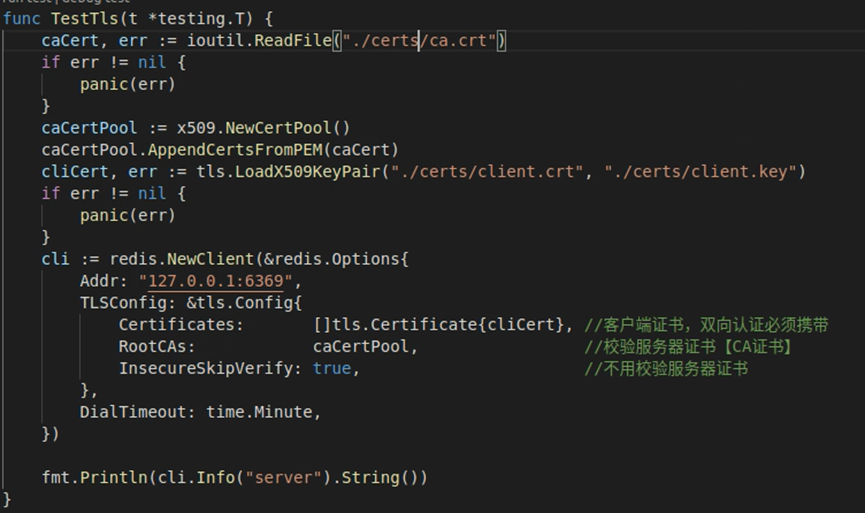
# Data Persistence
AMDC offers two persistence methods, RDB and AOF, for users. These methods are also operable through commands listed in the Command List. This section will detail the usage of both persistence methods along with associated tools.
# RDB
The RDB persistence method stores data from AMDC in RDB format on the hard drive.
There are three ways to generate an RDB file:
- Configure the Save directive in the configuration file to set conditions for RDB generation. When these conditions are met, the system automatically generates an RDB file using the bgsave command.
- Use the save command. This command blocks all requests until the RDB file is generated; then, request processing resumes.
- Use the bgsave command. This command does not block requests but generates the RDB file at a slower speed compared to the save command.
There are two ways to restore data from an RDB file:
- Utilize the RDB Data Migration Tool.
- Place one or more RDB files in the directory specified in the cache's configuration file under the Dir directive. Upon starting AMDC, it will automatically load the RDB data.
# AOF
The AOF persistence method writes data from AMDC in AOF format into a text file, stored in the appendonlydir folder, and AMDC appends new requests to the text file in an append-only manner.
To generate an AOF file:
Set the AppendOnly directive in the configuration file to "yes".
Restoring AOF data
Place one or more AOF files or the entire appendonlydir folder in the directory specified in the cache's configuration file under the Dir directive. Upon starting AMDC, it will automatically load the AOF data.
Recovering a corrupted AOF file
AMDC provides an AOF file repair tool. However, this tool is only applicable if the last appended file is damaged. This design choice is made because if the base file is already corrupt, it implies that most of the data is lost and there is no point in attempting a recovery.
Usage: ./amdc-aof-check --fix [filename.aof|filename.manifest]
# Command Audit
AMDC offers the monitor command, which can surveil all request information. By combining this with a shell client, you can direct the monitoring content to a specific file, thereby implementing command auditing.
The format of recorded request information: timestamp [database number client address: client port number] command
Usage: amdc-cli -h [ip] -p [port] [-a password] monitor > amdc_commands.log
# Shell Client
For ease of use with AMDC, the shell client provides users with a convenient and swift command-line interface, offering practical features such as cluster establishment, cluster slot management, LRU testing, and more.
# AMDC Client Arguments
Usage: amdc-cli [arguments] [command [command arguments ...]]
| Argument | Description |
|---|---|
| -h | IP address of the cache service (default: 127.0.0.1) |
| -p | Port of the cache service (default: 6359) |
| -a | Password for requirepass authentication of the cache service; you can set and input the password using the AMDCCLI_AUTH environment variable, which is safer |
| --user | Username when logging in with an ACL user |
| --pass | Password corresponding to the ACL user during login |
| --askpass | Disregard the AMDCCLI_AUTH environment variable and force the use of the directly entered password |
| -u | URI address of the cache service (compatible with Redis protocol) |
| -r | Execute a specific command |
| -i | When using -r, set the interval in seconds between each repeat execution |
| -n | Database number (there are 16 databases by default, numbered 0-15) |
| -3 | Switch to RESP3 protocol |
| -x | Treat input read from stdin as the last argument for amdc-cli Example: amdc-cli -x set key < /opt/file |
| -d | Delimiter between response blocks in raw format (such as: \n) |
| -D | Delimiter between multiple responses in raw format (such as: \n) |
| -c | Connect in cluster mode |
| -e | Return error codes when a command execution fails |
| --raw | Use raw format output (when tty is not the default output device) |
| --no-raw | Force formatted output, even if standard output is not a tty |
| --quoted-input | Force the treatment of input as a quoted string |
| --csv | Output in CSV format |
| --show-pushes | Whether to print resp3 push messages, enabled by default |
| --stat | Dynamically print status information about the cache service: memory/client connections, etc. |
| --lru-test | Simulate a cache workload with an 80-20 distribution (key usage frequency) |
| --replica | Simulate a replica node displaying commands received from the master node |
| --slave host:ip | Specify a node as the master node for the current connection node |
| --rdb | Obtain an RDB file from the cache service as a local file |
| --pipe | Transmit raw amdc protocol (compatible with Redis) from stdin to the cache service |
| --pipe-timeout | Timeout time in pipe mode |
| --bigkeys | Find keys with large value memory consumption |
| --memkeys | Find keys with large key-value memory consumption |
| --memkeys-samples | Find keys with large key-value memory consumption, with more concise output |
| --hotkeys | Find keys with high usage counts, requires cache policy to be LFU (Least Frequently Used) |
| --scan | List all keys using the SCAN command |
| --pattern | Use regex pattern matching for keys when using --scan/--bigkeys/--hotkeys (default: *) |
| --quoted-pattern | Similar to --pattern, but quoted strings must be enclosed in quotes to avoid being interpreted as non-binary-safe strings |
| --intrinsic-latency | Test system intrinsic latency for a duration of |
| --eval | Send and execute a LUA script file |
| --ldb | Use with --eval to enable the AMDC Lua Debugger |
| --ldb-sync-mode | Similar to --ldb, but synchronizes with the debugger, blocking the cache service |
| --cluster | Cluster management commands and arguments; detailed commands and parameters can be viewed with |
| --cluster help | View help information |
| --verbose | Verbose mode |
| --no-auth-warning | Suppress warning information when directly entering the password with -a |
| --help | Help information |
| --version | AMDC CLI version information |
Usage: amdc-cli --cluster [command [command parameters...]]
| Primary Parameter | Secondary Parameter | Description |
|---|---|---|
| create host1:port1... hostN:portN | Create cluster | |
| --cluster-replicas | The number of slave nodes | |
| check host:port | Check cluster | |
| --cluster-search-multiple-owners | Check if there are slots assigned to multiple nodes simultaneously | |
| info host:port | View the cluster status | |
| fix host:port | Repair cluster | |
| --cluster-search-multiple-owners | Repair the problem of duplicate slot allocation | |
| reshard host:port | Specify any node of the cluster to migrate slot and redistribute slots | |
| --cluster-from | Slots need to be migrated from which source nodes. Migration can be completed from multiple source nodes, separated by commas. The passed is the node id of the node. You can also directly pass --from all. In this case, the source nodes are all nodes of the cluster. If this parameter is not passed, the user will be prompted to enter during the migration process. | |
| --cluster-to | The node id of the destination node to which the slot needs to be migrated. Only one destination node can be specified. If this parameter is not passed, the user will be prompted to enter during the migration process. | |
| --cluster-slots | The number of slots to be migrated. If this parameter is not passed, the user will be prompted to enter during the migration process. | |
| --cluster-yes | Specify the confirmation input during migration | |
| --cluster-timeout | Set the timeout time of the migrate command | |
| --cluster-pipeline | Define the number of keys retrieved by the cluster getkeysinslot command at a time. The default value is 10 if not passed. | |
| --cluster-replace | Whether to directly replace to the destination node | |
| rebalance host:port | Specify any node of the cluster to balance the number of slots of cluster nodes | |
| --cluster-weight <node1=w1...nodeN=wN> | Specify the weight of cluster nodes | |
| --cluster-use-empty-masters | Set that master nodes without assigned slots can participate. It is not allowed by default. | |
| --cluster-timeout | Set the timeout time of the migrate command | |
| --cluster-simulate | Simulate the rebalance operation and will not actually perform the migration operation | |
| --cluster-pipeline | Define the number of keys retrieved by the cluster getkeysinslot command at a time. The default value is 10 if not passed. | |
| --cluster-threshold | If the slot threshold of migration exceeds threshold, perform the rebalance operation | |
| --cluster-replace | Whether to directly replace to the destination node | |
| add-node new_host:new_port existing_host:existing_port | Add a node and add the new node to the specified cluster. The default is to add the master node. | |
| --cluster-slave | The new node is a slave node. By default, a random master node is selected. | |
| --cluster-master-id | Specify the master node for the new node | |
| del-node host:port node_id | Delete a given node and shut down the node service after success. | |
| call host:port command arg arg.. arg | Execute related commands on all nodes of the cluster | |
| set-timeout host:port milliseconds | Set cluster-node-timeout | |
| import host:port | Import external amdc data into the cluster (nodes in non-cluster mode) | |
| --cluster-from | Import the data of the specified instance into the cluster | |
| --cluster-copy | Specify copy when migrating | |
| --cluster-replace | Specify replace when migrating |
# AMDC Client Usage
The AMDC client languages cover mainstream programming languages such as Java, PHP, Python, C, C++, Node.js, etc. It can be connected through amdc-cli, and also supports the connection of the redis client to amdc for operations. The effects of both are the same.
# General Operations
# Connect to amdc-server via url
./amdc-cli -u amdc://user:password@127.0.0.1:6359/db
# Display the command help information of amdc-cli --help
Omitted.
# Connect to amdc using the amdc-cli client
./amdc-cli -h host -p port -a password-h is used to specify the ip
-p is used to specify the port
-a is used to specify the authentication password
# Output the returned data to the current command line --raw (hide the data type) and --no-raw
# Run the same command continuously for n times -r set the running interval time -i (seconds)


# Connect to the specified db: -n
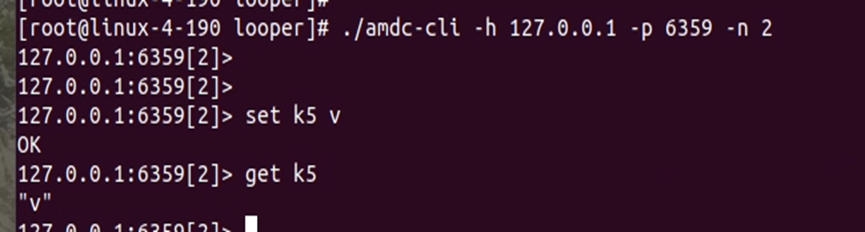
# Execute the command output in comma-separated format (csv format) --csv

# Read data from standard input (stdin) as the last parameter of amdc-cli -x

# RDB backup --rdb

# Slave mode, treat the client as a slave node of the server --slave

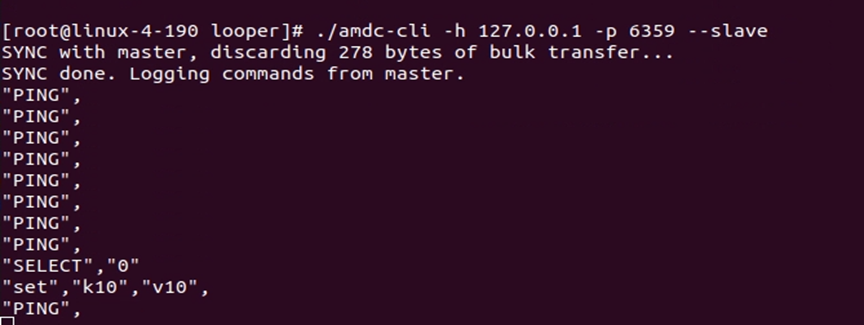
# Pipeline mode, execute multiple commands at once --pipe
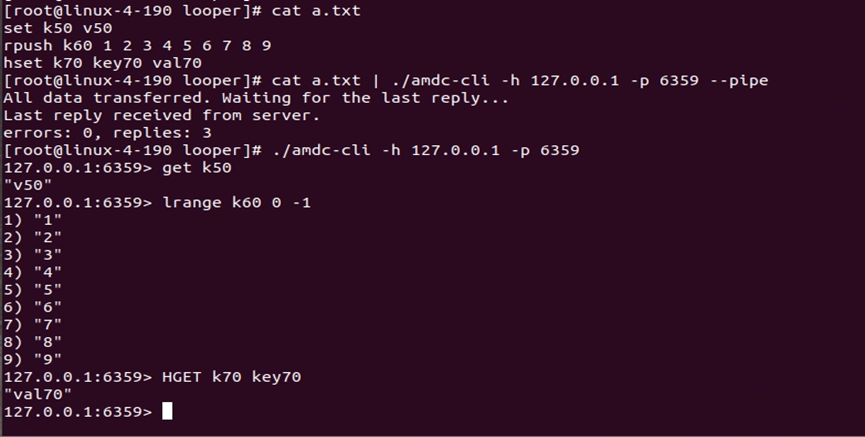
# Statistical Operations
# Continuous statistical mode, view the number of amdc keys, occupied memory and other data in real time --stat
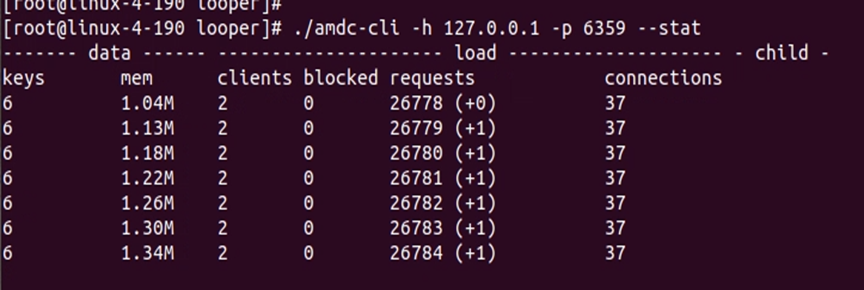
# Find large keys --bigkeys
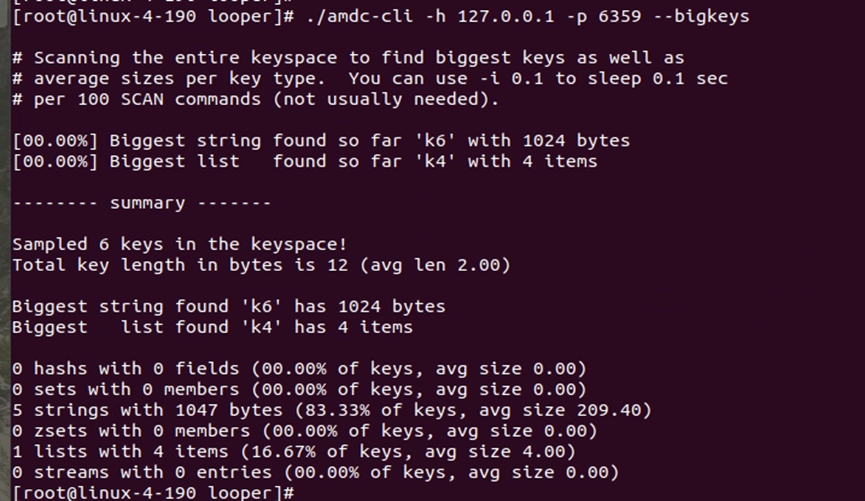
# Find hot keys --hotkeys
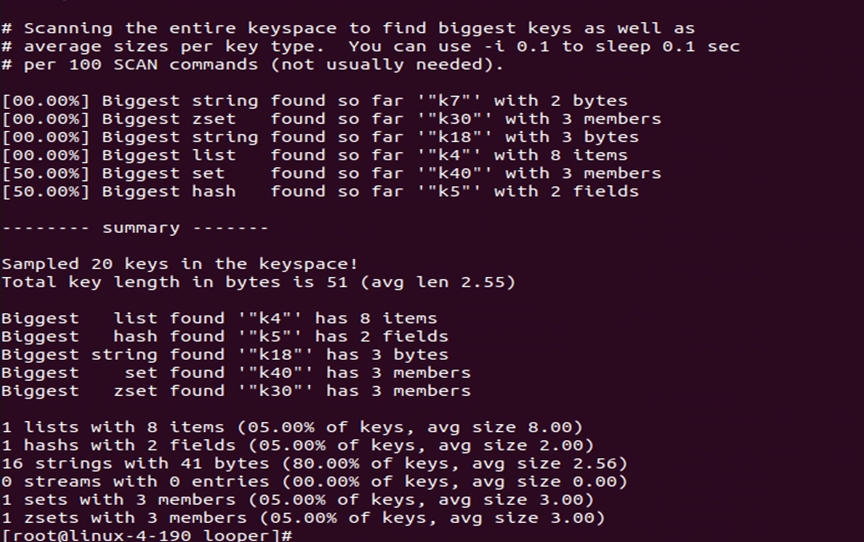
# Query Operations
# Get the list of all keys --scan

# Scan the specified key --pattern (regular expression)
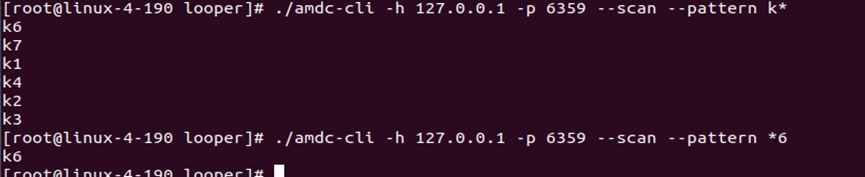
# View the minimum, maximum, and average access latency of amdc within a certain period of time --latency or --latency-history


# Test Operations
# Measure the latency time of amdc within n seconds --intrinsic-latency
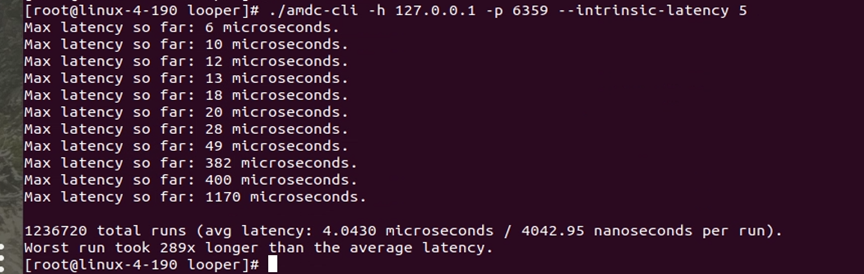
# LRU simulation, simulate the cache elimination strategy --lru-test
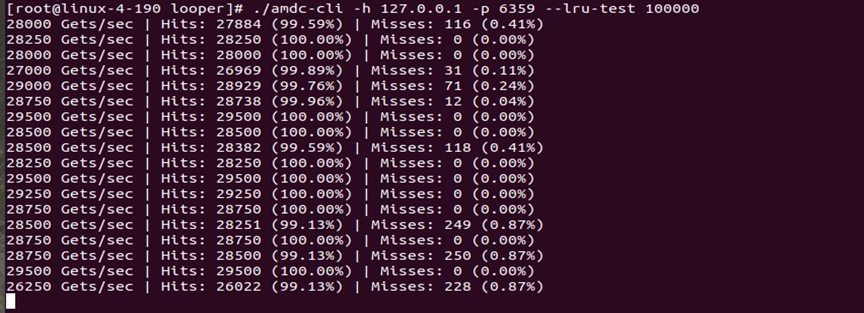
# Simulate and display the copy of the commands received from the master server --replica
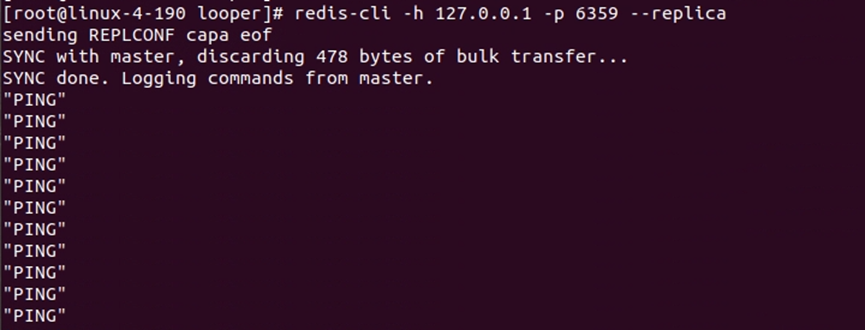
# LUA Operations
# Execute lua script
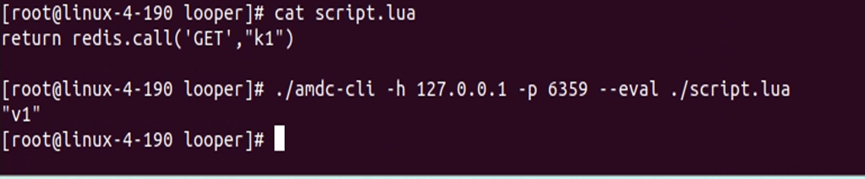
# Start lua debugging mode: --ldb or --ldb-sync-mode
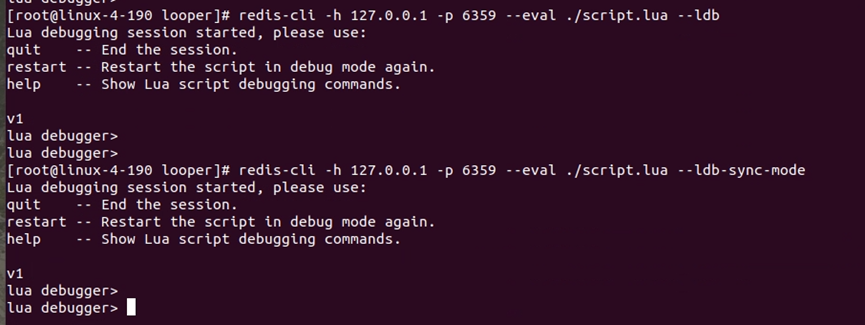
# Cluster Operations
# Interactive command line cluster mode -c
./amdc-cli -h host -p port -a password -c
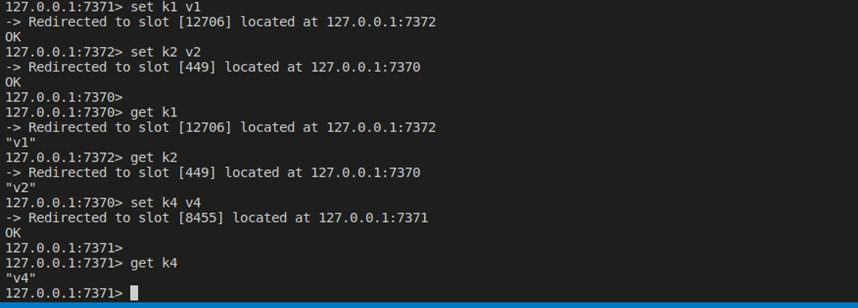
# Create cluster
./amdc-cli --cluster create <ip:port ip:port …> --cluster-replicas <num> (The number of slave nodes for each master node)
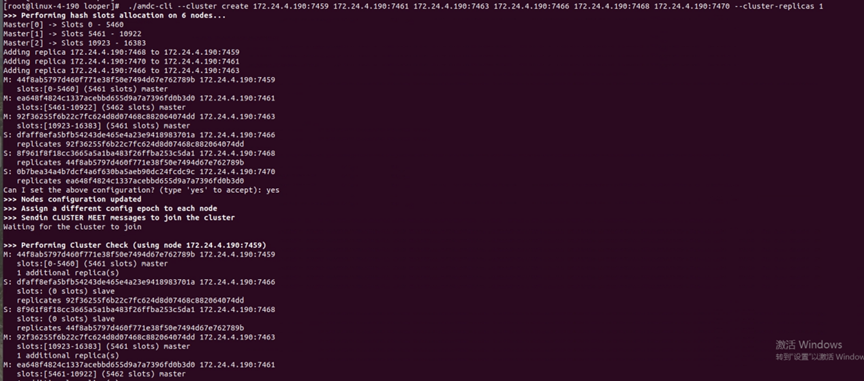

# Add a master node to the cluster
./amdc-cli --cluster add-node ip:port Any node of the original cluster
(Note: The new master node is not assigned a slot and needs to move or balance the slot)
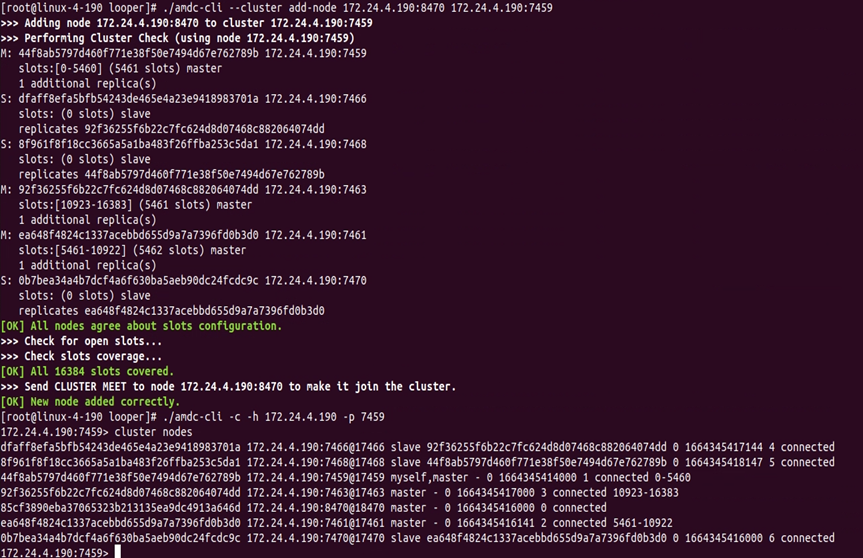
# Move slot
./amdc-cli --cluster reshard Any node of the original cluster --cluster-from The id of the original slot node --cluster-to The id of the receiving slot node --cluster-slots The number of moving slots
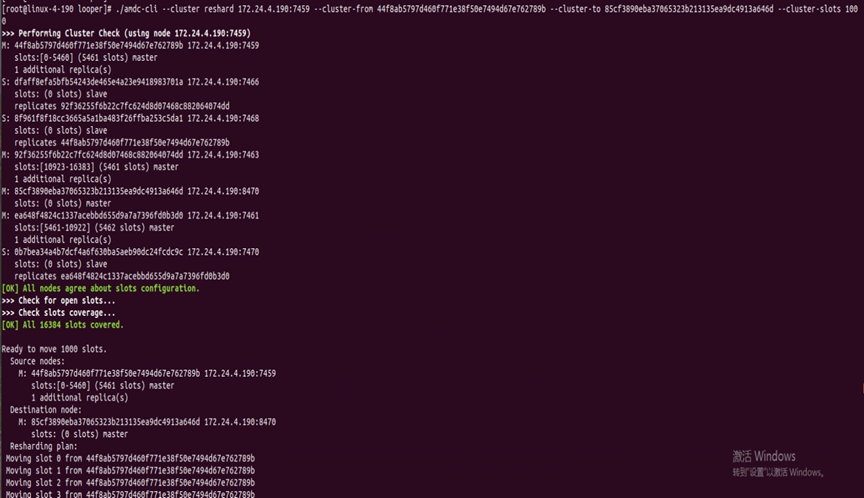
# Balance slot
Balance the cluster of non-new nodes:
./amdc-cli --cluster rebalance --cluster-weight node_id=ratio node_id=ratio .... Any node of the original cluster
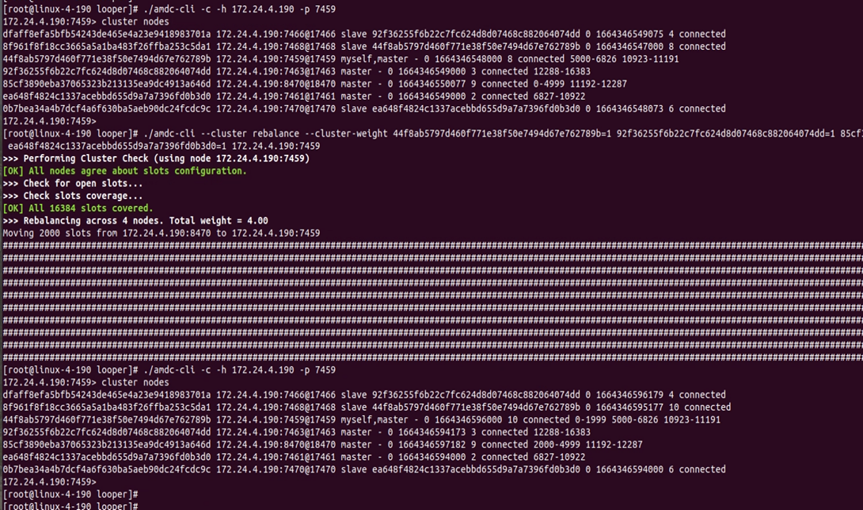
Balance the cluster with new nodes (empty nodes):
./amdc-cli --cluster rebalance [Any ip:port] –cluster-use-empty-masters –cluster-threshold 1
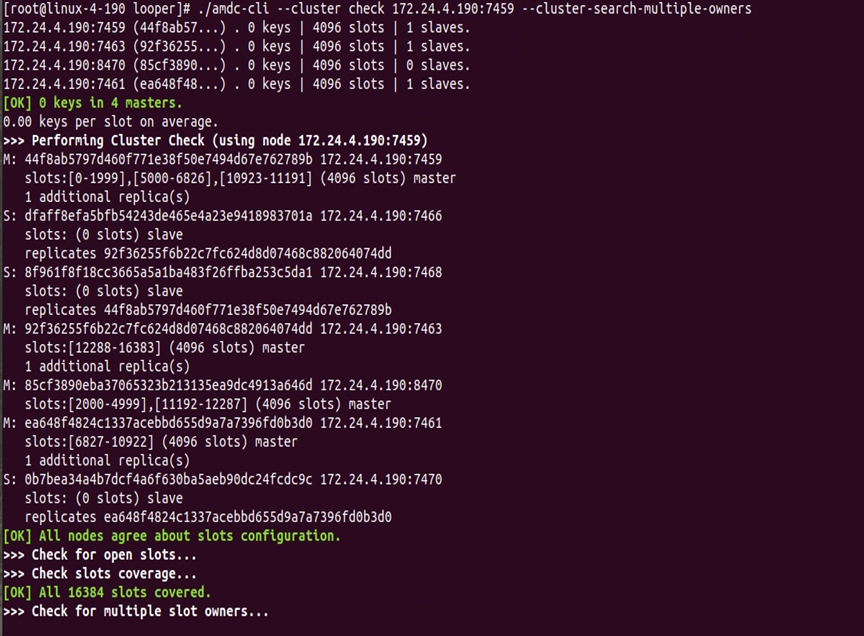
# Check the cluster
./amdc-cli --cluster check ip:port --cluster-search-multiple-owners
# Repair the cluster
./amdc-cli --cluster fix ip:port --cluster-search-multiple-owners
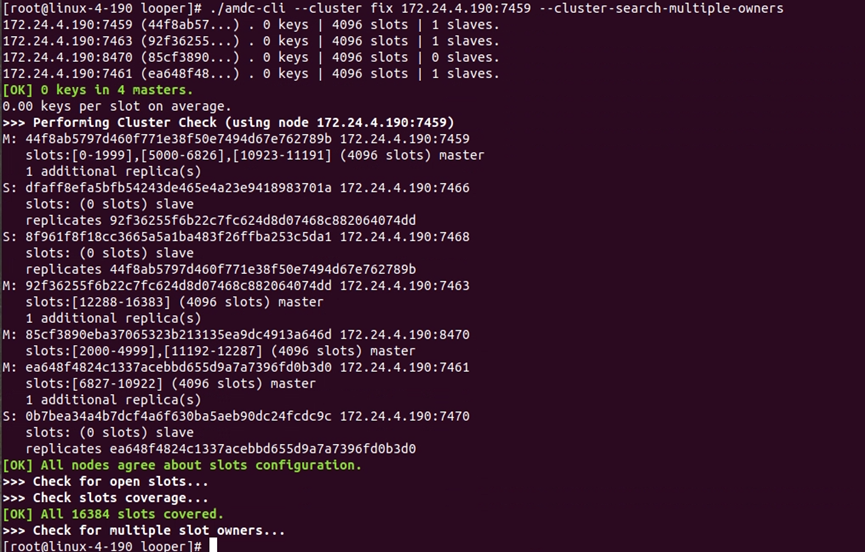
# Remove the cluster node
./amdc-cli --cluster del-node Any node of the cluster The id of the removed node (If the master node is removed, all slots need to be moved to other master nodes)
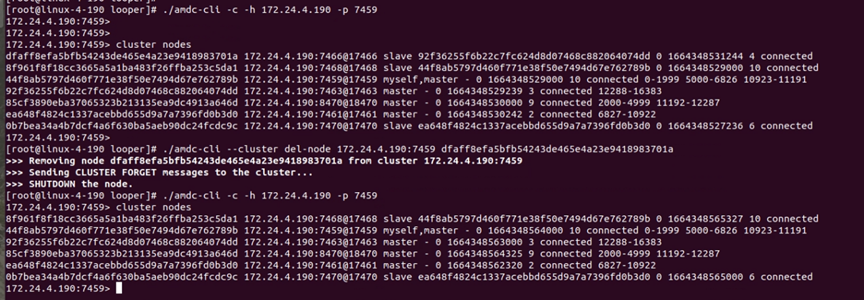
# Add a slave node to the cluster
./amdc-cli --cluster add-node [The ip:port to be added] [The ip:port of the master] --cluster-slave --cluster-master-id [master_id (The first parameter of each item in cluster nodes)]
# Import the data of the external node into the cluster
./amdc-cli --cluster import Any node of the cluster --cluster-from The external node --cluster-replace
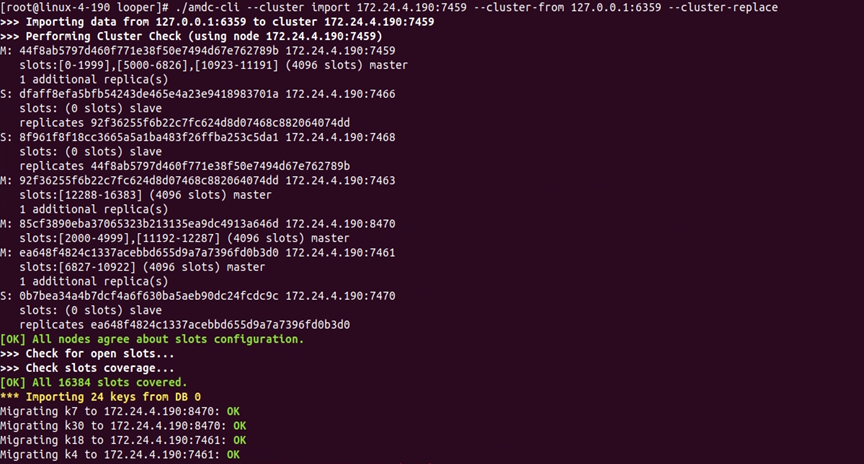
# View the cluster information
./amdc-cli --cluster info Any node of the cluster
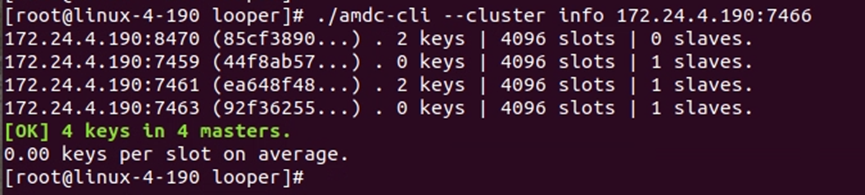
# Execute the command in the cluster
./amdc-cli --cluster call Any node of the cluster cmd
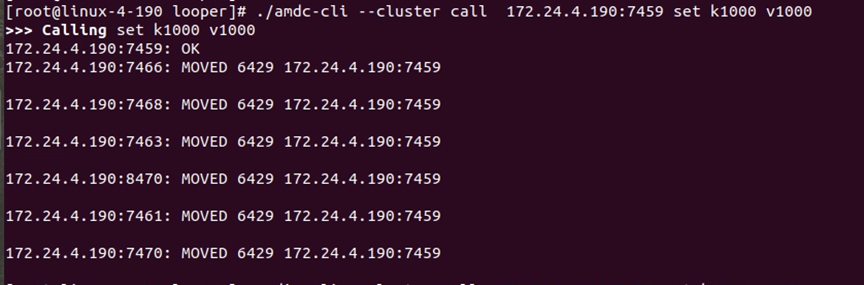
# View the help information of the cluster command
./amdc-cli --cluster help
# RDB Cluster Data Migration Tool
AMDC provides an RDB cluster data migration tool for replacing Redis clusters, allowing users to quickly migrate Redis cluster data to the AMDC cluster.
# Data Migration Tool Usage
The binary file is named amdc-data-mirgration: Run ./amdc-data-mirgration -help to see what parameters are available.
-f:Followed by the file directory, the program will automatically obtain the rdb files in this directory
-h:Destination IP address
-p:Destination port
-a:Password
-c:Whether it is in cluster mode
2
3
4
5
Among them, -f, -h, and -p are mandatory parameters. After -f, followed by the file directory, the program will automatically obtain the rdb files in this directory. If the cluster has a password, the parameter -a password needs to be added; if amdc is in cluster mode, the parameter -c needs to be added.
If amdc is in cluster mode:
For example:./amdc-data-mirgration -c -h 127.0.0.1 -p 6359 -f /root/server
If amdc is in stand-alone or master-slave mode:
For example:./amdc-data-mirgration -h 127.0.0.1 -p 6359 -f /root/server
# Performance Testing Tool
amdc-benchmark is a dedicated performance testing tool provided to users to test AMDC, so as to quickly understand the performance of AMDC and provide a reliable basis for optimization.
# AMDC benchmark parameters
All parameters of benchmark are to output the corresponding performance test data.
Example: amdc-benchmark [-h <host>] [-p <port>] [-c <clients>] [-n <requests>]
Command parameters
-h <hostname> Instance host name (default 127.0.0.1)
-p <port>      Instance port (default 6379)
-s <socket>    Instance socket (will overwrite host and port parameters)
-c <clients>   Concurrent connection count (default 50)
-n <requests>  Total number of requests (default 100000)
-d <size>      The size of SET/GET data, in bytes (default 2)
-dbnum <db>    Specify the db library (default AMDC has libraries 0-15, the current parameter defaults to 0)
-k <boolean>   1 = Keep the connection 0 = Reconnect (default 1)
-r <keyspacelen> Use random key for SET/GET/INCR, use random value for SADD, keyspacelen refers to the maximum length of random data (The maximum length range is 0-12)
-P <numreq>    Merge the specified number of requests using pipelines, default 1 (Do not use pipelines)
-q             Only display the query/sec value
--csv          Output in CSV format
-l             Loop and keep testing
-t <tests>     Specify the test command
-I             Idle mode, open N idle connections and wait
2
3
4
5
6
7
8
9
10
11
12
13
14
15