User Manual

# Preface
This document is the user manual for Kingdee Apusic Application Server V10 Standard Edition. It provides a detailed introduction to the basic installation and configuration of the Standard Edition, and offers basic operating instructions as well as specific steps for each feature.
# Intended Audience
This manual is primarily intended for developers who use Kingdee Apusic Application Server for application development, system administrators of production environments, application release personnel, technical operations personnel, and so on. The following skills will help you better understand and use the content of the Kingdee Apusic Application Server user manual:
- Familiarity with common Linux commands
- Basic system administration tasks
- Installing and managing software
# Related Documents
For more information about the AAS-V10 Standard Edition product, please refer to the following AAS-V10 product manual documentation set:
| No. | Documentation | Description |
| 1 | Kingdee Apusic Application Server V10 Standard Edition Installation Guide | Provides detailed instructions on how to install AAS on various operating systems, as well as AAS service start/stop operations and the product registration process |
| 2 | Kingdee Apusic Application Server V10 Standard Edition Quick Start Guide | Briefly introduces how to quickly get started with AAS |
| 3 | Kingdee Apusic Application Server V10 Standard Edition User Manual | Provides detailed instructions on the usage and operation of AAS-related features, guiding users through system installation and deployment, feature operations, parameter configuration, daily operations and maintenance, and troubleshooting |
| 4 | Kingdee Apusic Application Server V10 Standard Edition Administration Console User Manual | Provides detailed instructions on the usage and operation of AAS Administration Console features, guiding users to perform operations through the visual administration console |
| 5 | Kingdee Apusic Application Server V10 Standard Edition Command-Line Operation Guide | Provides detailed instructions on how to operate and use AAS through the command line |
| 6 | Kingdee Apusic Application Server V10 Standard Edition Monitoring Metrics Documentation | Provides detailed descriptions of various types of AAS monitoring metrics |
| 7 | Kingdee Apusic Application Server V10 Standard Edition API Documentation | Provides detailed information about AAS APIs |
# Technical Support
Kingdee Apusic Application Server provides comprehensive technical support services. You can obtain technical support through the following channels:
- Website: www.apusic.com
- Phone: 400-855-5800
- Email: support@apusic.com
- Kingdee Cloud Community: https://vip.kingdee.com/?productId=73&productLineId=14&lang=zh-CN
When requesting technical support, please provide the following information:
- Your name
- Company information and contact details
- Operating system and its version
- Product version number
- Detailed information such as logs and screenshots of any exceptions or errors
# Revision History
This manual is updated in sync with actual product updates. The latest version will include the content of previous versions or provide corresponding revision notes.
| Date | Manual Version | Applicable Product | Update Description |
| May 2026 | V10P11A01F01 | AAS Standard Edition V10 | Added slow attack configuration description Added hot deployment description Added database connection pool leak reclamation description Added graceful shutdown description Updated system log configuration description |
| December 2025 | V10P9A01F02 | AAS Standard Edition V10 | Updated Chinese cryptography (GM) configuration description |
| March 2025 | V10P9A01F01 | AAS Standard Edition V10 | Added description of integrated distributed tracing tools |
| September 2024 | V10P8A01F02 | AAS Standard Edition V10 | Added content on integration with Spring Boot Adjusted display formatting and other issues in the document |
| December 2023 | V10P8A01F01 | AAS Standard Edition V10 | Updated the method for obtaining the license authorization code |
# Product Overview
# Product Introduction
# Overview
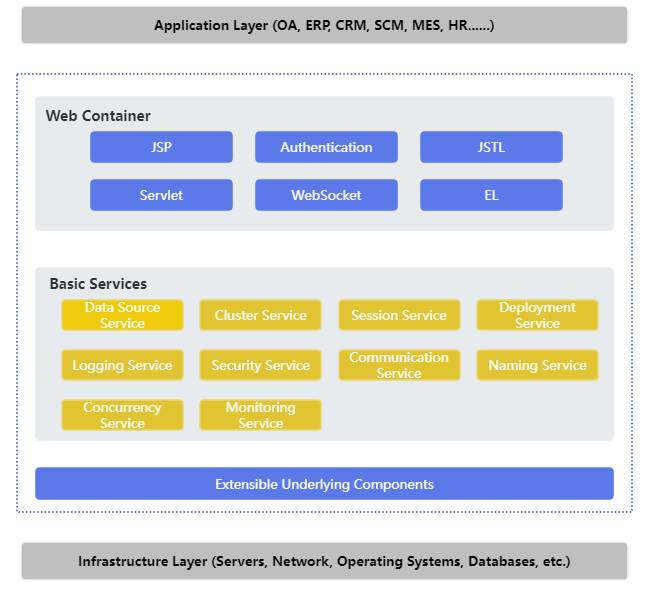
Kingdee Apusic Application Server V10 Standard Edition is a web application server that supports the Jakarta EE 8 equivalent specifications (javax namespace), supports the latest Servlet and JSP specifications, and also provides migration and deployment capabilities for jakarta namespace applications. Kingdee Apusic Application Server V10 Standard Edition is technologically advanced, stable in performance, lightweight, and easy to use. It responds quickly to ever-changing business needs and is the product of choice for efficient application system development.
Figure 1: Kingdee Apusic Application Server V10 Standard Edition Architecture Diagram
# Platform Environment
Platform environment for Kingdee Apusic Application Server V10 Standard Edition.
Table 1: Kingdee Apusic Application Server V10 Standard Edition Platform Environment
| Operating System | Description |
| Windows | Windows7, Windows10, Windows Server |
| Linux | CentOS, Ubuntu, SUSE, Redhat |
| Domestic platforms | Kylin (Galaxy Kylin) series, NeoKylin (China Standard Software Kylin) series, iSoft, Red Flag Asianux, Deepin, etc. |
# System Environment
System environment for Kingdee Apusic Application Server V10 Standard Edition.
Table 2: Kingdee Apusic Application Server V10 Standard Edition System Environment
| System Component | System Requirements |
| Java environment | JDK 8 or later (compatible with JDK 17); JDK 8u252 or later is recommended for HTTP/2 |
| Memory | At least 512MB of memory is required; 1024MB or more is recommended |
| Disk space | At least 1024MB of disk space is required; 10G or more is recommended |
# Jakarta EE Specifications
Product specifications of Kingdee Apusic Application Server V10 Standard Edition (Jakarta EE 8 equivalent specifications, javax namespace).
Table 3: Kingdee Apusic Application Server V10 Standard Edition Product Specifications
| Specification/API | Version |
| Servlet | 4.0 |
| JSP | 2.3 |
| Expression Language | 3.0 |
| WebSocket | 1.1 |
# Terminology
AAS: Kingdee Apusic Application Server
AAMS-[aas_version]: Product identifier of Kingdee Apusic Application Server Standard Edition
APUSIC_HOME: Installation directory of Kingdee Apusic Application Server
# Package Contents
The product installation package is usually packaged as AAMS-[version].tar.gz or AAMS-[version].zip.
In this document, ${APUSIC_HOME} represents the installation directory of the application server.
Table 4: Kingdee Apusic Application Server V10 Standard Edition Product Package
| Product Package | Description |
| AAMS-[version].zip/AAMS-[version].tar.gz | Kingdee Apusic Application Server V10 Standard Edition installation package |
Description of the Kingdee Apusic Application Server V10 Standard Edition product package.
Table 5: Kingdee Apusic Application Server V10 Standard Edition Product Package Description
| File | Description |
| bin | Directory containing the application server scripts. In addition to the start (startapusic), stop (stopapusic), and run (apusic) scripts, it also includes restart (restartapusic), version viewing (version), configuration check (configtest), password digest (digest), cipher suites (ciphers), instance creation (makebase), command-line tool (aascli), security baseline (baseline), tracing tool (apm/), etc. |
| conf | Directory containing the application server configuration files, including apusic.conf, context.xml, logging.properties, vm.options, security baseline configuration (baseline/), etc. |
| console | Directory where the management console program is located |
| lib | Directory containing the application server JAR files |
| logs | Default directory for application server log files |
| plugins | Directory containing the application server plugins, including apollo, etcd, nacos, kafka, pinpoint, skywalking, redis, connReclaim, and other plugins |
| store | Directory where the application server persistent data is stored |
| webapps | Directory for deploying application packages |
| webapps-console | Deployment directory for the management console's built-in applications |
| webapps-jakarta | Deployment directory for jakarta namespace applications |
| temp | Directory where the application server temporary files are stored |
| work | Stores the class files generated after JSP compilation |
| license.xml | License file of the product package |
| change-log.md | Product change log |
# Installation and Operation
# Installation and Uninstallation
# Java Environment
Before installation, you need to confirm the Java environment. JDK 8 and above are supported (compatible with JDK 17); version 1.8.0_201 or above is recommended. Use the following command to check the JDK version:
[user@test bin]# java -version
java version "1.8.0_212"
Java(TM) SE Runtime Environment (build 1.8.0_212-b10)
Java HotSpot(TM) 64-Bit Server VM (build 25.212-b10, mixed mode)
2
3
4
Specifying a JAVA runtime environment is supported: create a setenv.sh file (Linux, executable permission required) or a setenv.bat file (Windows) in the ${APUSIC_HOME}/bin directory. The startup script will load it automatically. Set JAVA_HOME in the file, for example:
JAVA_HOME="/opt/java/jdk1.8.0_271"
# Installation
Prepare the installation package AAMS-V10.0.8-SP12-AE-20260701.tar.gz or AAMS-V10.0.8-SP12-AE-20260701.zip, copy it to a directory where you have permissions, and extract it.
Extraction completes the installation.
Execute tar -zxvf AAMS-V10.0.8-SP12-AE-20260701.tar.gz
or unzip AAMS-V10.0.8-SP12-AE-20260701.zip
2
# Uninstallation
Delete all files under the installation directory ${APUSIC_HOME}/ to complete the uninstallation. Uninstallation will lose all currently configured files of the AAS, so proceed with caution.
# License Authorization
AAS requires a corresponding license to function properly. Normally, Kingdee Apusic provides a license matching the product version purchased by the user. If issues such as license expiration or invalidity occur during use, it is recommended to first contact the assigned Apusic service personnel to re-apply for the corresponding license.
Product licensing is divided into standard licensing and centralized licensing.
# Standard Licensing
Standard licensing generates a license.xml file based on the IP address, domain name, etc. Place the license file in the installation directory at ${APUSIC_HOME}/license.xml.
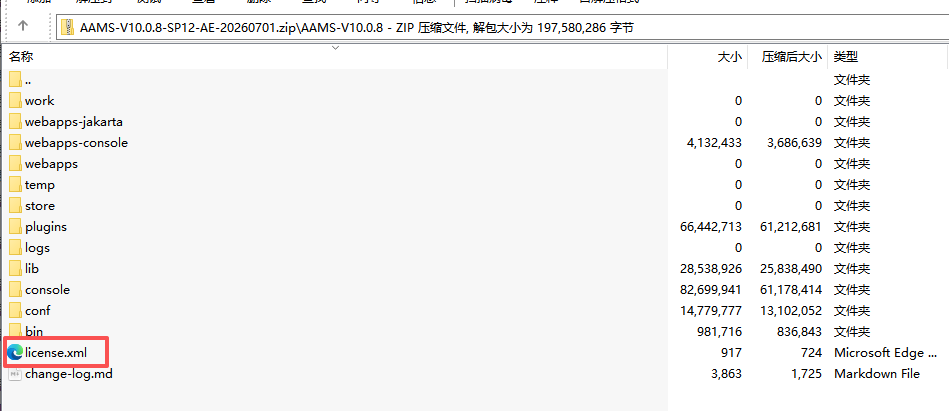
If the management console is installed, the system administrator admin logs in to the management console, clicks the license icon in the upper-right corner, clicks "Update License", uploads a valid license file, and saves to complete the update. The new license file takes effect after restarting AAS.
# Centralized Licensing
Centralized licensing connects to the license authorization center for unified authorization. You need to set up the Kingdee Apusic License Authorization Center first. For the operating procedure, refer to the "Kingdee Apusic License Authorization Center User Manual", or contact Kingdee Apusic technical support personnel.
Configure environment variables in the system environment, or create an acls.properties file in the root directory of the AAS installation directory, and add the following parameters:
apusic_acls_enable=true
apusic_acls_authUrls=127.0.0.1:6886
apusic_acls_ns=apusic
apusic_acls_tenant=ApusicTest
2
3
4
Description of connection parameters:
Table 6: Description of Kingdee Apusic License Authorization Center connection parameters
| Parameter | Description |
|---|---|
| apusic_acls_enable | Whether to enable license authorization center authentication. The value is true or false; true means authorization center authentication is enabled. If this parameter is absent or its value is false, authorization center authentication is not enabled. |
| apusic_acls_authUrls | The address of the license authorization center. Multiple authorization addresses can be set in the format ip1:port1,ip2:port2. If one authorization address fails to connect, the other addresses are polled. This parameter is required if authorization center authentication is enabled, and the port is the HTTPS port of the authorization center. |
| apusic_acls_ns | Sets the name of the namespace to which this instance belongs. This is an optional parameter; the default value is public. The specific namespace can be viewed in the authorization center management console under System Management - Authorization Management. |
| apusic_acls_tenant | Sets the name of the tenant to which this instance belongs. This is an optional parameter. |
AAS will automatically connect to the Apusic License Authorization Center at startup.
# Obtaining the Feature Code
If issues such as license expiration or invalidity occur during use, it is recommended to first contact the assigned Apusic service personnel to re-apply for the corresponding license. When re-applying for a license, you need to provide the product's feature code (auth code) to the Apusic contact person.
In ${APUSIC_HOME}/bin, execute apusic.sh -ac [ethname or ip], where [ethname or ip] is an IP address or a network interface name, similar to the following:
apusic.sh -ac 127.0.0.1
The feature code information is printed, similar to the following, where Auth Code=feature code content:
Using APUSIC_BASE:   /opt/AAS/AAMS-V10.0.0
Using APUSIC_HOME:   /opt/AAS/AAMS-V10.0.0
Using APUSIC_TMPDIR: /opt/AAS/AAMS-V10.0.0/temp
Using JRE_HOME:        /usr/local/java/jdk1.8.0_231/jre
Using CLASSPATH:       /opt/AAS/AAMS-V10.0.0/bin/bootstrap.jar:/opt/AAS/AAMS-V10.0.0/bin/aas-juli.jar
Using APUSIC_OPTS:
Auth Code=SZTY829390371
2
3
4
5
6
7
After obtaining the feature code, provide it to apply for the license file.
# Obtaining the Feature Code in Embedded Deployment Mode
In the integration mode with Spring Boot, there is no apusic command for obtaining the feature code; it must be obtained through the user's application.
If there is already a temporary license file that can start the application, first remove the license file, then add the JVM parameter apusic-ac to the startup command, with a value of an IP address or network interface name, similar to the following. eth3 is the network interface name of the test machine and should be modified according to the actual network information:
java -Dapusic-ac=eth3 -jar boot-quickstart-1.0.jar
Since there is no license file, the application will stop during startup. Before stopping, the feature code information is printed, similar to the following, where Auth Code=feature code content:
Auth Code=SZTY263537626
license is invalid.
2
# Starting and Stopping
# Starting on Linux
After installation is complete and the license file is updated, go to the installation directory
${APUSIC_HOME}/binand executeapusic.sh run.Go to the installation directory
${APUSIC_HOME}/binand executestartapusic.sh.If you need to use debug mode, you can set
JPDA_OPTSin the startup scriptapusic.sh, for example:
JPDA_OPTS="-agentlib:jdwp=transport=dt_socket,server=y,suspend=n,address=8000"
Then execute apusic.sh jpda start.
# Starting on Windows
After installation is complete and the license file is updated, go to the installation directory
${APUSIC_HOME}\binand executeapusic.bat run.Go to the installation directory
${APUSIC_HOME}\binand executestartapusic.bat.If you need to use debug mode, you can set
JPDA_OPTSin the startup scriptapusic.bat, for example:
JPDA_OPTS=-agentlib:jdwp=transport=dt_socket,server=y,suspend=n,address=8000
Then execute apusic.bat jpda start.
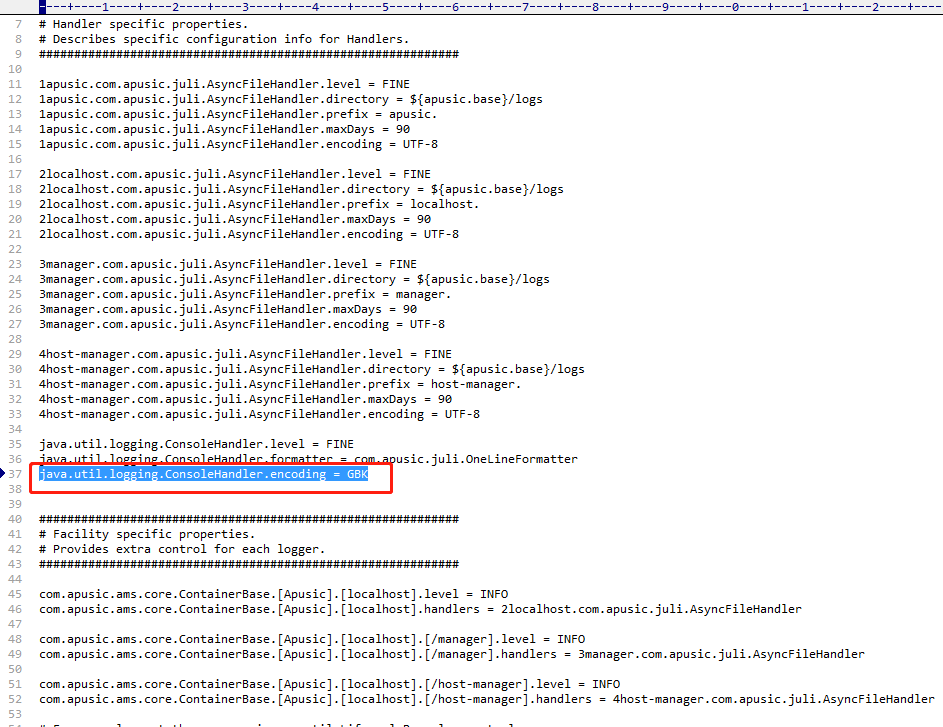
It is recommended to first check whether the system default encoding is UTF-8. If garbled characters appear when starting on Windows, you can modify the conf/logging.properties file to set the console log encoding to GBK.
# Stopping on Linux
1. Ctrl + C
In the foreground startup state, you can directly press Ctrl + C to exit and stop AAS.
2. stopapusic.sh
Go to the installation directory ${APUSIC_HOME}/bin and execute stopapusic.sh.
3. Kill the process
You can stop it by using kill [process ID].
# Stopping on Windows
1. Ctrl + C
In the foreground startup state, you can directly press Ctrl + C to exit and stop AAS.
2. stopapusic.bat
Go to the installation directory ${APUSIC_HOME}\bin and execute stopapusic.bat.
3. Stop the process
You can open Task Manager, find the corresponding process, and stop it.
# Accessing the Management Console
The management console starts by default at startup. Access the system address in a browser: https://127.0.0.1:6848/aas-console.
Log in with the system administrator account:
- Username:
admin - Password:
Apusic@123
Note: You are forced to change the password upon first login.
# Application Deployment
# Automatic Deployment
Kingdee Apusic Application Server Standard Edition provides an application deployment function. To deploy an application, you only need to copy the application to the ${APUSIC_HOME}/webapps/ directory for automatic deployment.
# Deployment from a Specified Path
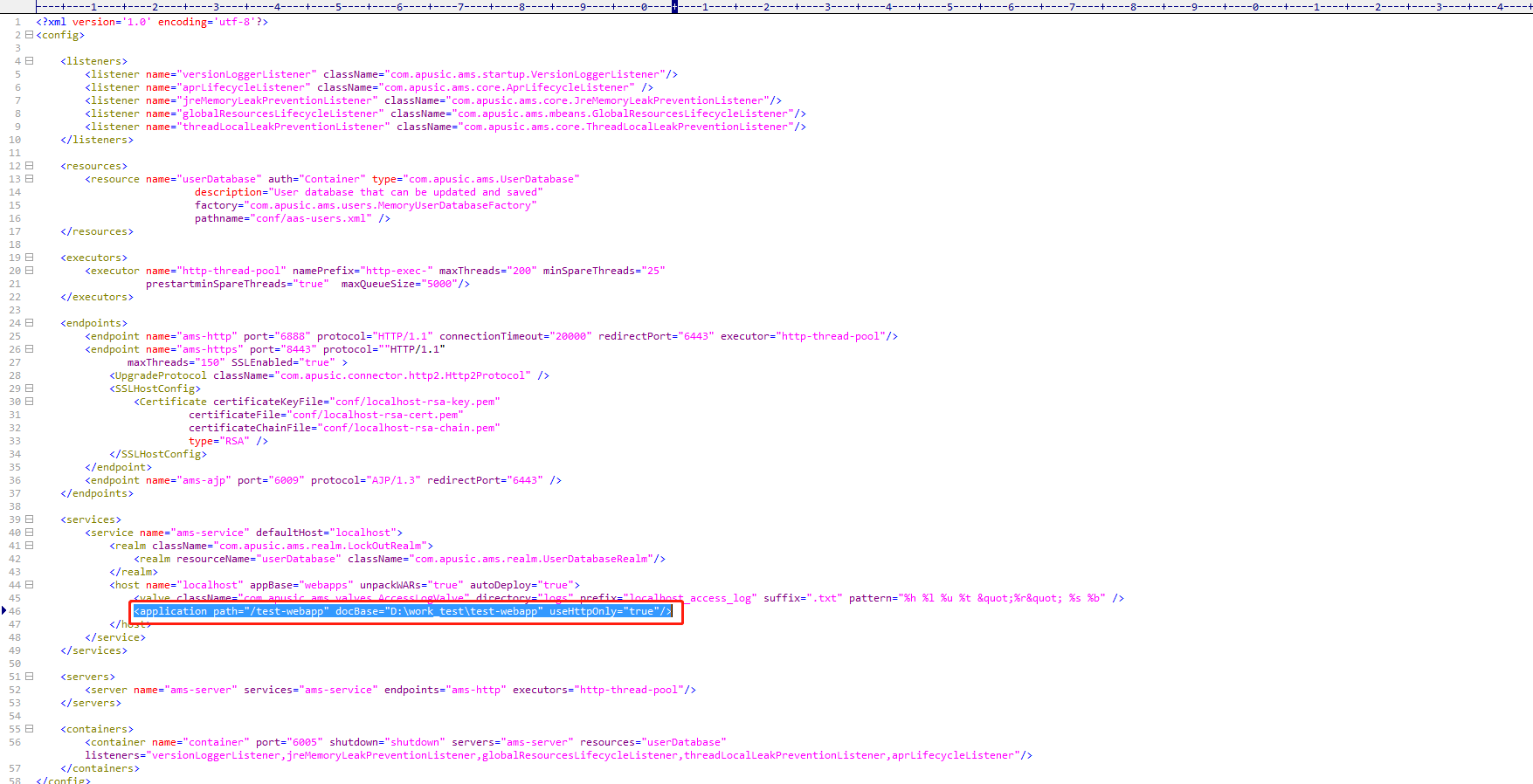
Since automatic deployment requires copying the application to webapps, another deployment method is provided: if the application is in a compressed package format (such as the war format), extract the application, for example to D:/work_test/test-webapp, then edit the apusic.conf file and add the following under host:
<application path="/test-webapp" docBase="D:\\work_test\\test-webapp" useHttpOnly="true" />
Table 7: Configuration description for deployment from a specified path in Kingdee Apusic Application Server V10 Standard Edition
| Configuration Parameter | Description | Default Value |
| path | The context path of the deployed application | |
| docBase | The location of the extracted application. On Windows, double backslashes \\ must be used as separators | |
| useHttpOnly | Setting this to true prevents client-side scripts from reading JSESSIONID, protecting against CSRF/XSS malicious attacks |
# Manually Deploying Multiple Applications
When deploying in the standard way, in addition to copying applications directly to the webapps directory for automatic deployment, you can also deploy manually by modifying the configuration file: modify the host tag in the apusic.conf file and add configuration similar to the following, in which 2 application entries are deployed. The path attribute is the specified context path, and docBase is the directory of the application:
<host name="localhost" appBase="webapps" unpackWARs="true" autoDeploy="true">
    <application path="/test1" docBase="H:/apps/test1.war" useHttpOnly="true" />
    <application path="/test2" docBase="H:/apps/test2.war" useHttpOnly="true" />
</host>
2
3
4
# Hot Deployment Configuration
The application server supports hot deployment by default.
If you want to disable hot deployment, add the following parameter (one per line) to the ${APUSIC_HOME}/conf/vm.options file, save it, and restart the application server to disable the hot deployment function (applicable to both Windows and Linux).
-Dcom.apusic.onlyOneAutoDeploy.enabled=true
# Configuring Context Root Mapping
Context root mapping binds the context path in an access URL to a physical deployment directory (docBase) on the server, enabling flexible mappings such as "different paths → different directories" or "the same directory → multiple access paths".
Configuration method:
Modify the host configuration of ams-service in apusic.conf, set unpackWARs to false, and define the path value in application.
Example:
	<host name="localhost" appBase="webapps" unpackWARs="false" autoDeploy="false" appBaseReDeploy="false" deployOnStartup="false">
                <application path="/" useHttpOnly="true"/>
                <valve className="com.apusic.ams.valves.ErrorReportValve" showReport="false" showServerInfo="false" />
                <Valve className="com.apusic.ams.valves.AccessLogValve" directory="logs" prefix="access_log" suffix=".txt" pattern="%{yyyy-MM-dd HH:mm:ss}t  %I  %U  %m  %a  %D  %s"  rotatable="true"  maxDays="3" buffered="false" />
			</host>
2
3
4
5
# Undeployment
Go to ${APUSIC_HOME}/webapps/ and delete the corresponding application files to complete the undeployment operation.
If the application was deployed from a specified path, stop the application server, go to ${APUSIC_HOME}/conf/, edit the apusic.conf file, and delete the corresponding application entry of the application, for example:
<application path="/test-webapp" docBase="D:\\work_test\\test-webapp" useHttpOnly="true" />
# Configuration and Operations
# Configuration File Overview
	`apusic.conf` is an important configuration file of Kingdee Apusic Application Server. You can use it to set ports, thread pool size, application deployment paths, performance tuning, and more.

	The default configuration is as follows:
<config>
    <listeners>
        <listener name="aprLifecycleListener" className="com.apusic.ams.core.AprLifecycleListener" />
        <listener name="jreMemoryLeakPreventionListener" className="com.apusic.ams.core.JreMemoryLeakPreventionListener"/>
        <listener name="globalResourcesLifecycleListener" className="com.apusic.ams.mbeans.GlobalResourcesLifecycleListener"/>
        <listener name="threadLocalLeakPreventionListener" className="com.apusic.ams.core.ThreadLocalLeakPreventionListener"/>
    </listeners>
    <resources>
        <resource name="userDatabase" auth="Container" type="com.apusic.ams.UserDatabase"
                  description="User database that can be updated and saved"
                  factory="com.apusic.ams.users.MemoryUserDatabaseFactory"
                  pathname="conf/aas-users.xml" />
    </resources>
    <executors>
        <executor name="http-thread-pool" namePrefix="http-exec-" maxThreads="200" minSpareThreads="25"
                  prestartminSpareThreads="true"  maxQueueSize="5000"/>
    </executors>
    <endpoints>
        <endpoint name="ams-http"
            port="6888"
            protocol="HTTP/1.1"
            connectionTimeout="30000"
            redirectPort="6443"
            executor="http-thread-pool"
            maxConnections="10000"
            enableLookups="false"
            acceptCount="100"
            maxPostSize="104857600"
            maxHttpHeaderSize="8192"
            compression="on"
            disableUploadTimeout="true"
            compressionMinSize="2048"
            compressibleMimeType="text/html,text/plain,text/css,application/javascript,application/json,application/x-font-ttf,application/x-font-otf,image/svg+xml,image/jpeg,image/png,image/gif,audio/mpeg,video/mp4"
            URIEncoding="utf-8"
            processorCache="20000"
            tcpNoDelay="true"
            keepAliveTimeout="15000"
            maxKeepAliveRequests="100">
		</endpoint>
		<endpoint name="ams-jmx"
            port="6868"
            auth="false"
            protocol="JMXRMI/2.0">
    </endpoint>
    </endpoints>
    <services>
        <service name="ams-service" defaultHost="localhost">
			<realm className="com.apusic.ams.realm.LockOutRealm">
				<realm resourceName="userDatabase" className="com.apusic.ams.realm.UserDatabaseRealm"/>
			</realm>
			<host name="localhost" appBase="webapps" unpackWARs="true" autoDeploy="true">
			</host>
		</service>
    </services>
    <servers>
        <server name="ams-server" services="ams-service" endpoints="ams-http" executors="http-thread-pool"/>
    </servers>
    <containers>
        <container name="container" port="-1" shutdown="shutdown" servers="ams-server" resources="userDatabase" listeners="aprLifecycleListener,jreMemoryLeakPreventionListener,globalResourcesLifecycleListener,threadLocalLeakPreventionListener"/>
    </containers>
</config>
2
3
4
5
6
7
8
9
10
11
12
13
14
15
16
17
18
19
20
21
22
23
24
25
26
27
28
29
30
31
32
33
34
35
36
37
38
39
40
41
42
43
44
45
46
47
48
49
50
51
52
53
54
55
56
57
58
59
60
61
For complete parameter descriptions of each module in apusic.conf, see the appendices: listeners in Appendix A, resources in Appendix B, executors in Appendix C, endpoints in Appendix D, services and servers in Appendix E, containers in Appendix F; data source Resource parameters in Appendix G, and general Web configuration in Appendix H.
# Setting JVM Memory
JVM parameters are set in the ${APUSIC_HOME}/conf/vm.options file. The startup scripts (apusic.bat/apusic.sh) automatically read this file when starting the server. It applies to both Windows and Linux.
Enter one JVM parameter per line in the vm.options file (lines starting with # are comments), for example:
-Xms2g
-Xmx2g
-XX:NewRatio=2
-XX:MetaspaceSize=256m
-XX:MaxMetaspaceSize=256m
2
3
4
5
The factory-default configuration is -Xms1024m and -Xmx4096m. The application server must be restarted for changes to take effect.
Note: One-time commands such as
stop,configtest, andbaselinedo not readvm.options; it only takes effect when the server is started.
To set environment variables (such as JAVA_HOME, JAVA_OPTS), create setenv.bat (Windows) or setenv.sh (Linux, which requires executable permission) in the ${APUSIC_HOME}/bin directory. The startup scripts will load it automatically.
# Configuring Data Sources
# General Configuration
The application server provides data source configuration.
1. Go to `${APUSIC_HOME}/conf/` and edit the `context.xml` file to add the database connection pool configuration, as shown below:
<Resource name="jdbc/test" auth="Container" type="javax.sql.DataSource" driverClassName="com.mysql.cj.jdbc.Driver"
url="jdbc:mysql://127.0.0.1:3306/test_platform?useUnicode=true&characterEncoding=utf-8" username="root"
password="[YOUR_PASSWORD]" maxTotal="100" maxIdle="30" maxWaitMillis="10000" />
2
3
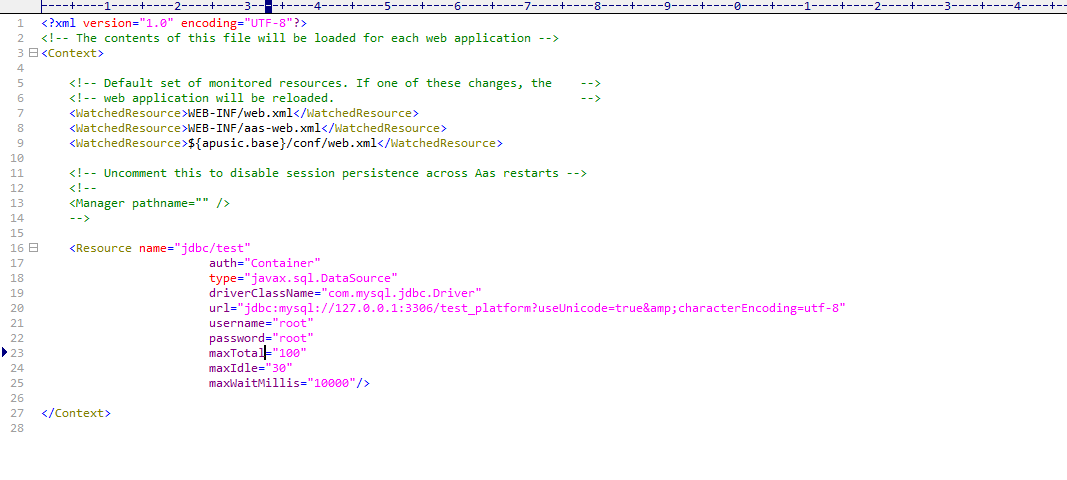
Table 8: Data Source Configuration Description for Kingdee Apusic Application Server V10 Standard Edition
| Parameter | Description | Value Type | Default Value |
| name | JNDI name of the data source | String | |
| auth | The container is responsible for the resource connections | String | |
| type | Binding type | String | |
| url | Database connection URL | String | |
| username | Username | String | |
| password | Password | String | |
| maxTotal | Maximum number of connections | String | |
| maxIdle | Maximum number of idle connections | String | |
| maxWaitMillis | Maximum wait time for obtaining a connection (in milliseconds); -1 means waiting indefinitely | String | -1 |
| minIdle | Minimum number of idle connections | String | |
| validationQuery | Connection validity check statement | String | |
| validationQueryTimeout | Timeout for the check statement; -1 means no timeout | String | -1 |
| testOnBorrow | true or false; whether to check connection validity when taking a connection from the pool | Boolean | true |
| testOnReturn | true or false; whether to check connection validity when returning a connection to the pool | Boolean | false |
| removeAbandonedOnBorrow | true or false; whether to remove abandoned connections | Boolean | false |
| logAbandoned | true or false; whether to print information about removed abandoned connections and the leaking code stack trace | Boolean | false |
| testWhileIdle | true or false; whether to check connection validity while connections are idle | Boolean | false |
| minEvictableIdleTimeMillis | Connection idle time; connections idle longer than this are removed from the pool (in milliseconds) | Integer | |
| timeBetweenEvictionRunsMillis | Interval at which idle connections are checked for timeout; not checked by default (in milliseconds) | Integer | |
| factory | When set to "com.apusic.aas.jdbc.pool.DataSourceFactory", it specifies in the JNDI data source configuration that the Apusic built-in connection pool implementation is used to create javax.sql.DataSource and javax.sql.XADataSource instances, rather than a third-party or the container's default connection pool. If factory="com.apusic.aas.jdbc.pool.DataSourceFactory" is set, the parameters maxTotal, maxWaitMillis, and removeAbandonedOnBorrow are invalid; you must set maxActive, maxWait, and removeAbandoned instead | String | |
| removeAbandoned | true or false; whether to enable automatic reclaiming of leaked connections. Typically used when factory="com.apusic.aas.jdbc.pool.DataSourceFactory" is set | Boolean | false |
| removeAbandonedTimeout | Connection timeout; a connection not returned after this period is considered leaked. Usually takes effect only when `removeAbandoned=true` | Integer | |
| threshold | Defines the time beyond which an SQL statement is classified as a slow SQL statement, in milliseconds (ms) | Integer | |
| notifyPool | true or false; controls whether to notify the connection pool core for state coordination after a slow SQL is triggered. When "true", the connection pool is notified when a slow query is triggered, the connection is marked, and it can participate in pool monitoring/reclaim logic; when "false", only the slow query log is printed without notifying the connection pool, incurring no additional pool logic overhead | Boolean | false |
| logFailed | true or false; whether to print error logs | Boolean | false |
| maxActive | Maximum number of active connections; the maximum number of database connections that the connection pool can allocate to business use at the same time. Typically used when factory="com.apusic.aas.jdbc.pool.DataSourceFactory" is set | Integer | |
| maxWait | Maximum wait time; when the connection pool is full (maxActive reached), the maximum time a new business request will block while waiting to obtain an idle connection from the pool, in milliseconds (ms). Typically used when factory="com.apusic.aas.jdbc.pool.DataSourceFactory" is set | Integer |
	2. Place the driver of the corresponding data source version into the `${APUSIC_HOME}/ lib/` directory.

	**Note:** To reference the JNDI name in code, you must add the prefix `java:comp/env`. For the data source above, this would be `java:comp/env/jdbc/test`.
# Enabling Slow SQL Statement Tracing
Modify the configuration file ${APUSIC_HOME}/conf/context.xml to add the database connection pool configuration and configure jdbcInterceptors.
threshold: Defines the time beyond which an SQL statement is classified as a slow SQL statement, in milliseconds (ms).logFailed: Whether to output error logs.notifyPool: Controls whether to notify the connection pool core for state coordination after a slow SQL is triggered. When "true", the connection pool is notified when a slow query is triggered, the connection is marked, and it can participate in pool monitoring/reclaim logic; when "false", only the slow query log is printed without notifying the connection pool, incurring no additional pool logic overhead.
Configuration is as follows:
<Resource auth="Container"
  factory="com.apusic.aas.jdbc.pool.DataSourceFactory"
        driverClassName="com.mysql.cj.jdbc.Driver"
        jdbcInterceptors="com.apusic.aas.jdbc.pool.interceptor.SlowQueryReportJmx(threshold=100,logFailed=true,notifyPool=false)"
        maxIdle="30" maxTotal="100" maxWaitMillis="10000"
        name="jdbc/TestDB"
        password="[YOUR_PASSWORD]"
        type="javax.sql.DataSource"
        url="jdbc:mysql://127.0.0.1:3306/test?serverTimezone=UTC"
  username="**********"/>
2
3
4
5
6
7
8
9
10
# Configuring Connection Leak Reclaiming
Connection leak: Refers to a resource leak problem where, after an application obtains a connection from a connection pool (such as a database connection pool or HTTP connection pool), it fails to execute close() to return the connection due to code exceptions or logic oversights, causing the connection to be occupied for a long time and unable to be reused.
Connection leak reclaiming: The connection pool releases leaked connections that have not been returned for a long time through automatic detection plus forced reclaiming mechanisms, preventing connection pool resource exhaustion and service avalanches.
The application server provides the connectionAutoReclaim and removeAbandoned configurations:
connectionAutoReclaim: Determines during request processing. The connection is saved when the request obtains a database connection, and the request is proactively checked for connection release when it ends.trueenables it;falsedisables it. Configuring this value requires also configuring the reclaim mode in theexecutorsconnection pool.removeAbandoned: Determined by whether the idle time exceeds the configured timeout; this is a connection pool feature.trueenables automatic reclaiming (connections not released after the timeout are forcibly reclaimed);falsemeans no reclaiming (default value).
# connectionAutoReclaim Configuration
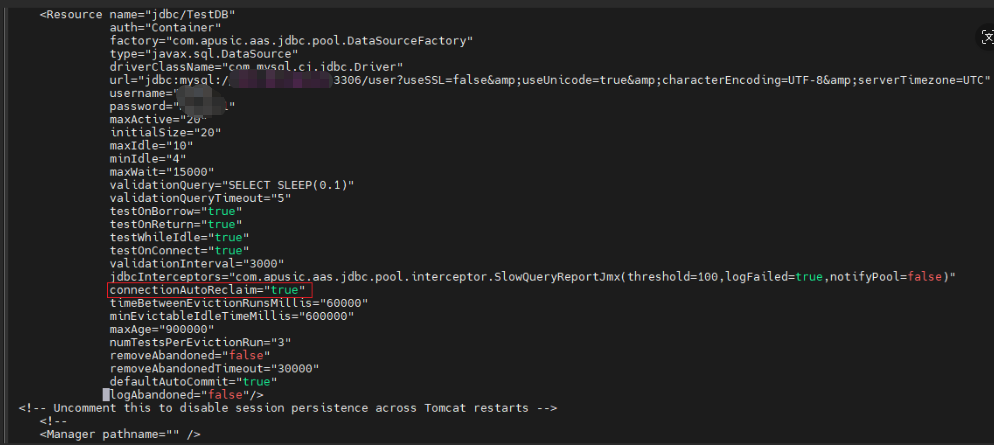
- Modify the configuration file
${APUSIC_HOME}/conf/context.xmlto add the database connection pool configuration.
connectionAutoReclaim: Whether to enable automatic reclaiming of leaked database connections. It determines during request processing: the connection is saved when the request obtains a database connection, and the request is proactively checked for connection release when it ends.trueenables it;falsedisables it. Configuring this value requires also configuring the reclaim mode in theexecutorsconnection pool.
<Resource name="jdbc/TestDB" auth="Container" type="javax.sql.DataSource" driverClassName="com.mysql.cj.jdbc.Driver" url="jdbc:mysql://127.0.0.1:3306/test?serverTimezone=UTC" username="mysqluser" password="*********" maxTotal="100" maxIdle="100" maxWaitMillis="3000"
connectionAutoReclaim="true"
logAbandoned="true" />
2
3
- Modify the configuration file
${APUSIC_HOME}/conf/apusic.confto change theexecutorsconnection pool configuration.
connectionAutoReclaim: Configures the automatic reclaim mode for leaked database connections.falsedisables it, meaning that after a leaked connection is detected, the connection becomes unusable but is not reclaimed;detectmeans detection only — leaked connections are detected and only the leak status is displayed, and the connection remains usable;reclaimmeans detect and reclaim — after a leaked connection is detected, it is automatically reclaimed.
<executors>
    <executor name="http-thread-pool" namePrefix="http-exec-" maxThreads="200" minSpareThreads="25"
              prestartminSpareThreads="true"  maxQueueSize="5000" connectionAutoReclaim="detect"/>
</executors>
2
3
4

# removeAbandoned Configuration
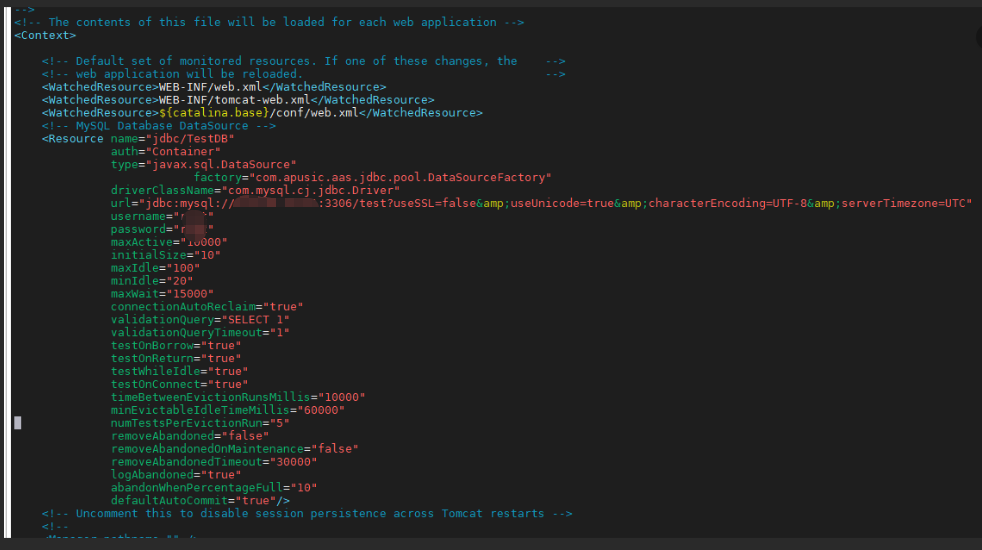
- Modify the configuration file
${APUSIC_HOME}/conf/context.xmlto add the database connection pool configuration.
removeAbandoned: Whether to automatically reclaim leaked connections, determined by whether the idle time exceeds the configured timeout; this is a connection pool feature.trueenables automatic reclaiming (connections not released after the timeout are forcibly reclaimed);falsemeans no reclaiming (default value).removeAbandonedTimeout: Connection leak timeout, in seconds. For example, if set to 60, a connection that is not returned more than 60 seconds after being taken is considered leaked; takes effect only whenremoveAbandoned=true.logAbandoned: Whether to print connection leak log records.
<Resource name="jdbc/TestDB" auth="Container" type="javax.sql.DataSource" driverClassName="com.mysql.cj.jdbc.Driver" url="jdbc:mysql://127.0.0.1:3306/test?serverTimezone=UTC" username="mysqluser" password="*********" maxTotal="100" maxIdle="100" maxWaitMillis="3000"
removeAbandoned="true"
removeAbandonedTimeout="60"
logAbandoned="true" />
2
3
4
# Configuring Manual Reclaiming of Leaked Connections
The application server provides a manual leaked-connection reclaiming tool. When leaked connections are detected and the automatic leaked-connection reclaiming feature is not enabled, you can use this tool to manually reclaim leaked connections.
Configuration steps:
- Modify the configuration file
${APUSIC_HOME}/conf/context.xmlto add the database connection pool configuration.
connectionAutoReclaim: Whether to enable automatic reclaiming of leaked database connections. It determines during request processing: the connection is saved when the request obtains a database connection, and the request is proactively checked for connection release when it ends.trueenables it;falsedisables it (default value). To manually reclaim leaked connections, this must be set totrue. Configuring this value requires also configuring the reclaim mode in theexecutorsconnection pool inapusic.conf.removeAbandoned: Whether to automatically enable reclaiming of leaked connections, determined by whether the idle time exceeds the configured timeout; this is a connection pool feature.trueenables automatic reclaiming (connections not released after the timeout are forcibly reclaimed);falsemeans no reclaiming (default value). To manually reclaim leaked connections, this must be set tofalse.removeAbandonedTimeout: Connection leak timeout, in seconds. For example, if set to 60, a connection that is not returned more than 60 seconds after being taken is considered leaked; takes effect only whenremoveAbandoned=true.logAbandoned: Whether to print connection leak logs.
Configuration example:
<Resource name="jdbc/TestDB" auth="Container" type="javax.sql.DataSource" driverClassName="com.mysql.cj.jdbc.Driver" url="jdbc:mysql://127.0.0.1:3306/test?serverTimezone=UTC" username="mysqluser" password="*********" maxTotal="100" maxIdle="100" maxWaitMillis="3000"
removeAbandoned="false"
removeAbandonedTimeout="60"
logAbandoned="true" />
2
3
4
If the connectionAutoReclaim configuration is enabled, you must also modify the configuration file ${APUSIC_HOME}/conf/apusic.conf to change the executors connection pool configuration.
connectionAutoReclaim: Configures the automatic reclaim mode for leaked database connections.falsedisables it, meaning that after a leaked connection is detected, the connection becomes unusable but is not reclaimed;detectmeans detection only — leaked connections are detected and only the leak status is displayed, and the connection remains usable;reclaimmeans detect and reclaim — after a leaked connection is detected, it is automatically reclaimed.
<executors>
    <executor name="http-thread-pool" namePrefix="http-exec-" maxThreads="200" minSpareThreads="25"
              prestartminSpareThreads="true"  maxQueueSize="5000" connectionAutoReclaim="detect"/>
</executors>
2
3
4
Modify
apusic.confto enableams-jmx: Addams-jmxto theendpointsattribute of theservermodule (e.g.,endpoints="ams-http,ams-jmx"). For detailed steps, see "Enabling JMX" above.Go to the
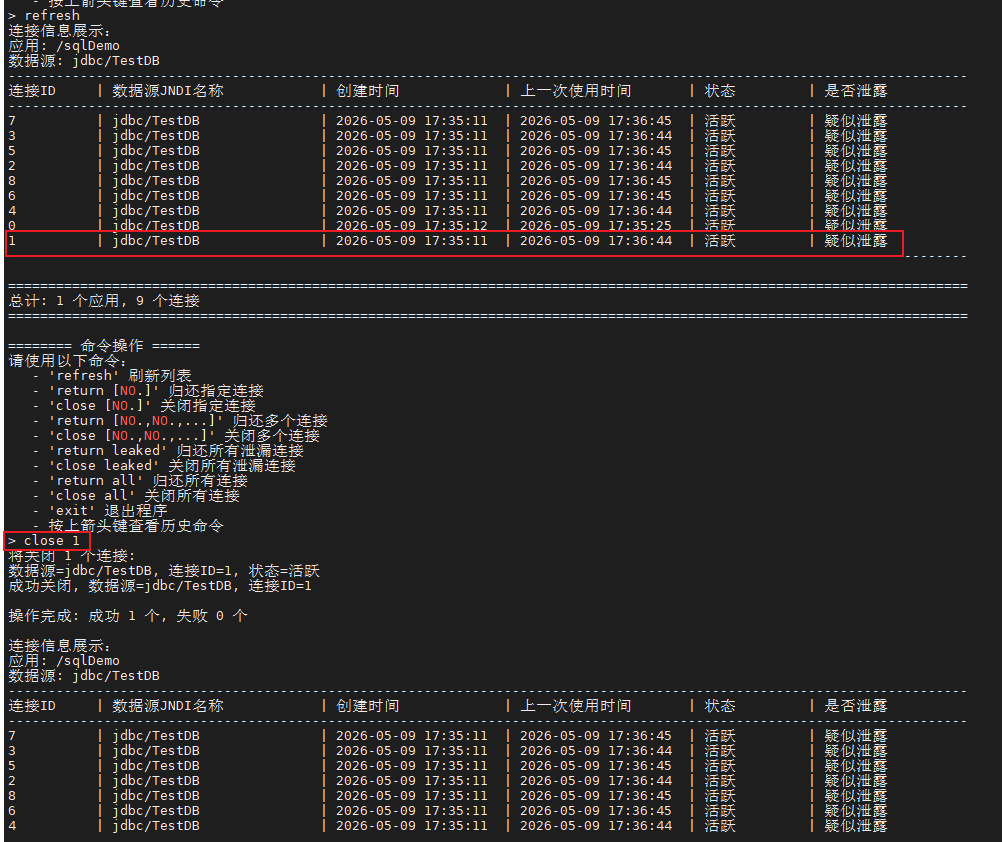
${APUSIC_HOME}/plugins/connReclaimdirectory and execute the following command to detect leaked connections.
java -jar connection-reclaim-1.0.1.jar
- If leaked connections are detected, execute
close ID, whereIDis the specific value, to manually close the leaked connection.
close ID
# Log Configuration
# System Log Configuration
Logging information is configured through the system log file, which is logging.properties.
Internally, it uses JULI (a customized branch of Apache Commons Logging) and forcibly binds to java.util.logging to ensure that the logging systems of the server and web applications are isolated from each other. If you need to switch to a different logging framework, you must configure redirection and ensure that the new framework supports multi-classloader environments.
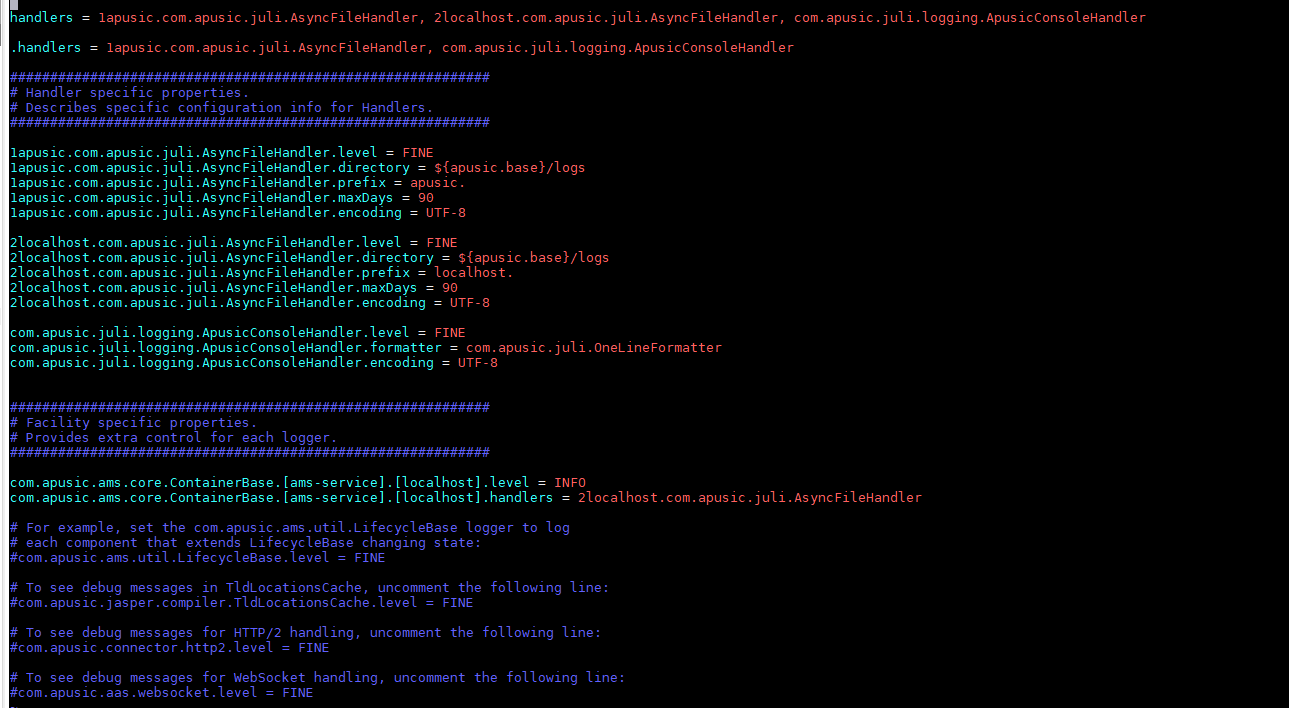
Table 9: Description of logging.properties Log Configuration for Kingdee Apusic Application Server V10.0.8 Standard Edition
| Configuration Parameter | Description | Default Value |
| handlers | List of root log handlers; all log records are handed over to these handlers by default | 1apusic.com.apusic.juli.AsyncFileHandler, com.apusic.juli.logging.ApusicConsoleHandler |
| .handlers | Default class/package-level handlers; loggers that are not configured separately inherit this configuration | 1apusic.com.apusic.juli.AsyncFileHandler, com.apusic.juli.logging.ApusicConsoleHandler |
Table 10: Handler-Specific Properties of logging.properties for Kingdee Apusic Application Server V10.0.8 Standard Edition
| Configuration Parameter | Description | Default Value |
| 1apusic.com.apusic.juli.AsyncFileHandler.level | Sets the log level of this log handler; can be set to ALL, FINEST, FINER, FINE, INFO, WARNING, or SEVERE | FINE |
| 1apusic.com.apusic.juli.AsyncFileHandler.directory | Specifies the storage directory of log files | ${apusic.base}/logs |
| 1apusic.com.apusic.juli.AsyncFileHandler.prefix | Sets the filename prefix of log files | apusic. |
| 1apusic.com.apusic.juli.AsyncFileHandler.maxDays | Sets the maximum number of days to retain log files | 90 |
| 1apusic.com.apusic.juli.AsyncFileHandler.encoding | Sets the character encoding of log files | UTF-8 |
| 1apusic.com.apusic.juli.AsyncFileHandler.fileTimestampFormat | Sets the timestamp format used for date-based log file rotation, for example yyyy-MM-dd-HH-mm-ss-SSS | yyyy-MM-dd |
| 1apusic.com.apusic.juli.AsyncFileHandler.filePattern | Sets the output format for a single line of the log file | %d{yyyy-MM-dd HH:mm:ss.SSS} %level [%t] %logger %msg%n |
| com.apusic.juli.logging.ApusicConsoleHandler.level | Sets the log level of console output | FINE |
| com.apusic.juli.logging.ApusicConsoleHandler.formatter | Sets the single-line format of console log output | com.apusic.juli.OneLineFormatter |
| com.apusic.juli.logging.ApusicConsoleHandler.encoding | Sets the encoding of console log output | UTF-8 |
| com.apusic.juli.logging.ApusicConsoleHandler.enabled | Whether to enable console log output | true |
| com.apusic.juli.logging.ApusicConsoleHandler.pattern | Sets the output format of single-line console logs | %d{yyyy-MM-dd HH:mm:ss.SSS} %level [%t] %logger %msg%n |
Table 11: Service-Specific Log Configuration of logging.properties for Kingdee Apusic Application Server V10.0.8 Standard Edition
Note: The following are optional configuration examples and are not configured by default in the factory
logging.properties. To use the2localhosthandler for service log isolation, you must first define that handler in the file (referring to the configuration approach of the1apusichandler) and add it to thehandlerslist.
| Configuration Parameter | Description | Default Value |
| com.apusic.ams.core.ContainerBase.[ams-service].[localhost].level | The log level of the ams-server service com.apusic.ams.core.ContainerBase: the class name of the logger, corresponding to the container base class of the AMS service [ams-service]: the service name, restricting the log scope to the ams-service service [localhost]: the virtual host name, restricting the log scope to the localhost virtual host level = INFO: the log level of this service is INFO; only logs of INFO level and above (WARNING/SEVERE) are output, and debug information is filtered out | INFO |
| com.apusic.ams.core.ContainerBase.[ams-service].[localhost].handlers | Logs of this service are output only to the 2localhost asynchronous file handler (corresponding to localhost.log) and are not output to the global apusic.log or the console, achieving service log isolation | 2localhost.com.apusic.juli.AsyncFileHandler |
Table 12: Other Configurations of logging.properties for Kingdee Apusic Application Server V10.0.8 Standard Edition
Note: The following are optional configuration examples and are not configured by default in the factory
logging.properties; add them as needed.
| Configuration Parameter | Description | Default Value |
| com.apusic.ams.util.LifecycleBase.level | When enabled, records state changes (such as start, stop, and initialization) of all components that inherit LifecycleBase, at the FINE (debug) level | FINE |
| com.apusic.connector.http2.level | When enabled, records detailed debug information about HTTP/2 protocol processing | FINE |
| com.apusic.aas.websocket.level | When enabled, records detailed debug information about WebSocket connections and message processing | FINE |
# Configuring the Access Log
The access log can be configured in the application or service element of apusic.conf. If configured in the host element, accesses to all applications under that host will be logged. The access log (AccessLogValve) is not configured by default in the factory configuration; add it in the following way when needed.
<Valve className="com.apusic.ams.valves.AccessLogValve" directory="logs" prefix="access_log" suffix=".txt"
    pattern="common" />
2

Table 13: Access Log Configuration Description for Kingdee Apusic Application Server V10 Standard Edition
| Configuration Parameter | Description | Value Type | Default Value |
| directory | Log storage directory | String | |
| prefix | Log file prefix | String | |
| suffix | Log file suffix | String | |
| pattern | Log file format | String | common |
| rotatable | Whether to enable automatic log rotation, rolling by day | Boolean | true |
| maxDays | Sets the retention period of access logs, in days | String | |
| buffered | Enables log buffering. When true, logs are written to the buffer first and then written in batches when the buffer is full; when false, buffering is disabled and each log entry is written immediately | Boolean | true |
Refer to the following for pattern:
- %a: Remote IP address
- %A: Local IP address
- %b: Bytes sent, excluding HTTP headers, or "-" if no bytes were sent
- %B: Bytes sent, excluding HTTP headers
- %h: Remote host name
- %H: Request protocol
- %l (lowercase L): Remote user name
- %m: Request method
- %p: Local port
- %q: Query string
- %r: First line of the request
- %s: HTTP status code of the response
- %S: User session ID
- %t: Date and time, in Common Log Format
- %{yyyy-MM-dd HH:mm:ss}t Outputs the formatted request time: year-month-day hour:minute:second
- %u: Remote authenticated user
- %U: Requested URL path
- %v: Local server name
- %D: Time taken to process the request (in milliseconds)
- %T: Time taken to process the request (in seconds)
- %I (uppercase i): Name of the thread processing the current request
In addition, the following aliases can be specified:
common:%h %l %u %t "%r" %s %b
combined:%h %l %u %t "%r" %s %b "%{Referer}i" "%{User-Agent}i"
Furthermore, values such as request query parameters, session variable values, Cookie values, or HTTP request/response header values can also be written to the log file. The syntax is similar to Apache's:
- %{XXX}i xxx represents an incoming header (HTTP Request)
- %{XXX}o xxx represents an outgoing response header (HTTP Response)
- %{XXX}c xxx represents a specific Cookie name
- %{XXX}r xxx represents a ServletRequest attribute name
- %{XXX}s xxx represents an attribute name in the HttpSession
# Configuring Log Shipping
The application server supports shipping logs to Kafka. The configuration method is as follows:
# Modifying the Class Path
On Windows:
In the startup script apusic.bat, add the following line under set "CLASSPATH=%CLASSPATH%;%APUSIC_BASE%\bin\aas-juli.jar"
set "CLASSPATH=%CLASSPATH%;%APUSIC_BASE%\plugins\kafka\*"
if not exist "%APUSIC_BASE%\bin\aas-juli.jar" goto juliClasspathHome
set "CLASSPATH=%CLASSPATH%;%APUSIC_BASE%\bin\aas-juli.jar"
set "CLASSPATH=%CLASSPATH%;%APUSIC_BASE%\plugins\kafka\*"
2
3
On Linux:
In the startup script apusic.sh, add the following line under CLASSPATH=$CLASSPATH:$APUSIC_BASE/bin/aas-juli.jar
CLASSPATH=$CLASSPATH:$APUSIC_BASE/plugins/kafka/*
if [ -r "$APUSIC_BASE/bin/aas-juli.jar" ] ; then
  CLASSPATH=$CLASSPATH:$APUSIC_BASE/bin/aas-juli.jar
  CLASSPATH=$CLASSPATH:$APUSIC_BASE/plugins/kafka/*
2
3
# Configuration
In ${APUSIC_HOME}/conf/logging.properties, add the handler class to both handlers and .handlers:
handlers = 1apusic.com.apusic.juli.AsyncFileHandler, com.apusic.juli.logging.ApusicConsoleHandler, com.apusic.juli.logging.ApusicKafkaHandler

.handlers = 1apusic.com.apusic.juli.AsyncFileHandler, com.apusic.juli.logging.ApusicConsoleHandler, com.apusic.juli.logging.ApusicKafkaHandler
2
3
Add the handler class parameter configuration in a blank area below in the configuration file:
com.apusic.juli.logging.ApusicKafkaHandler.bootstrapServers=localhost:9092
com.apusic.juli.logging.ApusicKafkaHandler.formatter=com.apusic.juli.OneLineFormatter
com.apusic.juli.logging.ApusicKafkaHandler.topic=log
com.apusic.juli.logging.ApusicKafkaHandler.clientId=aas
com.apusic.juli.logging.ApusicKafkaHandler.compressionType=none
com.apusic.juli.logging.ApusicKafkaHandler.maxBlockMs=10000
com.apusic.juli.logging.ApusicKafkaHandler.retries=1
com.apusic.juli.logging.ApusicKafkaHandler.requiredNumAcks=0
com.apusic.juli.logging.ApusicKafkaHandler.lingerMs=0
com.apusic.juli.logging.ApusicKafkaHandler.bufferMemory=33554432
com.apusic.juli.logging.ApusicKafkaHandler.batchSize=16384
2
3
4
5
6
7
8
9
10
11
com.apusic.juli.logging.ApusicKafkaHandler parameter description:
Table 14: Configuration Description for Shipping Logs to Kafka in Kingdee Apusic Application Server V10
| com.apusic.juli.logging.ApusicKafkaHandler.bootstrapServers | Address of the Kafka cluster to which logs are shipped; multiple addresses can be configured in the format: host1:port1,host2:port2... |
| com.apusic.juli.logging.ApusicKafkaHandler.formatter | Format of logs shipped to Kafka; supports the built-in com.apusic.juli.OneLineFormatter, com.apusic.juli.JdkLoggerFormatter, and com.apusic.juli.VerbatimFormatter. Custom formats can be supported by extending java.util.logging.Formatter |
| com.apusic.juli.logging.ApusicKafkaHandler.topic | Name of the Kafka topic to which logs are shipped |
| com.apusic.juli.logging.ApusicKafkaHandler.clientId | The id string passed to the server when making requests. Its purpose is to allow the logical application name to be included in server-side request logging, enabling tracking of the request source beyond ip/port |
| com.apusic.juli.logging.ApusicKafkaHandler.compressionType | Specifies the final compression type for a given topic: "gzip", "snappy", "lz4", "zstd", or none (no compression) |
| com.apusic.juli.logging.ApusicKafkaHandler.maxBlockMs | The blocking time when message shipping fails or the buffer memory is full |
| com.apusic.juli.logging.ApusicKafkaHandler.retries | Number of retries when message shipping fails |
| com.apusic.juli.logging.ApusicKafkaHandler.requiredNumAcks | The number of acknowledgments the producer requires the leader to have received before considering a request complete. This controls the durability of the records that are sent. The following settings are allowed: requiredNumAcks=0: If set to 0, the producer will not wait for any acknowledgment from the server at all. The record will be immediately added to the socket buffer and considered sent. In this case, there is no guarantee that the server has received the record, and the retries configuration will not take effect (since the client generally will not know of any failures). The offset returned for each record will always be -1 requiredNumAcks=1: The leader will write the record to its local log but will not wait for full acknowledgment from all followers. In this case, if the leader fails immediately after acknowledging the record but before the followers have replicated it, the record will be lost requiredNumAcks=all / -1: The leader will wait for the full set of in-sync replicas to acknowledge the record. This guarantees that the record will not be lost as long as at least one in-sync replica remains alive. This is the strongest guarantee. This is equivalent to the requiredNumAcks=-1 setting |
| com.apusic.juli.logging.ApusicKafkaHandler.lingerMs | Delay before sending: To reduce the load and the number of requests from the client, the producer does not send messages one by one but lingers for a period of time and sends them in batches. Shipping is triggered when the data in the buffer reaches the lingerMs time or the data size exceeds the batchSize below |
| com.apusic.juli.logging.ApusicKafkaHandler.bufferMemory | The total bytes of memory the producer can use to buffer records waiting to be sent to the server. If records are sent faster than they can be delivered to the server, the producer will block for max.block and then throw an exception. Default is 32M |
| com.apusic.juli.logging.ApusicKafkaHandler.batchSize | Messages sent to the buffer are divided into batches and sent to the broker batch by batch; this parameter specifies the batch size. Default is 16K |
# Modifying Ports
Modify the port attribute of endpointname="ams-http" in the apusic.conf file; the default is port="6888".
# Enabling JMX
The JMX service is disabled by default. To enable the JMX service, first check whether the ams-jmx service configuration exists in the configuration file, as follows:
<endpoint name="ams-jmx" port="6868" auth="false" protocol="JMXRMI/2.0">
</endpoint>
2
Common configuration parameters:
| Configuration Parameter | Description | Value Type | Default Value |
| name | Defines the JMX protocol name, for example ams-jmx | String | |
| port | The listening port of JMX | Integer | 6868 |
| hostName | The listening address of JMX | String | localhost |
| protocol | The protocol of the JMX service | String | JMXRMI/2.0 |
| auth | Whether to enable SSL secure connections; when true, authorization authentication must be configured | String | false |
If it does not exist, add it. Then find the following configuration in apusic.conf and add ams-jmx to the endpoints attribute, as shown below:
<server name="ams-server" services="ams-service" endpoints="ams-http,ams-jmx" executors="http-thread-pool" />
By default, JMX access does not perform authorization verification. If authorization authentication is required, you need to modify the relevant configuration and specify the authorization files:
Modify the auth attribute of the ams-jmx service to true, and configure the password file and access authorization file attributes passFile and accessFile, which default to the jmxremote.password and jmxremote.access files under the conf directory.
The content of the jmxremote.password file is similar to:
controlRole [YOUR_PASSWORD]
Here, controlRole is the user name and [YOUR_PASSWORD] is the password.
The content of the jmxremote.access file is similar to:
controlRole readonly

controlRole readwrite \
            create javax.management.monitor.\*,javax.management.timer.\* \
            unregister
2
3
4
5
# Enabling Graceful Shutdown
Graceful shutdown is supported: after AAS stops, it waits for in-progress client requests to finish processing.
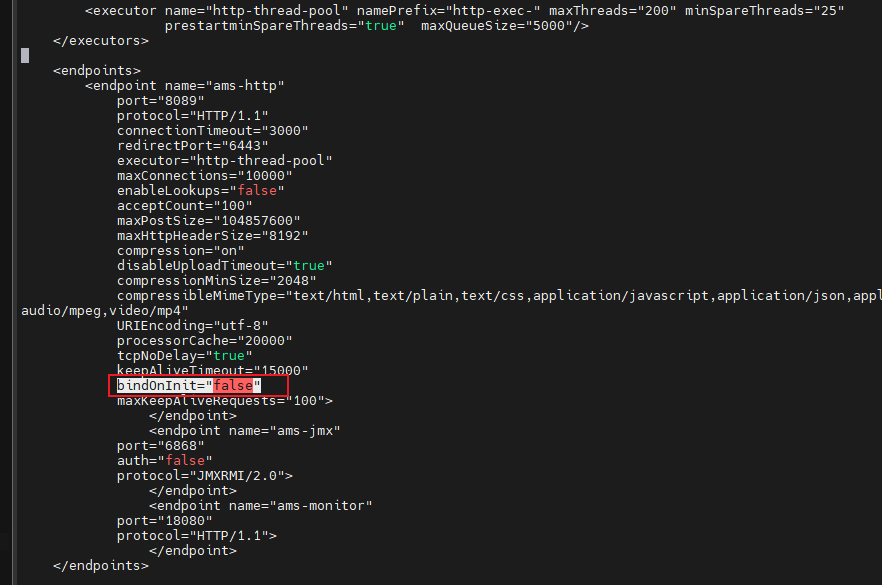
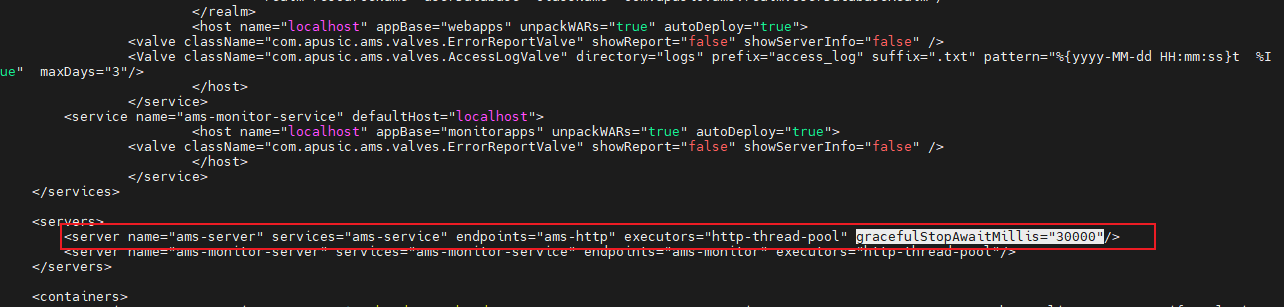
In the ${APUSIC_HOME}/conf/apusic.conf file, add bindOnInit="false" to the endpoint module; add the configuration gracefulStopAwaitMillis="30000" to the servers module, and restart the application server.
bindOnInit: Whether to automatically bind the thread pool to the corresponding service/channel when the server starts; set it to false here.gracefulStopAwaitMillis: The duration for which AAS, after stopping, waits for in-progress client requests to finish processing, in milliseconds. A value of 0 disables this feature.
# Configuring Slow-Thread Stack Tracking
The application server supports configuring slow-thread stack tracking.
In the ${APUSIC_HOME}/conf/apusic.conf file, enable long-thread monitoring under the endpoint module, as follows:
enabledLongThread="true"
longThreadLogPath="/opt/AAMS-10.0.0/logs/longThread"
longThreadThreshold="60000" (long-thread threshold, in milliseconds; default value 60000)
longThreadRollingInterval="300000" (log rolling interval, in milliseconds; default value 300000)
longThreadCycleTime="3000" (long-thread detection cycle, in milliseconds; default value 3000)
2
3
4
5
# Shared Library Configuration
A shared library allows multiple applications to share the same class libraries, reducing memory usage. The configuration steps are as follows:
Create a directory under
${APUSIC_HOME}/, for example sharelib;Place the jar packages that need to be shared among multiple applications in the directory;
Configure
apusic.propertiesunder${APUSIC_HOME}/conf, and modify theshared.loaderconfiguration to:shared.loader="${apusic.home}/sharelib/*.jar"
After completing the steps above, the shared library configuration is done. Applications can then directly use the resources of these jars. The class libraries in the shared library have a lower priority than the same class libraries within an application.
# Security Configuration
# Configuring HTTPS
The application server supports HTTPS configuration, one-way authentication and two-way (mutual) authentication, and is compatible with certificates in JKS and PEM formats.
Note: If a new endpoint is configured, it must be referenced in server; if a thread pool is configured, it must also be referenced in server.
The certificate file paths in the following examples (such as conf/cert/) are illustrative paths. You need to create the directories yourself and place the certificate files in them. The default certificates shipped with the product are conf/keystore.jks and conf/cacerts.jks.
# One-way Authentication -- Certificate Format: JKS
The application server supports certificates in JKS format.
<endpoint name="ams-https" port="8443" protocol="HTTP/1.1" SSLEnabled="true" executor="http-thread-pool">
    <SSLHostConfig>
        <Certificate certificateKeystoreFile="conf/cert/arsp_server_keystore.jks" certificateKeystoreType="JKS"
            certificateKeystorePassword="[YOUR_PASSWORD]" />
    </SSLHostConfig>
</endpoint>
2
3
4
5
6
Table 15: Configuration Description of One-way Authentication with JKS Certificate Format for Kingdee Apusic Application Server V10 Standard Edition
| Parameter | Description | Value Type | Default Value |
| SSLEnabled | Whether SSL communication is used | Boolean | |
| executor | The thread pool to use | String | |
| certificateKeystoreType | Keystore format, JKS or PKCS12 | String | |
| certificateKeystorePassword | Keystore password | String | |
| certificateKeystoreFile | Keystore file | String |
# Two-way (Mutual) Authentication -- Certificate Format: JKS
The application server supports certificates in JKS format and also supports two-way (mutual) authentication. Depending on how the certificate is generated, two-way (mutual) authentication generally needs to be used together with a corresponding Ukey client.
<endpoint name="ams-https" port="8443" protocol="HTTP/1.1" SSLEnabled="true" executor="http-thread-pool">
    <SSLHostConfig truststoreType="JKS" truststorePassword="[YOUR_PASSWORD]"
        truststoreFile="conf/cert/arsp_server_truststore.jks" certificateVerification="required">
        <Certificate certificateKeystoreFile="conf/cert/arsp_server_keystore.jks" certificateKeystoreType="JKS"
            certificateKeystorePassword="[YOUR_PASSWORD]" />
    </SSLHostConfig>
</endpoint>
2
3
4
5
6
7
Table 16: Configuration Description of Two-way (Mutual) Authentication with JKS Certificate Format for Kingdee Apusic Application Server V10 Standard Edition
| Parameter | Description | Value Type | Default Value |
| SSLEnabled | Whether SSL communication is used | Boolean | |
| executor | The thread pool to use | String | |
| truststoreType | Truststore format, JKS or PKCS12 | String | |
| truststorePassword | Truststore password | String | |
| truststoreFile | Truststore file | String | |
| certificateVerification | Whether the client certificate needs to be verified, i.e., whether two-way (mutual) authentication is enabled; not verified by default | String | |
| certificateKeystoreType | Keystore format, JKS or PKCS12 | String | |
| certificateKeystorePassword | Keystore password | String | |
| certificateKeystoreFile | Keystore file | String |
# One-way Authentication -- Certificate Format: PEM
The application server supports certificates in PEM format.
<endpoint name="ams-https" port="8443" protocol="HTTP/1.1" SSLEnabled="true" executor="http-thread-pool">
    <SSLHostConfig>
        <Certificate certificateKeyFile="conf/cert/private_key.pem" certificateKeyPassword="[YOUR_PASSWORD]"
            certificateFile="conf/cert/public_key.pem" certificateChainFile="conf/cert/chain.pem" type="RSA" />
    </SSLHostConfig>
</endpoint>
2
3
4
5
6
Table 17: Configuration Description of One-way Authentication with PEM Certificate Format for Kingdee Apusic Application Server V10 Standard Edition
| Parameter | Description | Value Type | Default Value |
| SSLEnabled | Whether SSL communication is used | Boolean | |
| executor | The thread pool to use | String | |
| type | Certificate type | String | |
| certificateKeyFile | Private key file | String | |
| certificateKeyPassword | Private key password, optional | String | |
| certificateFile | Public key file | String | |
| certificateChainFile | Certificate chain file, optional | String |
# Two-way (Mutual) Authentication -- Certificate Format: PEM
The application server supports certificates in PEM format and supports two-way (mutual) authentication. Depending on how the certificate is generated, two-way (mutual) authentication generally needs to be used together with a corresponding Ukey client.
<endpoint name="ams-https" port="8443" protocol="HTTP/1.1" SSLEnabled="true" executor="http-thread-pool">
    <UpgradeProtocol className="com.apusic.connector.http2.Http2Protocol" />
    <SSLHostConfig caCertificateFile="conf/cert/public_ca_key.pem" certificateVerification="required">
        <Certificate certificateKeyFile="conf/cert/private_key.pem" certificateKeyPassword="[YOUR_PASSWORD]"
            certificateFile="conf/cert/public_key.pem" certificateChainFile="conf/cert/chain.pem" type="RSA" />
    </SSLHostConfig>
</endpoint>
2
3
4
5
6
7
Table 18: Configuration Description of Two-way (Mutual) Authentication with PEM Certificate Format for Kingdee Apusic Application Server V10 Standard Edition
| Parameter | Description | Value Type | Default Value |
| SSLEnabled | Whether SSL communication is used | Boolean | |
| executor | The thread pool to use | String | |
| type | Certificate type | String | |
| certificateKeyFile | Private key file | String | |
| certificateKeyPassword | Private key password, optional | String | |
| certificateFile | Public key file | String | |
| certificateChainFile | Certificate chain file, optional | String | |
| caCertificateFile | Root certificate file, optional | String | |
| certificateVerification | Whether the client certificate needs to be verified, i.e., whether two-way (mutual) authentication is enabled | String |
# Guomi (GM) Cryptography Configuration
# Environment Description
JDK 8 and a Guomi-enabled browser (such as the 360 Guomi Browser) are required.
Guomi (GM) certificates need to be prepared.
# Application Server Certificate Configuration
# One-way Authentication
Modify the apusic.conf file and add the following endpoint configuration (if it already exists, modify it):
<endpoint name="https" port="6887" maxThreads="150" SSLEnabled="true">
    <SSLHostConfig sslProtocol="SMv1.1" protocols="SMv1.1">
        <Certificate certificateKeystoreFile="conf/keystore.pfx" certificateKeystorePassword="[YOUR_PASSWORD]"
            certificateKeyPassword="[YOUR_PASSWORD]" type="EC" certificateKeystoreType="PKCS12" />
    </SSLHostConfig>
</endpoint>
2
3
4
5
6
Table 19: Configuration Description of One-way Authentication with Guomi (GM) Certificates for Kingdee Apusic Application Server V10 Standard Edition
| Parameter | Description | Value Type | Default Value |
| SSLEnabled | Whether SSL communication is used | Boolean | |
| certificateKeystoreFile | The path of the certificate file | String | |
| protocols | Must be specified as SMv1.1 | String | |
| sslProtocol | Must be specified as SMv1.1 | String | |
| certificateKeystorePassword | The password of the certificate keystore file | String | |
| certificateKeyPassword | The password of the certificate | String | |
| type | Certificate type | String | |
| certificateKeystoreType | Keystore type, such as PKCS12 | String |
# Two-way (Mutual) Authentication
Modify the apusic.conf file and add the following endpoint configuration (if it already exists, modify it):
<endpoint name="https" port="6887" maxThreads="150" SSLEnabled="true">
    <SSLHostConfig sslProtocol="SMv1.1" protocols="SMv1.1" truststoreFile="conf/truststore.jks"
        truststorePassword="[YOUR_PASSWORD]" certificateVerification="want" truststoreType="JKS">
        <Certificate certificateKeystoreFile="conf/keystore.p12" certificateKeystorePassword="[YOUR_PASSWORD]"
            certificateKeyPassword="[YOUR_PASSWORD]" type="EC" certificateKeystoreType="PKCS12" />
    </SSLHostConfig>
</endpoint>
2
3
4
5
6
7
Table 20: Configuration Description of Two-way (Mutual) Authentication with Guomi (GM) Certificates for Kingdee Apusic Application Server V10 Standard Edition
| Parameter | Description | Value Type | Default Value |
| SSLEnabled | Whether SSL communication is used | Boolean | |
| certificateKeystoreFile | The path of the certificate file | String | |
| protocols | Must be specified as SMv1.1 | String | |
| sslProtocol | Must be specified as SMv1.1 | String | |
| certificateKeystorePassword | The password of the certificate keystore file | String | |
| certificateKeyPassword | The password of the certificate | String | |
| type | Certificate type | String | |
| certificateKeystoreType | Keystore type, such as PKCS12 | String | |
| truststoreFile | Specifies the truststore file, whose type is JKS | String | |
| truststorePassword | Truststore password | String | |
| certificateVerification | Whether certificate verification is performed. Set to required for two-way (mutual) authentication; set to optional or want for optional client authentication | String |
# Adding the endpoint to server
Modify the apusic.conf file and modify the following configuration, where https in the endpoints attribute is the name of the endpoint configured above for one-way authentication or two-way (mutual) authentication:
<server name="ams-server" services="ams-service" endpoints="http,https" executors="http-thread-pool" />
# Starting the Application Server
After completing the configuration using the steps above, you can start the container with Guomi (GM) support using the command apusic.sh gm start or apusic.sh gm run (on Windows, use apusic.bat gm start or apusic.bat gm run).
Note: You can add the parameter -Djavax.net.debug=ssl:handshake to the startup script to print the detailed SSL processing procedure, which makes it easier to analyze potential problems.
# Client Configuration
After the Guomi (GM) SSL protocol is configured for the project, you need to use a browser that supports the Guomi (GM) SSL protocol, such as 360 Secure Browser or Qi An Xin. The Guomi (GM) communication feature must be enabled in the browser.
Then you need to import the root certificate, such as sm2.ca.pem, into the client.
Taking 360 Secure Browser as an example, go to "Settings" - "Options" - "Security Settings", check "Guomi Communication Protocol", and configure the "Guomi SSL Communication Whitelist".
"Privacy & Security Settings" - "Manage HTTPS/SSL Certificates...", "Trusted Root Certification Authorities", and import the root certificate.
Restart the browser.
# Other Issues
If Oracle JDK is used, due to the default encryption strength limitation of the JVM, you need to download the JCE Unlimited Strength Jurisdiction Policy Files, extract them, and use the contained local_policy.jar and US_export_policy.jar to replace the files with the same names in the %JAVA_HOME%/jre/lib/security/ directory, so as to remove the encryption strength limitation.
# Slow Attack Protection
This feature defends against slow HTTP connection attacks, intercepting or raising alarms for abnormal behaviors such as slow HTTP reads and slow writes.
Conditions for determining a suspected slow attack:
(1) The request line + request headers exceed the specified time (on timeout, the connection is closed and the event is recorded)
(2) The interval between packet transmissions exceeds the specified time (on timeout, the connection is not closed and the event is recorded)
Slow attack protection supports alarm mode or protection mode:
(1) Alarm mode:
a. When a suspected slow attack is detected, if the specified number of occurrences is exceeded, the IP is added to the blacklist and a log is printed; if the specified number is not exceeded, no log is printed and the IP is not added to the blacklist
b. Expiration time of a slow attack in the blacklist: if no slow attack occurs during this period, the IP is removed from the blacklist and a related log is printed; if a slow attack occurs, the blacklist expiration time is updated (regardless of whether the threshold is exceeded; when the current IP has a new request, expiration is determined in real time, and if there is no request, a background thread checks asynchronously every 30 seconds)
c. When a new request is initiated, if the IP is in the blacklist, it is not intercepted (the connection is not closed)
(2) Protection mode:
a. When a suspected slow attack is detected, if the specified number of occurrences is exceeded, the IP is added to the blacklist and a log is printed; if the specified number is not exceeded, no log is printed and the IP is not added to the blacklist
b. When a slow attack entry in the blacklist expires, a related log is printed (when the current IP has a new request, expiration is determined in real time; if there is no request, a background thread checks asynchronously every 30 seconds)
c. When a new request is initiated, if the IP is in the blacklist, it is intercepted (the connection is closed)
Common configuration parameters for slow attack protection:
(1) Suspected slow attack threshold: once the threshold is exceeded, the IP is added to the blacklist
(2) Blacklist expiration time: after an IP is added to the blacklist, it is removed from the blacklist once this time elapses
(3) Slow attack time window: if the number of occurrences within the specified time window exceeds the threshold, the IP is added to the blacklist
(4) Packet transmission interval timeout
(5) Request line + request headers timeout
(6) Slow attack mode: alarm mode / protection mode
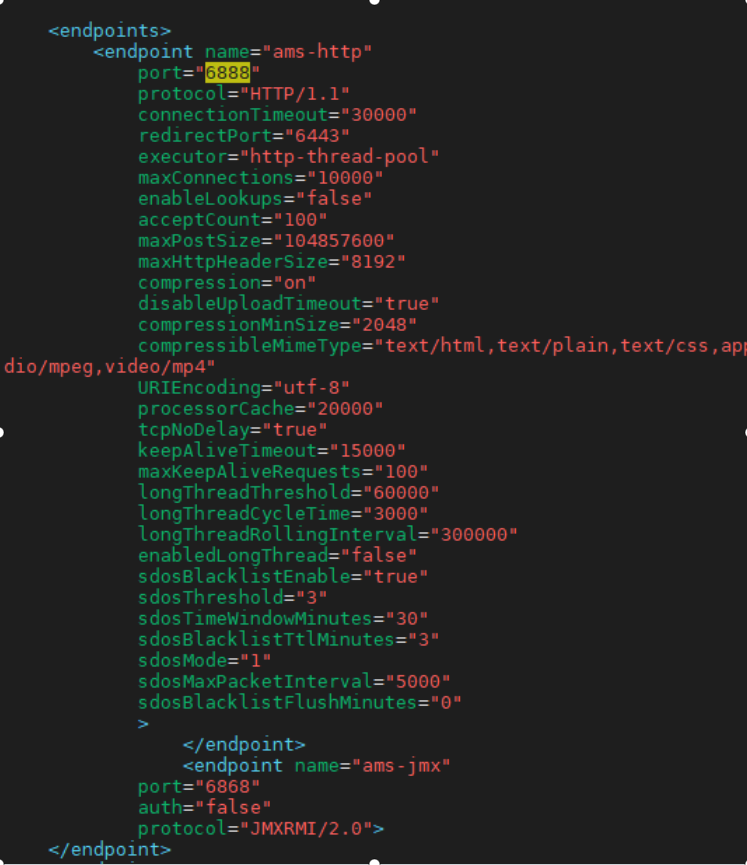
connectionTimeoutTimeout for reading the entire request line + request headers (if not fully read, a suspected slow attack event is recorded and the connection is closed)sdosBlacklistEnable="false"Whether to enable the blacklistsdosThreshold="3"Suspected slow attack thresholdsdosTimeWindowMinutes="30"If the number of suspected slow attacks within the specified time window exceeds the threshold, the IP is added to the blacklistsdosBlacklistTtlMinutes="30"Blacklist expiration time (factory default is 30 minutes); (subsequent asynchronous detection and refreshing may cause deviations in the log output time; if requests keep coming, the expiration log is output as soon as expiration is detected)sdosMode="0"Protection mode; a value less than or equal to 0 means alarm mode, and a value greater than 0 means protection modesdosMaxPacketInterval="10000"Maximum packet transmission interval; if the interval between two packets exceeds this value, it is recorded as an attack event (in milliseconds; a value less than or equal to 0 takes no effect; factory default is 10000)sdosBlacklistFlushMinutes="10"How often the blacklist is flushed to the file; 0 means real-time flushing
Note:
(1) Cleanup of expired events and the blacklist in the background is performed asynchronously; the background timer runs every 30 seconds
(2) If the IP of the current request is in the blacklist, its expiration is checked; if it has expired, it is cleaned up immediately
(3) When recording a suspected slow attack event, if the IP of the current request is in the blacklist, the event is not recorded; the event is recorded only when the IP is not in the blacklist; once the threshold is exceeded, the IP is added to the blacklist and the recorded events are cleared
(4) The blacklist file is not flushed in real time by default; it is flushed every 10 minutes by default, and real-time flushing occurs only when sdosBlacklistFlushMinutes is configured as 0
(5) The blacklist takes effect only for new connections
(6) Triggering the maximum packet interval does not close the connection
# Centralized Configuration
The application server supports centralized configuration software including ETCD and Apollo, with more support to be added in the future. The implementation packages for centralized configuration software are placed in the `plugins` directory of the product package, as shown in the following figure:
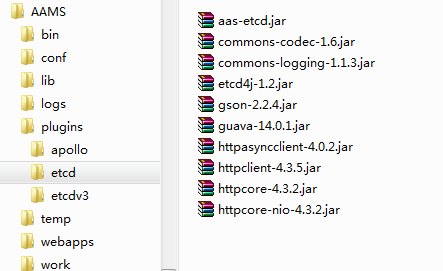
Note: In general, a user scenario only uses one implementation. You can delete the other implementations to save space.
# Using Apollo for Centralized Configuration
The following describes how to use the Apollo software for centralized configuration in Kingdee Apusic Application Server Standard Edition.
# Adding a Centralized Configuration Service
Add the `plugins` configuration to the `${APUSIC_HOME}/conf/apusic.conf` configuration file and specify the Apollo implementation. The example IP `1.x.x.231` is shown in the following figure:
<plugins>
    <plugin appId="10086" className="com.apusic.ams.config.listener.ApolloPluginLoader" cluster="sz-test"
        metaUrl="http://1.x.x.231:8080" namespace="test-namespace" />
</plugins>
2
3
4
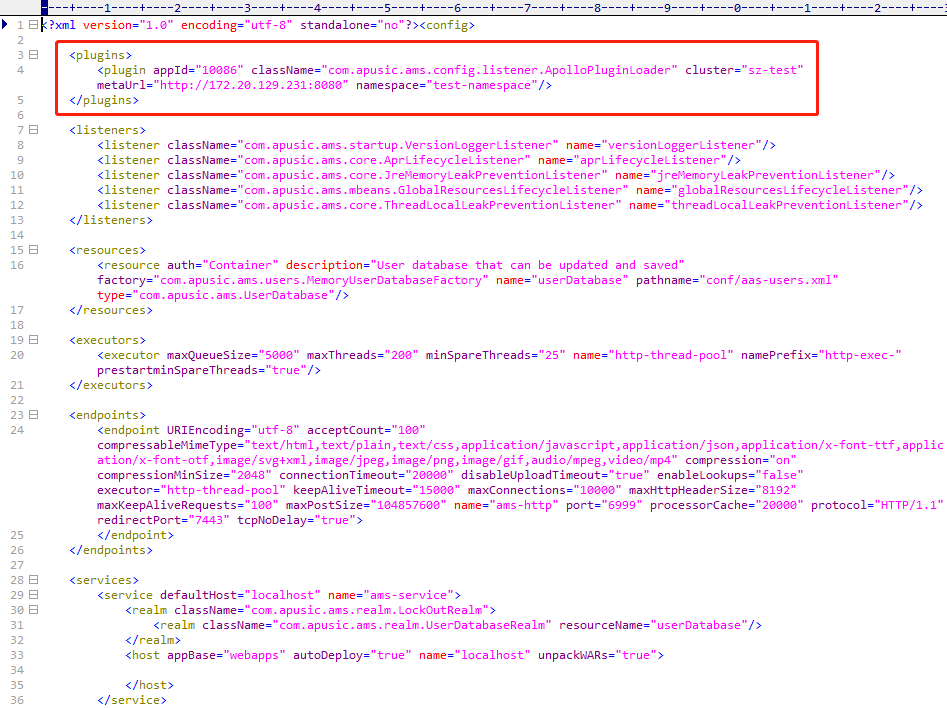
Here, `className="com.apusic.ams.config.listener.ApolloPluginLoader"` is the class that loads the Apollo configuration. Its attributes include:
Table 21: Configuration Description for Integrating Kingdee Apusic Application Server V10 Standard Edition with Apollo
| Configuration Parameter | Description | Value Type | Default Value |
| appId | The application ID of the configuration | String | |
| cluster | The name of the cluster to which the configuration belongs | String | |
| metaUrl | The address where Apollo provides services | String | |
| namespace | The namespace of the configuration | String | |
| env | The environment of the configuration (development environment, production environment, etc.) | String | |
| idc | The data center of the configuration | String |
	The above attributes can be configured through the configuration file, through environment variables, or through system variables.

	The priority is: environment variable > system variable > configuration file

	Generally, the names of environment variables and system variables are in uppercase. The variable names for environment variables (obtained via `System.getProperty("xxx")`) and system variables (obtained via `System.getEnv("xxx")`) are as follows, and each variable name corresponds to one of the above attributes:
Table 22: Environment Variable Configuration Description for Integrating Kingdee Apusic Application Server V10 Standard Edition with Apollo
| Configuration Parameter | Description | Value Type | Default Value |
| AAS_CONFIG_APOLLO_APP_ID | The application ID of the configuration | String | |
| AAS_CONFIG_APOLLO_CLUSTER | The name of the cluster to which the configuration belongs | String | |
| AAS_CONFIG_APOLLO_META_SERVER | The address where Apollo provides services | String | |
| AAS_CONFIG_APOLLO_NAMESPACE | The namespace of the configuration | String | |
| AAS_CONFIG_APOLLO_ENV | The environment of the configuration (development environment, production environment, etc.) | String | |
| AAS_CONFIG_APOLLO_IDC | The data center of the configuration | String |
# Configuration in Apollo
# apusic.conf Configuration
After integration with the configuration center, the application server's configuration file (the `apusic.conf` file) can be modified by setting the `key` to `apusic_config` and the `value` to the value to be changed, as shown in the following figure:
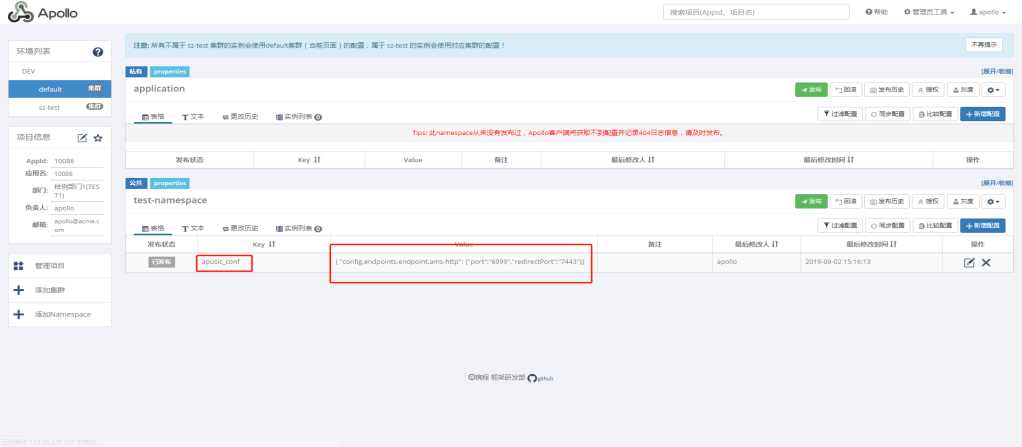
The `key` must be `apusic_config`, and the `value` must be a JSON string.

`config.endpoints.endpoint.ams-http` is split to correspond to `config` > `endpoints` > `endpoint` > `ams-http`, which corresponds to the XML hierarchy:

`port` and `redirectPort` correspond to attributes.
The meaning of the above figure is to modify the value of the `port` attribute of the XML tag `endpoint` named `ams-http` to 6999, and the value of the `redirectPort` attribute to 7443.
# Data Source Configuration
Configure it through the Apollo software's operation interface. For the data format, refer to the description in the ETCD section.
# Logging Configuration
Configure it through the Apollo software's operation interface. For the data format, refer to the description in the ETCD section.
# JVM Configuration
Configure it through the Apollo software's operation interface. For the data format, refer to the description in the ETCD section.
# Using ETCD for Centralized Configuration
The following describes how to use ETCD for centralized configuration in Kingdee Apusic Application Server Standard Edition.
# Adding a Centralized Configuration Service
	Add the `plugins` configuration to the `${APUSIC_HOME}/conf/apusic.conf` configuration file and specify the ETCD configuration implementation. The example IP is `172.x.x.74`.

	To support ETCD2, specify the implementation as follows:
<plugins>
    <plugin className="com.apusic.ams.config.listener.EtcdPluginLoader" clusterId="cluster" host="172.x.x.74"
        port="2379" namespace="test" />
</plugins>
2
3
4
To support ETCD3, specify it as follows:
<plugins>
    <plugin className="com.apusic.ams.config.listener.EtcdV3PluginLoader" clusterId="cluster" host="172.x.x.74"
        port="2379" namespace="test" />
</plugins>
2
3
4
An example is shown in the following figure:
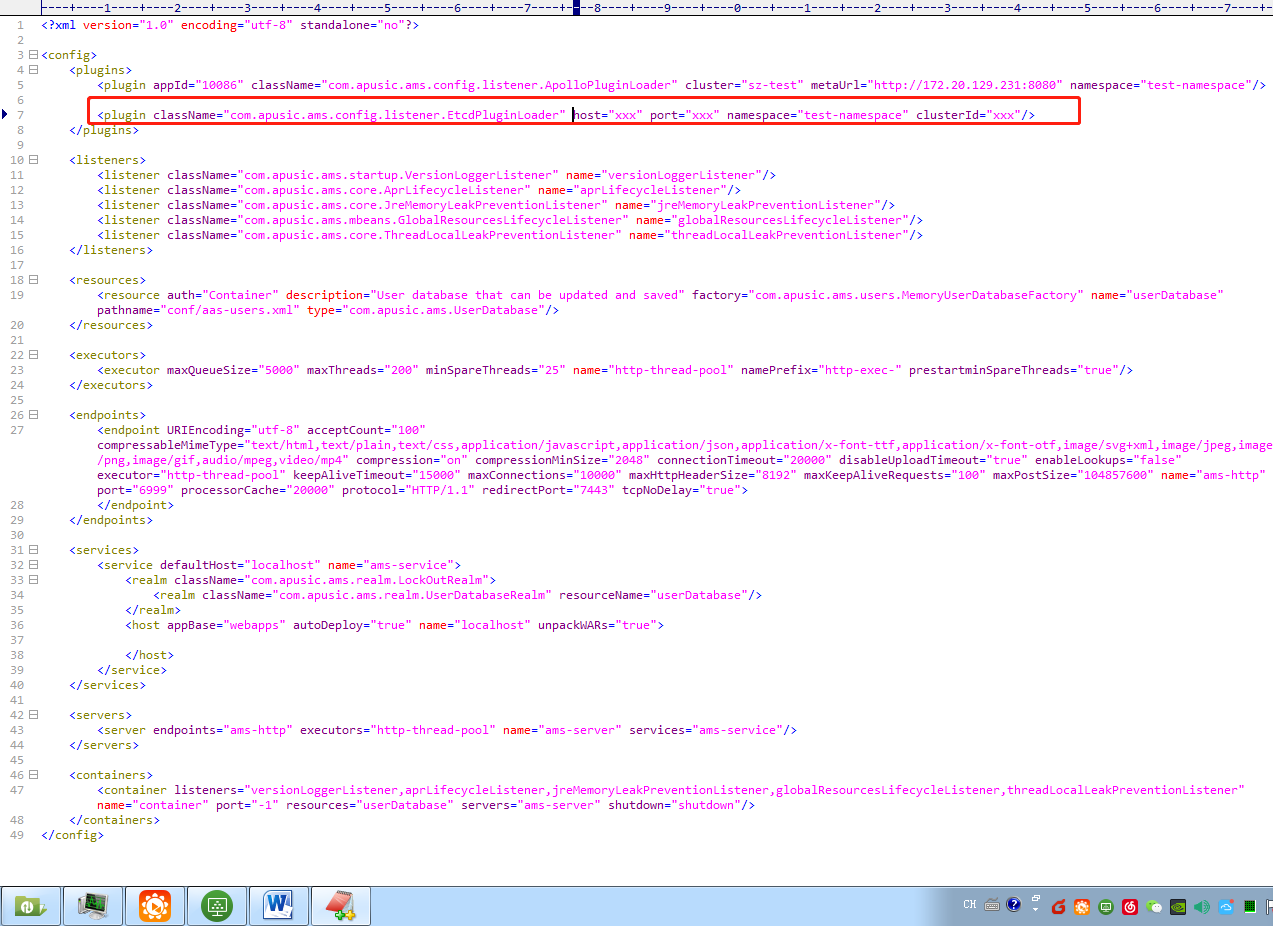
Here, `className="com.apusic.ams.config.listener.EtcdPluginLoader"` is the class that loads the ETCD configuration. Its attributes include the following attribute descriptions:
Table 23: Configuration Description for Integrating Kingdee Apusic Application Server V10 Standard Edition with ETCD
| Configuration Parameter | Description | Value Type | Default Value |
| host | The IP address of the server where etcd is installed, required | String | |
| port | The client access port of the etcd service, required | String | |
| namespace | The namespace of the application, required | String | |
| clusterId | The cluster identifier of the application, required | String |
	The above attributes can be configured through the configuration file, through environment variables, or through system variables

	The priority is: environment variable > system variable > configuration file

	Generally, the names of environment variables and system variables are in uppercase. The variable names for environment variables (obtained via `System.getProperty("xxx")`) and system variables (obtained via `System.getEnv("xxx")`) are as follows, and each variable name corresponds to one of the above attributes:
Table 24: Environment Variable Configuration Description for Integrating Kingdee Apusic Application Server V10 Standard Edition with ETCD
| Configuration Parameter | Description | Value Type | Default Value |
| AAS_CONFIG_ETCD_HOST | The IP address of the server where etcd is installed, required | String | |
| AAS_CONFIG_ETCD_PORT | The client access port of the etcd service, required | String | |
| AAS_CONFIG_ETCD_NAMESPACE | The namespace of the application, required | String | |
| AAS_CONFIG_ETCD_CLUSTERID | The cluster identifier of the application, required | String |
# Configuration in ETCD
# apusic.conf Configuration
	After integration with the configuration center, the application server's configuration file (the `apusic.conf` file) can be modified by setting the `key` to `apusic_config` and the `value` to the value to be changed.

	Setting the following value on the ETCD server means modifying the ports to 6999 and 7443:
./etcdctl put /test/cluster/aamsconfig/apusic_config '{"config.endpoints.endpoint.ams-http":{"port":"6999","redirectPort":"7443"}}'
	The configuration information is ultimately saved in the `apusic.conf` file in the `conf` directory.

	`config.endpoints.endpoint.ams-http` is split to correspond to `config` > `endpoints` > `endpoint` > `ams-http`, which corresponds to the XML hierarchy:
`port` and `redirectPort` correspond to attributes.
The meaning of the above figure is to modify the value of the `port` attribute of the XML tag `endpoint` named `ams-http` to 6999, and the value of the `redirectPort` attribute to 7443.
# Data Source Configuration
After integration with the configuration center, the data source configuration is `datasource_config`, which is a JSON-formatted string. You can add the following configuration in etcd:
./etcdctl put /test/cluster/aamsconfig/datasource_config '{"jdbc/test":{"auth":"Container","type":"javax.sql.DataSource","maxActive":"100","username":"root","password":"[YOUR_PASSWORD]","driverClassName":"com.mysql.cj.jdbc.Driver","url":"jdbc:mysql://127.0.0.1:3306/test","maxIdle":"30","maxWait":"10000"}}'
Here, `jdbc/test` is the name of the data source. If a data source with this name exists, it is modified; if it does not exist, it is added. The configuration information is ultimately saved in the `context.xml` file in the `conf` directory.
# Logging Configuration
After integration with the configuration center, the logging configuration is `logging_conf`, which is a JSON-formatted string. You can add a configuration similar to the following in etcd. To modify multiple configurations, add multiple JSON-formatted `key-value` pairs:
./etcdctl put /test/cluster/aamsconfig/logging_conf '{"com.apusic.connector.http2.level":"FINER"}'
The configuration information is ultimately saved in the `logging.properties` file in the `conf` directory.
# JVM Configuration
After integration with the configuration center, the `key` of the JVM configuration is `jvm_opt`, which is a plain-format string rather than a JSON string. The configuration format is similar to the following:
./etcdctl put /test/cluster/aamsconfig/jvm_opt '-server -Djava.net.preferIPv4Stack=true -Xms513m -Xmx1023m -XX:MaxPermSize=257m'
The configuration information is ultimately saved in the `apusic.bat` file (on Windows) or the `apusic.sh` file (on Linux) in the `bin` directory.
# Session Storage and Clustering
# Configuring Session Storage
The Kingdee Apusic Application Server Standard Edition provides two Session storage methods in standalone mode: StandardManager (default) and PersistentManager.
- StandardManager: Sessions are kept in memory. They are saved to a file only when the server is stopped, and read back from the file on the next startup.
- PersistentManager: This method is further divided into file storage and database storage.
# Configuring Local In-Memory Storage
The default Session storage is local in-memory storage (StandardManager). In this mode, Sessions are kept in memory. They are saved to a file only when the server is stopped, and read back from the file on the next startup.
The configuration is as follows:
<Manager maxActiveSessions="-1">
</Manager>
2
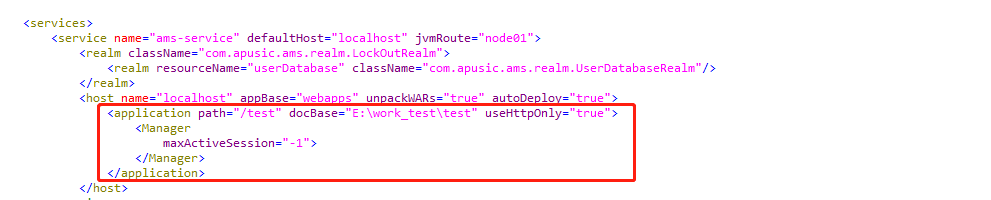
Configuration Description:
Table 25: Kingdee Apusic Application Server V10 Standard Edition — Parameters for configuring local in-memory storage
| Parameter | Description | Value Type | Default Value |
| maxActiveSessions | The maximum number of sessions. -1 means no limit; when the limit is exceeded, creating a new Session will throw an exception directly | Integer | -1 |
# Configuring Local File Storage
Use the PersistentManager method to configure local file storage, as follows:
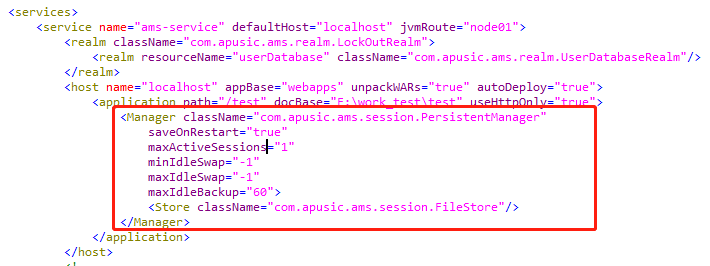
Configuration Description:
Table 26: Kingdee Apusic Application Server V10 Standard Edition — Parameters for configuring local file storage
| Parameter | Description | Value Type | Default Value |
| saveOnRestart | Configures how Sessions are handled on server restart. If true, valid Sessions are saved before shutdown and reloaded after startup | Boolean | |
| maxActiveSessions | The maximum number of Sessions in the active state. When set to -1, there is no limit; otherwise, the Session Manager will move the excess Session objects into the Session Store | Integer | |
| minIdleSwap | The minimum time a Session can be idle, in seconds. Once this time is exceeded, the Session Manager may move the Session object into the Session Store, and the Session will no longer reside in memory. If minIdleSwap is configured, both conditions must be met | Integer | |
| maxIdleSwap | The maximum time a Session can be idle. Once this time is exceeded, the Session Manager will move the Session object into the Session Store, and the Session will no longer reside in memory. If minIdleSwap is configured, both conditions must be met | Integer | |
| maxIdleBackup | The maximum time a Session can be idle. Once this time is exceeded, the Session Manager will back up the Session object to the Session Store, but the Session object still remains in memory | Integer |
The Store tag is configured as follows:
Table 27: Kingdee Apusic Application Server V10 Standard Edition — Store tag parameters for configuring local file storage
| Parameter | Description | Value Type | Default Value |
| className | Class name of the storage method | String | com.apusic.ams.session.FileStore |
# Configuring Database Storage
To configure database storage using the PersistentManager method, a table must be created in the database beforehand, as follows:
<Manager className="com.apusic.ams.session.PersistentManager" saveOnRestart="true" maxActiveSessions="1"
    minIdleSwap="-1" maxIdleSwap="-1" maxIdleBackup="60">
    <Store className="com.apusic.ams.session.JDBCStore" driverName="com.mysql.cj.jdbc.Driver"
        connectionURL="jdbc:mysql://127.0.0.1:3306/test_platform?useUnicode=true&characterEncoding=utf-8"
        connectionName="myuser" connectionPassword="[YOUR_PASSWORD]" sessionTable="ams_session" sessionIdCol="session_id"
        sessionDataCol="session_data" sessionValidCol="session_valid" sessionMaxInactiveCol="max_inactive"
        sessionLastAccessedCol="last_access" sessionAppCol="app_name" />
</Manager>
2
3
4
5
6
7
8
Table 28: Kingdee Apusic Application Server V10 Standard Edition — Parameters for configuring database storage
| Parameter | Description | Value Type | Default Value |
| saveOnRestart | Configures how Sessions are handled on server restart. If true, valid Sessions are saved before shutdown and reloaded after startup | Boolean | |
| maxActiveSessions | The maximum number of Sessions in the active state. When set to -1, there is no limit; otherwise, the Session Manager will move the excess Session objects into the Session Store | Integer | |
| minIdleSwap | The minimum time a Session can be idle, in seconds. Once this time is exceeded, the Session Manager may move the Session object into the Session Store, and the Session will no longer reside in memory. If minIdleSwap is configured, both conditions must be met | Integer | |
| maxIdleSwap | The maximum time a Session can be idle. Once this time is exceeded, the Session Manager will move the Session object into the Session Store, and the Session will no longer reside in memory. If minIdleSwap is configured, both conditions must be met | Integer | |
| maxIdleBackup | The maximum time a Session can be idle. Once this time is exceeded, the Session Manager will back up the Session object to the Session Store, but the Session object still remains in memory | Integer |
The configuration in the Store tag is as follows:
Table 29: Kingdee Apusic Application Server V10 Standard Edition — Store tag parameters for configuring database storage
| Parameter | Description | Value Type | Default Value |
| className | Class name of the storage method | String | com.apusic.ams.session.JDBCStore |
| driverName | Database driver class name, specified according to the data source type | String | |
| connectionURL | URL for connecting to the data source, specified according to the data source connection method | String | |
| connectionName | User name for connecting to the data source; must have remote connection privileges | String | |
| connectionPassword | Password of the user for connecting to the data source | String | |
| sessionTable | Name of the session storage table; must be created in the database in advance | String | |
| sessionIdCol | Name of the column storing the session ID; must be created in the database in advance | String | |
| sessionDataCol | Name of the column storing the session data; must be created in the database in advance | String | |
| sessionValidCol | Name of the column storing the session validity value; must be created in the database in advance | String | |
| sessionMaxInactiveCol | Name of the column storing the maximum inactive interval; must be created in the database in advance | String | |
| sessionLastAccessedCol | Name of the column storing the last access time; must be created in the database in advance | String | |
| sessionAppCol | Name of the column storing the application name; must be created in the database in advance | String |
# Clustering Solutions
# Session Multicast Replication
Session replication must meet the following requirements:
1. Session attributes must implement the java.io.Serializable interface
2. The load balancer must be configured in sticky Session mode (sticky Session mode); sticky sessions may be disabled during testing
3. The time on all machines must be synchronized
4. Ensure that the multicast port is available
5. The application's web.xml must include <distributable/>.
6. The application must be deployed as an exploded directory
# Adding Cluster Configuration
In the apusic.conf file of each machine that needs to join the cluster, add the following content inside host or service (note: adding it under service enables clustering for all virtual hosts; otherwise, clustering is enabled only for a specific virtual host). Example IPs: 224.x.x.4, 172.x.x.1.
<Cluster className="com.apusic.ams.ha.tcp.SimpleTcpCluster" channelSendOptions="6">
    <Manager className="com.apusic.ams.ha.session.BackupManager" expireSessionsOnShutdown="false"
        notifyListenersOnReplication="true" />
    <Channel className="com.apusic.ams.tribes.group.GroupChannel">
        <Membership className="com.apusic.ams.tribes.membership.McastService" address="224.x.x.4" port="45564"
            frequency="500" dropTime="3000" />
        <Receiver className="com.apusic.ams.tribes.transport.nio.NioReceiver" address="172.x.x.1" port="5000"
            selectorTimeout="100" maxThreads="6" />
        <Sender className="com.apusic.ams.tribes.transport.ReplicationTransmitter">
            <Transport className="com.apusic.ams.tribes.transport.nio.PooledParallelSender" />
        </Sender>
        <Interceptor className="com.apusic.ams.tribes.group.interceptors.TcpFailureDetector" />
        <Interceptor className="com.apusic.ams.tribes.group.interceptors.MessageDispatchInterceptor" />
        <Interceptor className="com.apusic.ams.tribes.group.interceptors.ThroughputInterceptor" />
    </Channel>
    <Valve className="com.apusic.ams.ha.tcp.ReplicationValve" filter="" />
    <Valve className="com.apusic.ams.ha.session.JvmRouteBinderValve" />
    <ClusterListener className="com.apusic.ams.ha.session.ClusterSessionListener" />
</Cluster>
2
3
4
5
6
7
8
9
10
11
12
13
14
15
16
17
18
19
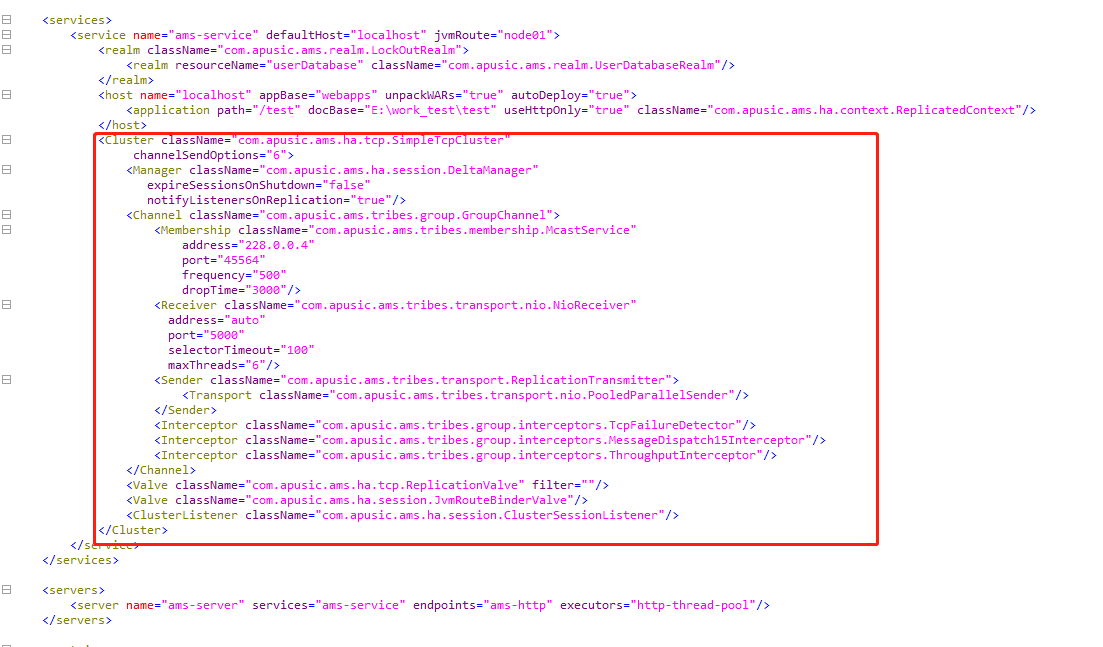
Note: The address in NioReceiver must be changed to the IP address of the current machine.
Important Configuration Details:
Cluster: Cluster configuration of the application server.
Table 30: Kingdee Apusic Application Server V10 Standard Edition — Cluster tag description for cluster configuration
| Parameter | Description | Value Type | Default Value |
| className | Name of the class that implements clustering functionality | String | com.apusic.ams.ha.tcp.SimpleTcpCluster |
| channelSendOptions | Message sending options. Can be set to 2 (acknowledged send), 4 (synchronous send), 8 (asynchronous send), or the result of their logical OR. The default is 8. For asynchronous sending with acknowledgment of the result, set it to 2+8=10 | String |
Table 31: Kingdee Apusic Application Server V10 Standard Edition — Manager tag description for cluster configuration
| Parameter | Description | Value Type | Default Value |
| className | The clustered session manager class; when a session changes, it is synchronized to other nodes in the cluster | String | com.apusic.ams.ha.session.BackupManager |
| expireSessionsOnShutdown | When set to true, shutting down one node will cause all Sessions in the cluster to become invalid | Boolean | false |
| notifyListenersOnReplication | Set notifyListenersOnReplication to true if you want session listeners to be notified when session attributes are replicated to or removed from nodes in the cluster | Boolean | |
| mapSendOptions | A value of 6 means the BackupManager sends messages synchronously; refer to channelSendOptions of "Cluster" | String |
Table 32: Kingdee Apusic Application Server V10 Standard Edition — Channel tag description for cluster configuration
| Parameter | Description | Value Type | Default Value |
| className | Channel class name | String | com.apusic.ams.tribes.group.GroupChannel |
Table 33: Kingdee Apusic Application Server V10 Standard Edition — Membership tag description for cluster configuration
| Parameter | Description | Value Type | Default Value |
| className | Class name for managing cluster node information | String | com.apusic.ams.tribes.membership.McastService |
| address | Multicast address | String | |
| port | Multicast port | String | |
| frequency | Interval between heartbeat messages, in milliseconds | Integer | |
| dropTime | If no heartbeat from a given node is received within the time configured by dropTime, that node is removed from the node list maintained by the current node. Unit: milliseconds | Integer |
Table 34: Kingdee Apusic Application Server V10 Standard Edition — Receiver tag description for cluster configuration
| Parameter | Description | Value Type | Default Value |
| className | Class name of the message receiver | String | com.apusic.ams.tribes.transport.nio.NioReceiver |
| address | Node listening address | String | |
| port | Node listening port | String | |
| selectorTimeout | The selector timeout of the receiver | Integer | |
| maxThreads | The maximum number of threads | Integer |
Table 35: Kingdee Apusic Application Server V10 Standard Edition — Sender tag description for cluster configuration
| Parameter | Description | Value Type | Default Value |
| className | Sender class name | String | com.apusic.ams.tribes.transport.ReplicationTransmitter |
Table 36: Kingdee Apusic Application Server V10 Standard Edition — Interceptor tag description for cluster configuration
| Parameter | Description | Value Type | Default Value |
| className | Interceptor class name | String |
# Deploying the Application and Setting jvmRoute
1. Test application
test.war is an application used to test the cluster. It contains only one session.jsp, and the application must be deployed in exploded form.
Node 1 is extracted to e:/work_test/test
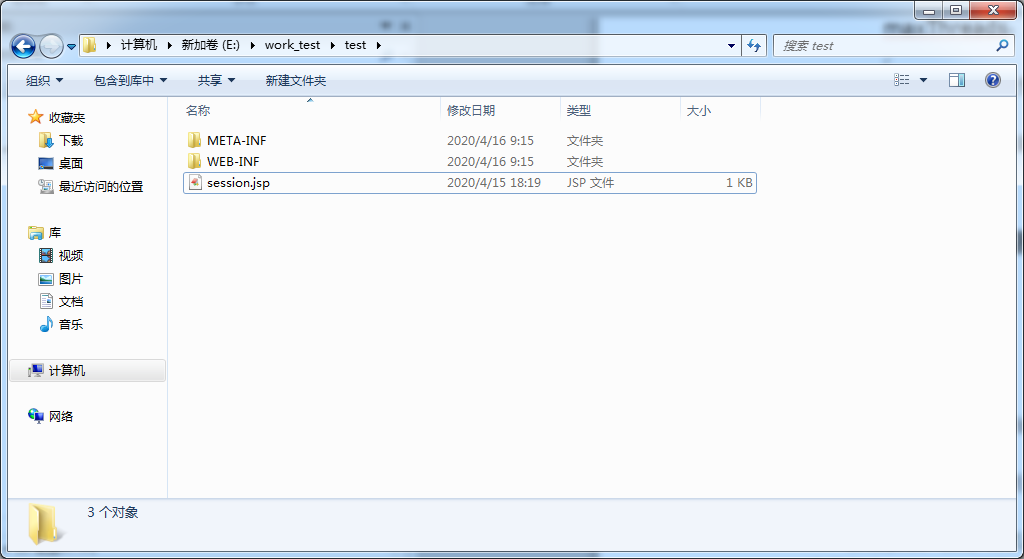
Node 2 is extracted to e:/work_test/test2
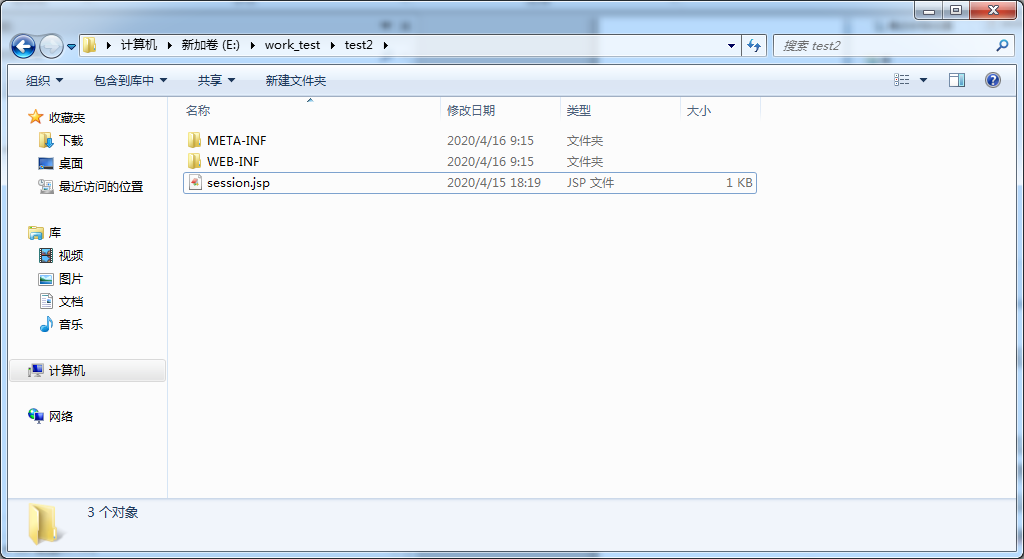
Contents of session.jsp:
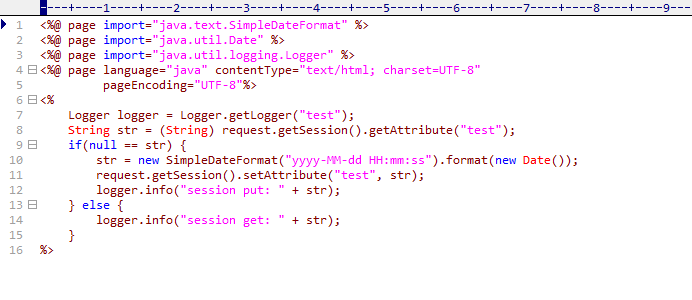
It retrieves data from the Session; if no data exists, data is put into the Session.
Modify the web.xml file by adding <distributable/>;
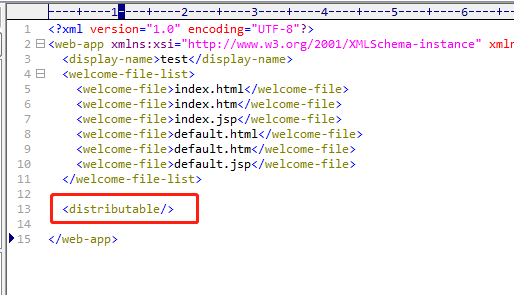
2. Deploy the application and modify the configuration
Modify the apusic.conf file by adding jvmRoute="nodeXXX" to service.
Ensure that each jvmRoute is different. Also add className="com.apusic.ams.ha.context.ReplicatedContext" to application.
There are only two nodes here, named node01 and node02 respectively
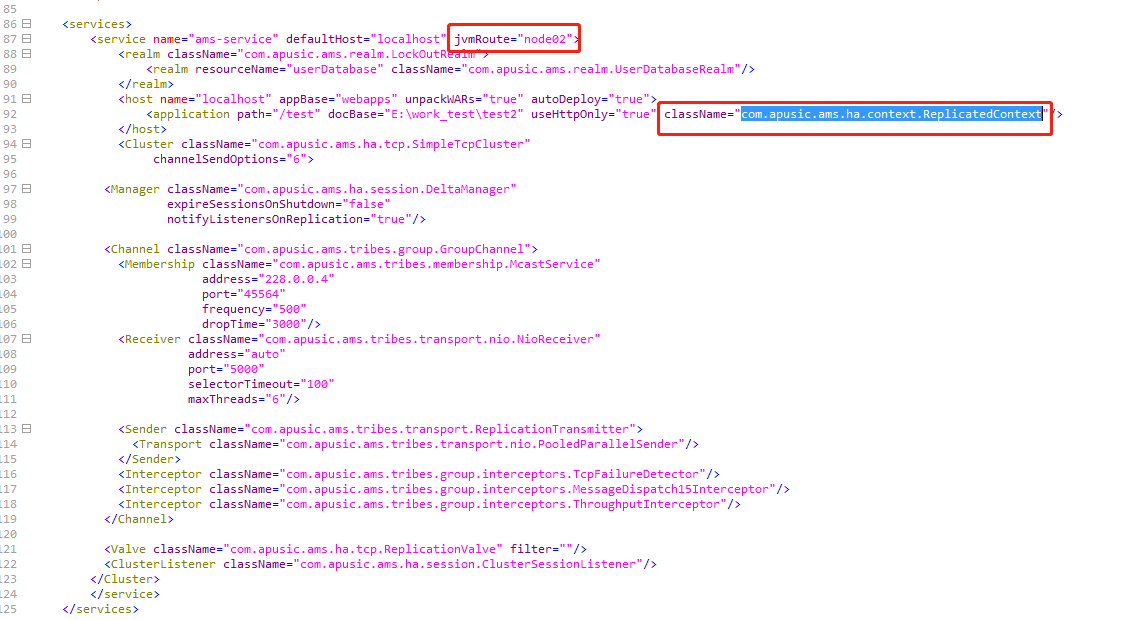
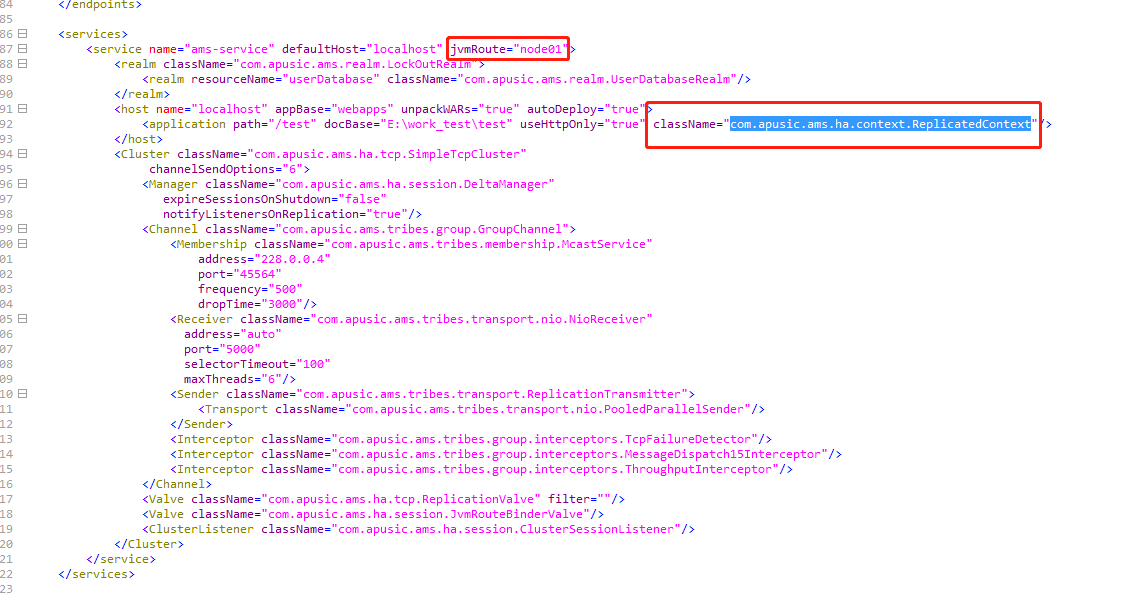
# Configuring Apache
After installing Apache, add the following content to the end of the configuration file httpd.conf:
Listen 172.x.x.1:8080
ProxyPass / balancer://testcluster/ stickysession=JSESSIONID
ProxyPassReverse / balancer://testcluster/
<Proxy balancer://testcluster>
BalancerMember http://172.x.x.1:6888/ route=node01
BalancerMember http://172.x.x.1:8888/ route=node02
</Proxy>
2
3
4
5
6
7
Note: In the example above, the IP and port 172.x.x.1:8080 is the local IP address on which Apache listens; it must be changed to your own address.
172.x.x.1:6888 and 172.x.x.1:8888 are the IPs of the two nodes respectively; route=xxx must be filled in with the jvmRoute values configured in service above.
stickysession=JSESSIONID: sticky sessions. During testing, sticky sessions can be left unconfigured.
# Verifying the Cluster
Start node node01:
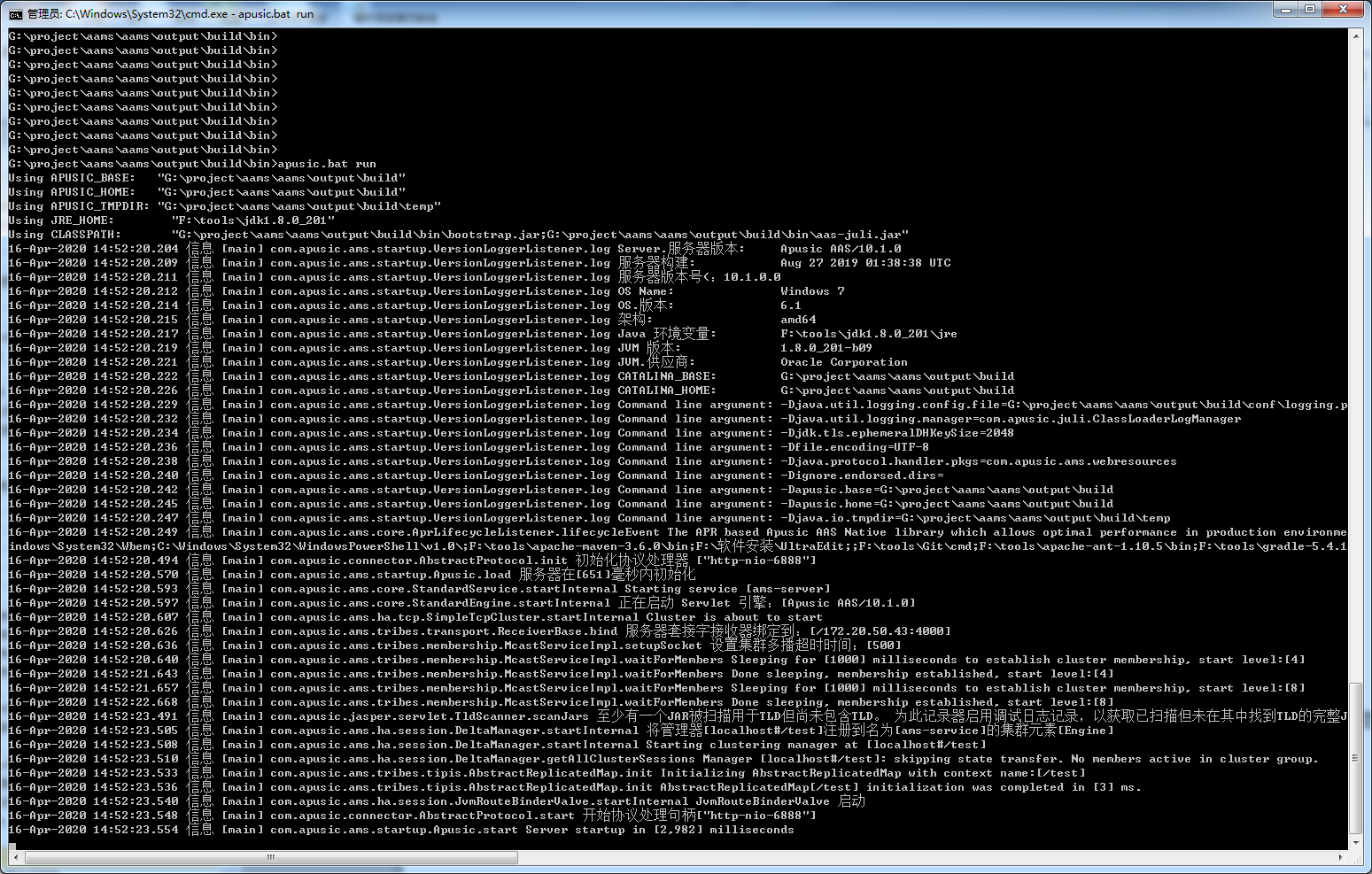
Start node node02:
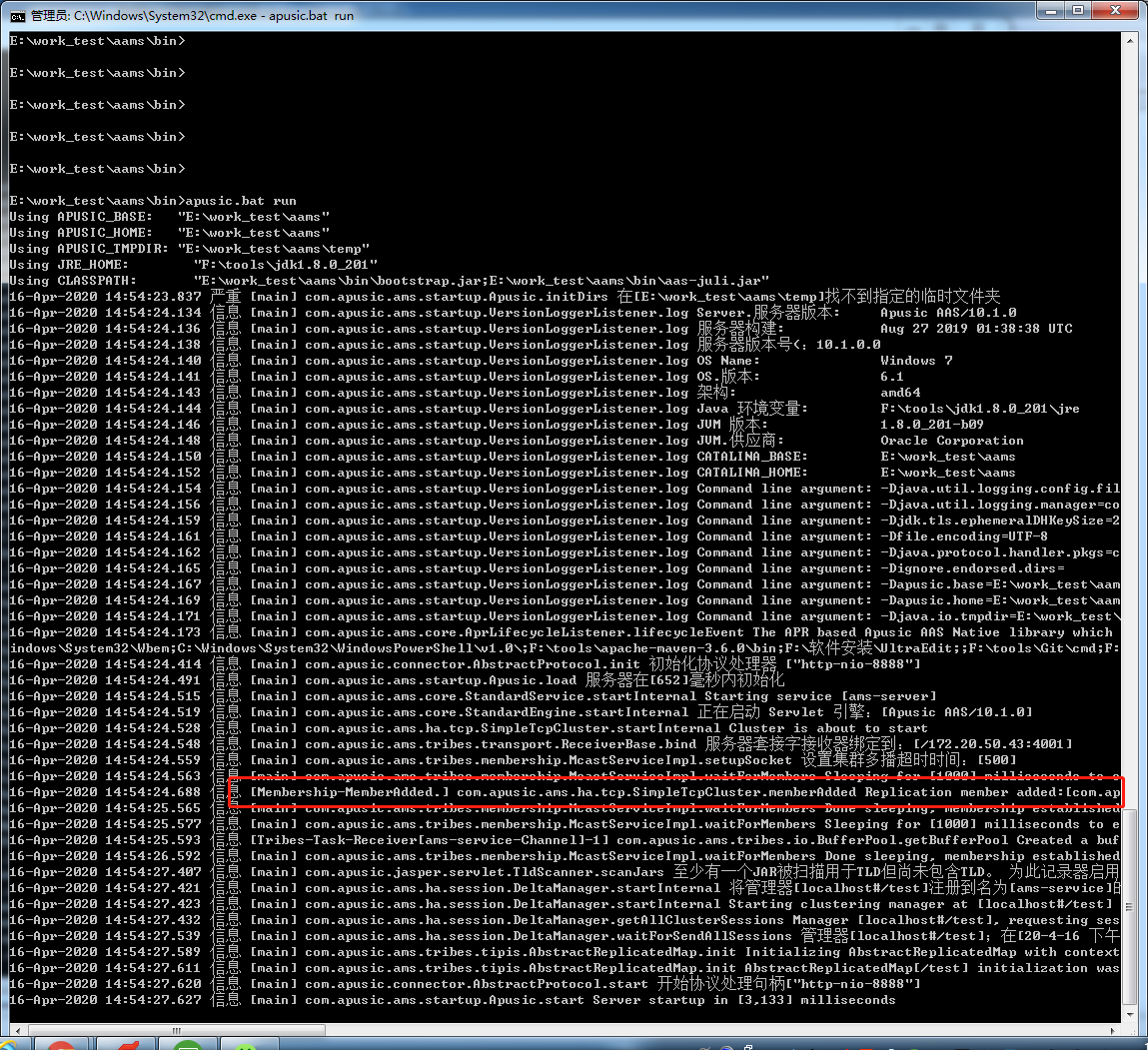
Node node01 outputs the node join information:
Access http://172.x.x.1:8080/test/session.jsp and refresh several times:
# Centralized Session Storage
Redis is supported for centralized Session storage.
# Building the Redis Plugin
# System Build
The application server installation package contains the relevant jar files under ../plugins/redis/. Modify the common.loader item in the ${APUSIC_HOME}/conf/apusic.properties file as follows:
common.loader="${apusic.base}/lib","${apusic.base}/lib/*.jar","${apusic.home}/lib","${apusic.home}/lib/*.jar","${apusic.base}/plugins/redis/*.jar"
# Adding Redis Configuration
Modify the ${APUSIC_HOME}/conf/context.xml configuration file by adding Valve and Manager configurations. The Valve must be configured before the Manager, for example:
<Valve className="com.apusic.ams.session.redissessions.RedisSessionHandlerValve" />
<Manager className="com.apusic.ams.session.redissessions.RedisSessionManager" host="localhost" port="6379" database="0" />
2
If Redis uses master-slave, sentinel, or cluster mode, the Manager configuration in ${APUSIC_HOME}/conf/context.xml must be modified accordingly. For example, if Redis uses sentinel mode, the Manager is configured as follows. The IPs and ports are examples and must be changed according to the actual environment:
<Manager className="com.apusic.ams.session.redissessions.RedisSessionManager" password="[YOUR_PASSWORD]" sentinelMaster="mymaster"
    sentinels="172.x.x.1:26379,172.x.x.2:26379" database="0" />
2
Table 37: Kingdee Apusic Application Server V10 Standard Edition — Manager tag description for centralized Session configuration
| Parameter | Description |
|---|---|
| host | Redis server address |
| port | Port |
| sentinelMaster | Name of the Redis server |
| sentinels | Sentinels, as comma-separated "host:port" entries |
| password | Redis password |
| blockWhenExhausted | Whether to block when connections are exhausted. false: an exception is thrown; true: block until timeout. Default: true |
| connectionPoolMaxIdle | The maximum number of idle connections allowed in the resource pool. Default: 8 |
| connectionPoolMaxTotal | The maximum number of connections in the resource pool. Default: 8 |
| connectionPoolMinIdle | The minimum number of idle connections guaranteed in the resource pool. Default: 0 |
| database | DB index |
| jmxEnabled | Whether to enable JMX management of the pool. Default: true |
| lifo | Whether to enable last-in-first-out. Default: true |
| maxWaitMillis | The maximum number of milliseconds to wait when obtaining a connection (when BlockWhenExhausted is set to blocking); an exception is thrown on timeout. A value less than zero means blocking for an indefinite time. Default: -1 |
| minEvictableIdleTimeMillis | The minimum idle time before a connection can be evicted. Default: 1800000 milliseconds (30 minutes) |
| numTestsPerEvictionRun | The maximum number of connections evicted during each eviction check. If negative: 1/abs(n). Default: 3 |
| sessionPersistPolicies | "SAVE_ON_CHANGE": the Session is stored to Redis on every call to session.setAttribute() or session.removeAttribute(). "ALWAYS_SAVE_AFTER_REQUEST": the Session is saved after the request ends, regardless of whether changes to Session attributes are detected. "DEFAULT": the default. The Session is saved only when changes to Session attributes are detected |
| testOnBorrow | Whether to validate (ping) a connection when borrowing it from the resource pool; invalid connections are removed. Default: false |
| testOnCreate | Whether to validate (ping) a connection when creating it in the resource pool |
| testOnReturn | Whether to validate (ping) a connection when returning it to the resource pool; invalid connections are removed. Default: false |
| testWhileIdle | Whether to check validity while connections are idle. Default: false |
| timeBetweenEvictionRunsMillis | The interval (in milliseconds) between eviction scans. If negative, the eviction thread is not run. Default: -1 |
| timeout | Read timeout |
# Embedded Deployment (Integration with Spring Boot)
# Preface
This section provides instructions for the embedded deployment of Kingdee Apusic Application Server V10, detailing the installation and related configuration methods of the embedded deployment.
# Intended Audience
This section is mainly intended for developers who use the embedded deployment of Kingdee Apusic Application Server V10 for application development, as well as related administrators and operations personnel.
# Overview
The embedded deployment of Kingdee Apusic Application Server V10 is an embedded application server that supports both JavaEE/JakartaEE enterprise standards and React reactive programming standards, used in integration with the Spring Boot framework.
Figure 2: Architecture Diagram of Kingdee Apusic Application Server V10 Embedded Deployment
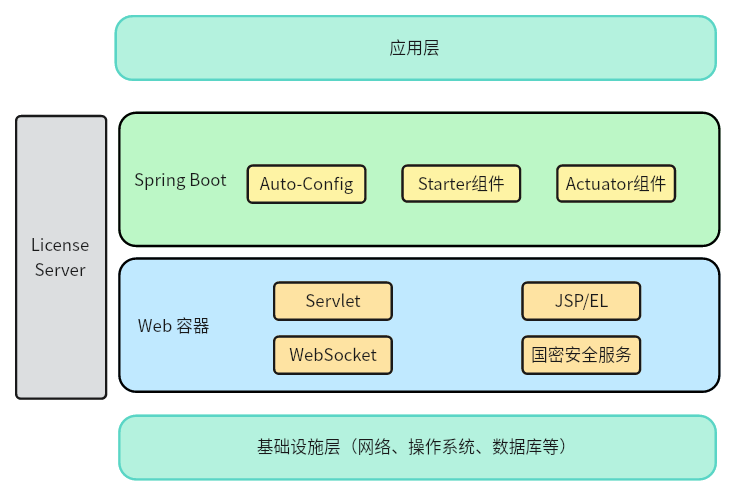
# Product Specifications and Environment Requirements
The product specifications (JakartaEE specifications), platform environment, and system environment requirements of the embedded deployment are consistent with those of the standalone deployment. See "Product Overview - Product Introduction". The embedded deployment uses the AAMS-[version]-embed product package (the product identifier of the Kingdee Apusic Application Server embedded deployment).
# Package Contents
Description of the Kingdee Apusic Application Server V10 embedded deployment product packages, which mainly include starter, websocket, Guomi (GM) cryptography resource packages, and others. See the Package Contents description for details.
Table 38: Kingdee Apusic Application Server V10 Embedded Deployment Product Packages
| Product Package | Description |
| aams-spring-boot-starter-all-[version].jar | AAMS starter |
| aams-spring-boot-websocket-starter-[version].jar | WebSocket resource package |
| aas-sm-[version].jar | Guomi (GM) cryptography resource package |
# Package Contents List
The Kingdee Apusic Application Server V10 embedded deployment product package includes the starter, related resource modules, optional resource modules, and other contents.
Figure 3: Package Contents List of Kingdee Apusic Application Server V10 Embedded Deployment
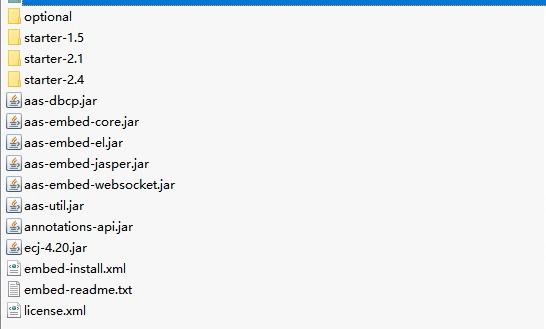
# Package Contents Description
Description of the Kingdee Apusic Application Server V10 embedded deployment package contents.
Table 39: Package Contents Description of Kingdee Apusic Application Server V10 Embedded Deployment
| Product Package | Description |
|---|---|
| optional | Optional components, including aas-sm-3.80.1.jar (Guomi cryptography module) and acls-client-1.0.9.jar (centralized licensing module). |
| starter-1.5 | The starter for Spring Boot 1.x, including the following files: aams-spring-boot-starter-all-1.5.20.RELEASE.jar: the starter-all module of AAS, which contains the starter and websocket-starter modules aams-spring-boot-websocket-starter-1.5.20.RELEASE.jar: the websocket-starter module of AAS aams-spring-boot-starter-1.5.20.RELEASE.jar: the starter module of AAS aams-spring-boot-websocket-starter.pom.xml: the maven configuration file of the AAS websocket-starter module aams-spring-boot-starter.pom.xml: the maven configuration file of the AAS starter module |
| starter-2.1 | The starter for Spring Boot 2.0.0~2.3.x, including the following files: aams-spring-boot-starter-all-2.1.7.RELEASE.jar: the starter-all module of AAS, which contains the starter, web-starter, and websocket-starter modules aams-spring-boot-websocket-starter-2.1.7.RELEASE.jar: the websocket-starter module of AAS aams-spring-boot-starter-2.1.7.RELEASE.jar: the starter module of AAS aams-spring-boot-web-starter-2.1.7.RELEASE.jar: the web-starter module of AAS aams-spring-boot-websocket-starter.pom.xml: the maven configuration file of the AAS websocket-starter module aams-spring-boot-starter.pom.xml: the maven configuration file of the AAS starter module aams-spring-boot-web-starter.pom.xml: the maven configuration file of the AAS web-starter module |
| starter-2.4 | The starter for Spring Boot 2.4.0 and later, including the following files: aams-spring-boot-starter-all-2.4.0.jar: the starter-all module of AAS, which contains the starter, web-starter, and websocket-starter modules aams-spring-boot-websocket-starter-2.4.0.jar: the websocket-starter module of AAS aams-spring-boot-starter-2.4.0.jar: the starter module of AAS aams-spring-boot-web-starter-2.4.0.jar: the web-starter module of AAS aams-spring-boot-websocket-starter.pom.xml: the maven configuration file of the AAS websocket-starter module aams-spring-boot-starter.pom.xml: the maven configuration file of the AAS starter module aams-spring-boot-web-starter.pom.xml: the maven configuration file of the AAS web-starter module |
| aas-dbcp.jar aas-embed-core.jar aas-embed-el.jar aas-embed-jasper.jar aas-embed-websocket.jar aas-util.jar annotations-api.jar ecj-4.20.jar | AAS-related modules |
| embed-install.xml | Quick import file for AAS-related modules. Command: mvn initialize -f embed-install.xml |
| embed-readme.txt | Brief installation instructions |
| license.xml | License file |
# Installation
There are two installation methods: one is rebuilding the executable JAR package based on the application source code, and the other is executable JAR replacement.
Note that when importing JAR packages, the specific JAR names should be modified according to the actual situation of each JAR package.
# Building from Source
To facilitate rapid integration with applications, there are two ways to use the Kingdee Apusic Application Server V10 embedded deployment. The first is to import only a single JAR, which contains the Kingdee Apusic Application Server V10 embedded deployment and starter-related JARs. The other is importing JARs by module, in which the Kingdee Apusic Application Server V10 embedded deployment and starter are imported by module. The product package provides starters of various versions as well as optional modules. These two usage methods are described below.
# Importing a Single JAR
To facilitate rapid integration with applications, the application server supports importing a single JAR, which contains the AAS and starter-related JARs. It is usually named aams-spring-boot-starter-all-[version].jar.
# Prerequisites
Install the maven environment;
Install the java environment;
Download the product package AAMS-[version]-embed locally.
# Installing Resource Dependencies
aams-spring-boot-starter-all
Extract AAMS-[version]-embed and enter the AAMS-[version]-embed directory through the terminal.
Spring Boot 1.x:
Enter the AAMS-[version]-embed/starter-1.5 directory through the terminal and run the following command to import the JAR package.
mvn install:install-file -Dfile=aams-spring-boot-starter-all-1.5.20.RELEASE.jar -DgroupId=com.apusic -DartifactId=aams-spring-boot-starter-all -Dversion=1.5.20.RELEASE -Dpackaging=jar
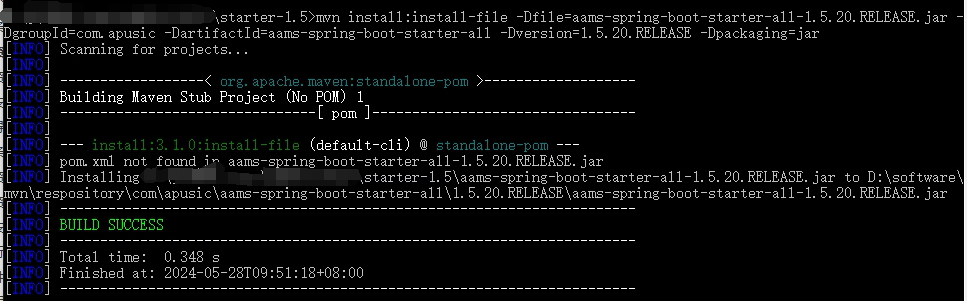
Spring Boot 2.0.0~Spring Boot 2.3.x:
Enter the AAMS-[version]-embed/starter-2.1 directory through the terminal and run the following command to import the JAR package.
mvn install:install-file -Dfile=aams-spring-boot-starter-all-2.1.7.RELEASE.jar -DgroupId=com.apusic -DartifactId=aams-spring-boot-starter-all -Dversion=2.1.7.RELEASE -Dpackaging=jar
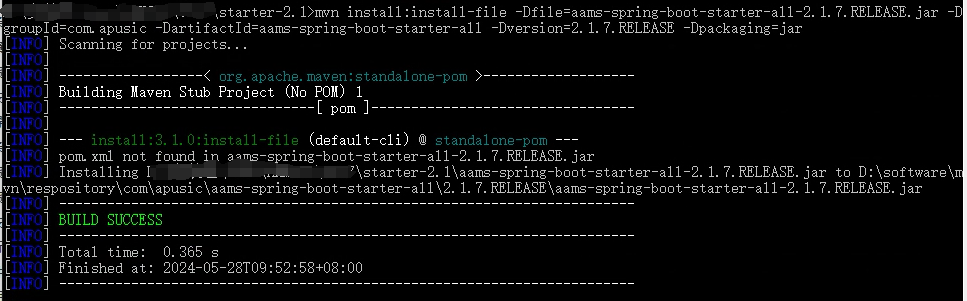
Spring Boot 2.4.0 and later:
Enter the AAMS-[version]-embed/starter-2.4 directory through the terminal and run the following command to import the JAR package.
mvn install:install-file -Dfile=aams-spring-boot-starter-all-2.4.0.jar -DgroupId=com.apusic -DartifactId=aams-spring-boot-starter-all -Dversion=2.4.0 -Dpackaging=jar
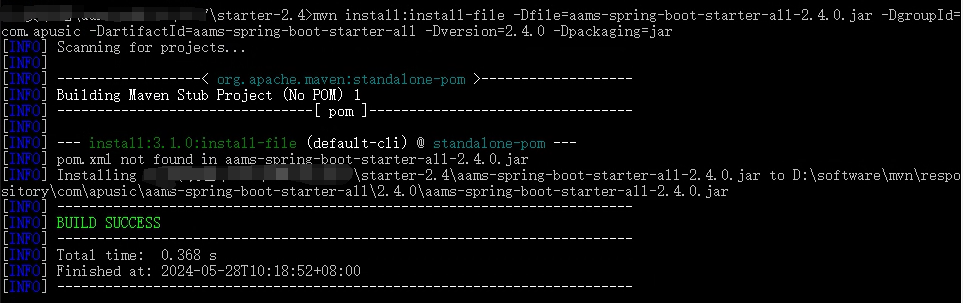
# Adding Resource Dependencies
aams-spring-boot-starter
To use the Kingdee Apusic Application Server V10 embedded deployment as the runtime container, you can add the dependencies of aams-spring-boot-starter and the Kingdee Apusic Application Server V10 embedded deployment in pom.xml, while excluding the tomcat dependency.
Since the spring-boot-starter-web plugin includes the tomcat starter by default, the tomcat starter needs to be excluded in pom.xml, as shown in the following configuration:
<dependency>
    <groupId>org.springframework.boot</groupId>
    <artifactId>spring-boot-starter-web</artifactId>
    <exclusions>
        <exclusion>
            <groupId>org.springframework.boot</groupId>
            <artifactId>spring-boot-starter-tomcat</artifactId>
        </exclusion>
    </exclusions>
</dependency>
2
3
4
5
6
7
8
9
10
aams-spring-boot-starter-all
Add the starter dependency of the Kingdee Apusic Application Server V10 embedded deployment, as described in pom.xml below:
If the Spring Boot version is 1.x, add the following content to the pom file:
<dependency>
    <groupId>com.apusic</groupId>
    <artifactId>aams-spring-boot-starter-all</artifactId>
    <version>1.5.20.RELEASE</version>
</dependency>
2
3
4
5
If the Spring Boot version is springboot2.0.0-springboot2.3.x, add the following content to the pom file:
<dependency>
    <groupId>com.apusic</groupId>
    <artifactId>aams-spring-boot-starter-all</artifactId>
    <version>2.1.7.RELEASE</version>
</dependency>
2
3
4
5
If the Spring Boot version is springboot2.4.0 or later, add the following content to the pom file:
 <dependency>
    <groupId>com.apusic</groupId>
    <artifactId>aams-spring-boot-starter-all</artifactId>
    <version>2.4.0</version>
</dependency>
2
3
4
5
# Verifying the Installation
Access the maven local repository address ".../repository/com/apusic/". If the above JAR packages can be found in the corresponding repository address, it indicates that the JAR packages have been deployed to the local repository successfully.
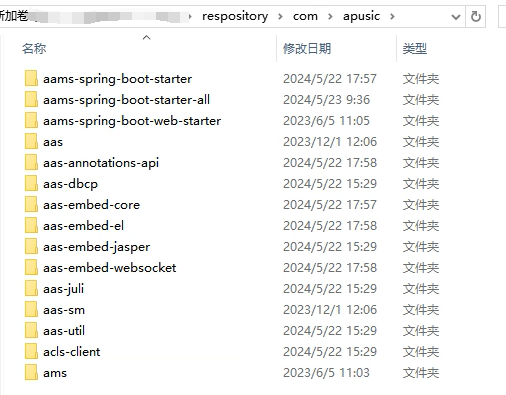
# Importing by Module
The application server also supports importing JARs by module, in which AAS and starter are imported by module. The product package provides starters of various versions as well as optional modules.
# Prerequisites
Install the maven environment;
Install the java environment;
Download the product package AAMS-[version]-embed locally;
The embed-install.xml file exists in the AAMS-[version]-embed folder.
# Installing Resource Dependencies
AAS Embedded Modules
Enter the directory at the same level as embed-install.xml through the terminal and run: mvn initialize -f embed-install.xml, or run the following commands:
mvn install:install-file -Dfile=aas-embed-core.jar -DgroupId=com.apusic -DartifactId=aas-embed-core -Dversion=10.0.0 -Dpackaging=jar
mvn install:install-file -Dfile=aas-embed-el.jar -DgroupId=com.apusic -DartifactId=aas-embed-el -Dversion=10.0.0 -Dpackaging=jar
mvn install:install-file -Dfile=aas-embed-websocket.jar -DgroupId=com.apusic -DartifactId=aas-embed-websocket -Dversion=10.0.0 -Dpackaging=jar
mvn install:install-file -Dfile=aas-embed-jasper.jar -DgroupId=com.apusic -DartifactId=aas-embed-jasper -Dversion=10.0.0 -Dpackaging=jar
mvn install:install-file -Dfile=aas-dbcp.jar -DgroupId=com.apusic -DartifactId=aas-dbcp -Dversion=10.0.0 -Dpackaging=jar
mvn install:install-file -Dfile=aas-util.jar -DgroupId=com.apusic -DartifactId=aas-util -Dversion=10.0.0 -Dpackaging=jar
mvn install:install-file -Dfile=ecj-4.20.jar -DgroupId=com.apusic -DartifactId=ecj -Dversion=4.20 -Dpackaging=jar
mvn install:install-file -Dfile=optional/aas-sm-3.80.1.jar -DgroupId=com.apusic -DartifactId=aas-sm -Dversion=3.80.1 -Dpackaging=jar
mvn install:install-file -Dfile=optional/acls-client-1.0.9.jar -DgroupId=com.apusic -DartifactId=acls-client -Dversion=1.0.9 -Dpackaging=jar
2
3
4
5
6
7
8
9
Among them, optional/aas-sm-3.80.1.jar is the required module for Guomi (GM) cryptography support, and optional/acls-client-1.0.9.jar is the required module for centralized licensing support.
Starter Module
Next, import the starter of the corresponding version.
Spring Boot 1.x:
Enter the AAMS-[version]-embed/starter-1.5 directory through the terminal and run the following commands to import the JAR packages.
mvn install:install-file -Dfile=aams-spring-boot-starter-1.5.20.RELEASE.jar -DgroupId=com.apusic -DartifactId=aams-spring-boot-starter -Dversion=1.5.20.RELEASE -Dpackaging=jar -DpomFile=aams-spring-boot-starter.pom.xml
mvn install:install-file -Dfile=aams-spring-boot-websocket-starter-1.5.20.RELEASE.jar -DgroupId=com.apusic -DartifactId=aams-spring-boot-websocket-starter -Dversion=1.5.20.RELEASE -Dpackaging=jar -DpomFile=aams-spring-boot-websocket-starter.pom.xml
2
Spring Boot 2.0.0~Spring Boot 2.3.x:
Enter the AAMS-[version]-embed/starter-2.1 directory through the terminal and run the following commands to import the JAR packages.
mvn install:install-file -Dfile=aams-spring-boot-starter-2.1.7.RELEASE.jar -DgroupId=com.apusic -DartifactId=aams-spring-boot-starter -Dversion=2.1.7.RELEASE -Dpackaging=jar  -DpomFile=aams-spring-boot-starter.pom.xml
mvn install:install-file -Dfile=aams-spring-boot-websocket-starter-2.1.7.RELEASE.jar -DgroupId=com.apusic -DartifactId=aams-spring-boot-websocket-starter -Dversion=2.1.7.RELEASE -Dpackaging=jar -DpomFile=aams-spring-boot-websocket-starter.pom.xml
mvn install:install-file -Dfile=aams-spring-boot-web-starter-2.1.7.RELEASE.jar -DgroupId=com.apusic -DartifactId=aams-spring-boot-web-starter -Dversion=2.1.7.RELEASE -Dpackaging=jar -DpomFile=aams-spring-boot-web-starter.pom.xml
2
3
Spring Boot 2.4.0 and later:
Enter the AAMS-[version]-embed/starter-2.4 directory through the terminal and run the following commands to import the JAR packages.
mvn install:install-file -Dfile=aams-spring-boot-starter-2.4.0.jar -DgroupId=com.apusic -DartifactId=aams-spring-boot-starter -Dversion=2.4.0 -Dpackaging=jar -DpomFile=aams-spring-boot-starter.pom.xml
mvn install:install-file -Dfile=aams-spring-boot-websocket-starter-2.4.0.jar -DgroupId=com.apusic -DartifactId=aams-spring-boot-websocket-starter -Dversion=2.4.0 -Dpackaging=jar -DpomFile=aams-spring-boot-websocket-starter.pom.xml
mvn install:install-file -Dfile=aams-spring-boot-web-starter-2.4.0.jar -DgroupId=com.apusic -DartifactId=aams-spring-boot-web-starter -Dversion=2.4.0 -Dpackaging=jar -DpomFile=aams-spring-boot-web-starter.pom.xml
2
3
# Adding Resource Dependencies
Import the corresponding modules in the project's pom.xml file.
If the Spring Boot version is 1.x, add the following content to the pom file:
    <dependency>
        <groupId>com.apusic</groupId>
        <artifactId>aams-spring-boot-starter</artifactId>
        <version>1.5.20.RELEASE</version>
    </dependency>
    <dependency>
        <groupId>com.apusic</groupId>
        <artifactId>aams-spring-boot-websocket-starter</artifactId>
        <version>1.5.20.RELEASE</version>
    </dependency>
2
3
4
5
6
7
8
9
10
If the Spring Boot version is springboot2.0.0-springboot2.3.x, add the following content to the pom file:
    <dependency>
            <groupId>com.apusic</groupId>
            <artifactId>aams-spring-boot-starter</artifactId>
            <version>2.1.7.RELEASE</version>
        </dependency>
        <dependency>
            <groupId>com.apusic</groupId>
            <artifactId>aams-spring-boot-websocket-starter</artifactId>
            <version>2.1.7.RELEASE</version>
        </dependency>
        <dependency>
            <groupId>com.apusic</groupId>
            <artifactId>aams-spring-boot-web-starter</artifactId>
            <version>2.1.7.RELEASE</version>
        </dependency>
2
3
4
5
6
7
8
9
10
11
12
13
14
15
If the Spring Boot version is springboot2.4.0 or later, add the following content to the pom file:
    <dependency>
        <groupId>com.apusic</groupId>
        <artifactId>aams-spring-boot-starter</artifactId>
        <version>2.4.0</version>
    </dependency>
    <dependency>
        <groupId>com.apusic</groupId>
        <artifactId>aams-spring-boot-websocket-starter</artifactId>
        <version>2.4.0</version>
    </dependency>
    <dependency>
        <groupId>com.apusic</groupId>
        <artifactId>aams-spring-boot-web-starter</artifactId>
        <version>2.4.0</version>
    </dependency>
2
3
4
5
6
7
8
9
10
11
12
13
14
15
After importing the starter, the application's pom.xml needs to exclude the tomcat starter, as shown below:
<dependency>
     <groupId>org.springframework.boot</groupId>
     <artifactId>spring-boot-starter-web</artifactId>
      <exclusions>
         <exclusion>
             <groupId>org.springframework.boot</groupId>
             <artifactId>spring-boot-starter-tomcat</artifactId>
         </exclusion>
       </exclusions>
</dependency>
2
3
4
5
6
7
8
9
10
# Verifying the Installation
Access the maven local repository address ".../repository/com/apusic/". If the above JAR packages can be found in the corresponding repository address, it indicates that the JAR packages have been deployed to the local repository successfully.
# Executable JAR Replacement
If the application has already been compiled into a runnable resource JAR package and uses the built-in Tomcat server of Spring Boot or another application server, you need to delete the embedded Tomcat or other embedded application server JAR packages, and then add the JAR packages required by the Kingdee Apusic Application Server V10 embedded deployment according to the Spring Boot version.
# Prerequisites
The application project has been developed and compiled into a runnable resource JAR package.
# Removing Deprecated Dependencies
Take an embedded Tomcat application as an example.
Open the compiled JAR package with a compression tool such as rar or 7zip.
Enter the "BOOT-INF/lib" directory and delete the following JAR packages.
tomcat-embed-core-x.x.x.jar
tomcat-embed-el-x.x.x.jar
tomcat-embed-websocket-x.x.x.jar
tomcat-embed-jasper-x.x.x.jar
spring-boot-starter-tomcat-x.x.x.jar
2
3
4
5
# Adding Resource Dependencies
# Importing a Single JAR
Open the compiled JAR package with a compression tool such as rar or 7zip.
Enter the "BOOT-INF/lib" directory and add the following JAR package.
If the Spring Boot version is 1.x, add the aams-spring-boot-starter-all-1.5.20.RELEASE.jar package.
If the Spring Boot version is springboot2.0.0-springboot2.3.x, add the aams-spring-boot-starter-all-2.1.7.RELEASE.jar package.
If the Spring Boot version is springboot2.4.0 or later, add the aams-spring-boot-starter-all-2.4.0.jar package.
# Importing by Module
Open the compiled JAR package with a compression tool such as rar or 7zip.
Enter the "BOOT-INF/lib" directory and add the following JAR packages.
If the Spring Boot version is 1.x, add the aams-spring-boot-starter-1.5.20.RELEASE.jar package.
If the Spring Boot version is springboot2.0.0-springboot2.3.x, add the aams-spring-boot-starter-2.1.7.RELEASE.jar and aams-spring-boot-web-starter-2.1.7.RELEASE.jar packages.
If the Spring Boot version is springboot2.4.0 or later, add the aams-spring-boot-starter-2.4.0.jar and aams-spring-boot-web-starter-2.4.0.jar packages.
If the original project uses the websocket specification, after deleting the tomcat-embed-websocket-x.x.x.jar package, you also need to add the following JAR package:
If the Spring Boot version is 1.x: aams-spring-boot-websocket-starter-1.5.20.RELEASE.jar
If the Spring Boot version is 2.0.0-2.3.x: aams-spring-boot-websocket-starter-2.1.7.RELEASE.jar
If the Spring Boot version is 2.4.0 or later: aams-spring-boot-websocket-starter-2.4.0.jar
# License Authentication
Kingdee Apusic Application Server embedded deployment relies on a license file for validation at startup. Normally, the product ships with a valid license file. If the license file is about to expire or has already expired, you can contact your Kingdee Tianyan representative to apply for a license file (license.xml); at the same time, you need to send the product's feature code to the representative. The license authentication methods include: project directory startup (unpackaged state), parameter-based startup (unpackaged state), project directory startup (executable JAR state), parameter-based startup (executable JAR state), and centralized licensing.
# Obtaining the Feature Code
In the Spring Boot integration approach, there is no apusic command to obtain the feature code; it must be obtained through the user's application.
If you already have a temporary license file that can start the application, remove the license file first, then add the JVM parameter apusic-ac to the startup command. Its value is an IP address or a network interface name, as shown below. Here, eth3 is the network interface name of the test machine and should be modified according to the actual network configuration:
java -Dapusic-ac=eth3 -jar boot-quickstart-1.0.jar
Since there is no license file, the application startup will stop. Before stopping, it prints the feature code information, as shown below, where Auth Code= is the feature code content:
Auth Code=SZTY263537626
license is invalid.
2
After obtaining the feature code, provide it to apply for a license file.
# Project Directory Startup (Unpackaged State)
Place the license.xml file in the project startup file directory, as shown in the figure below.
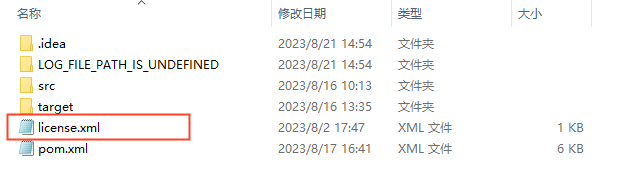
# Parameter-Based Startup (Unpackaged State)
Open IDEA, go to Run->Edit Configuration->Spring Boot and find the project's startup class. In the VM options field on the right, enter -Duser.dir=xxxxxxxx, where xxxxxxxx represents the directory containing the license.xml file, as shown in the figure below.
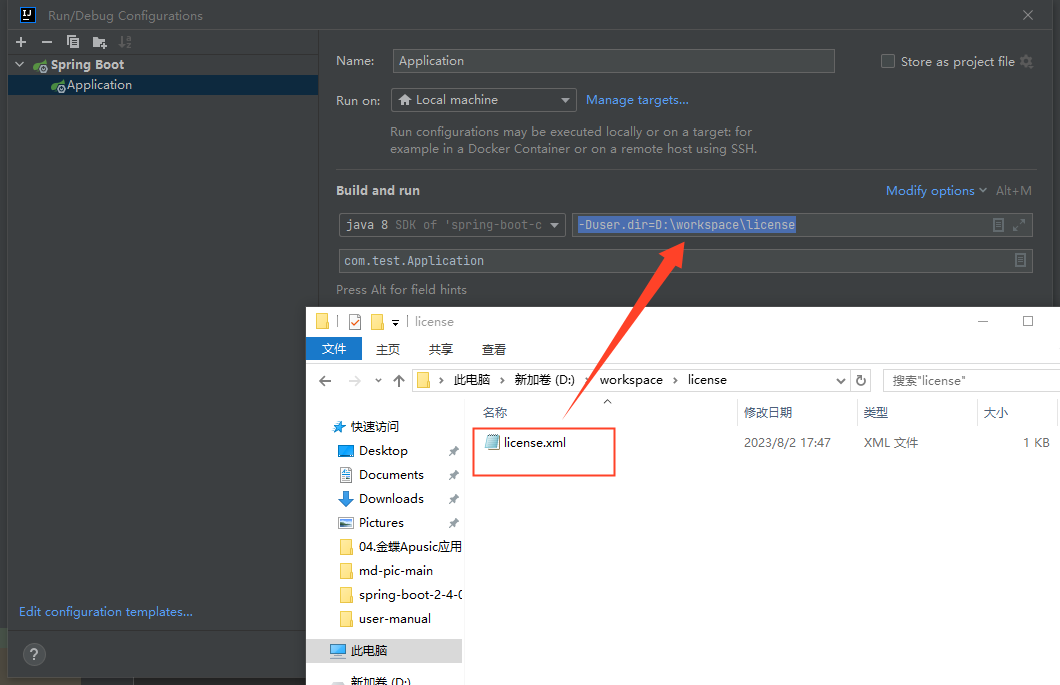
# Project Directory Startup (Executable JAR State)
Place the license.xml file in the project startup file directory, as shown in the figure below.

# Parameter-Based Startup (Executable JAR State)
When the project has been packaged into an executable JAR, you can perform license authentication via the command line.
java -Dlicpath=[absolute path of the license.xml file] -jar [executable JAR]
# Centralized Licensing
The application server supports centralized licensing. By connecting to a licensing center, license files are issued and managed centrally by the licensing center, achieving centralized licensing.
The centralized licensing module needs to be imported into the local repository.
Import the jar file acls-client-1.0.9.jar; the groupId is com.apusic; the artifactId is acls-client; the version is 1.0.9 (the version number is usually indicated in the file name when the JAR file is packaged); the packaging is jar:
mvn install:install-file -Dfile=optional/acls-client-1.0.9.jar -DgroupId=com.apusic -DartifactId=acls-client -Dversion=1.0.9 -Dpackaging=jar
Reference it in the pom file.
   <dependency>
        <groupId>com.apusic</groupId>
        <artifactId>acls-client</artifactId>
        <version>1.0.9</version>
    </dependency>
2
3
4
5
Connect to the licensing center. The following takes startup via JVM parameters as an example; for more connection methods, refer to the "Kingdee Apusic License Authorization Center User Manual".
apusic_acls_enable: whether to enable licensing center authentication. The value istrueorfalse;truemeans licensing center authentication is enabled. If this parameter is absent or its value isfalse, licensing center authentication is not enabled.apusic_acls_authUrls: the address of the licensing center. Multiple licensing addresses can be configured in the formatip1:port1,ip2:port2. If one licensing address fails to connect, the other addresses are polled in turn. If licensing center authentication is enabled, this is a required parameter, where the port is the HTTPS port of the licensing center.apusic_acls_ns: sets the namespace name to which this instance belongs; optional parameter. The default value ispublic. The specific namespace can be viewed in the licensing center management console under System Management - License Management.apusic_acls_tenant: sets the tenant name to which this instance belongs; optional parameter.
java -Dapusic_acls_ns=AA_TEMP -Dapusic_acls_enable=true -Dapusic_acls_authUrls=2.x.x.6:6869 -jar spring-boot-jsp.jar
# Container Feature Description
# Security Management
Introduces security management related configurations.
# HTTPS
# Overview
HTTPS (full name: Hypertext Transfer Protocol Secure) is a network protocol built by combining HTTP with the TLS/SSL protocol, enabling encrypted transmission and identity authentication, which can effectively improve website security. Kingdee Apusic Application Server embedded deployment supports HTTPS.
# Configuration Method
When using HTTPS, you can load configuration items through Spring Boot configuration by loading the corresponding application.properties, application.yml, and other files.
The application.properties configuration is as follows:
#https configuration
#application server listening port
server.port=8089
#whether to enable the SSL protocol
server.ssl.enabled=true
#configure the SSL certificate directory
server.ssl.key-store=classpath:keystore.jks
#SSL certificate type
server.ssl.key-store-type=JKS
#private key password
server.ssl.key-password=[YOUR_PASSWORD]
#keystore file password
server.ssl.key-store-password=[YOUR_PASSWORD]
#alias of the password and certificate used by the server in the keystore
server.ssl.key-alias=apusicuserkey
#client certificate verification; value is one of need, want, none
server.ssl.client-auth=none
#truststore file, used to verify client certificates
server.ssl.trust-store=classpath:truststore.jks
#truststore password
server.ssl.trust-store-password=[YOUR_PASSWORD]
#truststore type
server.ssl.trust-store-type=JKS
#allowed cipher suites
server.ssl.ciphers=*
2
3
4
5
6
7
8
9
10
11
12
13
14
15
16
17
18
19
20
21
22
23
24
25
# Guomi (GM) Cryptography Configuration
# Overview
Kingdee Apusic Application Server V10 embedded deployment supports Guomi (GM) SSL protocol communication and supports the domestic cryptographic algorithms certified by the State Cryptography Administration.
# Configuration Method
Register the Guomi implementation JAR package
Register the Guomi (GM) cryptography implementation JAR package of Kingdee Apusic Application Server V10 embedded deployment - ${APUSIC_HOME}/optional/aas-sm-3.80.1.jar - into the Maven repository, so that it can be referenced when packaging applications.
mvn install:install-file -Dfile=aas-sm-3.80.1.jar -DgroupId=com.apusic -DartifactId=aas-sm -Dversion=3.80.1 -Dpackaging=jar
Add the dependency
Add the Guomi (GM) cryptography implementation dependency in the pom.xml file.
<dependency>
    <groupId>com.apusic</groupId>
    <artifactId>aas-sm</artifactId>
    <version>3.80.1</version>
</dependency>
2
3
4
5
Configuration file
After adding the dependency, you need to add the Guomi (GM) SSL configuration in the project's application.properties or application.yml.
The application.properties configuration is as follows:
#Guomi (GM) configuration:
#indicates that the SSL communication protocol uses the Guomi (GM) communication protocol
server.ssl.protocol=SMv1.1
#Guomi certificate private key type (PKCS12 or JKS)
server.ssl.key-store-type=PKCS12
#configure the Guomi keystore file
server.ssl.key-store=classpath:keystore.p12
#private key password
server.ssl.key-password=[YOUR_PASSWORD]
#keystore file password
server.ssl.key-store-password=[YOUR_PASSWORD]
#client certificate verification; value is one of need, want, none; configure as need for two-way (mutual) authentication
server.ssl.client-auth=none
#truststore file, used to verify client certificates; configured for two-way (mutual) authentication. This truststore must store the root certificate of the USB Key (smart cryptographic key)
server.ssl.trust-store=classpath:truststore.jks
#truststore password; configured for two-way (mutual) authentication
server.ssl.trust-store-password=[YOUR_PASSWORD]
#truststore type; configured for two-way (mutual) authentication (PKCS12 or JKS)
server.ssl.trust-store-type=JKS
2
3
4
5
6
7
8
9
10
11
12
13
14
15
16
17
18
19
Start the application
To use Guomi (GM) cryptography in a Spring Boot application, you need to add the -Dcom.apusic.security.ssl.EnableGMTLS=true and -Djava.security.egd=file:/dev/./urandom parameters at application startup, for example:
java -Dcom.apusic.security.ssl.EnableGMTLS=true -Djava.security.egd=file:/dev/./urandom -jar springboot-gm-demo.jar
# Client Configuration
After configuring the Guomi (GM) SSL protocol for the project, you need to use a browser that supports the Guomi (GM) SSL protocol, such as 360 Secure Browser, QiAnXin, etc. The browser must have the Guomi (GM) communication feature enabled.
Then you need to import the server certificate into the client, for example sm2.ca.pem.
Taking 360 Secure Browser as an example,
Go to "Settings" - "Options" - "Security Settings", check "Guomi Communication Protocol", and configure the "Guomi SSL Communication Whitelist".
Under "Privacy & Security Settings" - "Manage HTTPS/SSL Certificates...", "Trusted Root Certification Authorities", import the root certificate.
Restart the browser.
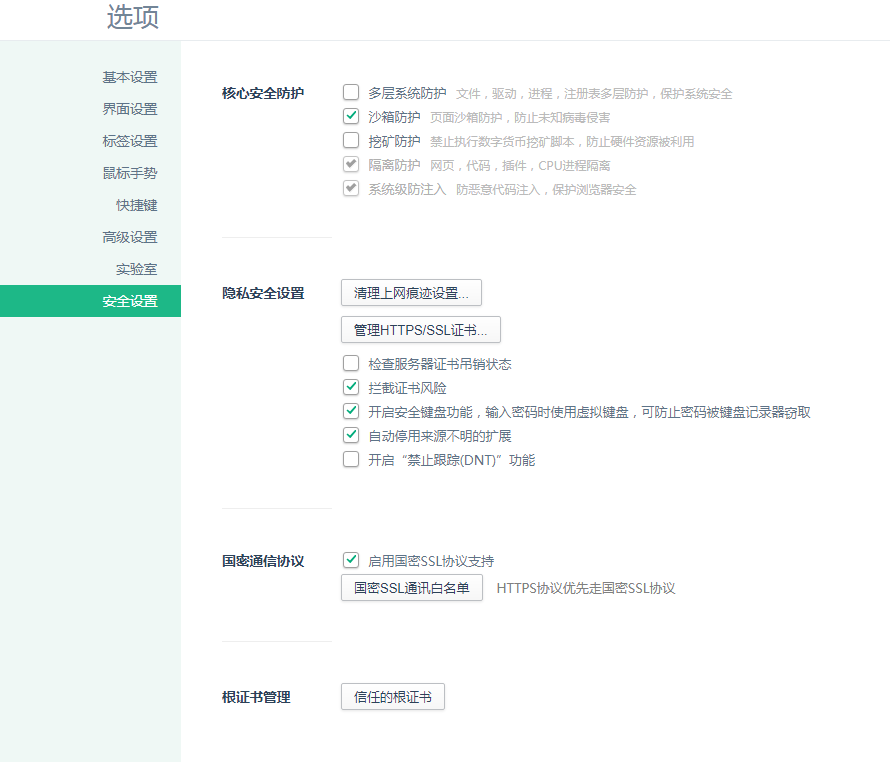
If two-way (mutual) authentication is used, you also need to configure the driver for the USB Key (smart cryptographic key).
Taking 360 Secure Browser v13.4 as an example:
On the "Security & Privacy"->"Driver Security"->"Driver Management"->"Guomi Driver Management" page, click to add a Guomi driver.
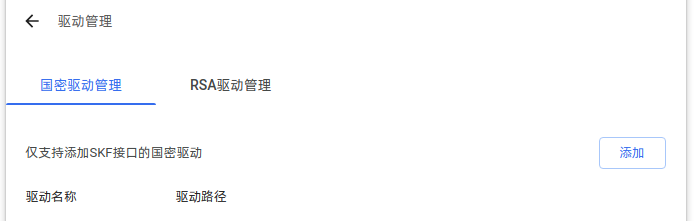
After the configuration succeeds, when accessing the server, a PIN input page should appear. Enter the correct PIN code to access the page properly.
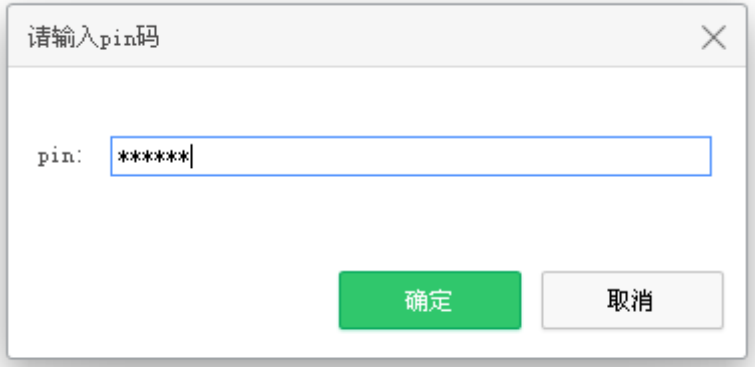
# Other Issues
If you are using Oracle JDK, due to the JVM's default encryption strength restrictions, you need to download the JCE Unlimited Strength Jurisdiction Policy Files. After extracting them, replace the files with the same names under the %JAVA_HOME%/jre/lib/security/ directory with the local_policy.jar and US_export_policy.jar files from the archive to remove the encryption strength restrictions. The attachment contains the corresponding files for JDK 8; for other JDK versions, download the corresponding files from the official website.
# Internationalization Support
# Overview
To facilitate the use of Kingdee Apusic Application Server V10 embedded deployment by users in different regions, Kingdee Apusic Application Server V10 embedded deployment provides internationalization support.
# Configuration Method
By default, log output uses the English format. To change it to the Chinese format, you need to write code in the Spring Boot configuration file to define the log output format configuration, as shown below.
@Bean
public Locale locale(){
	return Locale.CHINA;
}
2
3
4
# Log Management
# Application Log
# Overview
Kingdee Apusic Application Server V10 embedded deployment supports logging functionality, implemented through Spring Boot integration.
# Usage
You can load the corresponding application.properties or application.yml configuration file through Spring Boot configuration to configure the standard Spring Boot logging configuration information.
The application.properties configuration is as follows:
#log configuration
#disable log output
#logging.level.root: OFF
#log level
logging.level.root=info
#set the log output location using a relative path
#logging.file.path=logs
#console log output format
logging.pattern.console=%d{yyyy-MM-dd hh:mm:ss} [%thread] %-5level %logger{50} - %msg%n
#log file output format
logging.pattern.file=%d{yyyy-MM-dd} === [%thread] === %-5level === %logger{50} === - %msg%n
#define the log file name
logging.file.name=logs/aams-log-test.log
2
3
4
5
6
7
8
9
10
11
12
13
# Access Log
# Overview
Kingdee Apusic Application Server V10 embedded deployment supports access log recording and output capabilities, integrated through Spring Boot configuration.
# Usage
You can load the corresponding application.properties or application.yml configuration file through Spring Boot configuration to configure the log information.
The application.properties configuration is as follows:
server.aas.basedir=./
server.aas.accesslog.enabled=true
2
# Monitoring Support
# Overview
Kingdee Apusic Application Server V10 embedded deployment provides monitoring functionality, supporting integration with the springboot actuator framework to monitor corresponding resources (you need to add the spring-boot-starter-actuator dependency to the pom yourself; the embedded starter does not include this module).
# Usage
Directly include aams-spring-boot-starter-x.x.RELEASE.jar.
# Spring Boot 1.x Versions
Add the aams-spring-boot-starter dependency in the project's pom.xml.
<dependency>
	<groupId>com.apusic</groupId>
    <artifactId>aams-spring-boot-starter</artifactId>
    <version>1.5.20.RELEASE</version>
</dependency>
   <dependency>
    <groupId>org.springframework.boot</groupId>
    <artifactId>spring-boot-starter-actuator</artifactId>
    <version>1.5.20.RELEASE</version>
  </dependency>
2
3
4
5
6
7
8
9
10
Enable Monitoring
Configure monitoring in the Spring Boot configuration file; the application.properties configuration is as follows.
#configure the port
management.port=9998
#configure the monitoring access context
#management.context-path=/autoconfig
#set whether to enable security
management.security.enabled=false
2
3
4
5
6
View Monitoring
Start the service. The URL format is http://[IP]:[management.port]/[management.context-path]/[endpoint]. For example, access http://[IP]:9998/autoconfig.
Endpoint Descriptions
| Path | Description |
| /configprops | Describes how configuration properties are injected into Beans |
| /beans | Describes all Beans in the application context and their relationships |
| /autoconfig | Provides an auto-configuration report, recording the results of auto-configuration |
| /env | Retrieves all environment properties |
| /health | Reports the application's monitoring metrics |
| /loggers | Retrieves loggers |
| /dump | Retrieves a snapshot of thread activity |
| /metrics | Reports various application metrics, such as memory usage and HTTP request counts |
| /trace | Provides basic HTTP request tracing information |
| /mappings | Reports all URL paths |
# Spring Boot 2.x Versions
Add the aams-spring-boot-starter dependency in the project's pom.xml.
If the Spring Boot version is springboot2.x-springboot2.4, include the following in the pom file:
<dependency>
    <groupId>com.apusic</groupId>
    <artifactId>aams-spring-boot-starter-all</artifactId>
    <version>2.1.7.RELEASE</version>
</dependency>
   <dependency>
    <groupId>org.springframework.boot</groupId>
    <artifactId>spring-boot-starter-actuator</artifactId>
    <version>2.1.7.RELEASE</version>
  </dependency>
2
3
4
5
6
7
8
9
10
If the Spring Boot version is springboot2.4, include the following in the pom file:
 <dependency>
    <groupId>com.apusic</groupId>
    <artifactId>aams-spring-boot-starter-all</artifactId>
    <version>2.4.0</version>
</dependency>
   <dependency>
    <groupId>org.springframework.boot</groupId>
    <artifactId>spring-boot-starter-actuator</artifactId>
    <version>2.4.0</version>
  </dependency>
2
3
4
5
6
7
8
9
10
Enable Monitoring
Configure monitoring in the Spring Boot configuration file; the application.properties configuration is as follows.
#actuator port; if not configured, the above server.port is used by default
management.server.port=9999
#by default only the health and info endpoints are exposed; use * to include all endpoints
management.endpoints.web.exposure.include=*
#modify the access path
management.endpoints.web.base-path=/actuator
2
3
4
5
6
View Monitoring
Start the service. The URL format is http://[IP]:[management.server.port]/[management.endpoints.web.base-path]. For example, access http://[IP]:9999/actuator.

Endpoint Descriptions
| Path | Description |
| /actuator | Access context of the actuator service |
| /configprops | Describes how configuration properties are injected into Beans |
| /beans | Describes all Beans in the application context and their relationships |
| /caches | Retrieves cache information |
| /conditions | Provides auto-configuration, recording the results of auto-configuration |
| /env | Retrieves all environment properties |
| /health | Reports the application's monitoring metrics |
| /loggers | Retrieves loggers |
| /heapdump | Retrieves a heapdump |
| /metrics | Reports various application metrics, such as memory usage and HTTP request counts |
| /threaddump | Retrieves a threaddump |
| /httptrace | Provides basic HTTP request tracing information |
| /mappings | Reports all URL paths |
| /scheduledtasks | Retrieves scheduled tasks |
# Example Operations
The example spring-boot-jsp uses AAS as the runtime container for a Spring Boot application. This example is developed based on Spring Boot 2.4, and the AAS embedded dependency packages must be installed into the local Maven repository before the application can be properly imported and developed.
# Environment Preparation
- Application Project: the application project to be used
- AAS Embedded Deployment Product Package: the example uses
AAMS-V10-embed.tar.gzas a reference - Maven Environment: a usable Maven environment must be installed for building the application
- Java Environment: a usable JDK must be prepared; the version must be JDK 8
- AAS License File: prepare the corresponding AAS license file, or connect to the Apusic License Center
# AAS Deployment
Deploy the AAS embedded deployment product package by extracting
AAMS-V10-embed.tar.gz.In a terminal, navigate to the
AAMS-V10-embed/starter-2.4directory and enter the following command to install the dependency into the local Maven repository:
mvn install:install-file -Dfile=aams-spring-boot-starter-all-2.4.0.jar -DgroupId=com.apusic -DartifactId=aams-spring-boot-starter-all -Dversion=2.4.0 -Dpackaging=jar
- Visit the Maven local repository path "
.../repository/com/apusic/aams-spring-boot-starter-all/2.4.0/". If this directory and the.jarfile appear, the dependency has been successfully installed into the local Maven repository and can be referenced normally in the project.
# Application Project
Create or import the application project. The source code of the example spring-boot-jsp is as follows:

# pom File
The pom file is as follows:
<project xmlns="http://maven.apache.org/POM/4.0.0" xmlns:xsi="http://www.w3.org/2001/XMLSchema-instance"
         xsi:schemaLocation="http://maven.apache.org/POM/4.0.0 http://maven.apache.org/xsd/maven-4.0.0.xsd">
  <modelVersion>4.0.0</modelVersion>

  <groupId>com.apusic.test</groupId>
  <artifactId>spring-boot-jsp</artifactId>
  <version>1.0</version>
  <packaging>jar</packaging>

  <properties>
    <failOnMissingWebXml>false</failOnMissingWebXml>
    <project.build.sourceEncoding>UTF-8</project.build.sourceEncoding>
    <aams.version>10.0.0</aams.version>
  </properties>

  <dependencyManagement>
    <dependencies>
      <dependency>
        <groupId>org.springframework.boot</groupId>
        <artifactId>spring-boot-dependencies</artifactId>
        <version>2.4.0</version>
        <type>pom</type>
        <scope>import</scope>
      </dependency>
    </dependencies>
  </dependencyManagement>

  <dependencies>
    <dependency>
      <groupId>org.springframework.boot</groupId>
      <artifactId>spring-boot-starter</artifactId>
      <version>2.4.0</version>
      <exclusions>
        <exclusion>
          <groupId>org.springframework.boot</groupId>
          <artifactId>spring-boot-starter-tomcat</artifactId>
        </exclusion>
      </exclusions>
    </dependency>
    <dependency>
      <groupId>org.springframework.boot</groupId>
      <artifactId>spring-boot-starter-actuator</artifactId>
      <version>2.4.0</version>
    </dependency>
    <dependency>
      <groupId>com.apusic</groupId>
      <artifactId>aams-spring-boot-starter-all</artifactId>
      <version>2.4.0</version>
    </dependency>
	<dependency>
    <groupId>com.apusic</groupId>
    <artifactId>aas-sm</artifactId>
    <version>3.80.1</version>
</dependency>
    <dependency>
      <groupId>com.apusic</groupId>
      <artifactId>aas-embed-jasper</artifactId>
      <version>${aams.version}</version>
    </dependency>
    <dependency>
      <groupId>com.apusic</groupId>
      <artifactId>aas-embed-el</artifactId>
      <version>${aams.version}</version>
    </dependency>
    <dependency>
      <groupId>org.springframework.boot</groupId>
      <artifactId>spring-boot-starter-web</artifactId>
      <version>2.4.0</version>
      <exclusions>
        <exclusion>
          <groupId>org.springframework.boot</groupId>
          <artifactId>spring-boot-starter-tomcat</artifactId>
        </exclusion>
      </exclusions>
    </dependency>
    <dependency>
      <groupId>javax.validation</groupId>
      <artifactId>validation-api</artifactId>
      <version>2.0.1.Final</version>
    </dependency>
    <dependency>
      <groupId>javax.servlet</groupId>
      <artifactId>jstl</artifactId>
      <version>1.2</version>
    </dependency>
  </dependencies>
  <build>
    <plugins>
      <plugin>
        <groupId>org.apache.maven.plugins</groupId>
        <artifactId>maven-compiler-plugin</artifactId>
        <version>3.10.1</version>
        <configuration>
          <source>1.8</source>
          <target>1.8</target>
        </configuration>
      </plugin>
      <plugin>
        <groupId>org.springframework.boot</groupId>
        <artifactId>spring-boot-maven-plugin</artifactId>
        <version>2.4.0</version>
        <executions>
          <execution>
            <goals>
              <goal>repackage</goal>
            </goals>
          </execution>
        </executions>
      </plugin>
    </plugins>
    <resources>
      <resource>
        <directory>src/main/java</directory>
        <includes>
          <include>**/*.properties</include>
        </includes>
      </resource>
      <resource>
        <directory>src/main/resources</directory>
      </resource>
      <resource>
        <directory>src/main/webapp</directory>
        <targetPath>META-INF/resources</targetPath>
        <includes>
          <include>**/**</include>
        </includes>
      </resource>
    </resources>
  </build>
</project>
2
3
4
5
6
7
8
9
10
11
12
13
14
15
16
17
18
19
20
21
22
23
24
25
26
27
28
29
30
31
32
33
34
35
36
37
38
39
40
41
42
43
44
45
46
47
48
49
50
51
52
53
54
55
56
57
58
59
60
61
62
63
64
65
66
67
68
69
70
71
72
73
74
75
76
77
78
79
80
81
82
83
84
85
86
87
88
89
90
91
92
93
94
95
96
97
98
99
100
101
102
103
104
105
106
107
108
109
110
111
112
113
114
115
116
117
118
119
120
121
122
123
124
125
126
127
128
129
130
# Building the Application Package
Navigate to the project directory and build it with Maven by executing mvn package.
# Running the Application
Before running, place the license file license.xml in the same directory as the application spring-boot-jsp.jar, then execute:
java -jar spring-boot-jsp.jar
# Accessing the Application
The client accesses http://IP:PORT/MyServlet, for example http://localhost:8080/MyServlet.
# Running in Debug Mode
To start in debug mode (debug), execute:
java -agentlib:jdwp=transport=dt_socket,address=8000,server=y,suspend=n -jar spring-boot-jsp.jar
# Stopping the Application
Depending on how the application was started, choose the corresponding stopping operation:
- Stopping an Application Started in the Foreground
If the application was started in the foreground (running directly in a terminal without being detached to the background), simply close or exit the current terminal to terminate the application process and complete the stop operation.
- Stopping an Application Started in the Background
If the application was started in the background (for example, via nohup, &, etc.), follow these steps:
- Query the Process ID
Execute either of the following commands to obtain the application process ID (PID):
# Method 1: Query by process keyword
ps -ef | grep apusic

# Method 2: Query using the JVM process tool
jps -lvm
2
3
4
5
- Stop the Process
After obtaining the process ID, execute the kill command to terminate the process:
# First try a graceful stop
kill [PID]

# If the process cannot be stopped gracefully, force termination
kill -9 [PID]
2
3
4
5
# Distributed Tracing and Call Trace Analysis
The application server supports integration with distributed tracing tools. Both SkyWalking and Pinpoint are distributed tracing tools for distributed systems, used to help developers understand and optimize system performance and call relationships in microservice architectures.
The content of this chapter applies to both standalone deployment and embedded deployment (Spring Boot integration).
# Integration with Pinpoint
# Introduction
Pinpoint is an open-source Java application performance monitoring (APM) tool, mainly used for performance monitoring and troubleshooting of distributed systems, and capable of comprehensively monitoring and analyzing Java microservice architectures. Through bytecode enhancement technology, it automatically collects distributed tracing data, performance metric data, thread stack data, and more from applications with zero code intrusion, helping developers and operations personnel quickly understand the running status of the system and locate performance bottlenecks and failure points.
# Related Resources
- Kingdee Apusic Application Server product package
- Kingdee Apusic Application Server Pinpoint plugin,
aas-pinpoint-[version].jar(located in theplugins/pinpoint/directory of the product installation directory, such asaas-pinpoint-2.5.3.jar,aas-pinpoint-2.5.4.jar) - Pinpoint v2.5.3 or above
- pinpoint-agent v2.5.3 or above
# Installing pinpoint-agent
Download and install pinpoint-agent; version v2.5.3 or above is recommended. Refer to the official website for the installation package and installation instructions, which are not described in detail here.
pinpoint-agent must be installed on the same server as Kingdee Apusic Application Server.
# Application Server APM Plugin Configuration
The Pinpoint plugin of Kingdee Apusic Application Server is located in the plugins/pinpoint/ directory of the product installation directory. Copy the application server Pinpoint plugin, such as aas-pinpoint-2.5.3.jar, to the corresponding pinpoint-agent directory, such as pinpoint-agent-2.5.3/plugin/.
Configure pinpoint-agent. For example, modify the following configuration in pinpoint-agent-2.5.3\profiles\release\pinpoint.config:
profiler.collector.ip=127.0.0.1 #IP address of the collector
profiler.transport.grpc.collector.ip=127.0.0.1 # Used to specify the IP address of the Collector when gRPC (Google Remote Procedure Call) is used as the transport protocol for performance data transmission
#Modify the following two items according to your needs; if not changed, some monitoring data may not be collected
profiler.sampling.counting.sampling-rate=1 #Set the sampling rate in counting form. The sampling rate is generally a decimal between 0 and 1. For example, 0.1 means sampling 10% of all possible events; 0.01 means sampling 1% of events. When the access volume is low, it is recommended to collect all data
profiler.sampling.percent.sampling-rate=100 #Set the sampling rate in percentage form
2
3
4
5
# Application Server Configuration
Integrate pinpoint-agent into the application server. Edit the startup script, such as apusic.sh, and add the pinpoint-agent information to JAVA_OPTS.
JAVA_OPTS="$JAVA_OPTS -javaagent:/opt/pinpoint/pinpoint-agent-2.5.3/pinpoint-bootstrap-2.5.3.jar -Dpinpoint.agentId=test -Dpinpoint.applicationName=AASV10"
-javaagent: the location of pinpoint-agent. It is recommended to fill in the actual directory, and the directory must have open permissions-Dpinpoint.agentId: sets the ID of pinpoint-agent, which must not be the same as that of other monitored projects-Dpinpoint.applicationName: the name of the collected project
# Starting the Application Server
After the configuration is complete, navigate to the application server directory ${APUSIC_HOME}/bin and execute the startup command, such as apusic.sh run, to start Kingdee Apusic Application Server. pinpoint-agent will be started at the same time.
# Embedded Deployment Configuration
If embedded deployment is used, enable it by referring to the following method:
java -javaagent:/opt/pinpoint/pinpoint-agent-2.5.3/pinpoint-bootstrap-2.5.3.jar -Dpinpoint.agentId=test -Dpinpoint.applicationName=test -jar test.jar
# Pinpoint APM Operations
Installing Pinpoint (the APM monitoring tool) requires deploying three parts: Collector, Web, and Agent. The product package and installation steps can be found on the official website and are not described in detail here.
After installation, start HBase, the collector service, and the web service.
Access the Pinpoint Web console, which defaults to http://IP:8080.
Check whether the connected application appears in the application list.
Check whether call traces and performance metrics are being reported normally.
# Integration with SkyWalking
# Introduction
SkyWalking is an open-source application performance monitoring (APM) tool, mainly used for performance monitoring and troubleshooting of distributed systems, and capable of comprehensively monitoring and analyzing microservice architectures, cloud-native applications, and more. By collecting and analyzing various data in application systems, such as distributed tracing data and performance metric data, it helps developers and operations personnel quickly understand the running status of the system and locate performance problems and failure points.
# Related Resources
- Kingdee Apusic Application Server product package
- Kingdee Apusic Application Server SkyWalking plugin,
aas-skywalking-[version].jar(located in theplugins/skywalking/directory of the product installation directory, such asaas-skywalking-8.3.0.jar) - SkyWalking APM v9.6.0 or above
- Java Agent for Apache SkyWalking v9.0.0 or above
# Installing Java Agent for Apache SkyWalking
Download and install Java Agent for Apache SkyWalking; version v9.0.0 or above is recommended. Refer to the official website for the installation package and installation instructions, which are not described in detail here.
Java Agent for Apache SkyWalking must be installed on the same server as Kingdee Apusic Application Server.
# Application Server APM Plugin Configuration
The SkyWalking plugin of Kingdee Apusic Application Server is located in the plugins/skywalking/ directory of the product installation directory, for example aas-skywalking-8.3.0.jar.
Place aas-skywalking-8.3.0.jar into the Agent's plugins directory, such as /opt/skywalking/skywalking-agent/plugins/.
If the application server and the SkyWalking Agent communicate remotely with SkyWalking APM, you need to set collector.backend_service in the SkyWalking Agent configuration file agent.config to the actual IP and port of SkyWalking APM.
# Application Server Configuration
Integrate skywalking-agent into the application server. Edit the startup script, such as apusic.sh, and add the skywalking-agent information to JAVA_OPTS, as shown in the following example:
JAVA_OPTS="$JAVA_OPTS -javaagent:/opt/skywalking/test/agent/skywalking-agent/skywalking-agent.jar -DSW_AGENT_COLLECTOR_BACKEND_SERVICES=127.0.0.1:11800 -DSW_AGENT_NAME=AASV10"
-javaagent: the location of skywalking-agent. It is recommended to fill in the actual path, and the path must have open permissions-DSW_AGENT_COLLECTOR_BACKEND_SERVICES: the server IP and data collection endpoint of SkyWalking; fill in according to the actual situation-DSW_AGENT_NAME: defines the registered service name
# Starting the Application Server
After the configuration is complete, navigate to the application server directory ${APUSIC_HOME}/bin and execute the startup command, such as apusic.sh run, to start Kingdee Apusic Application Server. Java Agent for Apache SkyWalking will be started at the same time.
# Embedded Deployment Configuration
If embedded deployment is used, enable it by referring to the following method:
java -javaagent:/opt/skywalking/test/agent/skywalking-agent/skywalking-agent.jar -DSW_AGENT_COLLECTOR_BACKEND_SERVICES=127.0.0.1:11800 -DSW_AGENT_NAME=test -jar test.jar
# SkyWalking APM Operations
Install SkyWalking APM. The product package and installation steps can be found on the official website and are not described in detail here.
Start SkyWalking APM. The usual startup method is to navigate to the bin directory of the SkyWalking APM installation directory and execute ./startup.sh. The startup method can be found on the official website and is not described in detail here.
Before starting, pay attention to the JDK installation environment; the corresponding version must be installed. For example, SkyWalking APM v9.6.0 uses JDK 11.
Access the SkyWalking APM web console, usually at http://IP:8080. Detailed configuration and usage can be found on the official website and are not described in detail here.
You can view services, for example, select AAS-V10.
# Troubleshooting
If the application server fails to start, check the application server logs, such as
server.log.If Java Agent for Apache SkyWalking fails to start, navigate to the log location under the Agent installation directory, such as
/opt/skywalking/skywalking-agent/logs/, and check the skywalking-agent logs.If SkyWalking APM fails to start, navigate to the SkyWalking APM installation directory, such as
/opt/skywalking/apache-skywalking-apm-bin/logs/, and check the APM logs.
# Call Trace Analysis
The application server comes with a built-in call trace analysis tool, located in the {APUSIC_HOME}/bin/apm directory of the installation directory, with no need to download or install it separately.
# Configuration Description
The configuration file is {APUSIC_HOME}/bin/apm/conf.properties.
| Configuration Parameter | Description | Default Value |
| cost | Specifies the minimum request duration to record; only requests exceeding this value are recorded, in milliseconds | 3000 |
| methodMinCost | Specifies the minimum method duration; only method calls exceeding this value are recorded, in milliseconds | 200 |
| logDir | Sets the storage directory for tracing results; this directory must have read and write permissions | sr |
| incPkgs | Specifies the classes or package names to be traced; multiple classes or packages are separated by commas | |
| excPkgs | Specifies the classes or package names to be excluded from tracing; multiple classes or packages are separated by commas. If the application has many classes, packages that are not of concern should be excluded as much as possible to avoid affecting performance | com.apusic.,org.,com.google.,com.thoughtworks.,net.sf.,com.ibm.,com.mysql.,oracle.,com.fasterxml.,com.netflix.eureka.,io.micrometer.core.instrument.binder.logging. |
| batchRetransform | Whether to transform classes in batch. If one class fails, the entire batch fails; false means classes are transformed one by one, and the failure of one class does not affect the others | true |
| outputClass | Whether to output the transformed classes; the output classes are located under classes in the apm root directory | false |
| verifyClass | Whether to verify the transformed classes | false |
# Operation Method
- Check the relevant processes, such as the process of the HTTP listening service on port 6888.
netstat -nltp |grep 6888
- Navigate to the call trace analysis tool directory and start the call trace analysis tool.
${PID}is the specific process ID.
java -jar client.jar pid=${PID}
- Following the previous step, execute
trace starton the aapm command-line page to enable tracing.
trace start

Access the application. At this point, call trace analysis data
.xmlfiles are automatically generated in the${APUSIC_HOME}/bin/apm/srdirectory.Execute the analysis command to generate the converted HTML file.
${APUSIC_HOME}is the application server installation directory, and[tr_name]is the actual call trace analysis data file name.
./flame.sh ${APUSIC_HOME}/bin/apm/sr/[tr_name].xml

- Download the HTML file and view the call trace details.
# Appendix
# Appendix A: listeners Configuration Reference
| Parameter | Description | Class Name |
| aprLifecycleListener | Uses APR to receive client requests. Attempts to initialize the APR library before the application server is initialized; if successful, APR is used to accept and process client requests. After the application server is destroyed, this listener performs APR cleanup. | com.apusic.ams.core.AprLifecycleListener |
| jreMemoryLeakPreventionListener | Prevents JRE memory leaks | com.apusic.ams.core.JreMemoryLeakPreventionListener |
| globalResourcesLifecycleListener | Initializes the MBeans for JNDI resources | com.apusic.ams.mbeans.GlobalResourcesLifecycleListener |
| threadLocalLeakPreventionListener | Prevents memory leaks caused by ThreadLocal objects | com.apusic.ams.core.ThreadLocalLeakPreventionListener |
# Appendix B: resources Configuration Reference
| Parameter | Description | Value Type | Default Value |
| name | Resource name; must be unique. For example, "userDatabase" indicates user permission configuration. | String | |
| auth | Authorization scope | String | Container |
| type | Type | String | com.apusic.ams.UserDatabase |
| description | Description | String | User database that can be updated and saved |
| factory | Resource factory | String | com.apusic.ams.users.MemoryUserDatabaseFactory |
| pathname | Path name | String | conf/aas-users.xml |
# Appendix C: executors Configuration Reference
| Parameter | Description | Value Type | Default Value |
| name | Thread pool name, referenced elsewhere in the configuration file; must be unique | String | |
| namePrefix | Prefix of the threads in the thread pool | String | |
| maxThreads | Maximum number of threads | Integer | 200 |
| minSpareThreads | Minimum number of idle threads | Integer | 25 |
| maxIdleTime | When the number of threads exceeds minSpareThreads, the maximum idle time before an idle thread is destroyed, in milliseconds | Integer | 60000 |
| maxQueueSize | Maximum number of tasks in the thread pool queue; tasks beyond this limit will be rejected | Integer | |
| prestartminSpareThreads | Whether to pre-start the minimum number of idle threads | Boolean | true |
# Appendix D: endpoints Configuration Reference
| Parameter | Description | Value Type | Default Value |
| port | Listening port | Integer | |
| protocol | Processing protocol; options include HTTP/1.1 and AJP/1.3 | String | HTTP/1.1 |
| connectionTimeout | Connection timeout, i.e., the timeout for reading the HTTP request line, in milliseconds | Number | 30000 |
| redirectPort | Redirect port when using HTTPS | Integer | |
| executor | The thread pool to use | String | |
| maxConnections | Maximum number of concurrent connections | Integer | 10000 |
| enableLookups | Whether to enable DNS lookup. If set to true, a DNS lookup is performed when request.getRemoteHost() is called; otherwise, only the IP address is returned | Boolean | false |
| acceptCount | The backlog size; the maximum queue length after maxConnections is reached. Requests beyond this limit will be rejected | Integer | 100 |
| maxPostSize | Maximum size of data submitted via FORM URL encoding, in bytes | Number | 104857600 |
| maxHttpHeaderSize | Maximum size of the HTTP header of a request or response, in bytes | Number | 8192(8KB) |
| compression | Whether to enable compression; possible values: off, on, force | String | on |
| compressionMinSize | Compression threshold; files smaller than this value will not be compressed | Integer | 2048 |
| compressibleMimeType | Comma-separated list of compressible MIME types | String | text/html,text/plain,text/css,application/javascript,application/json,application/x-font-ttf,application/x-font-otf,image/svg+xml,image/jpeg,image/png,image/gif,audio/mpeg,video/mp4 |
| connectionUploadTimeout | Data upload timeout. Takes effect only when disableUploadTimeout=false, in milliseconds | Number | |
| disableUploadTimeout | Whether to disable the upload timeout | Boolean | true |
| URIEncoding | Encoding of parameters in the URL | String | UTF-8 |
| processorCache | Maximum number of cached Processors | Integer | 20000 |
| tcpNoDelay | Whether the Nagle algorithm is disabled, allowing small packets to be sent | Boolean | true |
| keepAliveTimeout | Keep-alive timeout, in milliseconds | Number | 15000 |
| maxKeepAliveRequests | Number of requests allowed on a keep-alive connection before it is closed; -1 means no limit | Integer | 100 |
| address | Server listening address | IP address | 0.0.0.0 or :: |
| maxCookieCount | Maximum number of Cookies | Integer | 200 |
| relaxedPathChars | Special characters allowed in the request path | String | |
| relaxedQueryChars | Special characters allowed in the request query parameters | String | |
| useAsyncIO | Whether to use the asynchronous IO API | Boolean | true |
| useSendfile | Whether to use the sendfile feature. When sendfile is used, responses are not compressed | Boolean | true |
| SSLEnabled | Whether to allow SSL communication | Boolean | false |
| bindOnInit | Whether to bind the port during server initialization; when set to false, binding is deferred until the first request (graceful shutdown is controlled by gracefulStopAwaitMillis of the servers module and is unrelated to this parameter) | Boolean | true |
| enabledLongThread | Whether to enable slow thread monitoring | Boolean | false |
| longThreadLogPath | Directory location for slow thread log output | String | |
| longThreadThreshold | Defines the slow thread threshold; threads exceeding this threshold are considered slow, in milliseconds | String | 60000 |
| longThreadCycleTime | Sets the slow thread detection cycle, in milliseconds | String | 3000 |
| longThreadRollingInterval | Sets the rolling interval for slow thread logs, in milliseconds | String | 300000 |
# SSLHostConfig Configuration Parameters
| Parameter | Description | Value Type | Default Value |
| protocols | Names of the protocols allowed for communication with clients. Can be any combination of the following: SSLv2Hello/SSLv3/TLSv1/TLSv1.1/TLSv1.2/TLSv1.3/SMv1.1/all. The factory security configuration enables only TLSv1.2+TLSv1.3 by default | String | all |
| sslProtocol | The SSL protocol used by the server to create the SSLContext | String | TLS |
| truststoreFile | Truststore file, used to verify client certificates | String | System property javax.net.ssl.trustStore |
| truststoreType | Truststore type | String | JKS |
| truststorePassword | Truststore password | String | System property javax.net.ssl.trustStorePassword |
| certificateVerification | Certificate verification. If set to: required: the client must present a valid certificate. optional: the client is expected to present a certificate, but no error is reported if it does not. none: no client certificate is required, unless the client requests a resource constrained by "CLIENT-CERT" | String | none |
| ciphers | Cipher suites allowed for use | String |
# Certificate Configuration Parameters
| Parameter | Description | Value Type | Default Value |
| certificateFile | PEM-encoded certificate file | String | |
| certificateChainFile | PEM-encoded certificate chain file | String | |
| certificateKeyFile | PEM-encoded key file | String | |
| certificateKeyPassword | Key file password | String | |
| certificateKeyAlias | Alias of the key and certificate used by the server in the keystore | String | |
| certificateKeystoreFile | Keystore file | String | |
| certificateKeystorePassword | Keystore file password | String | |
| certificateKeystoreType | Keystore file type | String | JKS |
| type | Certificate type, used to confirm that the cipher suites and certificate match; must be one of UNDEFINED, RSA, DSS, and EC. If the SSLHostConfig has only one Certificate element, the type attribute is not required. If there are multiple Certificate elements, the type attribute must be specified | String | UNDEFINED |
# Appendix E: servers Configuration Reference
| Parameter | Description | Value Type | Default Value |
| name | Service name; must be globally unique | String | |
| defaultHost | Default virtual host name | String | |
| jvmRoute | The tag used for session stickiness in load balancing scenarios; must be unique among cluster nodes. This tag is appended to the Session ID, so that subsequent requests of the same session are processed by the same AAS instance. | String |
# Realm
| Parameter | Description | Value Type | Default Value |
| className | Java class name; this class must implement com.apusic.ams.Realm | String | |
| dataSourceName | JNDI name of the JDBC data source | String | |
| userTable | User table name; the table must contain the columns specified by the userNameCol and userCredCol attributes | String | |
| userNameCol | User name column | String | |
| userCredCol | User credential column (e.g., password) | String | |
| userRoleTable | User role table; the table must contain the columns specified by the userNameCol and roleNameCol attributes | String | |
| roleNameCol | Role name column | String | |
| resourceName | Name of the UserDatabase resource | String | UserDatabase |
| cacheSize | Number of users with failed authentication to cache | Integer | 1000 |
| failureCount | Number of failed authentication attempts before lockout | Integer | 5 |
| lockOutTime | User lockout duration, in seconds. During the lockout period, failed authentication resets the timer and successful authentication does not take effect | Integer | 300 |
# host
| Parameter | Description | Value Type | Default Value |
| name | Virtual host name; must be globally unique, typically a network name registered in DNS | String | |
| appBase | Base path for application deployment | String | webapps |
| unpackWARs | Whether to unpack WAR files for deployment | Boolean | true |
| autoDeploy | Whether to enable automatic deployment. If true, AAS periodically checks the appBase directory, deploys newly discovered applications, and redeploys updated applications | Boolean | true |
| deployOnStartup | Whether to automatically deploy applications under webapps at startup. Applications are scanned and deployed only once during the startup phase | Boolean | true |
# application
| Parameter | Description | Value Type | Default Value |
| path | Application context, i.e., the access path; must be unique within the same virtual host. If docBase is inside the host's appBase, this attribute must not be set, otherwise the same application may be deployed twice. | String | |
| docBase | The root directory of the application (when the application is packaged as a directory), or the path of the application (WAR file); can be an absolute path or a path relative to the appBase attribute of the host element | String | |
| useHttpOnly | Setting to true prevents client-side scripts from reading JSESSIONID, protecting against malicious CSRF/XSS attacks | Boolean | true |
| cookie | Whether cookies are allowed to carry the Session ID | Boolean | true |
| crossContext | If set to true, ServletContext.getContext() can obtain the ServletContext of other applications under the same virtual host. If set to false, ServletContext.getContext() returns null. | Boolean | false |
| logEffectiveWebXml | If true, the server logs the effective web.xml at the INFO level when the application starts. The effective web.xml includes the default web.xml, the web.xml provided by the application, web-fragment.xml files, and the results of annotation parsing | Boolean | false |
| override | If set to true, all global and host-level default context settings are ignored | Boolean | true |
| reloadable | If set to true, /WEB-INF/classes/ and /WEB-INF/lib/ are monitored, and the application is redeployed when files change | Boolean | true |
| sessionCookieDomain | Sets the domain value of the session cookies for this application | String | |
| sessionCookieName | Sets the name of the session cookie | String | JSESSIONID |
| swallowOutput | If set to true, content output by the application to System.out and System.err is redirected to the application's logger | Boolean | false |
# servers
| Parameter | Description | Value Type | Default Value |
| name | Name of the defined server; globally unique | String | |
| services | Referenced service; only one service can be added | String | |
| endpoints | Referenced network and protocol configurations; multiple entries separated by commas | String | |
| executors | Referenced thread pools; multiple entries separated by commas. Note: thread pools referenced by the endpoints within this server must also be referenced here, such as the http-thread-pool above | String | |
| gracefulStopAwaitMillis | After AAS stops, the duration to wait for in-progress client requests to complete, in milliseconds; 0 disables this feature | String |
# Appendix F: containers Configuration Reference
| Parameter | Description | Value Type | Default Value |
| name | Container name; globally unique | String | |
| port | Listening port used to shut down the application server; can be set to -1 if unused. It is recommended not to use it | Integer | |
| servers | Servers referenced by this application server instance; multiple entries can be separated by commas. Using a single server is recommended | String | |
| resources | Resources referenced by this application server instance, such as usernames and passwords; multiple entries can be separated by commas | String | |
| listeners | Listeners referenced by this application server instance; multiple entries can be separated by commas. References the listeners configured at the beginning of the file | String |
# Appendix G: Resource Data Source Configuration Reference
| Parameter | Description | Value Type | Default Value |
| name | JNDI name of the data source | String | |
| auth | The container is responsible for the resource connections | String | |
| type | Binding type | String | |
| url | Database connection URL | String | |
| username | Username | String | |
| password | Password | String | |
| maxTotal | Maximum number of connections | String | |
| maxIdle | Maximum number of idle connections | String | |
| maxWaitMillis | Maximum wait time for obtaining a connection (in milliseconds); -1 means waiting indefinitely | String | -1 |
| minIdle | Minimum number of idle connections | String | |
| validationQuery | Statement used to check connection validity | String | |
| validationQueryTimeout | Timeout for the validation statement; -1 means no timeout | String | -1 |
| testOnBorrow | true or false; whether to check connection validity when taking a connection from the pool | Boolean | true |
| testOnReturn | true or false; whether to check connection validity when returning a connection to the pool | Boolean | false |
| removeAbandonedOnBorrow | true or false; whether to remove abandoned connections | Boolean | false |
| logAbandoned | true or false; whether to log information about removed abandoned connections and the stack trace of the leaking code | Boolean | false |
| testWhileIdle | true or false; whether to check connection validity while connections are idle | Boolean | false |
| minEvictableIdleTimeMillis | Idle time of a connection; connections idle longer than this time are removed from the pool (in milliseconds) | Integer | |
| timeBetweenEvictionRunsMillis | Interval at which idle connections are checked for timeout; no check by default (in milliseconds) | Integer | |
| factory | When set to "com.apusic.aas.jdbc.pool.DataSourceFactory", specifies in the JNDI data source configuration that the Apusic built-in connection pool implementation is used to create javax.sql.DataSource and javax.sql.XADataSource instances, instead of a third-party or container-default connection pool. If factory="com.apusic.aas.jdbc.pool.DataSourceFactory" is set, the parameters maxTotal, maxWaitMillis, and removeAbandonedOnBorrow have no effect; set maxActive, maxWait, and removeAbandoned instead | String | |
| removeAbandoned | true or false; whether to enable automatic recycling of leaked connections. Typically used when factory="com.apusic.aas.jdbc.pool.DataSourceFactory" is set | Boolean | false |
| removeAbandonedTimeout | Connection timeout; a connection not returned within this time is considered leaked. Usually takes effect only when `removeAbandoned=true` | Integer | |
| threshold | Defines the duration beyond which an SQL statement is considered time-consuming, in milliseconds (ms) | Integer | |
| notifyPool | true or false; controls whether the connection pool core is notified for coordinated status handling when a slow SQL event is triggered. When "true", the connection pool is notified upon a slow query trigger and the connection is marked, allowing it to participate in pool monitoring/recycling logic; when "false", only the slow query log is printed without notifying the connection pool, incurring no additional pool logic overhead | Boolean | false |
| logFailed | true or false; whether to print error logs | Boolean | false |
| maxActive | Maximum number of active connections; the maximum number of database connections the pool can allocate to business use at the same time. Typically used when factory="com.apusic.aas.jdbc.pool.DataSourceFactory" is set | Integer | |
| maxWait | Maximum wait time; when the connection pool is full (maxActive reached), the maximum blocking time a new business request waits to obtain an idle connection from the pool, in milliseconds (ms). Typically used when factory="com.apusic.aas.jdbc.pool.DataSourceFactory" is set | Integer |
# Appendix H Common Web Configuration
| Parameter | Description | Value Type |
| server.port | Listening port of the application server | 8080 |
| server.address | Listening address of the application server | |
| server.servlet-path | Sets the base path for all Servlets in the application. When a client makes a request, the request URL must include this base path to reach the corresponding Servlet. By setting this property, a unified prefix can be configured for accessing the application's Servlets | |
| server.use-forward-headers | Whether to apply X-Forwarded-* headers in HTTP requests | |
| server.server-header | Sets the value of the HTTP response header Server | |
| server.max-http-header-size | Sets the maximum HTTP message header size | 8192 |
| server.connection-timeout | Connection timeout, i.e., the timeout for reading the HTTP request line | 20000ms |
| server.session-timeout | Session timeout, typically used in Spring Boot 1.x; for Spring Boot 2.x and later versions, it is recommended to configure server.servlet.session.timeout instead | |
| server.error.include-binding-errors | Configures whether data binding error information is included in error responses. Options: always: Error responses always include data binding error information regardless of circumstances. never: Error responses never include data binding error information. on-param: Error responses include data binding error information only when the request contains the trace parameter | never |
| server.error.include-exception | Controls whether the fully qualified name of the exception class is included in error responses. Options are "true" or "false" | FALSE |
| server.error.include-message | A configuration property that controls whether the exception message is included in error responses. Options: always: Error responses always include the exception message regardless of circumstances. never: Error responses never include the exception message. on-param: Error responses include the exception message only when the request contains the trace parameter | never |
| server.error.include-stacktrace | Controls whether the exception stack trace is included in error responses. Options: always: Error responses always include the exception stack trace regardless of circumstances. never: Error responses never include the exception stack trace. on-param: Error responses include the exception stack trace only when the request contains the trace parameter | never |
| server.error.path | Configures the error handling path | /error |
| server.error.whitelabel.enabled | Whether to enable the default error page displayed in the browser when a server error occurs | TRUE |
| server.ssl.enabled | Whether to allow SSL communication | true |
| server.ssl.ciphers | Cipher suites allowed for use | |
| server.ssl.client-auth | Client certificate verification; the value is one of need, want, or none | |
| server.ssl.enabled-protocols | Names of the protocols allowed for communication with clients | |
| server.ssl.key-alias | Alias of the key and certificate used by the server in the keystore | |
| server.ssl.key-password | Password of the key in the keystore | |
| server.ssl.key-store | Keystore file | |
| server.ssl.key-store-password | Password of the keystore file | |
| server.ssl.key-store-provider | Provider of the keystore file | |
| server.ssl.key-store-type | Type of the keystore file | |
| server.ssl.protocol | SSL protocol used by the server to create the SSLContext | TLS |
| server.ssl.trust-store | Truststore file, used to verify client certificates | |
| server.ssl.trust-store-password | Truststore password | |
| server.ssl.trust-store-provider | Provider of the truststore | |
| server.ssl.trust-store-type | Type of the truststore | |
| server.servlet.context-parameters.* | Servlet context initialization parameters | |
| server.servlet.context-path | Application context path | |
| server.servlet.application-display-name | Application display name | application |
| server.servlet.jsp.class-name | Class name of the Servlet used for JSP | |
| server.servlet.jsp.init-parameters | Used to configure the Init parameters of the JSP Servlet | |
| server.servlet.jsp.registered | Whether the JSP Servlet is registered | |
| server.servlet.session.store-dir | Session storage path (the directory used to store session data) | |
| server.servlet.session.timeout | Session expiration time | 30m (30 minutes) |
| server.servlet.session.tracking-modes | Configures the session tracking mode. Options: COOKIE, URL, SSL | COOKIE |
| server.servlet.session.persistent | Whether to preserve session data across restarts. When enabled (set to true), AAS serializes in-memory Sessions to a file on shutdown and loads them back on restart, so sessions are not lost; when disabled (false), Sessions are held entirely in memory and are lost after a restart | FALSE |
| server.servlet.session.cookie.domain | Sets the domain of this Cookie | |
| server.servlet.session.cookie.http-only | Setting to true prevents client-side scripts from reading JSESSIONID | true |
| server.servlet.session.cookie.max-age | Cookie expiration time | |
| server.servlet.session.cookie.name | Sets the name of the Cookie | JSESSIONID |
| server.servlet.session.cookie.path | Usage path of the Cookie | |
| server.servlet.session.cookie.comment | Comment of the cookie | |
| server.servlet.session.cookie.secure | Whether to always mark the cookie as secure | |
| server.servlet.register-default-servlet | Whether to register the default Servlet with the container | |
| server.aas.resource.allow-caching | Whether to cache static files | true |
| server.aas.resource.cache-ttl | TTL of the cache | |
| server.aas.internal-proxies | Regular expression matching trusted proxies | 10\.\d{1,3}\.\d{1,3}\.\d{1,3}|192\.168\.\d{1,3}\.\d{1,3}|169\.254\.\d{1,3}\.\d{1,3}|127\.\d{1,3}\.\d{1,3}\.\d{1,3}|172\.1[6-9]{1}\.\d{1,3}\.\d{1,3}|172\.2[0-9]{1}\.\d{1,3}\.\d{1,3}|172\.3[0-1]{1}\.\d{1,3}\.\d{1,3}|0:0:0:0:0:0:0:1|::1 |
| server.aas.protocol-header | Header containing the incoming protocol, commonly known as "X-Forwarded-Proto" | |
| server.aas.protocol-header-https-value | Value of the protocol header indicating whether the incoming request uses SSL | https |
| server.aas.port-header | Name of the HTTP header used to override the original port value | X-Forwarded-Port |
| server.aas.remote-ip-header | Name of the HTTP header from which the remote IP is extracted. For example, 'X-FORWARDED-FOR' | |
| server.aas.basedir | Base directory of the application server; a temporary folder is used if not set | |
| server.aas.background-processor-delay | Delay between invocations of the backgroundProcess method | |
| server.aas.max-threads | Maximum number of threads | 200 |
| server.aas.min-spare-threads | Minimum number of idle threads | 25 |
| server.aas.max-http-post-size | Maximum size of POST data | 104857600 |
| server.aas.max-http-header-size | Maximum HTTP header size of a request or response | 8192 |
| server.aas.max-swallow-size | Request body size limit | 20971520 |
| server.aas.redirect-context-root | Configures requests to the context root to be redirected by appending a / to the path | |
| server.aas.use-relative-redirects | Whether the Location header generated by sendRedirect for HTTP 1.1 and later uses a relative or absolute redirect; true/false | |
| server.aas.uri-encoding | Encoding used for URIs | utf-8 |
| server.aas.max-connections | Maximum number of concurrent connections | 10000 |
| server.aas.accept-count | Number of connections that are connected but not yet processed by the application server | 100 |
| server.aas.max-keep-alive-timeout | Connection keep-alive timeout | 30000ms |
| server.aas.max-keep-alive-requests | Maximum number of requests processed before the connection is closed; -1 means unlimited | 100 |
| server.aas.compression | Whether to enable response compression | FALSE |
| server.aas.enable-lookups | Whether to enable DNS lookups to resolve remote IP addresses to hostnames and record the client hostname in the access log | false |
| server.aas.compressible-mime-type | Comma-separated list of MIME types to be compressed | text/html,text/xml,text/plain,text/css,text/javascript,application/javascript,application/json,application/xml |
| server.aas.disable-upload-timeout | Whether to disable the upload timeout | false |
| server.aas.additional-tld-skip-patterns | JAR files to skip when scanning JSP tag libraries (TLDs) at startup; separate multiple entries with commas | |
| server.aas.relaxed-path-chars | Special characters allowed in the request path Other configuration methods: 1. System environment variable: AAS_RELAXED_PATH_CHARS; 2. JVM parameter: -Drelaxed-path-char Priority: system environment variable > JVM parameter > Spring Boot configuration file; see Appendix J for configuration examples | |
| server.aas.relaxed-query-chars | Special characters allowed in the request line parameters Other configuration methods: 1. System environment variable: AAS_RELAXED_QUERY_CHARS; 2. JVM parameter: -Drelaxed-query-char Priority: system environment variable > JVM parameter > Spring Boot configuration file; see Appendix J for configuration examples | |
| server.aas.use-send-file | Whether to use the sendfile feature | true |
| server.aas.scan-manifest | Whether to scan MF files | true |
| server.aas.scan-all-directories | Whether to scan all directories | true |
| server.aas.scan-all-files | Whether to scan all files | false |
| server.aas.scan-bootstrap-class-path | Whether to scan the Bootstrap class path | false |
| server.aas.scan-class-path | Whether to scan the class path | true |
| server.aas.head-case-sensitive | Whether headers are case-sensitive | true |
| server.aas.license-path | License path | |
| server.forward-headers-strategy | Strategy for handling X-Forwarded-* headers | |
| server.shutdown | Shutdown type supported by the server | immediate |
| server.http2.enabled | Whether to enable HTTP/2 | false |
| server.aas.processor-cache | Maximum number of idle processors that can be retained in the cache and reused for subsequent requests; supported in Spring Boot 2.4 and later versions | 20000 |
| server.aas.connection-timeout | Connection timeout; supported in Spring Boot 2.4 and later versions | |
| server.aas.remoteip.internal-proxies | Regular expression matching trusted proxies; supported in Spring Boot 2.4 and later versions | 10\.\d{1,3}\.\d{1,3}\.\d{1,3}|192\.168\.\d{1,3}\.\d{1,3}|169\.254\.\d{1,3}\.\d{1,3}|127\.\d{1,3}\.\d{1,3}\.\d{1,3}|172\.1[6-9]{1}\.\d{1,3}\.\d{1,3}|172\.2[0-9]{1}\.\d{1,3}\.\d{1,3}|172\.3[0-1]{1}\.\d{1,3}\.\d{1,3}|0:0:0:0:0:0:0:1|::1 |
| server.aas.remoteip.protocol-header | Header containing the incoming protocol, commonly known as "X-Forwarded-Proto"; supported in Spring Boot 2.4 and later versions | |
| server.aas.remoteip.protocol-header-https-value | Value of the protocol header indicating whether the incoming request uses SSL; supported in Spring Boot 2.4 and later versions | https |
| server.aas.remoteip.host-header | Name of the HTTP header for the remote host; supported in Spring Boot 2.4 and later versions | X-Forwarded-Host |
| server.aas.remoteip.port-header | Name of the HTTP header used to override the original port value; supported in Spring Boot 2.4 and later versions | X-Forwarded-Port |
| server.aas.remoteip.remote-ip-header | Name of the HTTP header from which the remote IP is extracted. For example, ` X-FORWARDED-FOR `. Supported in Spring Boot 2.4 and later versions | |
| server.aas.mbeanregistry.enabled | Whether to enable the AAS MBean registry; supported in Spring Boot 2.4 and later versions | false |
| server.aas.thread.max | Maximum number of threads; supported in Spring Boot 2.4 and later versions | 200 |
| server.aas.thread.min-spare | Minimum number of threads; supported in Spring Boot 2.4 and later versions | 25 |
# Appendix I Embedded Deployment Log Parameters
| Parameter | Description | Default Value |
| server.aas.accesslog.enabled | Whether to print access log entries; logging is enabled when set to true | false |
| server.aas.accesslog.pattern | Log format | common |
| server.aas.accesslog.directory | Path where log files are stored | None |
| server.aas.accesslog.prefix | Log file name prefix | access_log |
| server.aas.accesslog.suffix | Log file name suffix | .log |
| server.aas.accesslog.rotate | Whether to enable log rotation | true |
| server.aas.accesslog.rename-on-rotate | Whether to defer including the date stamp in the file name until rotation | false |
| server.aas.accesslog.request-attributes-enabled | Whether to record the IP address, hostname, protocol, and port of the request | false |
| server.aas.accesslog.file-date-format | Date format used in the log file name | .yyyy-MM-dd |
| server.aas.accesslog.buffered | Whether to buffer log records. When set to true, logs are recorded asynchronously | true |
| server.aas.accesslog.condition-if | Whether request logging is enabled only when "ServletRequest.getAttribute(conditionIf)" does not return null. Supported in Spring Boot 2.4 and later versions | |
| server.aas.accesslog.condition-unless | Whether request logging is enabled only when "ServletRequest.getAttribute(conditionUnless)" returns null. Supported in Spring Boot 2.4 and later versions | |
| server.aas.accesslog.encoding | Character set used by the log file; supported in Spring Boot 2.4 and later versions | |
| server.aas.accesslog.locale | Locale used to format timestamps in log entries and log file name suffixes; supported in Spring Boot 2.4 and later versions | |
| server.aas.accesslog.check-exist | Whether to check if the log file exists so it can be recreated when an external process renames it; supported in Spring Boot 2.4 and later versions | false |
| server.aas.accesslog.ipv6-canonical | Whether to use the IPv6 canonical representation format defined by RFC 5952; supported in Spring Boot 2.4 and later versions | false |
| server.aas.accesslog.max-days | Number of days to retain access log files before deletion; supported in Spring Boot 2.4 and later versions | -1 |
# Appendix J Configuration Examples for relaxed-path-chars and relaxed-query-chars
# Linux
# Environment Variables
export AAS_RELAXED_PATH_CHARS="\\\"<>[\\\\]^\`{|}"
export AAS_RELAXED_QUERY_CHARS="\\\"<>[\\\\]^\`{|}"
2
# JVM Parameters
JAVA_OPTS="$JAVA_OPTS $JSSE_OPTS -Drelaxed-path-chars='\\\"<>[\\\\]^\`{|}' -Drelaxed-query-chars='\\\"<>[\\\\]^\`{|}'"
# Spring Boot Configuration File
# application.properties
server.aas.relaxed-path-chars=\,<,>,[,],\\,^,`,{,|,}    # Allow special characters
server.aas.relaxed-query-chars=\,<,>,[,],\\,^,`,{,|,} # Allow special characters
2
# application.yaml
server:
  aas:
    relaxed-path-chars: \"<>[\\].^`{|} # Allow special characters
    relaxed-query-chars: \"<>[\\].^`{|} # Allow special characters
2
3
4
# Appendix K actuator Detailed Reference
Prerequisite: The embedded starter does not include the actuator module by default. Before using the features in this appendix, you must add the
spring-boot-starter-actuatordependency to your pom yourself (refer to the "Container Features - Monitoring Support" section).
# Configuration
| Parameter | Description | Default Value |
| management.endpoints.web.exposure.include | Selects the endpoints to expose (* exposes all endpoints); enter endpoint1,endpoint2,...,endpointN to selectively expose multiple endpoints | Health,info |
| management.endpoints.web.exposure.exclude | Hides endpoints; enter endpoint1,endpoint2,...,endpointN to selectively hide multiple endpoints | |
| management.server.port | The port opened by actuator, used to provide management information such as the application's health status and performance metrics. Typically used with Spring Boot 2.x | 8080 |
| management.port | The port opened by actuator, used to provide management information such as the application's health status and performance metrics. Typically used with Spring Boot 1.x | 8080 |
| management.context-path | By changing the value of this property, you can change the URL path for accessing actuator management endpoints. For example, if you set management.context-path to /management, the application's management endpoint URL becomes http://localhost:8080/management/health. Used with Spring Boot 1.x | /actuator |
| management.endpoints.web.base-path | Serves the same purpose as management.context-path; used with Spring Boot 2.x | /actuator |
| management.security.enabled | If set to true, authentication is required to access the management endpoints. If set to false, the management endpoints can be accessed without authentication. By default, the value of this property is false. Enabling this property helps protect the management endpoints from unauthorized access | false |
# Endpoints
| Path | Description | Details |
|---|---|---|
/actuator | Access context of the actuator service | |
/actuator/beans | The beans endpoint provides information about the application's beans | See beans for details |
/actuator/caches | View the application's caches | See caches for details |
/actuator/health | View the application's health status | See health for details |
/actuator/info | Provides general information about the application (customizable) | |
/actuator/conditions | Provides information about the condition evaluation of configuration and auto-configuration classes | See conditions for details |
/actuator/configprops | Provides information about the application's @ConfigurationProperties beans | See configprops for details |
/actuator/env | Provides the application's entire environment | See env for details |
/actuator/loggers | Provides access to the application's loggers and their level configuration | See loggers for details |
/actuator/heapdump | Provides a heap dump from the application's JVM | The response is binary data in HPROF (opens new window) format |
/actuator/threaddump | Provides a thread dump from the application's JVM | See threaddump for details |
/actuator/metrics | Provides access to application metrics | See metrics for details |
/actuator/scheduledtasks | Provides information about the application's scheduled tasks | See scheduledtasks for details |
/actuator/mappings | Provides information about the application's request mappings | See mappings for details |
# beans
Define a custom bean, run the application, then go to /actuator/beans and search for "test" to view the related information of test.
@Configuration
public class HelloWorld {
    @Bean
    public void test() {
        System.out.println("hello, world!");
    }
}
2
3
4
5
6
7
{
"context":{
  "application":{
    "beans":{
      ....
      "test": {
                    "aliases": [],
                    "scope": "singleton",
                    "type": "void",
                    "resource": "class path resource [com/apusic/demo/bean/HelloWorld.class]",
                    "dependencies": []
                },
      ....
    }
  }
}
}
2
3
4
5
6
7
8
9
10
11
12
13
14
15
16
17
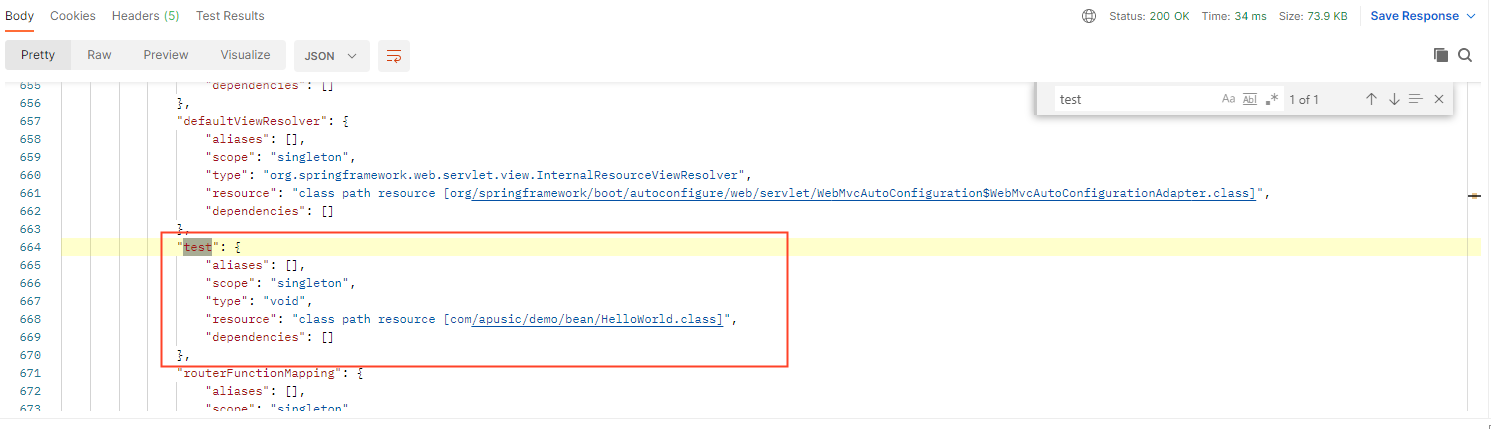
Detailed parameter descriptions are as follows:
| Path | Type | Description |
|---|---|---|
contexts | Object | Application contexts keyed by id |
contexts.*.parentId | String | ID of the parent application context (if any) |
contexts.*.beans | Object | Beans in the application context keyed by name |
contexts.*.beans.*.aliases | Array | Names of any aliases |
contexts.*.beans.*.scope | String | Scope of the bean |
contexts.*.beans.*.type | String | Fully qualified type of the bean |
contexts.*.beans.*.resource | String | Resource in which the bean is defined (if any) |
contexts.*.beans.*.dependencies | Array | Names of any dependencies |
# health
Modify the configuration to display the detailed content of the health endpoint.
management.endpoint.health.show-details=always # Default is never
Now access the /actuator/health endpoint again to view the detailed content. The application's health status is UP only when all components under components are UP. (e.g., when a data source is added but the database service is not started, the related component shows DOWN, and the application's health status is DOWN accordingly.)
{
    "status": "UP",
    "components": {
        "diskSpace": {
            "status": "UP",
            "details": {
                "total": 107371032576,
                "free": 97080827904,
                "threshold": 10485760,
                "exists": true
            }
        },
        "ping": {
            "status": "UP"
        }
    }
}
2
3
4
5
6
7
8
9
10
11
12
13
14
15
16
17
# conditions
Go to /actuator/conditions to see a response similar to the following:
{
  "contexts" : {
    "application" : {
      "positiveMatches" : {
        ...
        "EndpointAutoConfiguration#endpointOperationParameterMapper" : [ {
          "condition" : ...,
          "message" : ...
        } ],
        "GsonHttpMessageConvertersConfiguration.GsonHttpMessageConverterConfiguration" : {
          "notMatched" : [ {
            "condition" : ...,
            "message" : ...
          } ],
          "matched" : [ ]
        },
        ...
      "unconditionalClasses" : [
        ...
    }
  }
}
2
3
4
5
6
7
8
9
10
11
12
13
14
15
16
17
18
19
20
21
22
The response structure is as follows:
| Path | Type | Description |
|---|---|---|
contexts | Object | Application contexts keyed by id. |
contexts.*.positiveMatches | Object | Classes and methods with matching conditions. |
contexts.*.positiveMatches.*.[].condition | String | Condition name. |
contexts.*.positiveMatches.*.[].message | String | Details of why the condition matched. |
contexts.*.negativeMatches | Object | Classes and methods whose conditions did not match. |
contexts.*.negativeMatches.*.notMatched | Array | Conditions that matched. |
contexts.*.negativeMatches.*.notMatched.[].condition | String | Condition name. |
contexts.*.negativeMatches.*.notMatched.[].message | String | Details of why the condition did not match. |
contexts.*.negativeMatches.*.matched | Array | Conditions that matched. |
contexts.*.negativeMatches.*.matched.[].condition | String | Condition name. |
contexts.*.negativeMatches.*.matched.[].message | String | Details of why the condition matched. |
contexts.*.unconditionalClasses | Array | Names of unconditional auto-configuration classes (if any). |
contexts.*.parentId | String | ID of the parent application context (if any). |
# configprops
Go to /actuator/configprops to see a response similar to the following.
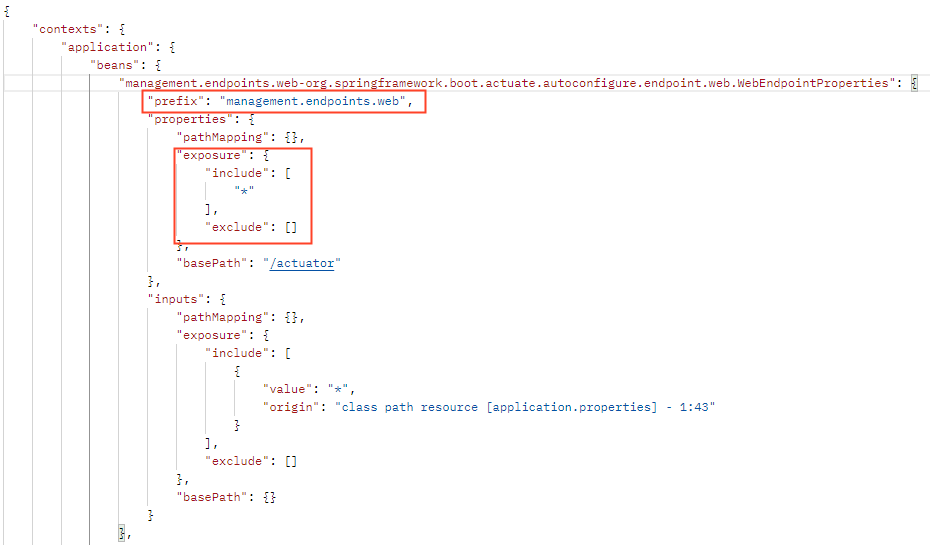
Combined with our configuration file, the red box shows the configurations we made for the application in the configuration file.
management.endpoints.web.exposure.include=*
Response details are as follows:
| Path | Type | Description |
|---|---|---|
contexts | Object | Application contexts keyed by id. |
contexts.*.beans.* | Object | @ConfigurationProperties beans keyed by bean name. |
contexts.*.beans.*.prefix | String | Prefix applied to the bean's property names. |
contexts.*.beans.*.properties | Object | Properties of the bean as name-value pairs. |
contexts.*.beans.*.inputs | Object | Origins and values of the configuration properties used when binding to this bean. |
contexts.*.parentId | String | ID of the parent application context (if any). |
# env
Go to the /actuator/env path to see the following page:
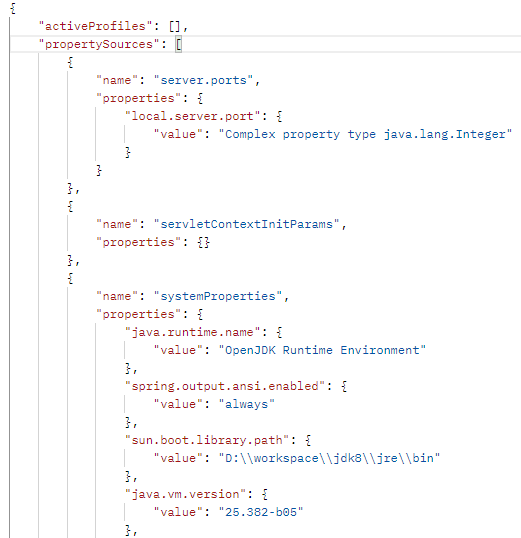
From the figure, you can see some of our system configurations and the types of the service port values
| Path | Type | Description |
|---|---|---|
property | Object | Property from the environment (if found) |
property.source | String | Name of the property source |
property.value | String | Value of the property |
activeProfiles | Array | Names of the active profiles (if any) |
propertySources | Array | Property sources in order of precedence |
propertySources.[].name | String | Name of the property source |
propertySources.[].property | Object | Property in the property source |
propertySources.[].property.value | Varies | Value of the property |
propertySources.[].property.origin | String | Origin of the property |
# loggers
Go to the actuator/loggers path to see the following information.
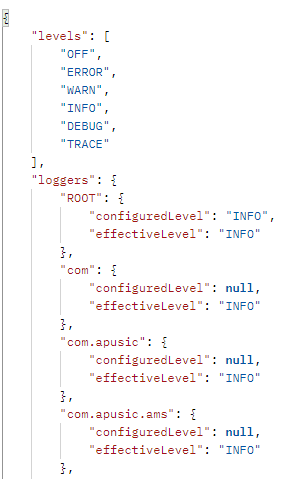
From the figure, you can see the relevant log levels and the effective levels of loggers with different names. The response format is as follows.
| Path | Type | Description |
|---|---|---|
levels | Array | Levels supported by the logging system |
loggers | Object | Loggers keyed by name |
groups | Object | Logger groups keyed by name |
loggers.*.configuredLevel | String | Configured level of the logger (if any) |
loggers.*.effectiveLevel | String | Effective level of the logger |
groups.*.configuredLevel | String | Configured level of the logger group (if any) |
groups.*.members | Array | Loggers belonging to the group |
You can access the information of an individual logger via /actuator/loggers/{logger.name}
The following interfaces are also available under this endpoint
| Path | Description | |
|---|---|---|
/actuator/loggers/{logger.name} | Access the information of an individual logger | |
/actuator/loggers/{group.name} | Access the information of loggers under a group | |
# Setting Log Levels
Setting an individual logger
Example: Select the com.apusic logger to configure. Before configuring, go to http://localhost:9999/actuator/loggers/com.apusic to view the current information of this logger.
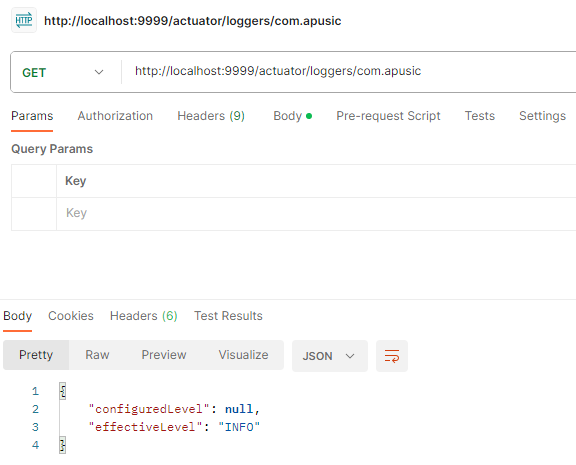
Then change the request to POST, and add Content-Type: application/json to the Headers and {"configuredLevel":"debug"} to the Body. When the Body is empty, the log level is cleared.
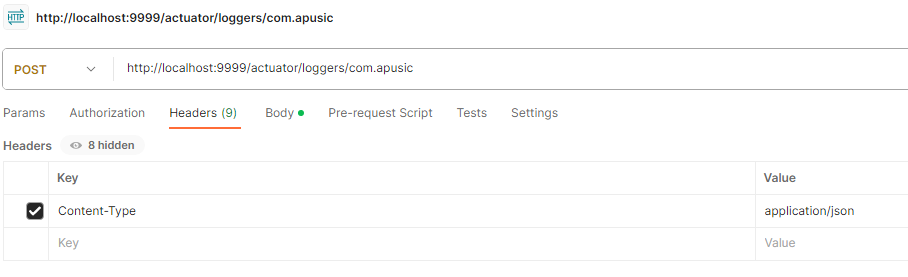
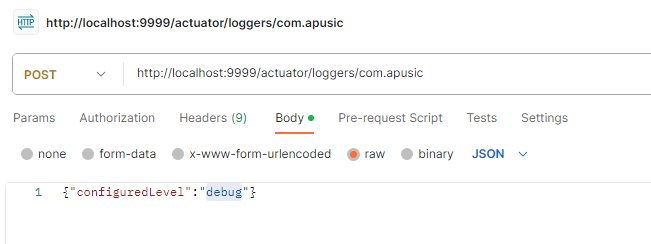
After sending the request, send a GET request again and you can see that the log level has been changed to DEBUG.
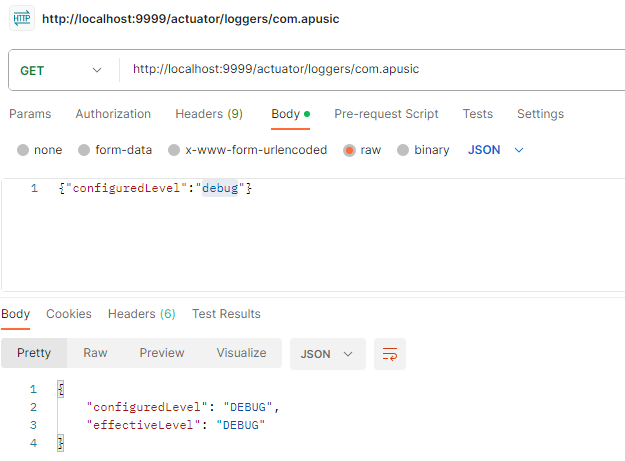
Setting the log level of a group
Similar to setting an individual logger, you only need to replace {logger.name} in the path with {group.name}.
# threaddump
After going to /actuator/threaddump, you can see the following page
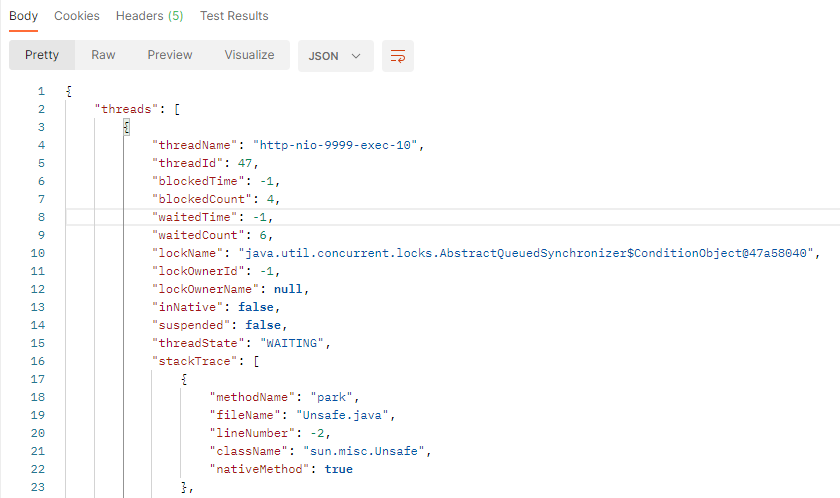
# metrics
After going to /actuator/metrics, you can see the following page
{
    "names": [
        "http.server.requests",
        "jvm.buffer.count",
        "jvm.buffer.memory.used",
        "jvm.buffer.total.capacity",
        "jvm.classes.loaded",
        "jvm.classes.unloaded",
        "jvm.gc.live.data.size",
        "jvm.gc.max.data.size",
        "jvm.gc.memory.allocated",
        "jvm.gc.memory.promoted",
        "jvm.gc.pause",
        "jvm.memory.committed",
        "jvm.memory.max",
        "jvm.memory.used",
        "jvm.threads.daemon",
        "jvm.threads.live",
        "jvm.threads.peak",
        "jvm.threads.states",
        "logback.events",
        "process.cpu.usage",
        "process.start.time",
        "process.uptime",
        "system.cpu.count",
        "system.cpu.usage"
    ]
}
2
3
4
5
6
7
8
9
10
11
12
13
14
15
16
17
18
19
20
21
22
23
24
25
26
27
28
Send a GET request in the form of /actuator/metrics/{metric.name} to obtain the information of a specific metric. Taking jvm.gc.max.data.size as an example, the browser outputs the following response.
{
    "name": "jvm.gc.max.data.size",
    "description": "Max size of long-lived heap memory pool",
    "baseUnit": "bytes",
    "measurements": [
        {
            "statistic": "VALUE",
            "value": 1.431830528E9
        }
    ],
    "availableTags": []
}
2
3
4
5
6
7
8
9
10
11
12
The response structure is as follows:
| Path | Type | Description |
|---|---|---|
name | String | Name of the metric |
description | String | Description of the metric |
baseUnit | String | Base unit of the metric |
measurements | Array | Measurements of the metric |
measurements[].statistic | String | Measurement statistic. (TOTAL, TOTAL_TIME, COUNT, MAX, VALUE, UNKNOWN, ACTIVE_TASKS, DURATION) |
measurements[].value | Number | Measurement value |
availableTags | Array | Tags available for drill-down |
availableTags[].tag | String | Name of the tag |
availableTags[].values | Array | Possible values of the tag |
# Descriptions of All Metrics
| Metric | Description |
|---|---|
| http.server.requests | Provides information about each HTTP request processed by the application, such as request count, request duration, etc. |
| jvm.buffer.count | Provides information about JVM buffer usage, such as buffer count, buffer utilization, etc. |
| jvm.buffer.memory.used | Used memory of JVM off-heap buffers (Direct/Mapped), in bytes |
| jvm.buffer.total.capacity | Total buffer capacity |
| jvm.classes.loaded | Number of loaded classes |
| jvm.classes.unloaded | Total number of unloaded classes |
| jvm.gc.live.data.size | Size of live objects; helps developers identify memory leaks and tune the JVM heap size |
| jvm.gc.max.data.size | Maximum heap size; helps developers understand the JVM heap size limit and adjust it as needed |
| jvm.gc.memory.allocated | Total amount of allocated memory; helps developers understand the application's memory usage and optimize it |
| jvm.gc.memory.promoted | Size of objects promoted by garbage collection; helps developers understand garbage collector performance and tune heap size and GC strategy |
| jvm.gc.pause | Number and duration of garbage collection pauses; helps developers understand garbage collector performance and tune heap size and GC strategy |
| jvm.memory.committed | Amount of committed memory; helps developers understand the application's memory usage and optimize it |
| jvm.memory.max | Maximum amount of available memory; helps developers understand the JVM heap size limit and adjust it as needed |
| jvm.memory.used | Amount of used memory; helps developers understand the application's memory usage and optimize it |
| jvm.threads.daemon | Number of daemon threads; helps developers understand the use of daemon threads in the application and optimize it |
| jvm.threads.live | Number of live threads; helps developers understand thread usage in the application and optimize it |
| jvm.threads.peak | Peak thread count; helps developers understand the highest peak of thread usage in the application and optimize it |
| jvm.threads.states | Number of threads in each state; helps developers understand the distribution of thread states in the application and optimize it |
| logback.events | Number of Logback log events; helps developers understand the number and types of log events in the application and optimize them |
| process.cpu.usage | Process CPU usage; helps developers understand the application's CPU performance and optimize it |
| process.start.time | Process start time; helps developers understand the application's runtime and stability |
| process.uptime | Process uptime; helps developers understand the application's runtime and stability |
| system.cpu.count | Number of system CPU cores; helps developers understand the system hardware specifications and optimize application performance |
| system.cpu.usage | System CPU usage; helps developers understand the system's CPU performance and optimize it |
# scheduledtasks
Send a GET request to /actuator/scheduledtasks to see the following page
No scheduled tasks are configured at this time. The response structure is as follows:
| Path | Type | Description |
|---|---|---|
cron | Array | Cron tasks (if any). |
cron.[].runnable.target | String | Target to be executed. |
cron.[].expression | String | Cron expression. |
fixedDelay | Array | Fixed-delay tasks (if any). |
fixedDelay.[].runnable.target | String | Target to be executed. |
fixedDelay.[].initialDelay | Number | Delay before the first execution (in milliseconds). |
fixedDelay.[].interval | Number | Interval between the end of the last execution and the start of the next execution (in milliseconds). |
fixedRate | Array | Fixed-rate tasks (if any). |
fixedRate.[].runnable.target | String | Target to be executed. |
fixedRate.[].interval | Number | Interval between the start of each execution (in milliseconds). |
fixedRate.[].initialDelay | Number | Delay before the first execution (in milliseconds). |
custom | Array | Tasks with custom triggers (if any). |
custom.[].runnable.target | String | Target to be executed. |
custom.[].trigger | String | Trigger of the task. |
# mappings
Send a GET request to /actuator/mappings to see the following page